Letter Requesting Removal from Telemarketing List
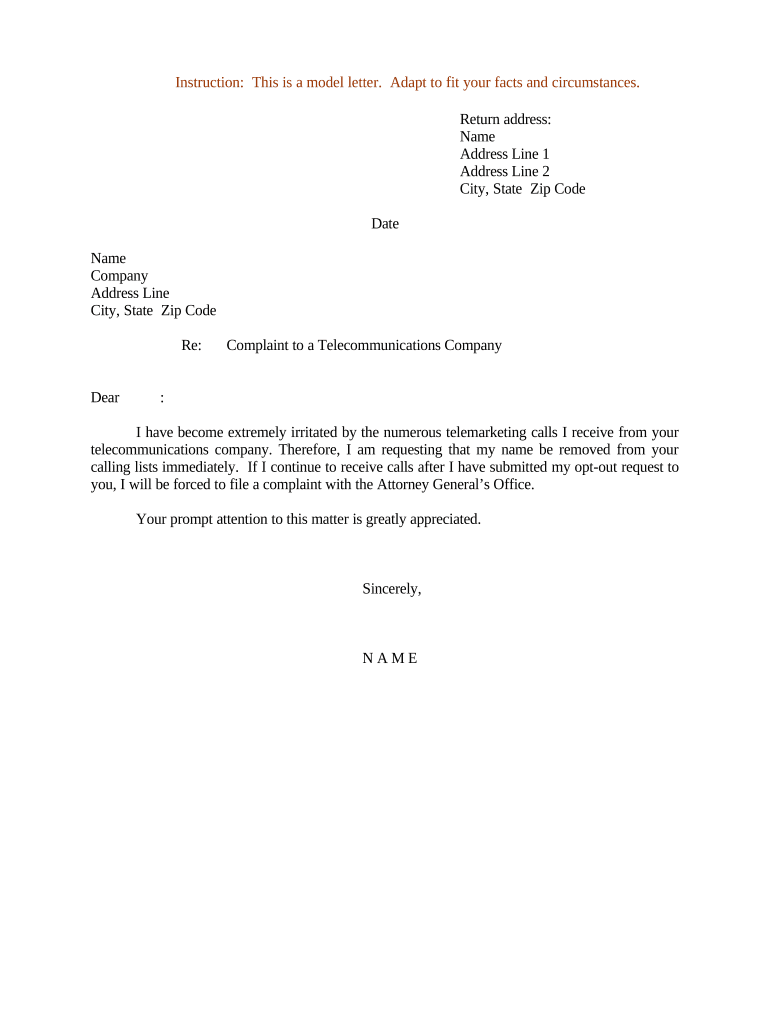
What a Letter Requesting Removal from Telemarketing List Is
Why this Letter Matters for Consumers and Businesses
A written removal request gives the recipient explicit notice, creates an auditable record of the consumer’s intent to opt out, and supports enforcement actions if the caller ignores the request, while helping organizations centralize unsubscribe processing and reduce future compliance risk.

Who Typically Sends or Receives These Removal Requests
Recipients are usually the telemarketer, a third-party call center, or a corporate marketing department; preserving the notice helps if escalation to the FTC or state regulator becomes necessary.
- Individual consumer disputing repeated sales calls and documenting a do-not-call instruction.
- Small business owner requesting removal of business lines used for sales prospects.
- In-house compliance officer or customer service team formalizing opt-out after a verbal request.
Step-by-Step: How to Prepare and Send the Removal Letter
-
01Identify the party: Confirm the telemarketer name and any account references from the call log or voicemail.
-
02Draft the request: State your full name, telephone number, date, and explicit instruction to stop all telemarketing contacts.
-
03Choose delivery: Send by certified mail, registered email with read receipt, or an eSigned PDF to capture proof of transmission and receipt.
-
04Keep records: Retain copies of the letter, sending receipts, and any replies for compliance or complaint filing.
How to Customize and Complete the Letter Online
| Field | Configuration |
|---|---|
| Upload template | Use a standardized template with fillable fields for name, phone, account ID, date, and scope. |
| Add signature field | Place a required signature and date field and mark both as mandatory for completion. |
| Set authentication | Require email verification or SMS code to attribute the signer and reduce disputes. |
| Attach evidence | Allow file attachments for call logs, recordings, or screenshots that corroborate the request. |
Where to Send or File Your Removal Request
-
Primary recipient: Send to the telemarketer’s customer service or compliance email/address indicated on the call or company website.
-
Service providers: If a third-party call center placed the call, send the request to both the caller and the contracting company.
-
Do Not Call Registry: If the calls continue, verify your number’s status on the national Do Not Call Registry and document dates of contact.
-
Regulatory report: If removal is ignored, file a complaint with the FTC and state attorney general with your saved correspondence.
Digital Signing and eSubmission Considerations
Proper eSubmission settings help demonstrate compliance with ESIGN (15 U.S.C. ch. 96) and UETA where applicable, and preserve evidence if enforcement or dispute resolution is needed.
- Authentication: Email verification or SMS OTP establishes signer attribution.
- Audit trail: Include IP, timestamp, and action log for each signer action.
- Integrations: Connect with CRM or ticketing systems like Salesforce or Google Workspace for centralized tracking.
Timelines and Processing Expectations
Immediate processing:
Organizations should log requests on receipt and begin suppression steps without undue delay.
Internal SLA:
Document an internal service-level timeframe for removal actions and confirmation to the requester.
Do Not Call Registry checks:
Telemarketers generally refresh license and suppression lists regularly; retain records showing list checks.
Follow-up period:
If calls continue, send a second documented notice and reference prior correspondence.
Regulatory complaint:
If unresolved, include dates and copies of notices when filing with the FTC or state regulator.
Common Mistakes to Avoid When Preparing the Letter
- Leaving out the telephone number or providing an incorrect number, which prevents the recipient from matching the request to their records and delays suppression.
- Failing to include account identifiers or caller reference codes, causing the recipient to miss which contact channel should be suppressed.
- Using vague language like 'please do not call again' without specifying the numbers, message types (calls, texts), or scope, leading to partial or inconsistent compliance.
- Relying solely on verbal instructions without sending a written notice and retaining proof of delivery, which weakens evidence if a regulatory complaint is later required.
Consequences and Legal Risks of Inadequate Removal Requests
Comparing eSignature Options for Submitting Removal Letters
| signNow | DocuSign | Adobe Sign | PandaDoc | HelloSign | |
|---|---|---|---|---|---|
| Starting Price | $8/user/mo | $15/user/mo | $14/user/mo | $19/user/mo | $15/user/mo |
| Free Trial | 7-day free trial | Varies by vendor | Varies by vendor | Varies by vendor | Varies by vendor |
| Bulk Send | Yes | Yes | Yes | Yes | No |
| Audit Trail | Yes | Yes | Yes | Yes | Yes |
| HIPAA Compliant | Yes | Yes | Yes | No | No |
Frequently Asked Questions About Removal Letters
-
How should I prove I sent the letter?
Keep delivery receipts such as certified mail tracking, read-receipt email headers, or the eSignature platform’s audit trail showing timestamp, IP, and signer attribution.
-
Can I send the letter by email?
Yes. Email is acceptable if you preserve delivery evidence and the recipient’s process accepts email opt-outs; use authenticated email or signed PDF to strengthen attribution.
-
Does an electronic signature satisfy requirements?
Electronic signatures are enforceable under ESIGN (15 U.S.C. ch. 96) and UETA where adopted, provided intent, consent, attribution, and retention are documented.
-
What if calls continue after I send the letter?
Send a follow-up notice, collect dates and details of continued contact, and file a complaint with the FTC or your state attorney general including copies of your prior notices.
-
Do I need a notary or witness?
Not typically for a removal letter; notarization is rarely required, but specific situations or state rules may call for additional formalities.
-
Who at the company should receive the request?
Address the request to the caller’s compliance or privacy team and copy customer service or the entity that contracted the call center to ensure proper escalation.