Establishing secure connection…Loading editor…Preparing document…

Letter Announcing Car for Sale

This template is fully customizable. Edit the text, fill out the fields, and send it for signature. Give it a try!
Letter Announcing Car for Sale

What the Letter Announcing Car for Sale Is

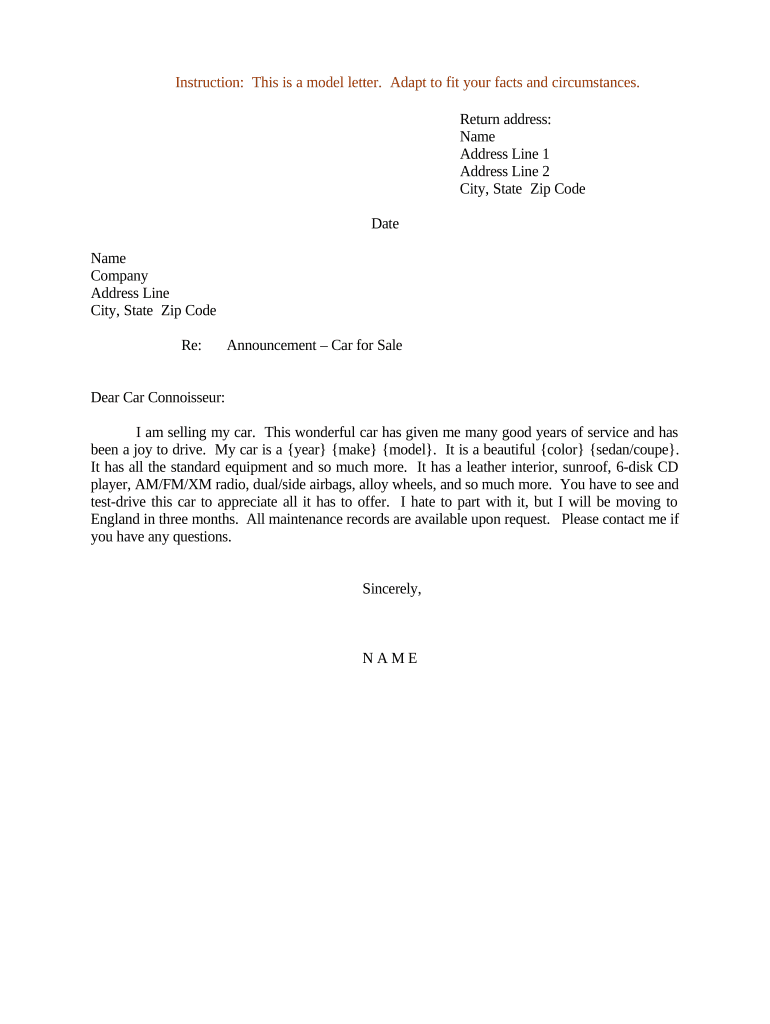
Letter Announcing Car for Sale is a written notice used by a vehicle owner or authorized agent to inform potential buyers, neighbors, employees, or business contacts that a specific motor vehicle is being offered for sale. It summarizes key sale terms—make, model, year, odometer reading, asking price, and contact information—and flags any conditions such as "as-is" sale or required inspections. The letter can accompany a bill of sale or title transfer documents, be shared electronically, and serve as a clear record of the seller's intent to solicit offers.

Why Use a Formal Sale Announcement

Use a Letter Announcing Car for Sale to create a concise, documented notice that clarifies vehicle details, asking terms, and seller contact information. It reduces buyer confusion, helps manage inquiries, and establishes an initial written record useful for title transfer and tax reporting.

Why Use a Formal Sale Announcement

Who Typically Prepares This Letter

Private sellers, licensed dealers, fleet managers, estate executors, and authorized agents commonly prepare this letter to notify prospective buyers.

  • Private seller: sole owner or co-owner preparing local classified listings and providing clear vehicle details to buyers.
  • Dealer: showroom or online listing notice that supplements statutory disclosures and dealer bill of sale practices.
  • Fleet manager or business: internal asset disposal notice documenting mileage, condition, and authorized point of contact.

Essential Parts of a Professional Announcement

Core components of a Letter Announcing Car for Sale are the vehicle description, sale terms, seller details, disclosures, supporting documents, and signature instructions for buyers.

Vehicle Details

List make, model, year, VIN, odometer reading, body type, color, and known mechanical issues. Accurate VIN and mileage prevent title transfer delays and potential legal disputes.
Asking Terms

State the asking price, acceptable payment methods, deposit requirements, whether the sale is 'as-is', and any price negotiation window. Be explicit about who pays transfer fees.

Contact Info

Provide seller name, preferred phone number, email address, best contact hours, and mailing address. Use the legal owner name to avoid confusion during title reassignment.

Disclosures

Include mandatory disclosures: salvage or salvage-rebuilt status, open liens, accident history, emission or smog issues, and any outstanding recalls. Failure to disclose can create liability under state consumer protection laws.

Supporting Documents

Attach or list title, current registration, maintenance records, warranty documents, bill of sale template, and any inspection reports. These documents expedite buyer verification and DMV processing.

Signature Instructions

Specify who must sign (owner, co-owner, or POA), where to sign, and whether a notarized signature or witness is required for state title transfer process.

Required Information to Include

Seller Name: Enter full legal name as on title.
Vehicle VIN: Enter the 17-character VIN exactly as on the vehicle.
Odometer: Enter numeric mileage without commas or abbreviations.
Asking Price: Enter in USD; include cents if applicable.
Condition: Describe condition briefly; note major defects.
Signatures: Owner signature and date required.

Step-by-Step: Preparing Your Sale Letter

Follow these steps to complete a Letter Announcing Car for Sale that supports title transfer and buyer communications.

  • 01
    Identify Vehicle: Record VIN, make, model, year, and odometer.
  • 02
    Set Terms: Enter price, payment method, and 'as-is' status.
  • 03
    Attach Documents: Include title, registration, and inspection reports.
  • 04
    Sign and Send: Sign, notarize if needed, then deliver to buyer and DMV.

How to Amend or Revise a Posted Letter

To amend a posted letter, follow a structured revision process to document changes, obtain new signatures, and notify interested parties promptly.

01

Prepare Amendment:

Note changes and reasons with date
02

Attach Doc:

Include prior and revised letters.
03

Sign Again:

All owners must re-sign amendment.
04

Notarize If Needed:

Notarize when title or state requires.
05

Notify Buyers:

Send revised letter to prior contacts.
06

Update Records:

File revised copy with DMV and archives.

Where to File, Send, or Submit the Letter

Decide whether to deliver the letter to individual buyers, list it with online classifieds, or file supporting documents with the DMV as required.

  • Buyer: Give the signed letter and supporting documents to prospective buyer.
  • Local DMV: File title assignment and any required forms per state procedures.
  • Online Listing: Post basic letter details in classified ads or dealer platforms.
  • Recordkeeping: Retain copies for owner records and future disputes.

Digital Signing and Distribution Considerations

For electronic distribution and signing, verify platform supports PDF/Word uploads, audit trails, and secure authentication to meet legal and DMV requirements.

  • File Types: PDF and DOCX uploads supported widely.
  • Authentication: Email link, SMS code, or KBA options.
  • Integrations: Integrates with Salesforce, MS 365, and Google Drive.

Comparing Common eSignature Plans for Sale Documents

Compare common eSignature plan features and starting prices to evaluate cost and compliance considerations for signing and sending sale-related documents.

signNow DocuSign Adobe Sign PandaDoc HelloSign
Starting Price $8/user/mo $15/user/mo $14/user/mo $19/user/mo $15/user/mo
Free Trial 7-day trial Varies Varies Varies Varies
Bulk Send Yes Yes Yes Yes No
Audit Trail Yes Yes Yes Yes Yes
HIPAA Compliant Yes Yes Yes No No

Key Timing and Deadline Considerations

Key timing considerations include disclosure deadlines, DMV title transfer windows, and payment/deposit settlement periods to avoid penalties.

Offer Validity Period:

Specify how long the asking price remains available.

Deposit Deadlines:

State when deposit is due and if refundable.

Title Transfer Window:

Complete title assignment within state-mandated period to avoid late fees.

DMV Submission Timing:

Check state DMV rules for required filing times and extensions.

Record Retention Start:

Retention begins on sale date or title transfer date, as applicable.

Common Mistakes to Avoid

  • Incomplete VINs or mismatched owner names frequently delay DMV transfers and may trigger additional verification or rejection of title applications.
  • Failing to disclose salvage history or major accidents can expose sellers to state consumer protection claims and post-sale liability.
  • Vague payment terms or accepting unsecured payment methods increase risk of fraud and payment disputes after the vehicle is delivered.
  • Not confirming lien release with the lender before sale can result in a title with encumbrance that the buyer refuses to accept.

Penalties and Practical Risks of an Incorrect Letter

Misrepresentation: Civil liability exposure
Title Delays: State DMV holds or fines
Tax Issues: Unreported sale tax liability
Lien Problems: Outstanding lien complications
Buyer Disputes: Return demands or refunds
Regulatory Fines: Penalties under state laws

Who Has Authority to Sign

Owner

The registered owner named on the vehicle title normally must sign the letter and title assignment. Co-owners must join in signature unless state law or title specifically allows a single owner to convey full interest.

Authorized Agent

An authorized agent or holder of a valid power of attorney may sign on the owner's behalf if the POA document is attached and meets state-specific authentication or notarization requirements; some DMVs require original POA or notarized copy for processing.

How to Save and Share Signed Letters

After completion, export the letter in PDF or DOCX for distribution and archive signed copies with supporting documents in secure storage.

PDF Export

Save a flattened, tamper-evident PDF/A version for long-term archiving. PDFs preserve layout, signatures, and embedded audit trails and are widely accepted by DMVs and buyers.

DOCX Backup

Keep an editable DOCX copy for future updates or revisions. Label versions clearly and track change dates to avoid confusion in title transfer or dispute resolution.

Cloud Storage

Store signed files in encrypted cloud storage with restricted access. Maintain an audit log of downloads and edits to demonstrate chain of custody if needed.

Local Copy

Retain a printed, signed copy in a physical file for at least the minimum retention period; use fireproof or locked storage for originals.

FAQs: Common Questions About the Letter Announcing Car for Sale

Answers to common questions about preparing, signing, and submitting a Letter Announcing Car for Sale, including notarization, digital signatures, and title transfer issues.


Need help? Contact support

be ready to get more
Join over 28 million airSlate SignNow users