Establishing secure connection…Loading editor…Preparing document…

Letter to Santa

This template is fully customizable. Edit the text, fill out the fields, and send it for signature. Give it a try!
Letter to Santa

What a Letter to Santa Is and How It's Used

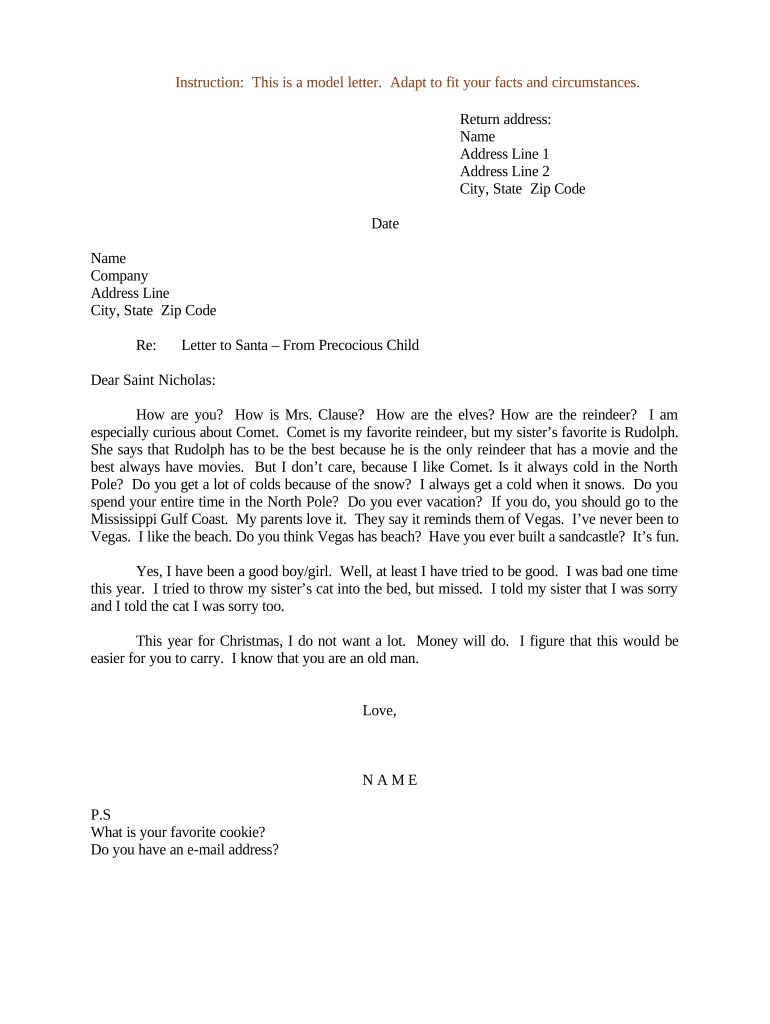
A Letter to Santa is a short, informal written note addressed to Santa Claus, traditionally used by children to list holiday wishes, gifts, and seasonal messages. In modern contexts, the Letter to Santa can be a family keepsake, classroom activity, or community program document. This template provides a concise structure for recipient name, sender details, wish list items, and optional privacy preferences. It supports printed, mailed, or electronically signed versions where consent and recordkeeping are relevant to organizers and families.

Why Use a Standard Letter to Santa Template

Use a Letter to Santa to organize gift requests, document seasonal correspondence, and create a record for families or programs. It streamlines collection of names, ages, and preferences while preserving consent details when personal data is included.

Why Use a Standard Letter to Santa Template

Who Typically Prepares and Manages Letters to Santa

Common users include parents, teachers, nonprofit coordinators, and event organizers collecting holiday wish lists and contact details.

  • Parents managing family gift lists and preserving memories across years.
  • Teachers organizing class-wide letters for holiday projects and literacy exercises.
  • Nonprofit coordinators collecting donor-sponsored gift preferences and recipient contact information.

Representative Profiles and Responsibilities

Parent, Guardian

Parents or guardians typically write or approve a child’s Letter to Santa, provide contact details, and manage any personal data. They ensure age-appropriate language, verify wish items, and decide whether to retain an electronic copy or print the letter for family records.

Teacher, Organizer

Teachers and program organizers collect Letters to Santa for classroom projects or community drives, often standardizing formats and consent language. They supervise distribution, aggregate wish lists for sponsors, and maintain records for seasonal events in accordance with privacy practices.

Key Data and Security Considerations

PII Collected: Child name, age, address, guardian contact.
Retention Policy: Keep until family decides; see retention timeline.
Encryption: TLS 1.2/1.3 in transit; AES-256 at rest
Access Controls: Role-based access; limited sharing.
HIPAA Note: Use BAA if including PHI in letters.
Audit Logs: Timestamps, IP, action history recorded.

Potential Risks and Legal Considerations

Privacy Breach: Unauthorized sharing risks legal liability.
Mismatched Names: Incorrect names can invalidate consents.
Missing Consent: Consumer disclosure required for electronic records.
Notarization Missing: If required, lack of notarization reduces evidentiary weight.
Child Safety: Avoid publishing sensitive locations or routines.
Record Loss: Failure to retain copies hinders disputes.

Common Preparation Mistakes to Avoid

  • Using informal or ambiguous language that leaves gift expectations unclear and makes follow-up difficult for sponsors or family members.
  • Collecting unnecessary personal data without parental consent increases privacy risk and may trigger HIPAA or COPPA concerns for programs involving minors.
  • Failing to standardize date formats and contact fields causes processing delays when compiling lists or matching sponsors to recipients.
  • Relying on a single delivery method (paper only) limits accessibility and slows response times for donors and community partners.

Step-by-Step: Complete and Manage a Letter to Santa

Follow these steps to complete and manage a Letter to Santa safely and consistently in your program.

  • 01
    Prepare: Gather names, ages, and guardian contacts.
  • 02
    Template: Use consistent fields for wishes and privacy choices.
  • 03
    Consent: Obtain parental consent for electronic delivery when collecting PII.
  • 04
    Store: Save signed copies with encryption and access controls.

Typical Electronic Workflow Overview

A typical workflow moves from template creation through signing and secure storage; follow defined steps for consistency.

  • Upload: Add letter template and personalize fields.
  • Assign: Enter signer emails or generate secure links.
  • Authenticate: Choose email, SMS code, or stronger verification.
  • Complete: Signer reviews, signs, and receives a copy.

Essential Template Sections to Include

Key parts of the Letter to Santa template ensure clarity, consent, and secure handling across physical and electronic workflows for families and programs.

Header

Include recipient line (Santa Claus), sender name, age, and guardian contact. Make the header clear to avoid confusion and to provide immediate reference for sponsors or mail processing during seasonal campaigns.
Wish List

List items in bullet form with brief descriptions and optional priority ranking. Avoid vague terms; precise item names help donors locate or purchase correct gifts quickly and reduce follow-up.

Privacy

Provide a clear checkbox for parental consent, an option to withhold address details, and a short privacy notice explaining how data will be used and stored securely.

Signatures

Include separate signature lines for child (optional), parent or guardian, and program administrator. For electronic versions, ensure signature attribution and timestamp details are captured and preserved in the audit trail.

Formatting

Standardize date format as MM/DD/YYYY, request full legal names, and instruct not to abbreviate state names to prevent mismatches in records and use street addresses rather than PO boxes when possible.

Storage

Store signed letters in encrypted cloud storage with restricted access, retain audit logs for any electronic signatures, and back up copies to prevent accidental loss or tampering during the season.

Export, Template, and Attachment Options

Useful export and sharing options make Letters to Santa easy to distribute and archive for families, classrooms, and community programs.

PDF Export

Export filled letters as PDF/A for long-term archiving or standard PDF for printing. Ensure embedded metadata includes signer name and date to aid future retrieval and provenance.

DOCX Template

Maintain a master DOCX template for classroom use to allow easy edits, bilingual versions, and bulk printing. Update annually to reflect changing event details or contact protocols.

Image Attach

Allow image attachments for drawings or photos, but restrict file types and sizes. Record permissions for publicly shared images to protect minors' privacy and obtain explicit consent.

Printable Copy

Provide a clean printable layout with margins for glue-in envelopes or craft activities. Include spaces for stamps, return address, sponsor labels when applicable and volunteer notes.

Best Practices for Privacy, Consent, and Fulfillment

Adopt clear consent practices, standardized fields, and secure storage to protect minors and support program logistics.

Use explicit parental consent language
Provide a short, readable disclosure that explains what information is collected, how it will be used, whether photographs or drawings may be displayed publicly, and how parents can withdraw consent or request deletion of records.
Limit data collection to necessity
Collect only details necessary to fulfill the purpose: first name, age range, and guardian contact. Avoid capturing full birthdates, school names, or medical information unless explicitly required and consented there.
Provide clear opt-out instructions for future seasons
Explain how parents can opt out of electronic communication, remove a child from distribution lists, or request that letters not be shared publicly. Include contact methods and expected processing times.
Verify signer identity reasonably with context-appropriate methods
Use email verification or SMS codes for general programs; for high-value sponsor distributions or public displays, consider stronger authentication and documented parental approval to minimize disputes and to provide an audit trail.

Milestones from Collection Through Distribution

Typical milestones from collection to distribution help organizers track timelines and ensure timely fulfillment each season.

01

Template Finalized

Confirm fields, consent language, and privacy notice.

02

Collection Window

Set collection deadline for sponsor matching.

03

Review Period

Verify entries, consent, and contact accuracy.

04

Distribution Date

Send gifts or publish letters per permissions.

Practical Dates to Plan Around

Key dates to plan include collection cutoff, sponsor matching, production, delivery, and record retention checkpoints.

Collection Cutoff:

Set a firm date for wish submissions.

Sponsor Matching Deadline:

Allow time for donor selection and purchases.

Production Lead Time:

Schedule printing and packaging at least two weeks prior.

Mailing Dispatch Date:

Send via post or courier to meet holiday arrival.

Record Retention Check:

Review stored letters for deletion requests annually.

Recommended Electronic Workflow Settings

Configure electronic workflows to collect, authenticate, sign, and store Letters to Santa with minimal friction.

Field Configuration
Signature Type Allow guest click-to-sign, image, or typed signature.
Authentication Email verification by default; SMS code optional.
Consent Disclosure Present ESIGN consumer disclosure for electronic delivery.
Storage & Logs Encrypt at rest; retain audit trail and files.

Platform Capabilities to Check Before You Start

Platforms should support PDF, DOCX templates, mobile signing, and popular cloud integrations for easy distribution.

  • Formats Supported: PDF, DOCX, PNG, JPEG allowed.
  • Integrations: Google Drive, Microsoft 365, Salesforce supported.
  • Mobile Compatibility: Mobile signing on iOS and Android.

Baseline Pricing and Feature Snapshot for Common eSignature Vendors

Compare baseline pricing and key capabilities for common eSignature providers to match budget, security, and volume needs for Letter to Santa workflows.

signNow DocuSign Adobe Sign PandaDoc HelloSign
Starting Price $8/user/mo $15/user/mo $14/user/mo $19/user/mo $15/user/mo
Free Trial Yes, 7-day trial Verify Verify Verify Verify
Bulk Send Yes (Business Premium) Verify Verify Verify Verify
Audit Trail Yes Yes Yes Yes Yes
HIPAA Compliant Yes (BAA available) Verify Verify Verify Verify

Two Practical Examples of Program Implementation

Real-world examples show how programs collect and manage Letters to Santa securely and inclusively in different settings.

Optica Ventures

Optica Ventures standardized a holiday letter template to collect employee family wish lists and contact details across multiple locations.

  • The interface was simple for employees to use.
  • This approach reduced manual tracking, centralized signed copies, and preserved consent records, and audit requirements; the organization retained encrypted PDFs and timestamps to simplify verification and avoid disputes during sponsor gift distributions.

Martin Properties

Martin Properties implemented an online signing flow to collect family holiday messages and donor acknowledgments during community events.

  • They processed forms on mobile and offline.
  • The firm achieved consistent recordkeeping across devices, ensured audit trails for each signed letter, and used encrypted storage to meet client privacy expectations during seasonal campaigns.

FAQs: Common Questions About Letters to Santa

Common questions address consent, digital signatures, data handling, and practical steps for completing a Letter to Santa template.


Need help? Contact support

be ready to get more
Join over 28 million airSlate SignNow users