Establishing secure connection…Loading editor…Preparing document…

Sample Letter Conservatorship

This template is fully customizable. Edit the text, fill out the fields, and send it for signature. Give it a try!
Sample Letter Conservatorship

What a Sample Letter Conservatorship Is and When It’s Used

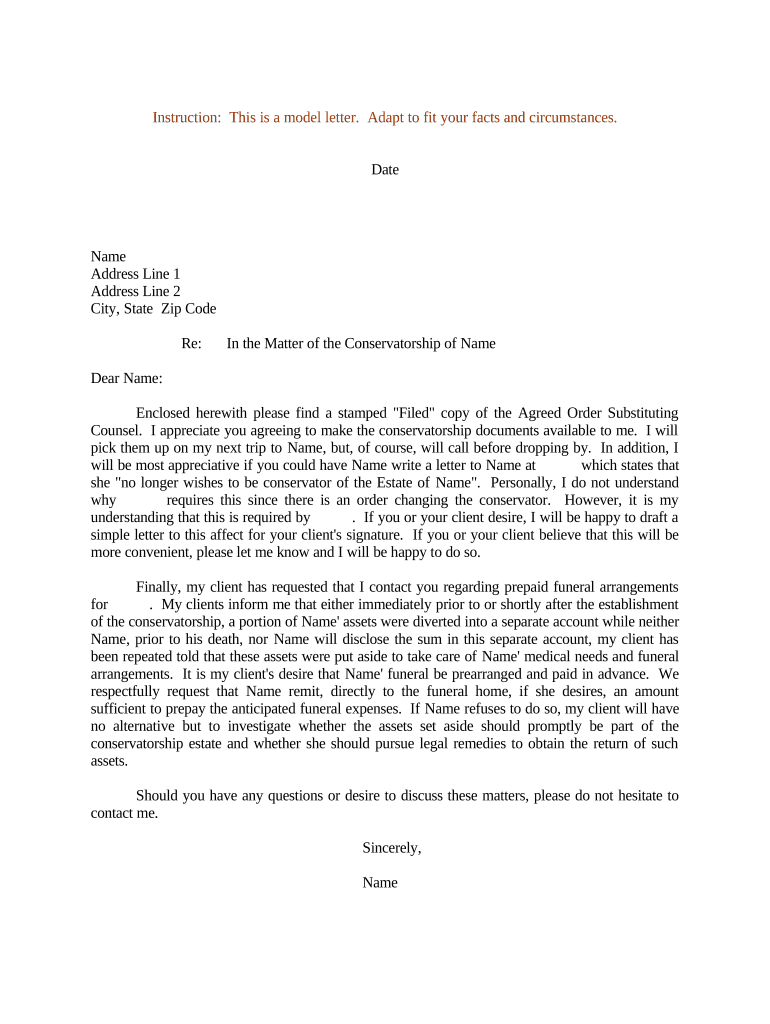
A Sample Letter Conservatorship is a written template used by a court-appointed conservator to notify third parties of their legal authority to manage another person’s affairs. It typically summarizes the court order, identifies the conservatee, and requests recognition of the conservator’s authority for banking, benefits, medical, and property matters. This template does not replace a court order; it supports practical steps such as access to accounts, documentation requests, and updates to service providers. Use the letter alongside certified court documents and any required state-specific forms.

Why a Clear, Professional Conservatorship Letter Matters

A well-prepared sample letter reduces delays when interacting with banks, medical providers, insurers, and government agencies by providing a consistent summary of authority and required documentation. It creates a record of notification and clarifies what third parties may rely on while processing requests.

Why a Clear, Professional Conservatorship Letter Matters

Who Typically Prepares and Receives This Letter

Conservatorship letters are used by appointed conservators and their advisors when dealing with institutions that require proof of authority.

  • Court-appointed conservators notifying banks, insurers, and healthcare providers of authority and requesting account access or changes.
  • Probate or estate attorneys preparing formal notice and attaching certified court orders for client matters.
  • Financial institutions and benefits administrators receiving proof to update authorized signers and release account information.

Use this sample letter as a starting point and tailor attachments and wording to the receiving organization’s requirements.

Key Signatory Roles and When They Act

Conservator

Court-appointed individual or institution authorized to act for the conservatee; signs notices, provides ID, and submits certified court orders when requesting access to accounts or records on behalf of the conservatee.

Probate Attorney

Attorney who drafts or reviews letters to ensure legal accuracy, attaches necessary court documents, and advises on state-specific filing, notarization, and disclosure requirements to reduce rejection risk.

Essential Data Elements to Include

Conservatee Name: Full legal name
Conservator Name: Full legal name
Court Case: Case number
Authority Type: Limited or full
Effective Date: MM/DD/YYYY
Contact Info: Phone and email

Step-by-Step: Completing the Conservatorship Letter

Follow these ordered steps to prepare a clear, court-compliant letter and reduce processing delays when contacting institutions.

  • 01
    Gather Documents: Collect certified court order and conservatee ID.
  • 02
    Draft Letter: State authority, scope, and requested actions clearly.
  • 03
    Attach Evidence: Include certified copies and supporting forms.
  • 04
    Send Securely: Use tracked mail or verified eSubmission methods.

What a Professional Conservatorship Letter Contains

A complete letter balances legal citation with clear practical instructions so a recipient can verify authority and take requested actions without repeated follow-up.

Notice Purpose

Explain why the recipient is being notified and the specific action requested, such as account access, benefits updates, or records release, including any deadlines.
Authority Citation

Cite the court order by court name and case number and state the type of authority (conservatorship, limited conservatorship, guardian) to make verification straightforward.

Court Order Details

Summarize order language relevant to the request (e.g., authority to access finances) and indicate that a certified copy is attached for formal proof.

Contact Instructions

Provide a direct phone number, email, and mailing address for the conservator or counsel, and specify preferred methods for returning documents or responding.

Required Attachments

List and attach certified court order, conservator ID, conservatee ID, and any institution-specific forms to prevent processing delays.

Signature Block

Include printed name, signature, title (if institutional), and date. Indicate whether notarization or witness is included per the recipient’s policy.

How the Letter Typically Moves Through Institutions

This sequence describes the common routing steps once a conservatorship letter is submitted to an institution.

  • Intake Review: Received by customer service or legal compliance team for initial validation.
  • Verification: Institution compares submitted order and IDs to internal requirements.
  • Authorization Update: Accounts, benefits, or file access updated per valid court order.
  • Confirmation: Institution provides written confirmation or requests additional documentation.

Timing Considerations and Typical Processing Expectations

Processing times and recommended notification windows vary by entity and state; plan for verification steps and possible additional requests.

Immediate Notification:

Notify banks and healthcare providers as soon as appointed to avoid missed payments or lapses.

Institutional Review:

Allow 7–21 business days for initial verification and account updates at many organizations.

Follow-up Deadline:

If no response, send a documented follow-up after 14 business days to escalate.

Court Filings:

File any required acceptance or bond documentation per local probate rules; deadlines depend on state court schedule.

Record Retention:

Keep an internal copy of all notices and confirmations for the retention period advised by counsel.

Common Risks and Consequences of Errors

Access Denial: Services refused without correct documents
Delay in Care: Medical or financial delays
Liability Exposure: Unauthorized acts risk personal liability
Record Rejection: Banks return incomplete packets
Court Sanctions: Noncompliance with court terms
Privacy Breach: Improper disclosures of PHI

eSignature Vendor Comparison for Conservatorship Letters

Common capability and pricing considerations for electronic signature platforms used to sign and deliver conservatorship letters. signNow appears first for comparison purposes.

signNow DocuSign Adobe Sign PandaDoc HelloSign
Starting Price $8/user/mo $15/user/mo $14/user/mo $19/user/mo $15/user/mo
Free Trial 7-day free trial Trial available Trial available Trial available Trial available
Bulk Send Yes Yes Yes Yes No
Audit Trail Yes Yes Yes Yes Yes
HIPAA Compliant Yes Yes Yes No No

Digital Signing and Submission: Platform Considerations

Choose a platform that supports the formats you need and meets legal and institutional verification requirements.

  • File Formats: PDF, DOCX accepted
  • Integrations: Salesforce, Microsoft 365, NetSuite integrations available
  • Compliance: ESIGN, UETA, AES/QES where needed

Supporting Documents and Export Options

Include commonly requested attachments and choose export formats that preserve certification and hashing for verification.

Certified Order

Attach an official court-certified copy in PDF format; recipients typically require the stamped original or certified digital copy.

Identification

Provide conservator and conservatee photo IDs (scanned). Avoid low-resolution images that impede verification.

Medical Release

When requesting PHI, include a HIPAA-compliant release form signed and dated by the conservator or authorized representative.

Formats

Save final package as PDF/A for long-term archival and consistent rendering across systems.

Frequently Asked Questions and Troubleshooting

Answers to common procedural questions about preparing, verifying, and delivering a Sample Letter Conservatorship to institutions and agencies.


Need help? Contact support

be ready to get more
Join over 28 million airSlate SignNow users