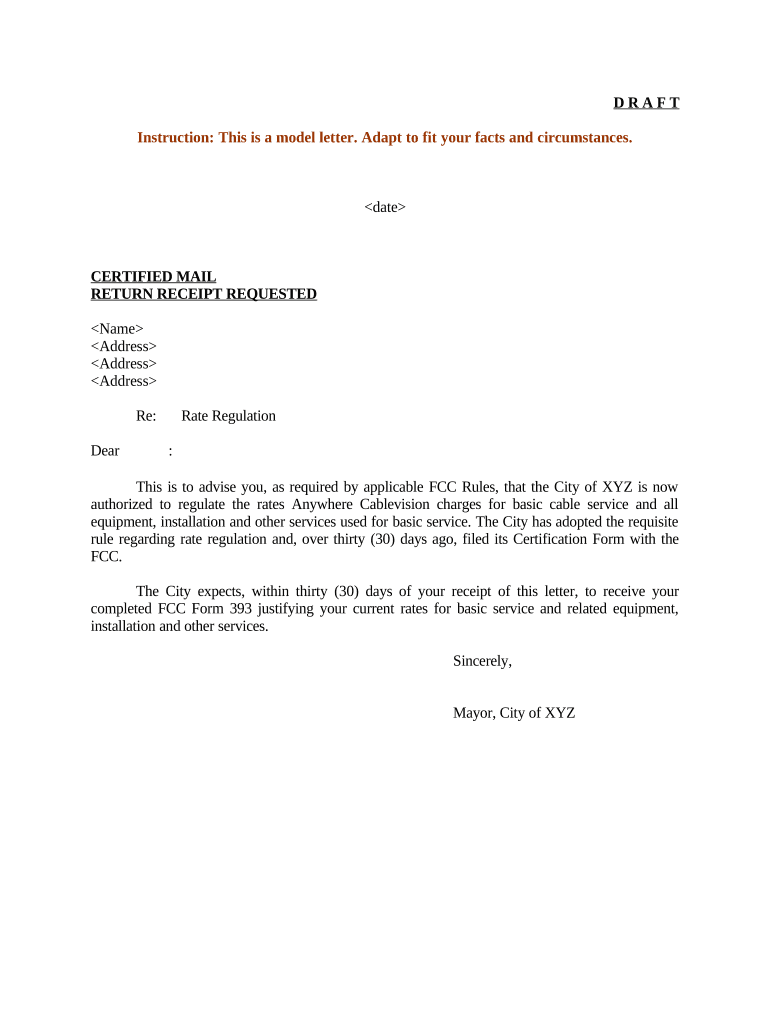
Letter Regarding Rate Regulation
What a Letter Regarding Rate Regulation Is and When it's Used
Why the Letter Matters for Compliance and Recordkeeping
A well-prepared letter creates a clear administrative record, demonstrates regulatory intent and transparency, and reduces the risk of misinterpretation. It helps preserve procedural rights, supports timely regulatory review, and documents the sender's compliance efforts for audit or enforcement purposes.
Who Typically Prepares and Signs This Letter
Tailor the letter's tone and supporting evidence to the audience: administrative staff, an adjudicatory panel, or a private counterparty will require different levels of technical detail.
- Real Estate and Utilities teams coordinating tariff or lease-rate issues with commissions or municipal authorities.
- Healthcare and Insurance compliance officers documenting contract-rate adjustments or payer-rate negotiations.
- Finance, Treasury, and Legal teams submitting formal notices to regulators or counterparties.
Step-by-step: Preparing a Clear Rate Regulation Letter
-
01Assemble authority: Collect tariffs, contracts, statutes, and prior orders that support your position.
-
02State the purpose: Open with a concise statement of the action you are notifying or requesting.
-
03Provide supporting facts: Include calculations, effective dates, impacted customers, and any cost studies.
-
04Attach exhibits: Attach redlines, sample invoices, tariff pages, and any legal citations.
Where to Send the Letter and How It Moves Through Review
-
Docket Submission: Filed with the commission's docket unit and assigned a case or docket number for tracking.
-
Administrative Review: Staff verifies completeness, then requests supplemental information or posts for public comment.
-
Stakeholder Notice: Affected parties may be notified; public comment or intervention windows may open.
-
Final Determination: Regulator issues an order approving, modifying, or denying the proposed rate action.
Digital Submission and File Formats to Use
Check the recipient agency's e-filing requirements before submission and retain a timestamped copy plus the signing audit trail for records.
- File formats: PDF, DOCX, or plain text depending on portal rules
- Signature type: Electronic signature with audit trail or notarized signature
- Integrations: Use systems compatible with common stacks (Salesforce, NetSuite, Google Workspace)
Typical eSignature Pricing Options for Preparing and Submitting Letters
| signNow | DocuSign | Adobe Sign | PandaDoc | HelloSign | |
|---|---|---|---|---|---|
| Starting Price | $8/user/mo | $15/user/mo | $14/user/mo | $19/user/mo | $15/user/mo |
| Free Trial | 7-day free trial | Varies by vendor | Varies by vendor | Varies by vendor | Varies by vendor |
| Bulk Send | Yes | Yes | Yes | Yes | No |
| Audit Trail | Yes | Yes | Yes | Yes | Yes |
| HIPAA Compliant | Yes | Yes | Yes | No | No |
| Envelope Cap | No envelope cap | 100 envelopes/user/year | Varies by plan | Varies by plan | Varies by plan |
How to Save and Export Signed Letters for Filing
Signed PDF
Export a signed, tamper-evident PDF/A with embedded audit trail and certificate to meet most commission portal requirements and preserve evidentiary integrity.
Editable Copy
Keep an unsigned DOCX or source file for internal updates; do not use this as the official filing copy after signatures are applied.
CSV/Spreadsheet
Export calculation tables and rate schedules in Excel or CSV for numerical exhibits and to support regulator data requests.
Archive Package
Create a single archive that includes the signed PDF, attachments, audit trail, and cover letter for easy retrieval during audits.
Practical Tips for Accurate and Efficient Letters
Common Mistakes to Avoid When Preparing the Letter
- Failing to include a docket number or recipient division, causing routing delays and lost filings.
- Submitting unsigned or improperly signed documents, which can be rejected or deemed ineffective.
- Using vague language about rates or effective dates instead of precise numerical and date references.
- Omitting supporting exhibits or failing to cross-reference calculations to verifiable data.
Consequences of an Incomplete or Incorrect Filing
Practical Examples of How Organizations Use This Letter
Martin Properties (Example)
A landlord notifies a municipal utilities commission of a temporary water surcharge pending meter upgrades.
- 15-unit building affected with stated per-unit impact.
- The letter included an itemized cost exhibit and an effective date, which allowed expedited staff review and a limited-duration surcharge approval.
BIS (Example)
A services firm files a rate exception request after supplier cost shocks increased input prices.
- Request asked for a temporary percentage adjustment.
- The submission attached supplier invoices, a cost-recovery schedule, and a proposed sunset date; staff requested clarifying data but granted an interim rate.
How This Letter Differs from a Formal Tariff Filing or Rate Case
| Criterion | Letter | Formal tariff filing |
|---|---|---|
| Purpose | notice or limited request | full rate change with evidentiary record |
| Supporting detail | summary plus exhibits | comprehensive cost studies |
| Public process | often no public hearing | public notice and hearings |
| Timeframe | shorter review | extended case schedule |
Typical Timelines and Deadlines to Track
Internal approval deadline:
Set at least 10 business days before filing for legal and finance review.
Filing submission date:
File with docket unit by required portal cutoff or business day.
Public comment period:
Agency may allow 14–30 days for stakeholder input depending on rules.
Staff data requests:
Expect follow-up within 10–30 days; respond promptly to avoid delay.
Effective date window:
Regulator may set an effective date or allow proposed date subject to review.
Frequently Asked Questions About Letters Regarding Rate Regulation
-
Is an electronic signature valid?
Yes. Electronic signatures are legally recognized under the federal ESIGN Act (15 U.S.C. §7001) and state UETA statutes where adopted; ensure intent, consent, attribution, and retention to satisfy legal tests.
-
Do regulators accept PDFs with eSignatures?
Many agencies accept signed PDFs with an audit trail; confirm the specific commission or portal requirements before filing and include a timestamped certificate of completion.
-
When is notarization required?
Notarization is rarely required for a simple notice letter but may be required when the action affects property rights or under specific state rules; check the recipient agency and state notary statutes.
-
Can I use Remote Online Notarization (RON)?
RON is permitted in most states but rules vary; verify the state's RON status and technical requirements (identity proofing, recording) prior to using a remote notary.
-
What records should I keep?
Retain the signed letter, attachments, the signing audit trail, submission confirmation, and any staff correspondence. Follow IRS, HIPAA, or agency retention rules as applicable.
-
What happens if the letter is incomplete?
Incomplete letters may be rejected or trigger data requests, which delay review and can affect effective dates; include a cover page and exhibit index to reduce follow-ups.