Establishing secure connection…Loading editor…Preparing document…

Letter Requesting Tax Return

This template is fully customizable. Edit the text, fill out the fields, and send it for signature. Give it a try!
Letter Requesting Tax Return

What a Letter Requesting Tax Return Is and When to Use It

A Letter Requesting Tax Return is a written request from a third party, payer, or the taxpayer to provide one or more prior tax returns, return transcripts, or tax-related documents. Common uses include mortgage and loan underwriting, legal disputes, tax preparation, estate administration, and verification for benefits or financial underwriting. The letter can accompany a taxpayer authorization or Power of Attorney, and when requesting IRS transcripts the Form 4506-T or Form 4506 may be required. Electronic signatures and e-delivery are generally accepted under ESIGN and UETA when the parties consent and record retention requirements are met.

Why a Clear Request Letter Matters

A concise, well‑structured letter speeds verification, reduces follow-up, and documents consent. It clarifies the scope of records requested, the date range, and the delivery method while establishing a record of the request for auditors or lenders.

Why a Clear Request Letter Matters

Who Typically Prepares or Receives This Letter

Identify the recipient, state the exact records and years requested, and include any authorization language to avoid processing delays.

  • Mortgage underwriters requesting tax returns for income verification during loan approval.
  • Attorneys and courts seeking taxpayer documents for litigation or settlement review.
  • Accountants or tax preparers soliciting prior returns to prepare amended returns or advise clients.

Security, Privacy, and Compliance Checklist

Encryption in Transit: TLS 1.2/1.3 required
Encryption at Rest: AES-256 for stored files
Health Data: HIPAA BAA when PHI involved
Audit Trail: Timestamped event history
Electronic Signature Law: ESIGN and UETA applicability
Access Controls: Role-based authentication

Legal and Financial Risks of an Incorrect Request

Incorrect Forms: Can delay obtaining IRS transcripts
Missing TIN: Triggers backup withholding (24%)
Late Information Returns: IRC §6721 penalties apply
Intentional Disregard: Penalties $660+ per form
I-9 Violations: Fines range $281–$2,789
Unauthorized Disclosure: Privacy breach and liability

Common Pitfalls to Avoid When Preparing the Letter

  • Requesting returns without written taxpayer authorization often prevents third‑party release and triggers returns processing delays while the provider seeks consent.
  • Failing to specify tax years, form types (e.g., 1040 vs. business returns), or format (transcript versus full return) leads to incomplete deliveries and repeated follow‑up.
  • Providing incorrect or mismatched taxpayer identifiers (name, SSN, or EIN) causes rejections and may require notarized identity verification to correct.
  • Omitting a clear delivery method or contact details—email address, secure portal, or mailing address—results in further processing time and possible disclosure risk.

Step-by-Step: Preparing a Letter Requesting Tax Return

Follow these sequential steps to ensure the request is complete, authorized, and deliverable without undue delay.

  • 01
    Identify Records: List exact tax years and forms requested
  • 02
    Confirm Authority: Attach taxpayer authorization or POA
  • 03
    Provide Identifiers: Include full legal name and SSN/EIN
  • 04
    Specify Delivery: State preferred secure delivery method

How the Request Gets Processed

This is the typical flow from sender to recipient and final delivery of tax records.

  • Send Request: Sender emails or mails the signed letter to provider
  • Verify Identity: Provider confirms taxpayer identity and consent
  • Fulfill Request: Provider compiles and transmits returns or transcripts
  • Record Retention: Sender keeps copies per retention rules

Essential Components of a Professional Request Letter

Include these elements to make a request clear, actionable, and legally defensible when obtaining tax returns from third parties or the IRS.

Request Header

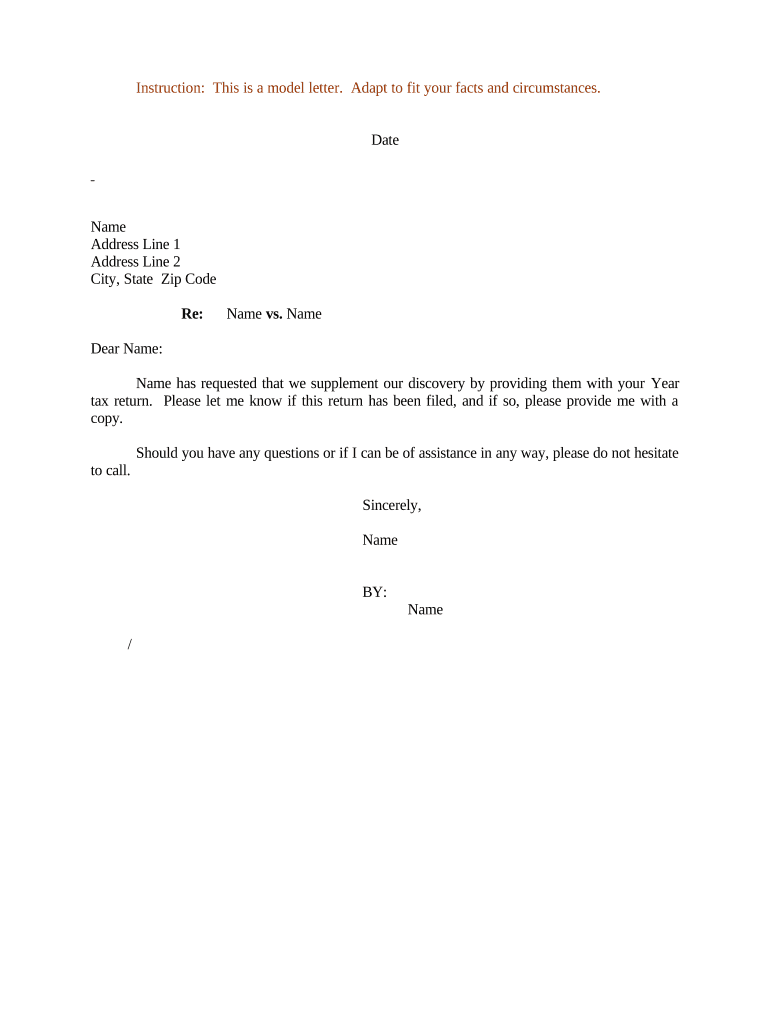
Date and recipient name plus the sender’s contact details. Identifying the recipient organization and department reduces routing delays and helps tracking within larger institutions.
Taxpayer Identity

Full legal name, date of birth, and Social Security Number or EIN. Exact identifiers are necessary to match records and prevent release of another person’s tax information.

Records Requested

Precise list of forms, tax years, and whether you want full returns, schedules, or IRS transcripts. Ambiguity forces providers to ask clarifying questions and slows fulfillment.

Authorization

Signed taxpayer consent, Power of Attorney (Form 2848), or explicit written permission. Without authorization many providers will refuse third‑party requests.

Delivery Instructions

Preferred delivery channel, secure portal address, and recipient contact. Clear instructions reduce the risk of misdelivery or unsecured email transmission.

Purpose Statement

Concise explanation of why records are requested (loan underwriting, legal matter, tax prep). Purpose can affect the level of documentation the provider requires.

Practical Tips for an Efficient Request

Use these best practices to minimize delays, protect privacy, and preserve an auditable request trail.

Be Specific and Concise
Limit the request to the exact tax years and forms needed. Overbroad requests increase processing time and may trigger additional verification or denial.
Use Authoritative Authorization
Attach a completed Power of Attorney (Form 2848) or written signed consent by the taxpayer. Providers often require original or notarized authorizations for third‑party releases.
Prefer Secure Delivery
Request secure portal transfer or encrypted email to reduce exposure of sensitive tax data. Avoid delivering taxation documents via unsecured channels.
Document the Process
Keep copies of the letter, any attached authorizations, delivery confirmations, and correspondence to demonstrate due diligence in audits or disputes.

Relevant Tax Deadlines and Timing Considerations

Be aware of key filing and distribution deadlines that may affect response timing and obligations.

W-9 Timing:

Provide upon request; no fixed IRS deadline

W-2 Distribution:

Employers must provide to employees by Jan 31

1099-NEC Deadline:

Recipient and IRS deadline Jan 31

1099-MISC Paper Deadline:

Paper to IRS by Feb 28

1040 Individual Return:

April 15 is regular filing deadline

How This Letter Differs From Related Tax Documents

Compare the request letter against commonly used statutory forms and legal mechanisms to choose the correct instrument.

Document Primary purpose Typical authority
Letter Requesting Tax Return third-party request written consent
Form 4506-T irs transcript request taxpayer signature
Form 2848 tax representation power of attorney
Subpoena / Court Order compelled production judicial authority

Comparing eSignature Platforms for Sending and Signing Requests

Common eSignature capabilities and starting prices to consider when choosing a platform to send, sign, and securely deliver request letters and authorizations.

signNow DocuSign Adobe Sign PandaDoc HelloSign
Starting Price $8/user/mo $15/user/mo $14/user/mo $19/user/mo $15/user/mo
Free Trial 7-day free trial Varies Varies Varies Varies
Bulk Send Yes Yes Yes Yes No
Audit Trail Yes Yes Yes Yes Yes
HIPAA Compliant Yes Yes Yes No No

Frequently Asked Questions About Requesting Tax Returns

Answers to common questions about authorization, format, timing, and electronic handling of tax record requests.


Need help? Contact support

be ready to get more
Join over 28 million airSlate SignNow users