Establishing secure connection…Loading editor…Preparing document…

Letter Confirming Deposition Schedule

This template is fully customizable. Edit the text, fill out the fields, and send it for signature. Give it a try!
Letter Confirming Deposition Schedule

What a Letter Confirming Deposition Schedule Is

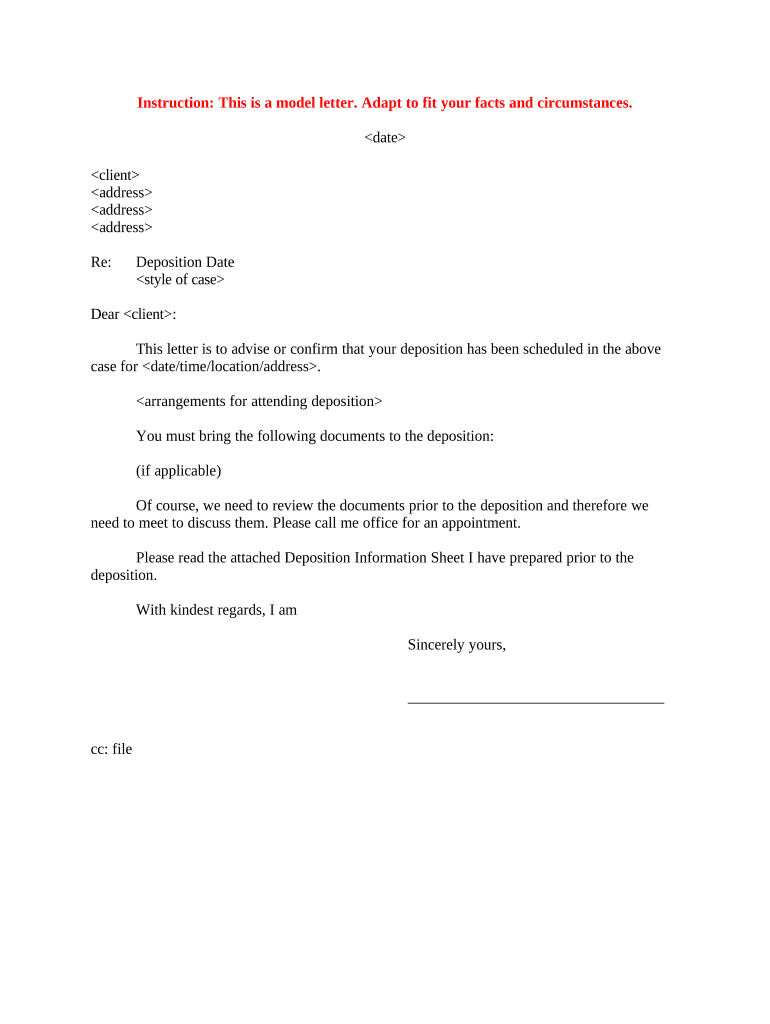
A Letter Confirming Deposition Schedule is a written notice sent by counsel or a party to confirm the agreed date, time, location, and logistics for a deposition in pending litigation. The letter records the case caption, identifies the witness, summarizes document or exhibit requirements, and states any anticipated objections or limitations. It serves as a formal record for calendaring, for the court if disputes arise, and to reduce confusion between parties about where and how the deposition will proceed, including remote or in-person arrangements.

Why a Clear Confirmation Letter Matters

A precise confirmation letter reduces scheduling disputes, documents agreed accommodations or limitations, and creates an evidentiary paper trail that may be referenced in meet-and-confer efforts or motion practice. It helps ensure witnesses and counsel have the same expectations about exhibits, authentication, recording, and remote connection details.

Why a Clear Confirmation Letter Matters

Who Typically Prepares and Receives This Letter

The confirming letter is usually prepared by lead counsel, a litigation paralegal, or the noticing party and sent to opposing counsel and the witness.

  • Opposing Counsel — Confirms logistics and preserves the record of consent or objections.
  • Witness or Deponent — Receives time, place, required documents, and attendance instructions.
  • Court Reporter/Videographer — Receives scheduling, exhibit handling, and remote-connection instructions.

Sending the letter promptly after scheduling and copying relevant service providers reduces last-minute confusion and supports compliance with court scheduling orders.

Step-by-Step: Drafting and Sending the Confirmation Letter

Follow these steps to produce a clear, defensible confirmation letter that minimizes disputes and documents agreed logistics.

  • 01
    Draft: Populate case caption, recipient, witness, date/time, and place.
  • 02
    Specify Exhibits: List exhibits, file formats, and production deadlines or inspection instructions.
  • 03
    Confirm Remote Details: Include platform, access code, and instructions for recording or videography if remote.
  • 04
    Send & Archive: Email to counsel, copy reporter, and save a signed copy in the case file.

Typical Workflow for Distribution and Recordkeeping

A consistent distribution workflow ensures all parties and service providers receive the letter and creates a retrievable record for the litigation file.

  • Prepare: Complete template fields and attach exhibit lists or attachments.
  • Review: Confirm dates, time zone, and any court scheduling constraints.
  • Send: Email to counsel, copy witness, reporter, and vendor with delivery/read receipts.
  • Archive: Save signed PDF and capture delivery evidence in the case management system.

Essential Elements to Include in a Professional Confirmation Letter

A complete letter reduces later disputes and supports meet-and-confer or protective-order discussions. Include the following elements to make the document effective and enforceable.

Case Information

Court, docket number, and party names to identify the matter unequivocally and tie the letter to court filings.
Deponent Identity

Full legal name, role (witness, corporate representative), and counsel representing the deponent for clarity.

Date and Time

Exact date and start time with time zone, plus expected duration and availability windows, to prevent scheduling conflicts.

Location Details

Physical address with room/suite or remote platform details, access codes, and instructions for security and visitor registration if needed.

Exhibit Protocol

How exhibits will be exchanged, Bates-stamping expectations, electronic format requirements, and pre-production deadlines if applicable.

Recording & Objections

State whether video/audio recording will occur, how objections will be noted, and instructions for raised privilege issues.

Configuring a Digital Workflow for Confirmation Letters

Set up a consistent electronic workflow to prepare, route, and archive confirmation letters for repeatable compliance and auditability.

Field Configuration
Template Create a reusable template with required fields locked.
Signer Order Set role-based signing: counsel then client if needed.
Delivery Method Email with read receipts; include PDF/A archival copy.
Audit Trail Enable timestamp, IP capture, and document history.

Digital Delivery and Platform Requirements

Choose platforms and formats that preserve content, provide an audit trail, and meet any regulatory constraints for the case.

  • File Formats: PDF/A or DOCX for archiving and redaction support.
  • Integrations: Connect with case management, cloud storage, and calendar systems.
  • Authentication: Use email verification or two-factor for sensitive matters.

Ensure chosen tools retain timestamps and access logs; these records support meet-and-confer letters or motions to compel if scheduling disputes arise.

Common Deadlines and Timing Considerations

Observe court orders and local rules when scheduling depositions and issuing confirmation letters; timing affects service requirements and motion practice.

Notice Period:

Comply with local rules for deposition notice timing and service requirements.

Exhibit Production Deadline:

Provide deadlines for producing exhibits before the deposition for advance review.

Objection Window:

State deadline for lodging objections to location, format, or scope.

Reporter Reservation:

Confirm reporter/videographer availability in advance to avoid re-scheduling.

Amendment Notice:

Set a cutoff for unilateral schedule changes and require prompt written confirmation.

Common Errors to Avoid When Preparing the Letter

  • Using vague language about time zones or duration leads to missed appearances and disputes.
  • Failing to copy the court reporter or videographer can result in incomplete record creation.
  • Omitting exhibit format or production deadlines causes surprise disputes at the deposition.
  • Not documenting acceptance or objections in writing weakens the record for later motions.

Risks and Potential Consequences of Poor or Incorrect Letters

Sanctions: Court sanctions under FRCP 37 for discovery failures or obstructive scheduling.
Exclusion: Risk of excluded evidence if production deadlines are missed.
Contempt: Court contempt or monetary penalties for failure to comply with orders.
Travel Costs: Unnecessary travel or vendor fees from last-minute changes.
Document Gaps: Incomplete record of objections complicates privilege assertions.
Reputational: Strained opposing counsel relations and credibility loss.

Comparing eSignature Options for Confirmation Letters

Signatures and delivery features vary by vendor and plan. The table below presents high-level pricing and capability differences to consider for document confirmation workflows.

signNow DocuSign Adobe Sign PandaDoc HelloSign
Starting Price $8/user/mo $15/user/mo $14/user/mo $19/user/mo $15/user/mo
Free Trial 7-day trial No No Yes, limited Yes, limited
Bulk Send Yes Yes Yes Yes No
Audit Trail Yes Yes Yes Yes Yes
Envelope Cap No envelope cap 100 envelopes/user/year Varies by plan Varies by plan Varies by plan

Frequently Asked Questions About Confirmation Letters

Answers below address common execution, delivery, and evidentiary concerns when preparing and sending deposition confirmation letters.


Need help? Contact support

be ready to get more
Join over 28 million airSlate SignNow users