Establishing secure connection…Loading editor…Preparing document…

Sample Motion

This template is fully customizable. Edit the text, fill out the fields, and send it for signature. Give it a try!
Sample Motion

What a Sample Motion Is and When it’s Used

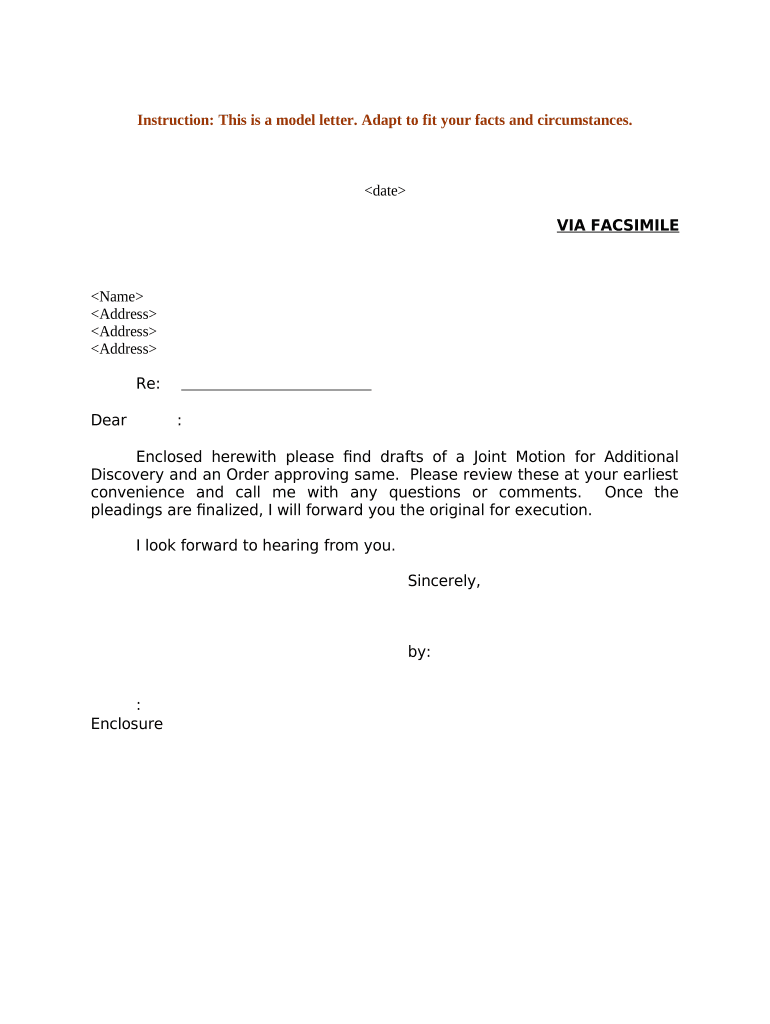
A Sample Motion is a formal written request submitted to a court asking for a specific ruling or action. It typically sets out the factual background, legal basis, and the precise relief sought, and is filed under the court’s local rules. Motions appear across civil, family, administrative, and criminal dockets and may be supported by declarations, exhibits, or proposed orders. Preparing a clear, properly formatted Sample Motion improves the court’s ability to rule and reduces the risk of procedural rejection or sanction when served and filed correctly.

Why Preparing a Correct Sample Motion Matters

A correctly prepared Sample Motion ensures the court and opposing parties receive the necessary facts, legal argument, and supporting evidence in an organized format, reducing risk of dismissal, adverse rulings, or sanctions.

Why Preparing a Correct Sample Motion Matters

Which Professionals Commonly Prepare Sample Motions

Typical preparers include litigators, in-house counsel, paralegals, and self-represented litigants who need to request court action.

  • Private attorneys and law firms handling civil or family court matters who draft motions as part of litigation management.
  • Government attorneys and agencies filing motions in administrative or public-law matters to request agency or court orders.
  • Pro se litigants and legal aid staff preparing motions where access to clear templates reduces filing errors.

Use of an accurate Sample Motion streamlines court review and helps ensure compliance with procedure and timing requirements.

Core Sections Every Professional Sample Motion Should Include

A professional Sample Motion is organized into discrete sections so the court can evaluate requests quickly and track related filings. Keep headings consistent with local rules and cite legal authority precisely.

Caption

Include the court name, case number, party names, and title of the pleading. A correct caption ensures the clerk associates the motion with the correct case and docket entries, avoiding misfiling or delay.
Introduction

State briefly who is moving, the relief requested, and the statutory or rule authority. This one‑paragraph roadmap orients the judge and opposing counsel to the motion’s purpose.

Facts

Present material facts in numbered paragraphs with citations to exhibits where appropriate. Clear factual statements reduce disputes over evidence and speed judicial review.

Legal Argument

Provide organized point headings, controlling authority, and application to the facts. Use statutes, rules, and case law to show why the requested relief should be granted.

Relief Requested

Specify exact orders or words you want the court to enter, and include proposed order text when local rules require it. Precise relief reduces ambiguity at the ruling stage.

Supporting Documents

Attach declarations, exhibits, proof of service, and proposed orders. Label and paginate exhibits clearly so the court and opposing parties can reference them efficiently.

Essential Information and Required Items

Case Number: Exact docket number
Court Name: Full court title
Party Names: As listed on initial pleadings
Relief Sought: Clear, specific request
Supporting Evidence: Declarations and exhibits
Proof of Service: Method and date served

Step-by-Step: Preparing and Filing a Sample Motion

Follow these core steps in sequence to draft, finalize, serve, and file a Sample Motion consistent with court procedure.

  • 01
    Draft Motion: Write caption, facts, argument, and proposed order.
  • 02
    Assemble Exhibits: Number, label, and paginate each supporting document.
  • 03
    Sign and Serve: Sign per local rule and serve opposing parties correctly.
  • 04
    File with Court: E-file or submit paper copies following clerk instructions.

How to Configure an Online Workflow for a Sample Motion

Set up a digital workflow to collect signatures, attach exhibits, and track service and filing events in one reproducible stream.

Field Configuration
Signature Block Require signer name, title, date
Exhibit Attachment Allow multiple PDF uploads, limit 25MB per file
Service Confirmation Checkbox and date field for proof of service
Filing Copy Save combined PDF with exhibits and cover sheet

Where to File or Send a Sample Motion

Determine the correct destination before filing: federal court, state court, or administrative tribunal, and follow that forum’s e‑filing or paper submission rules.

  • Clerk’s Office: File with the court clerk or e‑filing portal
  • Opposing Counsel: Serve parties by the method required by rules
  • Judicial E‑Mail: Use judicial inboxes only when local rules permit
  • Administrative Agency: Follow agency filing and service procedures

Digital Signing and eSubmission Considerations

Choose an eSignature workflow that satisfies identity, audit trail, and court ECF/e‑filing requirements.

  • Authentication: Email or SMS code is common
  • Audit Trail: Timestamps, IP, and action history
  • Document Format: PDF/A preferred for court filings

Confirm the court accepts electronic signatures and e‑filed PDFs; when notarization is required, use RON or in‑person notarization per local and state rules.

Common Timelines to Watch After Filing a Motion

Timing varies by jurisdiction; these are commonly encountered deadlines and scheduling points you should confirm with local rules.

Service Deadline:

Serve opposing parties before filing or promptly after, per local procedures

Response Deadline:

Opposition briefs often due within 14 or 21 days; check local rule

Reply Deadline:

Reply briefs commonly due 7–14 days after opposition is filed

Hearing Notice:

Court sets hearing date or issues ruling; timelines vary by calendar

Proposed Order Entry:

If granted, clerk enters order per local e‑filing processing timing

Common Mistakes When Preparing a Sample Motion

  • Failing to follow local formatting or caption rules, causing clerk rejection or delay.
  • Omitting required proof of service or serving parties improperly under the court’s rules.
  • Citing inapplicable authority or failing to tie legal argument to the specific facts.
  • Submitting exhibits that are unnumbered, unpaged, or lack clear references in the motion text.

Consequences and Risks of an Incorrect Sample Motion

Dismissal Risk: Motion may be denied
Sanctions: Court can award fees or penalties
Default Judgment: Improper service may lead to default
Evidence Excluded: Untimely or unauthenticated exhibits rejected
Notarization Failure: Invalid acknowledgements undermine filings
Delay: Procedural errors prolong case timeline

Real-World Examples of Using Electronic Workflows for Court Filings

Digital signing and combined PDF filing have helped organizations reduce turnaround and maintain an auditable record of service and execution.

Optica Ventures Example

Optica needed faster client turnaround on court authorizations of counsel and exhibits.

  • They implemented a consistent eSignature and exhibit assembly workflow.
  • The result was fewer clerical errors and faster receipt confirmations while preserving a clear audit trail for each filing and served document.

Fertility Centers Example

Fertility Centers required executed releases and authorizations for exhibits in family court matters.

  • They used secure electronic signing across devices.
  • This allowed clinicians and counsel to sign remotely, ensured HIPAA-conscious handling, and reduced delays tied to in‑person signature logistics.

Practical Tips for Accurate and Efficient Motion Preparation

Follow these quality controls to reduce rejections, improve judicial clarity, and avoid procedural sanctions.

Check Local Rules Carefully
Confirm page limits, font and spacing requirements, filing methods, and electronic signature acceptance. Local rules vary and clerks routinely reject filings that do not conform to procedural formatting.
Use a Clear Exhibit Index
Number and label exhibits consistently and reference exhibit numbers in the motion text. An indexed exhibit bundle improves the court’s ability to verify citations quickly and reduces requests for clarification.
Verify Service Methods
Confirm whether service requires mail, electronic delivery, or personal service, and document proof of service with a signed declaration to satisfy procedural rules and avoid default risks.
Retain an Audit Trail
When using eSignature and e‑filing, ensure the platform captures timestamps, signer authentication, IP addresses, and a certificate of completion to substantiate execution and service history.

eSignature Pricing and Feature Comparison for Filing Documents

Compare basic pricing and feature availability for common eSignature vendors when selecting a platform to prepare and sign Sample Motions and supporting exhibits.

signNow DocuSign Adobe Sign PandaDoc HelloSign
Starting Price $8/user/mo $15/user/mo $14/user/mo $19/user/mo $15/user/mo
Free Trial Yes, 7-day trial Yes Yes Yes Yes
Bulk Send Yes (Premium tier) Yes Yes Yes No
Audit Trail Yes Yes Yes Yes Yes
HIPAA Compliant Yes Yes Yes No No
Envelope Cap No envelope cap 100 envelopes/user/year Varies by plan Varies by plan Varies by plan

Frequently Asked Questions About Sample Motions

Answers to common questions about execution, electronic signing, filing, and service of Sample Motions in U.S. courts.


Need help? Contact support

be ready to get more
Join over 28 million airSlate SignNow users