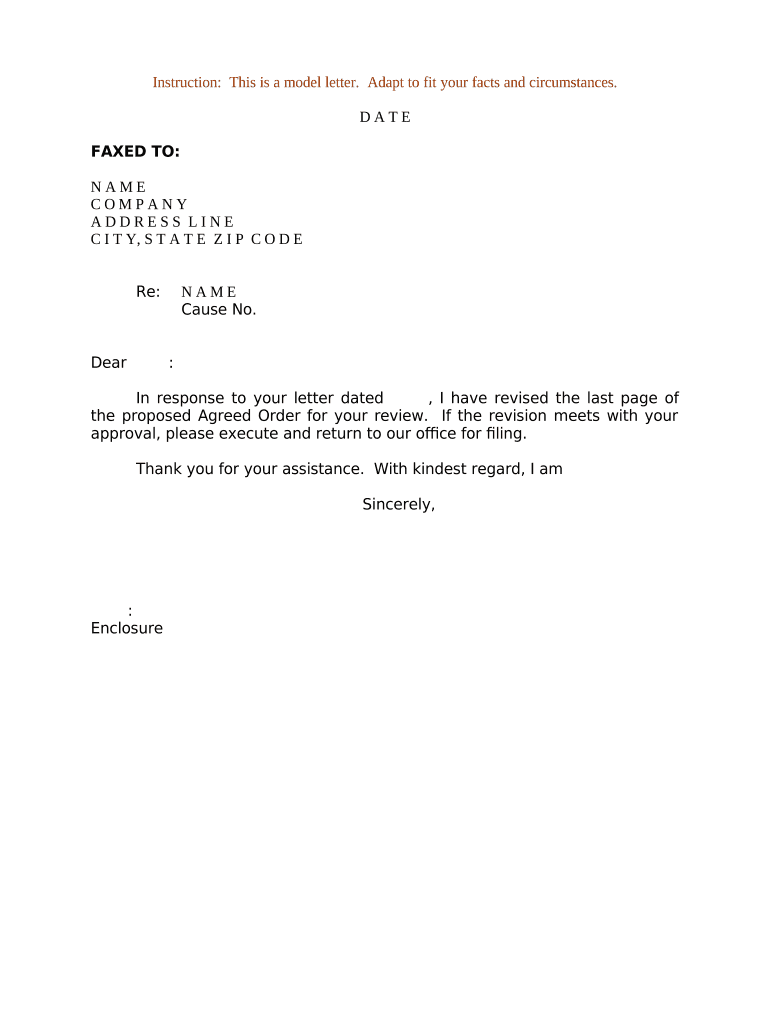
Letter Regarding Proposed Agreed Order
What the Letter Regarding Proposed Agreed Order Is
Why Use a Clear Proposed Agreed Order Letter
Use this Letter Regarding Proposed Agreed Order to present a ready-to-enter document, create a clear record for the court, and accelerate case resolution by reducing ambiguities and unnecessary hearings.
Who Typically Prepares and Receives This Letter
Typical users include lead counsel, opposing counsel, and court clerks responsible for case administration and docketing.
- Plaintiff and defense attorneys preparing settlement language and the proposed order for court consideration.
- Court clerks who confirm the proposed order complies with local filing and formatting rules before docketing.
- Mediators or settlement counsel finalizing agreed language and confirming signature logistics among parties.
Primary Roles Involved
Plaintiff Counsel
Typically drafts the letter and proposed order, circulates the draft to defense counsel, documents consent or objections, coordinates signature collection, and ensures the final order is submitted to the clerk with proof of service and a certificate of compliance.
Defense Counsel
Reviews the proposed agreed order and letter, negotiates language where necessary, confirms client approval for signature, returns the executed order or redlines, and completes any required filings or notices to the court per local rules.
Step-by-Step: Completing the Letter Regarding Proposed Agreed Order
-
01Draft Letter: Summarize agreement, identify case, attach proposed order.
-
02Confirm Language: Ensure precise remedial and scheduling terms; avoid ambiguity.
-
03Collect Signatures: Obtain all required signatures and dating in proper format.
-
04File and Serve: Submit to clerk and serve parties per local rules.
Where to Send or File the Letter and Proposed Order
-
Court Clerk: E-file or deliver the package per court e-filing rules.
-
Opposing Counsel: Provide via email or secure e-sign link and retain proof.
-
Judge's Chambers: Send a copy when local practice requests chambers review.
-
Service Proof: File a certificate of service showing delivery method and date.
Configuring an Electronic Workflow for Proposed Agreed Orders
| Field Mapping | Place signature, date, and initial fields in fixed positions |
|---|---|
| Signer Authentication | Choose email, SMS code, or stronger verification |
| Template Usage | Create reusable letter and order templates for consistency |
| Attachments | Include exhibits as separate, clearly labeled files |
| Retention Policy | Set automatic archival and audit log retention durations |
Technical Requirements and File Formats
Use PDF or DOCX for the proposed order and a PDF for the final submission; ensure fonts and pagination are stable.
- File Formats: PDF/A or DOCX preferred
- Authentication: Email, SMS, or KBA available
- Integrations: Connectors for court e-file and document management
Typical Timing: Responses, Signatures, and Filing
Response Period:
Court or opposing counsel often responds within 7–14 days
Signature Window:
Parties typically allowed 7–21 days to return signed documents
Filing After Signature:
File promptly after signatures to avoid stale drafts
Hearing Scheduling:
Judge may set hearing within 14–60 days if required
Service Proof:
File certificate of service concurrently with submission
Consequences of Errors in the Letter or Proposed Order
Common Mistakes to Avoid When Preparing the Letter
- Using vague or inconsistent language between the letter and the attached proposed order, which can create ambiguity and invite court redrafting.
- Failing to attach exhibits or the correct version of the proposed order, leading to clerical rejection or misentry on the docket.
- Collecting signatures without documenting consent to electronic signing when the jurisdiction or consumer-facing context requires a disclosure under ESIGN.
- Neglecting to confirm format and pagination requirements of the filing court, resulting in rejection or additional clerk-directed corrections.
Pricing Comparison for eSignature Platforms Used with Proposed Agreed Orders
| signNow | DocuSign | Adobe Sign | PandaDoc | HelloSign | |
|---|---|---|---|---|---|
| Starting Price | $8/user/mo | $15/user/mo | $14/user/mo | $19/user/mo | $15/user/mo |
| Free Trial | 7-day free trial | Trial available | Trial available | Trial available | Trial available |
| Bulk Send | Yes | Yes | Yes | Yes | No |
| Audit Trail | Yes | Yes | Yes | Yes | Yes |
| HIPAA Compliant | Yes | Yes | Yes | No | No |
Frequently Asked Questions About the Letter Regarding Proposed Agreed Order
-
Can this letter be e-signed?
Yes, electronic signatures are generally valid under the ESIGN Act and UETA where adopted. Confirm the court's local rules and any consumer-facing disclosure requirements before relying on e-signatures for filing.
-
What should the proposed order include?
The proposed order should mirror the letter's terms verbatim, include explicit operative language (e.g., what the court is ordered to do), and be formatted per the court's local rules to facilitate entry.
-
Who must sign the proposed order?
Signatories typically include counsel for each party or an authorized corporate signatory. Confirm who has authority to bind a party and ensure signatures are dated and attributed for enforceability.
-
What if opposing counsel objects?
If counsel objects, document the objection and either revise the proposed order to address issues or request the court schedule a hearing to resolve disputed terms.
-
How should I file with the court?
File the letter and the proposed order according to the court's e-filing or paper submission rules and include a certificate of service showing delivery to all parties and chambers if required.
-
How long until the court enters the order?
Timing varies by court and judge; some orders are entered quickly if uncontested, while others require chambers review or a scheduled hearing before entry.