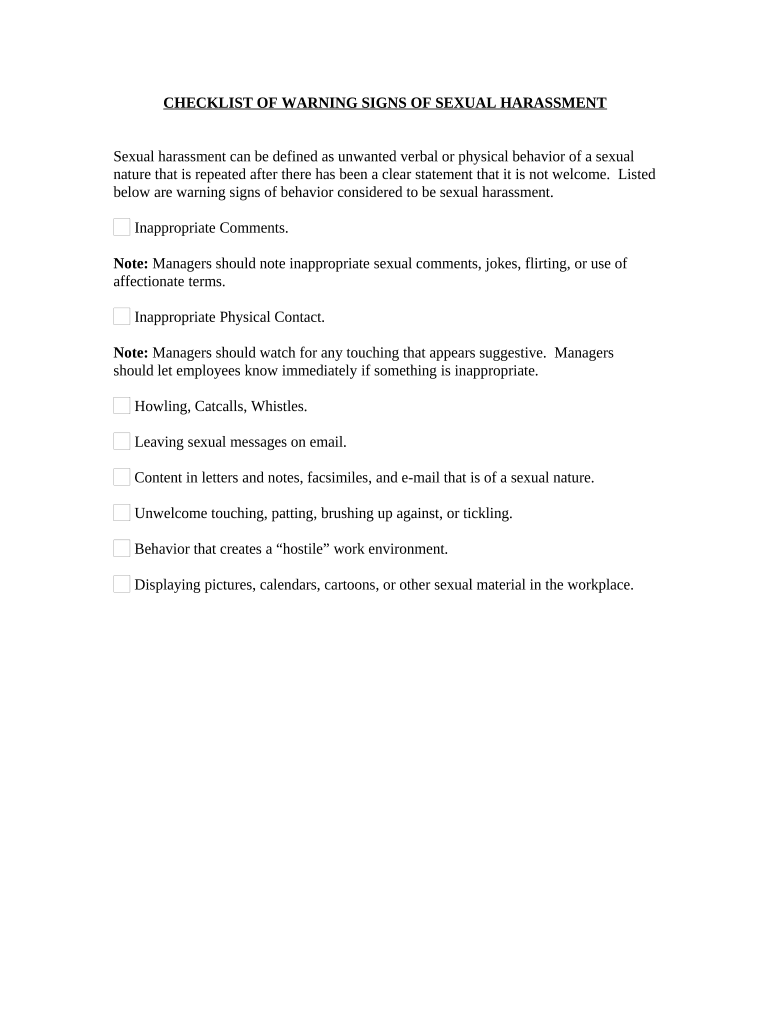
Checklist of Warning Signs of Sexual Harassment
What this Checklist Is and when to use it
Why a standardized checklist matters
A consistent checklist improves accuracy, reduces ambiguity, and speeds initial assessment and investigation.
Typical users and roles that complete the checklist
Supervisors, HR representatives, designated compliance officers, and trained observers commonly complete the checklist to record suspected harassment indicators.
- Supervisors documenting observed behavior for HR intake and follow-up.
- HR professionals compiling standardized reports for investigation and recordkeeping.
- Compliance officers or designated investigators preserving details for legal review.
Completed checklists should be routed to HR or the designated investigator and stored per organizational retention and privacy policies.
Step-by-step: filling out the checklist
-
011. Identify: Enter the observer and subject names exactly as known.
-
022. Date/time: Use MM/DD/YYYY and include time of observation.
-
033. Describe: Record objective facts, quotes, and behaviors observed.
-
044. Route: Send to HR or investigator using the organization’s secure channel.
Common preparation errors to avoid
- Using vague language or conclusions instead of concrete observable facts and direct quotes.
- Failing to record precise dates and times, which impedes cross-referencing with electronic records.
- Including irrelevant hearsay or unverified accusations rather than firsthand observation details.
- Storing completed checklists in unsecured locations or sending them over unencrypted email.
Risks of incomplete or improper checklists
Typical routing and handling workflow
-
Submit: Complete checklist and submit via secure HR portal.
-
Acknowledge: HR confirms receipt and preserves originals.
-
Triage: Assign investigator and classify urgency.
-
Investigate: Collect corroborating evidence and interview witnesses.
How to configure an online checklist workflow
| Field | Configuration |
|---|---|
| Required fields | Observer, date/time, description, witnesses |
| Authentication | Email + optional SMS code |
| Routing | Auto-forward to HR inbox and investigator |
| Retention policy | Set per legal/HR schedule |
Technical formats and integrations to support eSubmission
Choose platforms that support secure upload, eSignature, and the storage formats your organization requires.
- Document formats: PDF, DOCX, HTML, XLSX
- Integrations: Salesforce, NetSuite, Microsoft 365, Google Workspace
- Storage connectors: Box, Egnyte, AWS
Verify integration coverage and access controls with your IT team before enabling automated routing or archival.
Timelines to follow after a report is filed
Report promptly:
Submit the checklist as soon as possible after observation, ideally within 24–72 hours.
Initial acknowledgement:
HR should acknowledge receipt within 2 business days.
Preliminary review:
Complete triage within 5 business days to determine next steps.
Formal investigation timeframe:
Aim to finish initial investigation within 30 calendar days where feasible.
Evidence preservation:
Preserve related electronic records immediately; retain per retention schedule.
Key milestones in the intake-to-resolution timeline
Report received
HR logs the checklist and issues an acknowledgement to the reporter.
Triage and severity
Determine whether immediate protective measures are required for safety.
Investigation
Interview witnesses, collect communications and physical evidence.
Resolution and record
Document findings, corrective actions, and retention details.
Practical examples of digital intake in use
Optica Ventures LLC
A small property manager used a standardized intake checklist to document tenant complaints quickly
- "The interface is simple and easy-to-use for our team; more importantly, it is just as easy for our customers."
- The clear, timestamped records reduced follow-up time and allowed HR to correlate complaints with building access logs during investigation.
Fertility Centers of Illinois
A healthcare clinic combined a secure intake form with controlled access to protect patient-related reports
- "The airSlate SignNow team has been exceptional, responsive, the API has been great"
- Tight access controls and a documented audit trail supported internal review while adhering to privacy obligations.
Typical eSignature pricing and capability comparison
| signNow | DocuSign | Adobe Sign | PandaDoc | HelloSign | |
|---|---|---|---|---|---|
| Starting Price | $8/user/mo | $15/user/mo | $14/user/mo | $19/user/mo | $15/user/mo |
| Free Trial | 7-day free trial | Varies by plan | Varies by plan | Varies by plan | Varies by plan |
| Bulk Send | Yes | Yes | Yes | Yes | No |
| Audit Trail | Yes | Yes | Yes | Yes | Yes |
| HIPAA Compliant | Yes | Yes | Yes | No | No |
| Envelope Cap | No cap | 100 envelopes/user/year | Varies | Varies | Varies |
Frequently asked questions about using the checklist
-
Is a checklist legally binding?
The checklist itself documents observations; it does not create legal rights. Use clear, factual entries. For signed acknowledgements or admissions, ESIGN (15 U.S.C. ch. 96) and state UETA rules support electronic signatures when intent, consent, attribution, and retention are satisfied.
-
Can the checklist be e-signed?
Yes. Electronic signatures are generally valid under ESIGN and UETA. For consumer-facing disclosures in regulated contexts, provide required consent disclosures and verify signer identity before accepting e-signatures.
-
How do we protect confidentiality?
Limit access via role-based permissions, encrypt stored records (AES-256), and maintain audit logs of who accessed or exported entries. Treat health-related content in line with HIPAA when applicable.
-
Where should completed checklists be stored?
Store securely in an access-controlled HR or case-management system with tamper-evident audit trails. Retain per organizational policy and legal requirements; avoid unsecured email or personal drives.
-
How long must we keep records?
Keep records at least through the investigation and for the applicable statute of limitations. Follow federal minima (e.g., IRS three-year baseline) and industry rules such as HIPAA six-year retention where relevant.
-
What if evidence is deleted or altered?
Preserve backups and system logs immediately. Document any known changes and notify legal counsel; spoliation of evidence can lead to adverse legal inferences.