Establishing secure connection…Loading editor…Preparing document…

Ohio Workers Compensation Form

This template is fully customizable. Edit the text, fill out the fields, and send it for signature. Give it a try!
Ohio Workers Compensation Form

What the Ohio Workers Compensation Form Is and when it applies

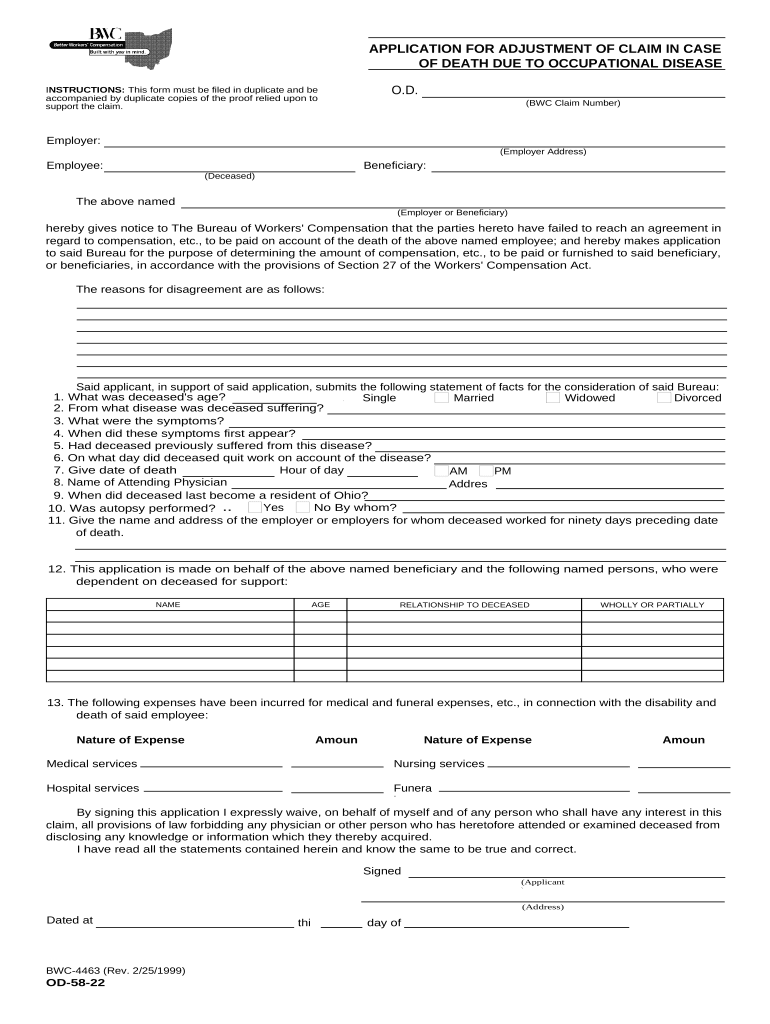
The Ohio Workers Compensation Form documents a workplace injury or occupational illness to initiate benefits, medical care, and wage replacement under Ohio law. It captures claimant and employer details, incident description, medical treatment, and employer reporting information so the Bureau of Workers' Compensation (BWC) or an employer-managed carrier can begin claim handling. Proper completion starts medical billing, preserves legal timelines, and supports hearings or appeals if disputed. This form is required after workplace incidents that result in medical treatment beyond first aid, lost time, or permanent impairment.

Why a correctly completed Ohio Workers Compensation Form matters

Accurate, timely filing helps ensure injured workers receive medical care and wage replacement while protecting employers from penalties and claim delays under Ohio rules.

Why a correctly completed Ohio Workers Compensation Form matters

Who prepares and relies on the Ohio Workers Compensation Form

Several parties commonly prepare, review, or rely on the form during a workers' compensation claim lifecycle.

  • Injured employee: Provides injury details, treatment history, and authorizes release of medical information when required by the carrier.
  • Employer or HR representative: Completes employer fields, documents wages and injury circumstances, and forwards the form to the carrier or BWC.
  • Healthcare provider: Verifies treatment dates, restrictions, and permanent impairment ratings if applicable; supplies medical records.

Each party's accurate input reduces processing delays and supports appropriate benefit determinations and return-to-work planning.

Step-by-step: completing the Ohio Workers Compensation Form

Follow these four steps to prepare a complete, routable form that supports timely claim processing.

  • 01
    1. Gather facts: Collect employee ID, incident date/time, witness names, and medical provider details before starting.
  • 02
    2. Fill required fields: Enter employee, employer, injury, and treatment information using MM/DD/YYYY and full addresses.
  • 03
    3. Attach records: Include initial treatment notes, diagnostic reports, and any employer incident reports to support the claim.
  • 04
    4. Submit to carrier: Send the completed form to your workers' comp carrier or BWC as specified; retain a signed copy for records.

How the form moves through the claim process

This sequence describes who receives the form and what each recipient typically does next in handling the claim.

  • Employee report: Employee notifies employer of injury; employer documents incident and collects initial details.
  • Employer submission: Employer completes the form, attaches records, and forwards to the insurance carrier or BWC.
  • Carrier review: Carrier evaluates coverage, requests additional medical information, and authorizes treatment if accepted.
  • Benefit determination: Carrier issues decisions on medical payments and wage-loss benefits; employer implements return-to-work plans.

Configuring a digital workflow for Ohio Workers Compensation forms

When automating, configure fields, routing, and recipient roles so submissions meet carrier and BWC intake rules.

Field Configuration
Required fields Enforce employee name, injury date, employer contact, and medical provider fields as mandatory.
Routing Auto-route completed forms to the insurer and HR; include optional copy to the treating provider.
Attachments Allow PDF upload for medical records and add file size limits that fit carrier requirements.
Authentication Require signer email verification or SMS code for attribution and audit purposes.

Technical considerations for eSubmission and electronic signatures

Ensure chosen platforms support required file formats, secure transmission, and retention for audits.

  • File formats: Accept PDF and DOCX for structured forms and scanned attachments.
  • Authentication: Email or SMS verification provides signer attribution for most claim filings.
  • Retention: Store signed copies with tamper-evident audit trails for the required retention period.

Verify platform compliance with ESIGN/UETA and any applicable HIPAA requirements before transmitting protected health information.

Essential elements to include in a professional claim form package

A complete submission combines form fields, supporting records, authentication, and process metadata to speed review and reduce follow-up requests.

Complete identification

Employee legal name, SSN or last four digits if required, date of birth, and current contact details to verify identity and pay benefits.
Incident specifics

Detailed description of the event, exact location, witnesses, and precise injury timing to support causal analysis.

Employer details

Employer legal name, FEIN, contact person, and payroll information used for wage-loss calculations and carrier reporting.

Medical documentation

Initial medical reports, diagnostic tests, and treating provider contact details that justify treatment and time away from work.

Benefit-related data

Work status, restrictions, missed shifts, and expected return-to-work date to determine wage replacement eligibility.

Audit metadata

Signer attribution, timestamps, IP or authentication method, and version history to create an audit trail for disputes.

Security and compliance items to include with electronic submissions

Encryption: TLS 1.2/1.3 in transit; AES-256 at rest
Audit trail: Timestamps, IP, action log
Access controls: Role-based access and SSO
HIPAA safeguards: BAA required for PHI transmission
Retention policy: Immutable storage with versioning
Certificate compliance: SOC 2 Type II and ISO 27001 present

Common mistakes that delay Ohio workers' comp claims

  • Missing or incorrect injury date causes eligibility disputes and may shift benefit start dates, increasing administrative follow-up.
  • Incomplete employer or wage data prevents accurate lost-wage calculations and often triggers carrier requests for payroll verification.
  • Omitting treating provider contact or medical records forces carriers to seek additional documentation, delaying decisions and payments.
  • Using informal descriptions like 'hurt at work' rather than clear event narratives leads to ambiguity in causation and higher denial risk.

Penalties and risks from incorrect or late form submissions

Delayed benefits: Payments may be postponed until required details or records are provided
Administrative fines: Carriers or BWC may assess penalties for late reporting
Denial risk: Incomplete evidence can lead to claim denials
Legal exposure: Employer failure to report may increase litigation risk
Privacy violations: Improper PHI handling can breach HIPAA obligations
Recordkeeping gaps: Insufficient retention complicates appeals and audits

Deadlines and timing to keep in mind

Timely notice and filing obligations vary by circumstance; follow internal policies and carrier or BWC instructions to preserve rights.

Employee notice:

Provide employer notice as soon as practicable after injury; prompt notice avoids coverage disputes

Employer filing:

Submit employer report to carrier per policy timelines, often within a few days of knowledge

Medical billing:

Providers should submit claims per applicable fee schedule and payer rules to prevent denials

Appeal windows:

Meet carrier and BWC appeal deadlines; missing appeals can waive challenges

Retention start:

Retention periods begin at creation or final action; maintain records accordingly

Key processing milestones for an Ohio workers' comp claim

A typical claim passes through several numbered milestones from report to resolution; track each stage to manage timelines.

01

1. Report received

Employer documents the incident and records basic facts for carrier intake.

02

2. Carrier acknowledgment

Carrier confirms receipt and may request further medical or wage documentation.

03

3. Medical review

Treating provider records and diagnostic results are evaluated for compensability.

04

4. Decision issued

Carrier authorizes or denies benefits; notification sent to employer and claimant.

eSignature vendor comparison for submitting Ohio Workers Compensation forms

Comparison of typical vendor entry costs and key feature availability relevant to secure, compliant claim submissions; signNow appears first per table conventions.

signNow DocuSign Adobe Sign PandaDoc HelloSign
Starting Price $8/user/mo $15/user/mo $14/user/mo $19/user/mo $15/user/mo
Free Trial 7-day trial Trial Trial Trial Trial
Bulk Send Yes Yes Yes Yes No
Audit Trail Yes Yes Yes Yes Yes
HIPAA Compliant Yes Yes Yes No No

Frequently asked questions about the Ohio Workers Compensation Form

Answers to common questions about completing, submitting, and preserving the form to reduce processing delays and compliance risk.


Need help? Contact support

be ready to get more
Join over 28 million airSlate SignNow users