Establishing secure connection…Loading editor…Preparing document…

Subpoena Form

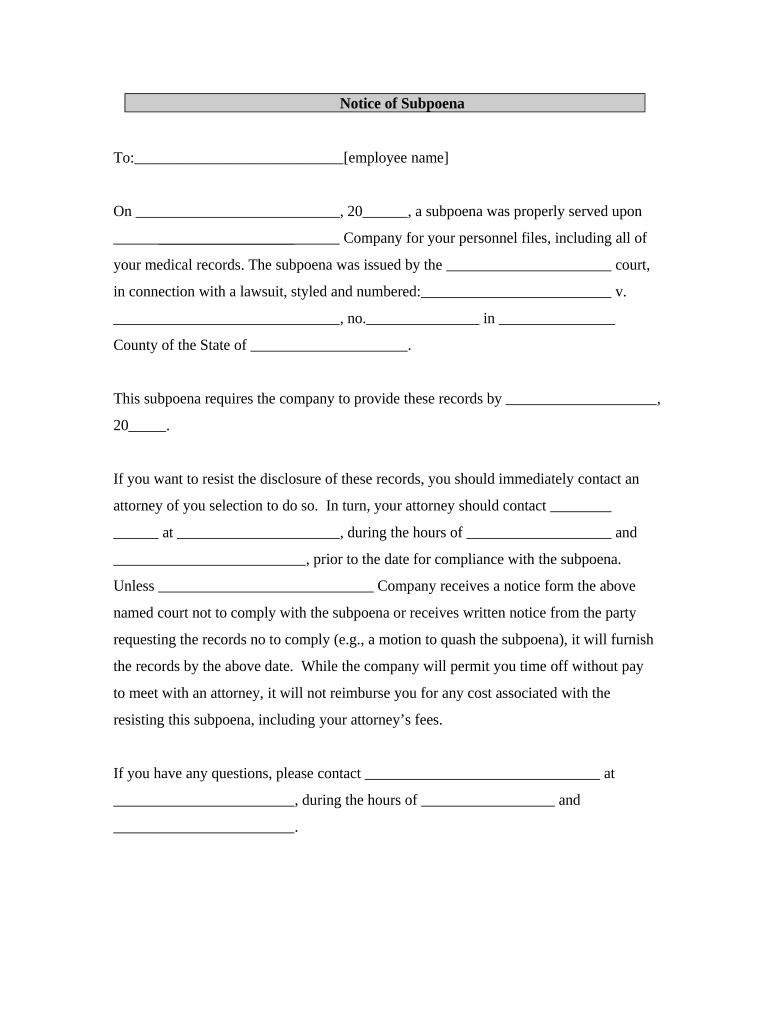
This template is fully customizable. Edit the text, fill out the fields, and send it for signature. Give it a try!
Subpoena Form

What a Subpoena Form Is and when it’s used

A Subpoena Form is a court-issued or court-authorized document used to compel testimony or the production of documents, electronically stored information, or physical evidence. Common types include subpoenas ad testificandum (to require a witness to appear) and subpoenas duces tecum (to require documents or records). The form must identify the issuing court, case caption, parties, the items or testimony sought, a clear time and place for compliance, and the issuing authority. Service and format rules vary by jurisdiction and by court; failure to follow local rules can affect enforceability.

Why a properly completed Subpoena Form matters

A correct Subpoena Form ensures enforceability, avoids delays or suppression of evidence, and documents legal authority for compelled production or testimony. Clear, complete entries reduce the risk of objections, service defects, and contempt disputes under applicable court rules.

Why a properly completed Subpoena Form matters

Who prepares, serves, and responds to subpoenas

Subpoenas are used by attorneys, courts, government agencies, and authorized representatives to obtain evidence and testimony for litigation, administrative proceedings, or investigations.

  • Issuing attorneys and law firms initiating discovery or trial evidence requests
  • Court clerks and judges preparing or signing official court-issued subpoenas
  • Records custodians and third parties who must produce documents or appear

Typical signatories and their roles

Court Clerk

A court clerk typically enters the official case caption, assigns a filing number, and affixes an official seal or certificate when a court issues the subpoena. Clerks ensure the document matches court docket requirements and may record a certificate of service.

Issuing Attorney

The attorney of record prepares the subpoena language, identifies the scope of requested documents or testimony, and signs or files the document under local rules. Attorneys must follow ethical and procedural limits when drafting and serving subpoenas.

Essential fields every Subpoena Form should include

Case Caption: Court name, parties, docket number
Issuing Authority: Judge, clerk, or attorney name
Recipient Identity: Name and business/address
Return Instructions: Date, time, delivery method
Documents Requested: Specific items described clearly
Signature Block: Signature, date, and contact details

Consequences and legal risks of errors

Contempt Risk: Court sanctions and fines
Evidence Exclusion: Motion to quash or suppression
Service Defect: Delayed enforcement
Privacy Violation: HIPAA or confidentiality breach
Ethics Exposure: Improper scope or harassment
Monetary Costs: Attorney fees and motion costs

Common preparation pitfalls to avoid

  • Overbroad requests that fail to describe documents with reasonable particularity, leading to motions to quash and discovery disputes that waste time and increase cost.
  • Incorrect or incomplete service information, such as missing recipient address or wrong party name, which can render service invalid and postpone compliance deadlines.
  • Failure to follow court-specific formatting or filing rules, including caption format, signature requirements, or required certificates of service for electronic filing systems.
  • Neglecting privacy or privilege protections when requesting medical or third-party records; omission of protective order language can trigger statutory privacy issues.

Step-by-step: completing a Subpoena Form

Follow a clear sequence to prepare, review, serve, and document compliance with the subpoena while observing local and federal rules.

  • 01
    Prepare: Enter court, case number, and parties accurately.
  • 02
    Specify: Describe required documents or testimony with precise scope.
  • 03
    Serve: Use permitted methods and record the certificate of service.
  • 04
    Document: Retain proof of service and signed compliance records.

Where to file, how to serve, and where documents go

A subpoena is filed or issued per court rules, served using authorized methods, and responses or produced items are returned to the issuing party or the clerk as specified on the form.

  • Filing: File with the issuing court or docketing office when required.
  • Service: Serve person or entity by allowed method under local rules.
  • Return: Direct documents to the listed recipient or clerk's office.
  • Proof: Attach or file a certificate of service to the record.

How to customize a Subpoena Form for electronic workflows

Configure fields and routing to capture necessary data, support e-signing, and preserve an audit trail for compliance and later proof of service.

Field Configuration
Case Caption Auto-fill from template or docket import
Recipient Email, name, and address fields required
Production List Repeatable table for itemized document requests
Service Certificate Signature, date, and method tracking

Technical considerations for digital signing and e-submission

Ensure your platform supports PDF and DOCX formats, audit trails, identity authentication, and storage compliant with applicable regulations.

  • File Formats: PDF and DOCX supported
  • Authentication: Email, SMS, or advanced options
  • Integrations: E-filing and cloud connectors

Timelines and typical processing expectations

Subpoena deadlines are set by court rules and the issuance terms; allow time for service, response, and any protective order negotiation before production dates.

Service Window:

Follow local rules; allow reasonable notice for compliance

Response Period:

Response or production date as specified on the subpoena

Motion Period:

Time to object or move to quash per court schedule

Compliance Time:

Time required to collect and produce requested records

Document Preservation:

Preserve materials pending compliance or motion resolution

Core elements that make a Subpoena Form enforceable

A professionally prepared subpoena is precise, traceable, and aligned with procedural rules so the recipient can understand obligations and the court can enforce compliance.

Court Identification

Lists court name, location, and docket number. This anchors the subpoena to a particular proceeding and ensures the document is recognized by court staff and parties for filing and enforcement.
Issuing Authority

Names the judge, clerk, or attorney issuing the subpoena. Clear authority language distinguishes valid process from informal requests and enables the proper certificate of service and enforcement steps.

Specific Demand

Describes witnesses, documents, or items requested with sufficient particularity. Narrow, specific descriptions limit disputes over scope and reduce grounds for motions to quash.

Time and Place

Specifies when and where the witness must appear or where documents must be produced, including exact dates, times, and physical or electronic delivery instructions to avoid ambiguity.

Service Instructions

Explains permitted methods of service, witness fees if any, and how service is evidenced. Accurate service instructions prevent defects that could invalidate compliance efforts.

Certificate of Service

Provides a field for the server to attest to method, date, and recipient. A completed certificate creates a record necessary for enforcement and for the court file.

Comparing eSignature options for completing and serving subpoenas

Platform choice affects cost, signing workflows, bulk send features, and HIPAA support. The following table compares common vendor characteristics relevant to subpoena preparation and secure production.

signNow DocuSign Adobe Sign PandaDoc HelloSign
Starting Price $8/user/mo $15/user/mo $14/user/mo $19/user/mo $15/user/mo
Free Trial 7-day trial Varies Varies Varies Varies
Bulk Send Yes Yes Yes Yes No
Audit Trail Yes Yes Yes Yes Yes
Envelope Cap No cap 100 envelopes/user/year Varies Varies Varies

Frequently asked questions and practical answers

Answers cover common questions about validity, service methods, e-signing, and evidence preservation to help reduce procedural errors and avoid enforcement problems.


Need help? Contact support

be ready to get more
Join over 28 million airSlate SignNow users