Submitter Details
Full legal name, department, job title, contact phone and work email so reviewers can clarify or follow up.
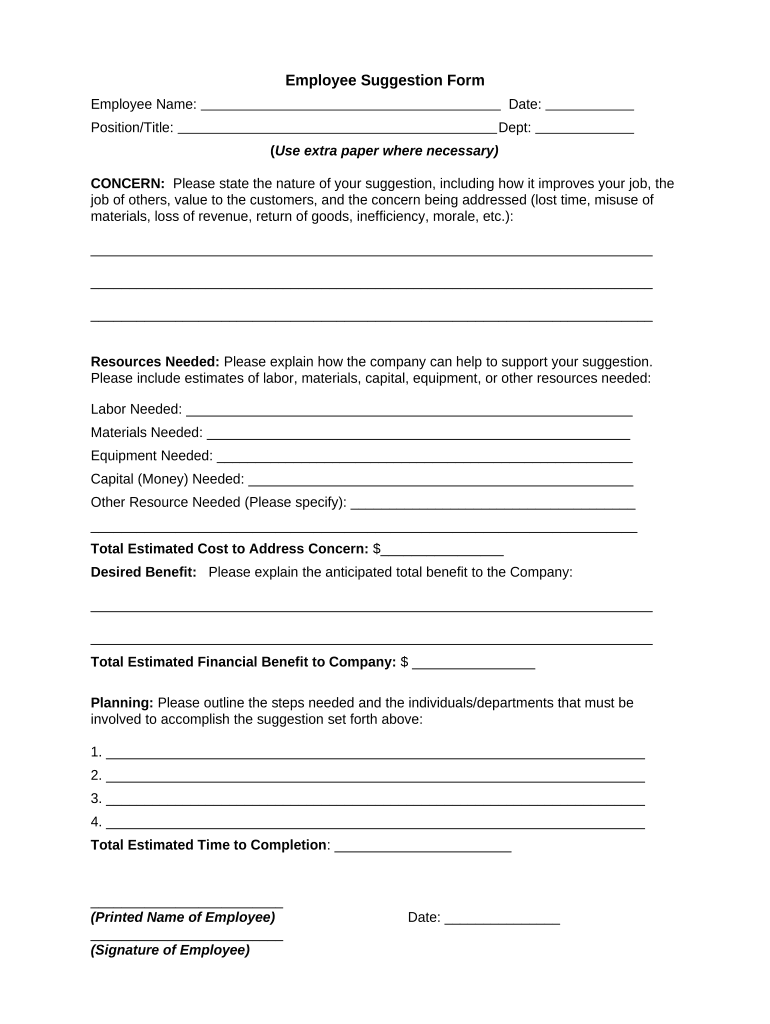
A consistent form speeds review, ensures submissions contain actionable details, and preserves a clear record for approvals and follow-up. Standardization reduces data gaps and minimizes disputes over what was proposed.

The Employee Suggestion Form is completed by frontline staff, managers, and other employees; reviewers usually include HR, the employee's supervisor, and a process owner or improvement committee.
Clear role separation helps ensure suggestions are evaluated objectively and that submitters receive timely feedback without creating unnecessary confidentiality risks.
HR managers review submissions for policy compliance, determine whether suggestions implicate personnel or privacy issues, and sign off on administrative decisions. They coordinate cross-functional review and ensure retention and confidentiality rules are followed.
Supervisors verify operational feasibility, estimate implementation impact, and provide authorization for pilot testing or resource requests. Their signature or approval documents managerial consent and supports budget or scheduling steps.
Full legal name, department, job title, contact phone and work email so reviewers can clarify or follow up.
A concise, one-paragraph description of the idea, problem addressed, and intended outcome for quick triage.
Expected cost savings, time savings, safety improvements, or quality gains with estimated metrics where available.
Any anticipated budget, personnel, or material needs required to pilot or implement the suggestion.
An option to request anonymity or limited disclosure for sensitive proposals or whistleblower concerns.
Reviewer name, decision (accept/decline/pilot), date, and implementation notes to create an auditable outcome record.
| Field | Configuration |
|---|---|
| Submitter Input | Required field; triggers acknowledgment email |
| Department Selector | Conditional routing to supervisor and HR |
| Reviewer Role | Assign HR, supervisor, and committee sequence |
| Final Record | Store signed decision and attachments in records system |
Use an e-signature platform that supports secure PDFs, an audit trail, and integrations with HR or document repositories to maintain a single source of truth.
Selecting tools with audit trails, SSO, and cloud storage integrations reduces manual handling, preserves chain of custody, and supports regulatory or internal audit requests without changing daily workflows.
Acknowledge receipt within 3–5 business days
Complete triage within 10 business days
Decision or pilot within 30 calendar days
Adopted suggestions scheduled per resource planning
Close and archive outcome within 7 days after decision
| signNow | DocuSign | Adobe Sign | PandaDoc | HelloSign | |
|---|---|---|---|---|---|
| Starting Price | $8/user/mo | $15/user/mo | $14/user/mo | $19/user/mo | $15/user/mo |
| Free Trial | 7-day trial | Varies by plan | Varies by plan | Varies by plan | Varies by plan |
| Bulk Send | Yes (Business Premium) | Yes | Yes | Yes | No |
| Audit Trail | Yes | Yes | Yes | Yes | Yes |
| HIPAA Compliant | Yes (BAA available) | Yes | Yes | No | No |
| Envelope Cap | No envelope cap | 100 envelopes/user/year | Verify plan limits | Verify plan limits | Verify plan limits |
A line operator submits a safety improvement that reduces rework
A customer service agent proposes an automated response template to cut handling time