Establishing secure connection…Loading editor…Preparing document…

Temporary Order Injunction

This template is fully customizable. Edit the text, fill out the fields, and send it for signature. Give it a try!
Temporary Order Injunction

What a Temporary Order Injunction Is and when it applies

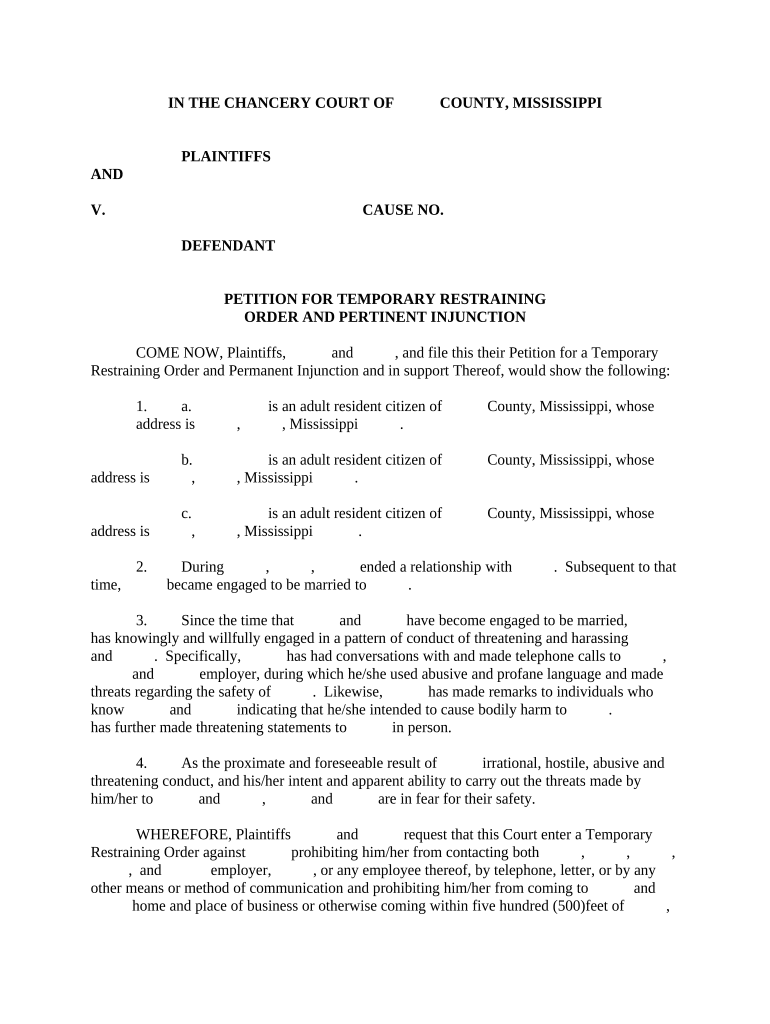
A Temporary Order Injunction is a short-term court order that directs or forbids specific actions while a case proceeds to a full hearing. It preserves the parties' positions, prevents irreparable harm, or protects property, evidence, or custody rights pending final adjudication. Courts issue temporary injunctive relief after a verified petition and supporting affidavit; some emergency orders can be entered ex parte with limited notice. The order remains effective until a judge modifies, dissolves, or replaces it with a permanent injunction following full proceedings.

Why a Temporary Order Injunction matters in litigation

Temporary injunctive relief stabilizes temporary rights and prevents conduct that would make final relief ineffective, such as asset transfer or destruction of evidence. It is used in civil disputes, family proceedings, landlord-tenant matters, and regulatory enforcement to protect urgent interests while the court considers full merits.

Why a Temporary Order Injunction matters in litigation

Who prepares and relies on Temporary Order Injunctions

Parties, their attorneys, and court staff commonly prepare and process temporary injunction requests; judges and clerks issue or docket the orders.

  • Plaintiffs and plaintiffs' counsel who seek immediate relief pending trial or hearing.
  • Defendants and defense counsel who must respond to or oppose emergency relief requests.
  • Court clerks and judicial officers responsible for docketing, serving, and enforcing the order.

Typical professionals involved

Plaintiff Attorney

Prepares the verified petition, supporting affidavit, and proposed order; identifies irreparable harm and argues for bond or security when required. Coordinates service and evidentiary submissions for the hearing.

Judicial Clerk

Processes filings, assigns hearing dates, issues notice to parties, and files the signed order. Ensures court rules for emergency or ex parte practice are followed and maintains the docket record.

Required information and core fields

Case Caption: Court name and party caption
Case Number: Assigned docket or file number
Parties: Full legal names of affected persons
Relief Sought: Specific temporary directives
Supporting Facts: Concise factual basis and affidavit
Signature Block: Judge or authorized official signature

Main penalties and risks from errors

Contempt: Fines or jail
Sanctions: Attorneys' fees or costs
Bond Forfeiture: Loss of security posted
Denial of Relief: Petition dismissed
Perjury Exposure: Criminal liability risk
Appeal Limits: Restricted interlocutory review

Common preparation and filing pitfalls

  • Failing to attach a supportive sworn affidavit that establishes irreparable harm and immediate need for relief, which often leads to denial.
  • Using vague or overly broad order language that creates enforcement confusion or unintended ongoing restraints on parties.
  • Not following local emergency or ex parte filing procedures, including missing required notice or bond requirements set by court rules.
  • Submitting an unsigned or improperly formatted proposed order that the clerk or judge will reject for correction and re-filing.

Real-world examples of Temporary Order Injunction use

These concise examples show typical scenarios where temporary injunctive relief preserves rights while litigation moves forward.

Landlord-Tenant Dispute

Tenant faces imminent eviction despite contesting habitability

  • Court issues a temporary stay of eviction pending hearing
  • The order preserved tenancy for 30 days, required expedited hearing, and prevented irreparable displacement while evidence was gathered and presented.

Business Trade Secret Case

Company alleges former employee misappropriated trade secrets

  • Emergency order freezes use of disputed materials
  • The injunction required immediate return of files, interim noncompete limitations, and an evidentiary hearing within two weeks to determine permanent relief.

Step-by-step: completing a Temporary Order Injunction form

Follow these steps to prepare a clear, court-ready temporary injunction request that meets typical judicial and clerk requirements.

  • 01
    Prepare Caption: Enter court, parties, and case number at top.
  • 02
    State Relief: Describe specific prohibitions or directives sought.
  • 03
    Attach Affidavit: Include sworn facts demonstrating irreparable harm.
  • 04
    Proposed Order: Provide precise, enforceable language for the judge.

Typical filing, service, and enforcement flow

A temporary injunction progresses through filing, judicial review, service on parties, and short-term enforcement pending a full hearing.

  • File Petition: Submit verified petition and proposed order to clerk.
  • Judicial Review: Judge evaluates emergency showing and proposed relief.
  • Service: Serve opposing parties per court rules.
  • Enforcement: Order becomes effective and is enforced by court.

Core elements of a professional Temporary Order Injunction

A compliant temporary order balances specificity, enforceability, and procedural safeguards. Each element below supports judicial decision-making and practical enforcement.

Precise Relief

Clear, narrowly tailored commands or prohibitions stating who must do or refrain from specific acts and over what timeframe, minimizing ambiguity for enforcement.
Factual Basis

Concise sworn statements that identify immediate harm, irreparable injury, and why interim relief is needed before a final hearing can occur.

Bond or Security

When required by court rule, an amount or mechanism for security to cover potential damages to the opposing party if the injunction is later dissolved.

Notice Provisions

Statements describing how and when opposing parties were notified or when ex parte relief was granted without notice under emergency standards.

Duration Clause

Specific expiry or review date, and conditions for modification, extension, or conversion to a permanent injunction following full proceedings.

Enforcement Terms

Consequences for violation, contempt language, and directions for how to seek enforcement through contempt proceedings or other remedies.

How to set up an online completion and routing workflow

Configure fields and routing to match court format, collect authenticated signatures, and preserve a complete audit trail for compliance.

Field Configuration
Case Caption Field Required text entry; preserve exact formatting.
Signature Field Require signer name, date, and authentication.
Supporting Attachments Allow PDF upload for affidavits and exhibits.
Routing Send to counsel, opposing party, then clerk.

Technical and platform considerations for eSubmission

Confirm that the platform supports required file formats, signer authentication, and audit trail preservation before e-submitting court papers.

  • File formats: PDF/A, DOCX supported
  • Authentication: Email, SMS code, or stronger
  • Integrations: E-file and cloud connectors

Typical timelines and hearing expectations

Timing for temporary injunctions varies by court, but several standard deadlines and milestones commonly apply across jurisdictions.

Emergency (Ex Parte):

Immediate; often same-day relief with limited notice

Preliminary Hearing:

Often within 7–21 days after filing

Service Requirement:

Serve opposing parties per local rules before hearing

Duration of Order:

Effective until modified, dissolved, or replaced at final hearing

Record Retention:

Maintain filings and signed order per court rules

Key milestones from filing to enforcement

A typical sequence shows filing, judicial action, service, hearing, and short-term enforcement milestones for the temporary injunction lifecycle.

01

Filing Submitted

Petition and proposed order filed with the clerk.

02

Judicial Review

Judge reviews record and considers emergency relief.

03

Service to Parties

Opposing parties are served with documents.

04

Hearing and Order

Court holds hearing; signs or denies temporary relief.

How Temporary Order Injunctions compare with related remedies

Compare the temporary order injunction to similar provisional remedies to choose the right procedural vehicle for urgent relief.

Criteria Temporary Order Injunction Temporary Restraining Order Preliminary Injunction
Purpose preserve status quo immediate short-term halt preserve rights pre-trial
Typical Duration days to weeks hours to days weeks to months
Notice Required usually notice sometimes none (ex parte) usually notice
Standard immediate need showing emergency exigency likelihood of success

Typical eSignature provider pricing and features for court forms

Below is a concise vendor comparison focused on common plan features relevant to preparing and signing court forms. Pricing reflects typical annual-billed entry tiers.

signNow DocuSign Adobe Sign PandaDoc HelloSign
Starting Price $8/user/mo $15/user/mo $14/user/mo $19/user/mo $15/user/mo
Free Trial 7-day free trial Varies by plan Varies by plan Varies by plan Varies by plan
Bulk Send Yes (premium) Yes Yes Yes Yes
Audit Trail Yes Yes Yes Yes Yes
HIPAA Compliant Yes (BAA available) Yes (BAA available) Yes (BAA available) No No

Practical tips for preparing enforceable temporary orders

Follow these best practices to improve clarity, reduce objections, and speed judicial approval while protecting client interests.

Draft narrow, precise relief
Describe the exact conduct to be enjoined and the duration. Narrow orders are more likely to be granted and upheld; overly broad restraints invite modification or denial.
Support claims with sworn evidence
Attach a focused affidavit that documents immediate harm, attempts at notice, and sources of authority. Courts require concrete facts rather than generalized assertions to justify temporary relief.
Address notice and bond proactively
Explain how notice was given or why ex parte relief is necessary; propose bond amounts if local rules require security to protect the opposing party from wrongful restraint.
Preserve an audit trail for eSubmission
Use platforms that capture signer identity, timestamps, and file hashes. A complete audit trail helps establish authenticity and chain of custody for digital filings.

Frequently asked questions about Temporary Order Injunctions

Answers to common procedural and practical questions that arise when preparing, filing, and enforcing temporary injunctions.


Need help? Contact support

be ready to get more
Join over 28 million airSlate SignNow users