Establishing secure connection…Loading editor…Preparing document…

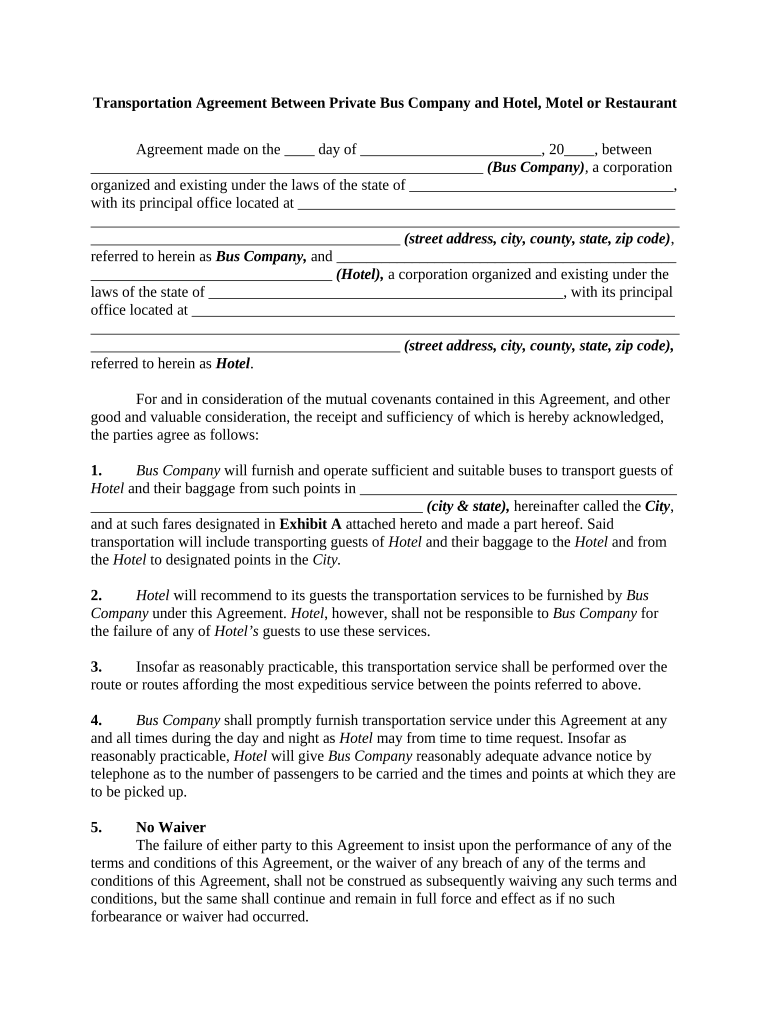
Transportation Agreement

This template is fully customizable. Edit the text, fill out the fields, and send it for signature. Give it a try!
Transportation Agreement

What the Transportation Agreement Is and when it matters

A Transportation Agreement is a legally binding contract that sets the terms for moving goods between a shipper and a carrier. It defines the parties, cargo description, pickup and delivery locations, transit timelines, payment terms, liability limits, insurance requirements, and handling instructions. The agreement often incorporates related documents such as bills of lading, delivery receipts, and customs paperwork. For U.S. transactions the contract should specify governing law, dispute resolution, and signature blocks; electronic signatures executed under ESIGN or state UETA provisions are generally acceptable for commercial transportation contracts.

Why a clear Transportation Agreement reduces operational and legal risk

A well-drafted Transportation Agreement allocates responsibility, limits exposure for loss or delay, and clarifies billing and claims handling; it also supports regulatory compliance and enforceability under the ESIGN Act (15 U.S.C. §7001) and UETA where applicable.

Why a clear Transportation Agreement reduces operational and legal risk

Which roles commonly prepare, review, and sign this agreement

Companies and individuals who coordinate shipments routinely rely on Transportation Agreements to document terms and reduce disputes.

  • Shippers and logistics managers — prepare routing, manifest details, billing terms and required insurance limits before tendering freight.
  • Carriers and brokers — review liability, delivery windows, and accessorial charges; confirm equipment and driver qualifications.
  • Legal and procurement teams — negotiate indemnity, governing law, and claims procedures; approve exceptions and ancillary clauses.

Signatory profiles who typically sign the Transportation Agreement

Logistics Manager

The logistics manager or transportation coordinator signs on behalf of the shipper when authorized to bind shipping commitments and payment obligations; they must ensure routing, carrier selection, and insurance data are accurate and documented.

Carrier Representative

An officer or designated agent of the carrier signs for acceptance of the load and liability terms; the signer should have authority to accept the carrier obligations and confirm equipment and service-level capabilities.

Core elements to include in a professional Transportation Agreement

Include precise, enforceable provisions covering the deal lifecycle so both parties know responsibilities and remedies.

Parties

Full legal names, entity type, and contact details for shipper, consignee, and carrier so the counterparty is unambiguous for enforcement and billing.
Cargo Description

Detailed description of goods, quantity, weight, dimensions, hazardous material classification if any, packaging instructions and special handling requirements.

Delivery Terms

Pickup and delivery locations, INCOTERMS if applicable, delivery windows, appointment requirements, and proof-of-delivery procedures.

Payment and Rates

Freight rates, accessorial charges, invoicing schedule, payment terms, and late payment remedies including interest or collection costs.

Liability and Insurance

Limits of liability, carrier insurance minimums, cargo insurance responsibility, and required certificates of insurance.

Claims and Disputes

Time limits for damage or loss claims, claims submission process, and governing law or arbitration venue for disputes.

Required identification and security entries

Shipper ID: Enter legal entity name
Carrier ID: Enter DOT number or MC number
Cargo Details: Describe goods and quantity
Pickup / Delivery: Provide full addresses with ZIP
Insurance Limits: Specify coverage amounts
Signature Block: Signer name and date required

Consequences of an incomplete or incorrect agreement

Liability Exposure: Higher financial risk if limits or insurance requirements are omitted
Delayed Claims: Missed claim windows can bar recovery from a carrier
Billing Disputes: Ambiguous payment terms lead to unpaid invoices and collection costs
Regulatory Fines: Noncompliance with hazardous-material rules can trigger civil penalties
Contract Voidance: Invalid signatures or lack of authority may render the contract unenforceable
Supply Chain Interruptions: Incorrect routing or delivery instructions cause missed appointments and extra charges

Common preparation pitfalls to avoid

  • Using informal descriptions for goods instead of standard commodity codes increases claims risk and customs delays.
  • Failing to record carrier authority (DOT/MC) can expose the shipper to uninsured carriers and liability.
  • Omitting clear delivery windows or appointment procedures leads to detention and demurrage disputes.
  • Not specifying dispute resolution or governing law creates costly jurisdictional fights after a loss.

Step-by-step: How to complete the Transportation Agreement

Follow these sequential steps to reduce errors and ensure the agreement is enforceable and operationally useful.

  • 01
    Prepare party details: Enter full legal names and IDs
  • 02
    Describe freight: List weights, dimensions, and hazmat info
  • 03
    Set terms: Define rates, payment, and delivery obligations
  • 04
    Sign and retain: Obtain authorized signatures and store copies

How to configure a digital signing workflow

Set up sender roles, field assignments, and recipient authentication for secure eSigning and routing.

Field Configuration
Signer Order Sequential or parallel as required
Authentication Email link with optional SMS code
Required Fields Make signatures, dates, and IDs mandatory
Audit Trail Enable to capture IP, timestamps, and actions

Typical digital execution flow for the Transportation Agreement

Use a concise electronic workflow to speed execution while preserving evidentiary metadata required for enforcement.

  • Upload document: Sender uploads final agreement PDF or DOCX
  • Place fields: Assign signature, initial, and date fields
  • Send to signers: Add signer emails and authentication method
  • Capture completion: Signed copies and certificate stored automatically

Technical and compliance considerations for eSigning

Confirm platform capabilities and security before eSigning transportation documents.

  • File types: PDF, DOCX supported
  • Integrations: Salesforce, NetSuite, Google Workspace
  • Security: TLS in transit, AES-256 at rest

Key timing considerations and standard deadlines

Track dates that affect claims, payments, and regulatory compliance to avoid penalties and lost recovery rights.

Effective Date:

Use MM/DD/YYYY; governs obligations and claim windows

Delivery Window:

Specify exact hours/dates to calculate detention charges

Claim Filing:

File damage claims within carrier-specified days (commonly 9–30 days)

Invoice Due:

Net terms determine late interest and collection timing

Record Retention:

Maintain documents per applicable retention rules

Key milestones in a Transportation Agreement lifecycle

A sequential view of stages from negotiation to closure helps ensure each milestone is met and documented.

01

Negotiation

Parties agree scope, rates, insurance, and special terms

02

Execution

Authorized signers sign and date the agreement

03

Tendering Freight

Shipper tenders goods and provides necessary docs

04

Claims Resolution

Submit and conclude any damage or delay claims

Comparing common eSignature vendors for Transportation Agreement workflows

Key capability and price comparisons can inform platform selection for high-volume transportation document workflows; signNow is listed first per vendor-comparison guidance.

signNow DocuSign Adobe Sign PandaDoc HelloSign
Starting Price $8/user/mo $15/user/mo $14/user/mo $19/user/mo $15/user/mo
Free Trial 7-day free trial, no card Free trial varies Free trial varies Free trial varies Free trial varies
Bulk Send Yes Yes Yes Yes No
Audit Trail Yes Yes Yes Yes Yes
Envelope Cap No envelope cap 100 envelopes/user/year Varies by plan Varies by plan Varies by plan

Frequently asked questions about completing and signing the Transportation Agreement

Answers to common execution and validity questions to help avoid mistakes that can affect enforceability or insurance coverage.


Need help? Contact support

be ready to get more
Join over 28 million airSlate SignNow users