Establishing secure connection…Loading editor…Preparing document…

Trust Indenture

This template is fully customizable. Edit the text, fill out the fields, and send it for signature. Give it a try!
Trust Indenture

What a Trust Indenture Is and when it’s used

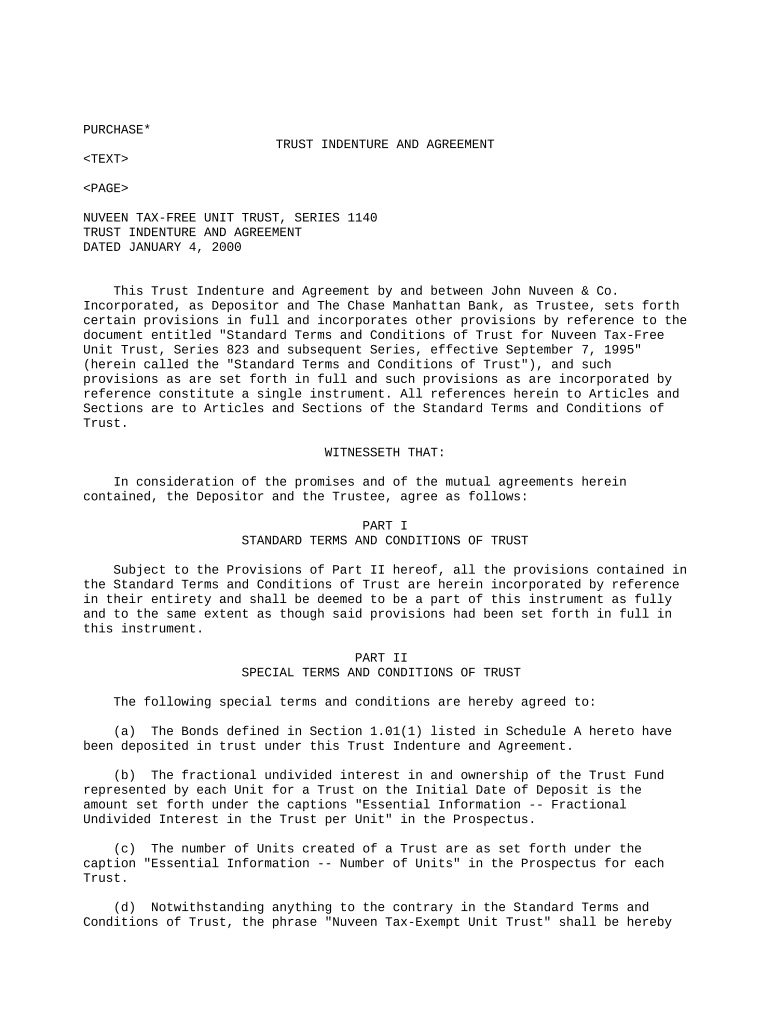
A Trust Indenture is a formal written agreement between a debt issuer and a trustee that governs the terms of a bond or other secured debt issuance. It defines the security interest, payment schedule, covenants, events of default, trustee duties, and remedial rights for bondholders. Trust Indentures are common in corporate and municipal finance to centralize creditor protections, document priorities among creditors, and provide a clear enforcement path if the issuer defaults. Parties should confirm whether the instrument will be recorded or require additional regulatory filings.

Why a clear Trust Indenture matters for creditors and issuers

A well-drafted Trust Indenture allocates rights and duties, reduces ambiguity about remedies, helps satisfy investor due diligence, and supports enforceability of security and covenants. It creates a single document trustees can use to act for multiple bondholders and clarifies reporting, registration, and default protocols.

Why a clear Trust Indenture matters for creditors and issuers

Who typically prepares and signs a Trust Indenture

Several parties collaborate on the Trust Indenture: the issuer, a corporate trustee, counsel, and investor representatives.

  • Issuing entity finance team or CFO responsible for negotiation and execution.
  • Trustee or trust department at a bank acting on behalf of bondholders.
  • Bond counsel, underwriters, and institutional investors reviewing terms and opinion letters.

Typical signers and their responsibilities

Trustee — Bank Officer

A trustee (often a bank trust officer) accepts duties to enforce payment and security for bondholders, manage distributions, and act on defaults. The trustee must document acceptance, maintain records, and may have discretionary or ministerial powers as defined in the Indenture.

Issuer — CFO

The issuer's CFO or authorized corporate officer signs to bind the corporation to covenants, payment schedules, and reporting obligations. Execution typically requires corporate resolutions and possible board approval or authorizing instruments.

Core sections to include in a professional Trust Indenture

A complete Trust Indenture groups obligations and protections into consistent sections so trustees and investors can identify rights, remedies, and administrative procedures quickly.

Parties

Identify issuer, trustee, paying agent, and any co-issuers. Include legal entity names, form of organization, state of incorporation, and authorized signers for each party.
Security Description

Precisely describe collateral or pledged assets, including asset classes, serial numbers or account references, priority ranking, and procedures for perfection and continued priority.

Payment Terms

Set principal amounts, interest rate methodology, payment dates, record dates, payment mechanics, and how unpaid interest or fees are handled upon default.

Covenants

List affirmative and negative covenants, reporting obligations, thresholds for financial ratios, and triggers that could accelerate remedies or permit waivers.

Events of Default

Define events that permit acceleration, enforcement, or other remedies — e.g., missed payments, insolvency, cross-default, or breach of covenants — and cure periods if any.

Remedies & Administration

Describe trustee powers, notice and voting procedures for bondholders, distribution waterfall, indemnities, and steps for enforcement or collateral disposition.

Step-by-step: preparing and executing a Trust Indenture

Follow these sequential steps to draft, review, obtain approvals, and execute a Trust Indenture with clarity and compliance.

  • 01
    Drafting: Prepare initial draft with counsel capturing parties, security, and covenants.
  • 02
    Internal Approval: Obtain issuer board or committee authorization and corporate resolutions.
  • 03
    Trustee Acceptance: Present to trustee for review and formal acceptance of duties.
  • 04
    Execution: Have authorized officers sign, complete any notarial steps, and deliver executed copies to stakeholders.

How to configure the signing and approval workflow

Set a clear signing order, authentication level, and delivery method before circulation to reduce delays and audit friction.

Field Configuration
Signing Order Issuer → Trustee → Counsel
Authentication ESIGN/UETA compliant; email or SMS code
Notarization Requirement State-dependent; include notarization steps if required
Record Retention Store executed originals and audit trail for recommended period

Where to send or file an executed Trust Indenture

Routing and recordation depend on the collateral type, whether the instrument secures real property, and disclosure obligations under securities laws.

  • Issuer Records: Keep a certified copy in the issuer's corporate records.
  • Trustee Archive: Deliver executed originals to the trustee for safekeeping and administration.
  • Public Record: Record with county clerk for real property liens when applicable.
  • Regulatory Filing: File required SEC or exchange notices if the issuance triggers reporting obligations.

Digital delivery and eSubmission considerations

Use secure document formats and confirm authentication and retention capabilities before eSubmitting a Trust Indenture.

  • Supported Formats: PDF and Word DOCX widely accepted
  • Integrations: Link to NetSuite, Salesforce, Google Workspace
  • Security Controls: TLS 1.2/1.3 and AES-256 at rest

Ensure any provider you use supports audit trails, tamper-evident signatures, and exportable originals for recordation or regulatory review.

Timing checkpoints and recurring dates to track

Track key dates in the Indenture to meet payment, notice, and filing obligations and to avoid triggering defaults.

Effective Date:

Date when obligations commence and certain covenants take effect

Trustee Acceptance Deadline:

Date by which trustee must deliver acceptance of appointment

Record Date:

Date used to determine bondholder entitlements for payments

Payment Dates:

Scheduled interest and principal payment dates

SEC/Regulatory Filings:

Timing varies; file required notices per applicable securities rules

Key milestones from draft to enforceable instrument

Monitor these numbered stages to keep the issuance on schedule and to document approvals and transfers.

01

Draft Completed

Initial Indenture draft prepared by counsel and finance

02

Approvals Secured

Board resolutions and trustee consent documented

03

Execution

Authorized signatures obtained and notarizations completed

04

Delivery & Recordation

Executed copies delivered; recordation if collateral requires

Common drafting and administrative pitfalls to avoid

  • Vague collateral descriptions that fail to identify secured assets precisely can compromise perfection and priority.
  • Missing or inadequate corporate authorizations may invalidate execution and lead to costly ratification or re-execution procedures.
  • Omitting notice or cure periods in default provisions can produce unintended accelerations or litigation over remedies.
  • Failure to align payment mechanics with trustee and paying agent systems often causes processing delays and investor disputes.

Practical risks and potential consequences of errors

Accelerated Default: Immediate demand for full repayment may follow certain breaches
Trustee Liability: Trustee can face claims for improper administration
Regulatory Action: SEC or state regulators may assess remedies
Tax Consequences: Improper disclosure can affect tax treatment
Enforceability Issues: Defects in execution may render provisions void
Increased Costs: Corrective filings and litigation raise expenses

How a Trust Indenture compares to related instruments

Compare notarization and trustee involvement across similar documents to determine the correct instrument and required execution steps.

Document Type Notarization Required Trustee Required
Trust Indenture sometimes
Mortgage Deed
Security Agreement
Deed of Trust

eSignature provider comparison for executing a Trust Indenture

Compare baseline pricing and feature availability relevant to Trust Indenture execution and recordkeeping; signNow is listed first per vendor ordering rules.

signNow DocuSign Adobe Sign PandaDoc HelloSign
Starting Price $8/user/mo $15/user/mo $14/user/mo $19/user/mo $15/user/mo
Free Trial 7-day free trial, no card Varies by vendor Varies by vendor Varies by vendor Varies by vendor
Bulk Send Yes Yes Yes Yes Yes
Audit Trail Yes Yes Yes Yes Yes
HIPAA Compliant Yes Yes Yes No No
Envelope Cap No cap 100 envelopes/user/year Varies Varies Varies

FAQs and troubleshooting for preparing and signing a Trust Indenture

Answers to common questions about eSigning, notarization, amendments, retention, and preventing common execution errors.


Need help? Contact support

be ready to get more
Join over 28 million airSlate SignNow users