Court caption
Include the full court name, parish, and docket number so institutions can confirm the document with the issuing clerk or court records.
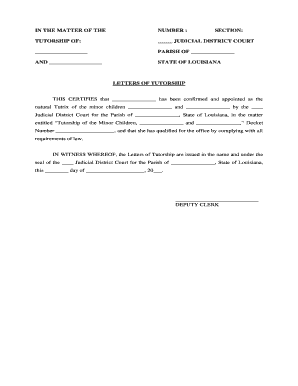
Letters of Tutorship provide clear legal authority to act for a ward, protect the ward's interests, enable access to accounts and benefits, and reduce disputes about who may provide consent or manage assets. Properly prepared letters minimize institutional delays and improve compliance with banking, healthcare, and court requirements.

Typical requesters and recipients of Letters of Tutorship include family members, court-appointed guardians, and agencies that need proof of authority before releasing funds or records.
Include the full court name, parish, and docket number so institutions can confirm the document with the issuing clerk or court records.
Quote the judge's order or include the court's formal appointment statement establishing the tutor and the basis for authority.
List explicit authorities granted (financial, medical, educational) and any limitations to avoid misinterpretation by third parties.
State whether the tutorship is temporary, until majority, or conditional; include termination events and any review dates required by the court.
Reference any required inventory of the ward's assets filed with the court; institutions often request the inventory alongside certified letters.
Include judge's signature block, court seal, clerk certification, and date to ensure the document is accepted as an official record.
Provide a certified copy of the underlying order in addition to the letters; many banks require both for account access.
Where institutions request notarized affidavits or identity documents, include notarized pages to streamline acceptance.
A cover letter describing the tutor's authority and listing enclosed certified copies can reduce clerical follow-up.
Obtain several certified copies from the clerk so you can distribute to banks, schools, and healthcare providers without delay.
Varies by parish; scheduling depends on local docket load
Clerk offices typically issue certified copies immediately or within a few business days
Banks and agencies may take several days to verify and accept letters
Court may require an inventory within a specified period after appointment
If immediate access is needed, notify the clerk and institutions in advance