Establishing secure connection…Loading editor…Preparing document…

Utah Corporation Form

This template is fully customizable. Edit the text, fill out the fields, and send it for signature. Give it a try!
Utah Corporation Form

What the Utah Corporation Form Is and when you need it

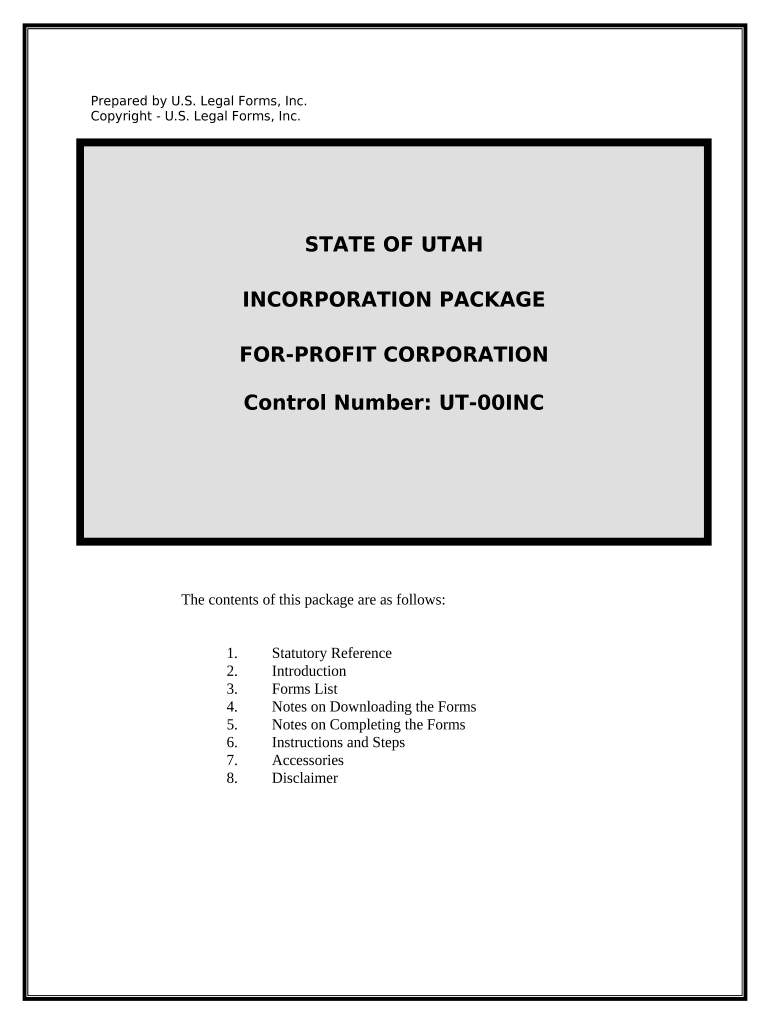
The Utah Corporation Form (commonly the Articles of Incorporation) is the document filed with the Utah Division of Corporations and Commercial Code to create a corporation under Utah law. It establishes the corporate name, registered agent, authorized shares, incorporator(s), and the effective date of incorporation. Proper completion begins the legal existence of the corporation and enables limited liability for shareholders. Electronic execution and filing are permitted in many cases and governed by federal ESIGN (15 U.S.C. ch. 96) and state electronic transaction laws where applicable.

Why filing the Utah Corporation Form matters

Filing creates the corporation as a separate legal entity, allows issuance of shares, and activates statutory protections such as limited liability and corporate governance rules. Accurate filing avoids delays and potential administrative rejection.

Why filing the Utah Corporation Form matters

Who typically prepares and files this form

Small-business founders, corporate attorneys, and registered agents commonly prepare and submit the Articles of Incorporation when forming a Utah corporation.

  • Founders and incorporators preparing initial formation documents and ownership structure.
  • Corporate or business attorneys reviewing legal language, shares, and governance provisions.
  • Registered agents or formation services filing with the Utah Division of Corporations on behalf of the entity.

Core components you will see on the Utah Corporation Form

A professional Articles of Incorporation covers statutory identification, governance basics, share structure, and signature blocks so state staff can accept and process the filing without additional follow-up.

Corporate Name

Provide the exact proposed corporate name, including any required corporate suffix (Inc., Corp., or Incorporated). Name availability is verified by the state; using a reserved name requires separate reservation filing.
Purpose Clause

Specify the corporation’s business purpose. Many filers use a general-purpose statement such as 'any lawful business' to avoid narrow restrictions on future activities.

Registered Agent

Enter the registered agent’s name and street address in Utah. The registered agent accepts official service of process and must maintain a reliable business address.

Authorized Shares

State the total number of authorized shares and any classes or series. Include par value if required and any limitation on shares to reflect capitalization plans.

Incorporator Information

List the incorporator(s) who sign the Articles. Include full legal names and addresses and ensure signatures match identification used on any notarization or authentication steps.

Effective Date

Specify when the corporation becomes effective—either on filing, a specified future date, or a retroactive effective date permitted by statute.

Key data elements required on the form

Entity name: Exact registered name
Registered agent: Name and Utah street address
Share structure: Authorized shares and classes
Incorporator: Name and mailing address
Effective date: MM/DD/YYYY or 'on filing'
Signature block: Signed by incorporator(s)

Step-by-step: complete and file the Utah Corporation Form

Follow a consistent sequence to reduce errors: draft, review, sign, and submit the Articles either online or by mail.

  • 01
    Draft the articles: Populate all required fields and review for accuracy.
  • 02
    Obtain signatures: Have incorporator(s) sign electronically or on paper.
  • 03
    Choose filing method: File online through Utah Division of Corporations or mail.
  • 04
    Pay filing fee: Include the correct fee and ensure payment clears.

Where to submit the completed form and what to expect

You can file Articles of Incorporation electronically via the Utah Division of Corporations online portal, or submit a signed paper filing by mail. Processing options differ by method.

  • Online filing: Faster processing and immediate confirmation.
  • Mail filing: Requires original signatures and payment by check.
  • Expedited services: Available for additional fees in some cases.
  • Certificate issuance: State issues a certificate of incorporation upon acceptance.

Configuring an online signing and filing workflow

Set up a clear routing and authentication plan so signatures are captured correctly and the state accepts the submission.

Field Configuration
Signature method E-signature with audit trail
Authentication level Email + optional SMS or ID verification
Notarization Remote Online Notarization if required
Notifications Automatic send-to and completion alerts

Digital signing and format considerations

Use a platform that supports PDF and DOCX files, preserves an audit trail, and integrates with filing workflows.

  • Integrations: Salesforce, NetSuite, Google Workspace supported
  • Formats: PDF and DOCX accepted for filings
  • Authentication: Email or stronger signer verification

Practical tips for accurate and efficient completion

Follow these practical controls to reduce rejection risk and speed state acceptance of the Articles of Incorporation.

Use the exact legal entity name consistently
Confirm availability and use the exact name on every related filing and formation document to avoid mismatches that cause processing delays or administrative hold.
Designate a reliable registered agent with a Utah street address
Choose an agent who reliably receives service of process and keeps contact information current; incorrect addresses can result in missed notices and default judgments.
Specify share structure clearly and conservatively
Define authorized shares, classes, and par values explicitly to avoid ambiguity; vague or conflicting language can complicate later capital raises and shareholder agreements.
Preserve original signed records and certified state copies
Store executed originals and state-issued certificates in a secure repository and maintain electronic backups in accessible formats for audits or legal needs.

Penalties and risks from incorrect or incomplete filings

Filing rejection: Requires correction and resubmission
Processing delay: Loss of priority or delayed operations
Administrative fines: Late fees or additional charges
Legal exposure: Risk to limited liability protections
Tax consequences: Incorrect entity classification issues
Service failures: Missed service due to wrong agent

Common mistakes to avoid when preparing the Utah Corporation Form

  • Using an unavailable or noncompliant corporate name that the state rejects, causing avoidable delays in formation and additional fees.
  • Entering an incorrect registered agent address or PO Box where a physical street address is required, which can invalidate service of process.
  • Failing to specify authorized shares and classes clearly, producing confusion for future stock issuance and investor negotiations.
  • Signing with inconsistent names or unsigned attachments that cause the state to return the filing for correction.

How others handled incorporation filings

Real-world examples show common workflows and how eSignatures can simplify formation when properly documented and retained.

Optica Ventures LLC (formation workflow)

The team prepared and reviewed the Articles online before filing

  • They used an e-sign workflow with audited timestamps
  • The result was an accepted filing and a centralized archive of formation documents for corporate governance and investor onboarding.

Martin Properties (remote signing)

A small real estate owner completed signing remotely to meet lender timelines

  • The filings used authenticated electronic signatures
  • Filings were processed without in-person attendance and the registered agent received certified copies promptly.

Typical eSignature pricing and feature comparison

Select an eSignature provider that supports legal validity, audit trails, and the integrations you need. The table below compares starting prices and common capabilities across vendors.

signNow DocuSign Adobe Sign PandaDoc HelloSign
Starting Price $8/user/mo $15/user/mo $14/user/mo $19/user/mo $15/user/mo
Free Trial Yes, 7-day trial No No Yes, limited Yes, limited
Bulk Send Yes Yes Yes Yes No
Audit Trail Yes Yes Yes Yes Yes
HIPAA Compliant Yes Yes Yes No No

Frequently asked questions about the Utah Corporation Form

Answers to common questions on signing, filing, retention, and what to do when the state returns the filing.


Need help? Contact support

be ready to get more
Join over 28 million airSlate SignNow users