Establishing secure connection…Loading editor…Preparing document…

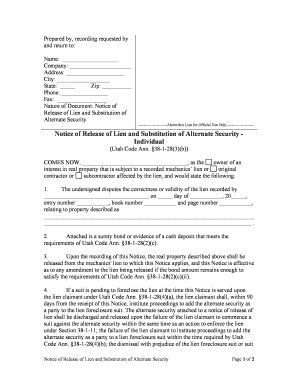
Utah Notice

This template is fully customizable. Edit the text, fill out the fields, and send it for signature. Give it a try!
Utah Notice

What the Utah Notice is and when it applies

A Utah Notice is a state-specific written communication used to inform another party of a legal fact, required action, or deadline under Utah law. Examples include landlord notices, contractor lien notices, collection or cure notices, and administrative or agency-required notifications. Many Utah Notices are governed by both federal e-signature law (ESIGN, 15 U.S.C. §7001) and state electronic transaction rules (UETA as adopted by Utah), which means an appropriately executed electronic version can be legally effective.

Why a correct Utah Notice matters

A correctly prepared Utah Notice creates a reliable record of communication, preserves legal rights and deadlines, and reduces the risk of dispute. Accuracy on key fields and adherence to statutory timing can determine whether a notice is effective or subject to challenge.

Why a correct Utah Notice matters

Who commonly prepares and receives a Utah Notice

Various professionals and organizations use Utah Notices to meet statutory requirements, protect rights, or trigger a legal process.

  • Landlords and property managers sending cure or eviction-related notices to tenants.
  • Contractors and subcontractors delivering lien or stop-work notices on construction projects.
  • Banks, collection agencies, and creditors providing demand or default notices.

Recipients and senders should confirm the specific notice type and any industry-specific language or timing required by statute or contract before sending.

Core elements to include in a professional Utah Notice

A compliant Utah Notice clearly identifies parties, states the action or violation, sets a precise deadline, includes a return address and delivery method, and is dated and signed. Plain language and an auditable trail improve enforceability.

Sender ID

Full legal name of the sender and, if applicable, company or agency name and contact details.
Recipient ID

Full legal name and best-known address or electronic contact for delivery and proof of receipt.

Statement of Facts

Concise description of the issue or breach being notified and any relevant dates or reference numbers.

Required Action

Clear description of what the recipient must do, including specifics on remedy or performance required.

Deadline

Specific cure or response date using MM/DD/YYYY and time zone where relevant.

Signature

Signature line with signer name, title, date, and method of signature (electronic or handwritten).

Required factual fields at a glance

Full legal name: Exact name on ID
Effective date: MM/DD/YYYY format
Address: Street, city, state, ZIP
Notice type: Specify statute or clause
Deadline: Explicit date and time
Signature method: E-signature or ink

Step-by-step: preparing and issuing a Utah Notice

Follow a simple sequence to reduce legal risk and create an auditable record for disputes.

  • 01
    Draft: Assemble facts, cite authority, and set the deadline.
  • 02
    Validate Recipient: Confirm legal name and delivery address or verified email.
  • 03
    Sign: Sign electronically or in ink and record signature metadata.
  • 04
    Deliver: Send by authorized method and retain proof of transmission.

Configuring an online Utah Notice workflow

Typical online workflows include fields, recipient routing, authentication, and delivery receipts to support enforceability.

Field Configuration
Signature Field Required, signer name auto-fill
Date Field MM/DD/YYYY auto-populate option
Authentication Email link or SMS code
Audit Trail Capture IP, timestamp, and actions

Delivery and eSubmission options

Choose methods that produce reliable proof of delivery and meet any statutory requirements for service.

  • File types: PDF, DOCX, or printable formats
  • Signer authentication: Email, SMS code, or KBA
  • Integrations: CRM and cloud storage support

Ensure your chosen platform preserves audit logs, stores a tamper-evident copy, and supports the delivery channels mandated by the notice type.

Where to send or file a Utah Notice

Destination depends on the notice type: personal service, certified mail, agency portal, or electronic delivery each has different proof standards.

  • Certified Mail: USPS return receipt creates official proof of delivery
  • Personal Service: In-person delivery with signed acknowledgment
  • Agency Portal: Upload where statute requires filing or notice
  • Email / eDelivery: Use verified business email and capture read receipts

Typical timelines and response windows

Timelines differ by notice type and governing statute; confirm the specific cure or response period before issuing a notice.

Immediate effect:

Some notices take effect on delivery or receipt

Short cure periods:

Commonly 3–10 days for minor breaches

Standard cure periods:

Often 14–30 days in contract or lease contexts

Statutory filing deadlines:

Agency or lien filings often require additional steps after notice

Extension rules:

Check statute or contract for permitted extensions

Key milestones from draft to filing

Track milestones to maintain chain of custody and meet any statutory wait periods before further action.

01

Draft Completed

Finalize facts and legal basis before signature

02

Signed and Dated

Record signature metadata and date

03

Proof of Delivery Recorded

Retain certified mail receipt or electronic audit

04

Post-Deadline Action

File lien, commence eviction, or notify regulator as required

Common mistakes to avoid when preparing a Utah Notice

  • Using vague language that fails to identify the contractual or statutory basis of the notice, which can make the notice unenforceable.
  • Entering an incorrect recipient name or address, leading to failed service and missed statutory deadlines.
  • Failing to document proof of delivery or retaining only transient records that cannot be reproduced later in litigation.
  • Omitting a clear cure or response deadline or using an ambiguous date format that causes confusion about the deadline.

Consequences of a deficient or late Utah Notice

Loss of remedy: Risk of bar to later remedies
Court delay: Procedural dismissal or hearing delay
Statutory fines: Civil penalties where statute prescribes
Increased costs: Added attorney and filing fees
Liability exposure: Potential claim for improper notice
Record challenges: Weak audit trail undermines proof

Practical use cases showing how a Utah Notice functions

Two concise scenarios illustrate typical notice drafting and outcomes in Utah contexts.

Residential Lease Cure Notice

A landlord documents unpaid rent and cites lease paragraph with dates

  • Gives a 14-day cure period
  • Retains certified mail receipt and signed e-signature record so the notice supports later eviction filings if the tenant fails to cure.

Construction Lien Pre-Notice

A subcontractor details unpaid invoices and job site info

  • Requests payment within 30 days
  • Sends via verified email and certified mail, then preserves the audit trail before filing a statutory lien if unpaid.

eSignature pricing and capability snapshot for preparing notices

Compare basic pricing and capabilities across common eSignature providers; signNow appears first per vendor listing requirements and includes both per-user and site-license options.

signNow DocuSign Adobe Sign PandaDoc HelloSign
Starting Price $8/user/mo $15/user/mo $14/user/mo $19/user/mo $15/user/mo
Free Trial Yes, 7-day trial Yes, limited trial Yes, limited trial Yes, limited trial Yes, limited trial
Bulk Send Yes Yes Yes Yes No
Audit Trail Yes Yes Yes Yes Yes
HIPAA Compliant Yes Yes Yes No No

FAQs: common questions about Utah Notices and electronic delivery

Answers to frequent practical and legal questions about e-signing, notarization, delivery, and revocation in Utah contexts.


Need help? Contact support

be ready to get more
Join over 28 million airSlate SignNow users