Establishing secure connection…Loading editor…Preparing document…

Virginia Renunciation and Disclaimer of Joint Tenant Interest

This template is fully customizable. Edit the text, fill out the fields, and send it for signature. Give it a try!
Virginia Renunciation and Disclaimer of Joint Tenant Interest

What the Virginia Renunciation and Disclaimer of Joint Tenant Interest Is

A Virginia Renunciation and Disclaimer of Joint Tenant Interest is a written instrument by which a person who might inherit or share title to real property as a joint tenant formally refuses or disclaims that interest. The document clarifies that the renouncing party does not accept the right of survivorship or any present or future ownership interest, and it is typically signed, acknowledged before a notary, and recorded in the land records to affect title and notice to third parties.

Why a Clear Renunciation or Disclaimer Matters

A written renunciation protects property owners and title holders by removing ambiguity about ownership and survivorship rights. It prevents unintended transfer of interests, supports clean title examinations, and reduces the risk of probate disputes or liens attaching to an unwanted interest.

Why a Clear Renunciation or Disclaimer Matters

Who Typically Prepares or Signs This Document

Parties who commonly complete a renunciation or disclaimer include potential heirs, joint tenants, estate administrators, and attorneys assisting with title clearance.

  • Potential Heirs and Devisees: Individuals who would otherwise take by joint tenancy or intestacy and prefer to refuse the interest for tax, estate planning, or personal reasons.
  • Recording Parties and Title Agents: Title companies and closing attorneys use the form to remove clouds on title before sale or refinancing.
  • Estate and Probate Counsel: Lawyers who administer estates or advise beneficiaries use disclaimers to effectuate client intentions and avoid inadvertent transfers.

Depending on circumstances, a renunciation may require legal review to ensure it complies with Virginia recording practices and any related tax or fiduciary implications.

Essential Parts of a Professional Renunciation and Disclaimer

A properly drafted renunciation combines clear identification, an unambiguous refusal, notarization, and recording instructions to ensure enforceability and clear notice to title examiners and successors.

Title

Document name and short statement of purpose placed at the top; identifies the instrument as a renunciation and disclaimer of joint tenant interest.
Parties

Full legal names and contact information for the person renouncing, any co-owners, and the property owner or trustee receiving notice.

Property Description

Legal description of the real estate (metes and bounds or recorded deed reference) that unambiguously locates the interest being disclaimed.

Disclaimer Language

A clear, affirmative statement that the signer irrevocably renounces and disclaims any present or future joint tenant interest, including survivorship rights.

Acknowledgment

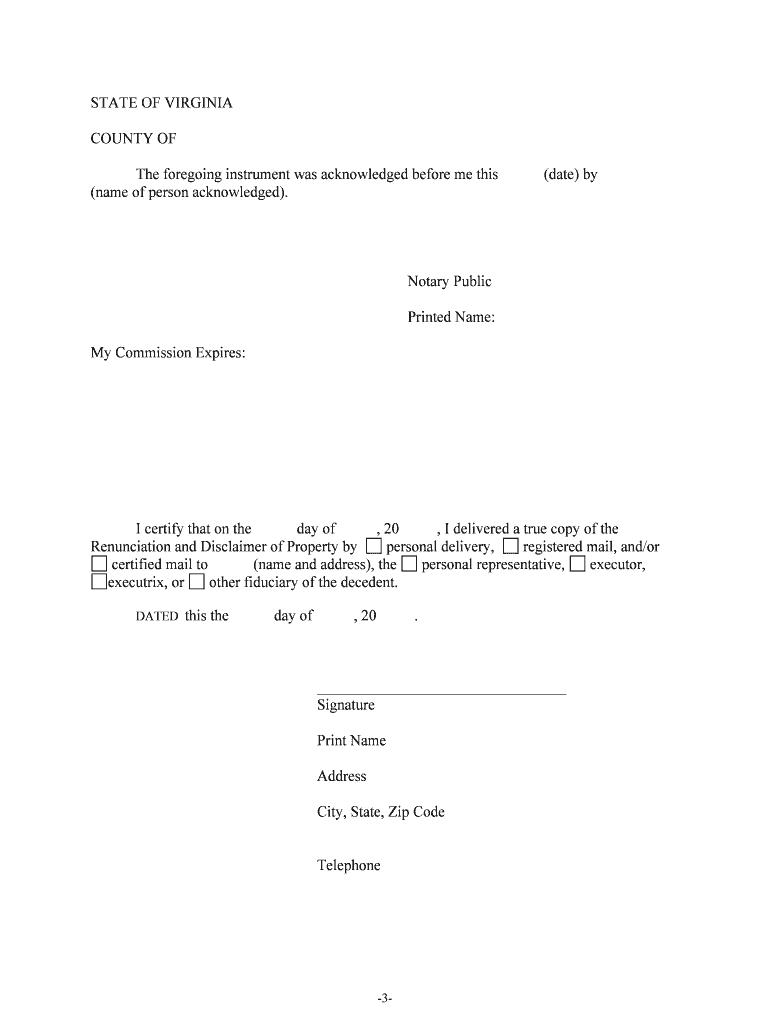
Signature block with date, notary acknowledgment or jurat, and any witness lines required by local practice or by the county recorder.

Recording Directions

Instructions or recommended county land records office for filing and notation so the disclaimer appears in the chain of title.

Step-by-Step: Completing and Recording the Form

Follow these steps to complete, authenticate, and record a renunciation so it effectively removes the named interest from title records.

  • 01
    Prepare Document: Complete all fillable fields accurately.
  • 02
    Sign Before Notary: Sign the instrument in front of a notary public.
  • 03
    Record in County: File the notarized document with the county land records office where the property is located.
  • 04
    Obtain Copy: Keep certified copy for title and estate records.

How the Renunciation Affects Title and Third Parties

The instrument informs title examiners, heirs, and purchasers that the renouncing party has relinquished interest, changing the title chain and survivorship expectations.

  • Notice to Recorder: Recording provides constructive notice to the public.
  • Title Update: Title companies reflect the disclaimer in commitment reports.
  • Probate Impact: Reduces potential claims in probate by the renouncing party.
  • Tax Consequences: May have gift or estate tax implications; consult tax counsel.

Online Workflow Settings for Digital Completion

Configure your e-sign workflow to capture identity, notarization, and a tamper-evident audit trail before you submit the document for recording.

Field Configuration
Authentication Method Email link, SMS code, or stronger KBA as needed
Signature Type Visible e-signature with timestamp and audit trail
Notarization Remote online notarization session or in-person acknowledgment
Audit Trail IP, timestamp, and signer attribution retained

Technical Requirements for eSigning and eRecording

Use a platform that supports notarization workflows, produces tamper-evident PDFs, and preserves a complete audit trail for recording and title review.

  • File Formats: PDF and DOCX accepted for upload
  • Integrations: Works with title systems and cloud storage
  • Authentication: Supports SMS, email, KBA, and SSO

Ensure the chosen platform can export a notarized, recordable PDF that meets your county clerk's file requirements and preserves signatures and timestamps.

Timing: When to Execute and Record the Instrument

Execute and record promptly when a joint-tenant interest arises or is disputed; delays can allow competing claims or liens to attach to the title.

Immediate Execution:

Sign and notarize as soon as the renouncer decides to disclaim.

Record Promptly:

Recording date governs notice to third parties.

Loan or Sale Timing:

Record before closing to ensure clean title for lenders or buyers.

Tax Reporting:

Consider tax-year timing for potential gift or estate reporting.

Statute Limitations:

Timely recording may affect statutes of limitation on related claims.

Common Preparation Pitfalls to Avoid

  • Using an informal street address instead of the recorded legal description can make the instrument ambiguous and lead to rejection by the recorder.
  • Signing before notarization, or omitting the notary acknowledgment, may render the disclaimer ineffective for title transfer or recording.
  • Failing to record the renunciation promptly can leave the record open to claims, liens, or erroneous survivorship transfers.
  • Not checking for tax or gift consequences with a qualified attorney or tax advisor can expose signers to unexpected reporting obligations.

Risks and Legal Consequences of Errors

Recording Rejection: Incorrect form may be refused by the clerk
Title Defect: Ambiguity can create clouds on title
Probate Dispute: Improper disclaimer may prompt litigation
Tax Exposure: Possible gift or estate reporting required
Notary Impropriety: Improper notarization may invalidate instrument
Loss of Rights: Irrevocable disclaimers permanently relinquish interest

eSignature Vendor Comparison for Completing and Recording the Instrument

Comparison of common eSignature vendors and key plan traits relevant to notarization, bulk mailing, HIPAA needs, and audit trails for legal documents and real estate instruments.

signNow DocuSign Adobe Sign PandaDoc HelloSign
Starting Price $8/user/mo $15/user/mo $14/user/mo $19/user/mo $15/user/mo
Free Trial 7-day free trial Free trial available Free trial available Free trial available Free trial available
Bulk Send Yes Yes Yes Yes No
Audit Trail Yes Yes Yes Yes Yes
HIPAA Compliant Yes Yes Yes No No
Envelope Cap No cap 100 envelopes/user/year Varies by plan Varies by plan Varies by plan

Frequently Asked Questions and Practical Answers

Answers to common questions about validity, notarization, recording, and reversal of a Virginia renunciation or disclaimer of joint tenant interest.


Need help? Contact support

be ready to get more
Join over 28 million airSlate SignNow users