
Fill and Sign the W 2 Wage and Tax Statement 2012 Form
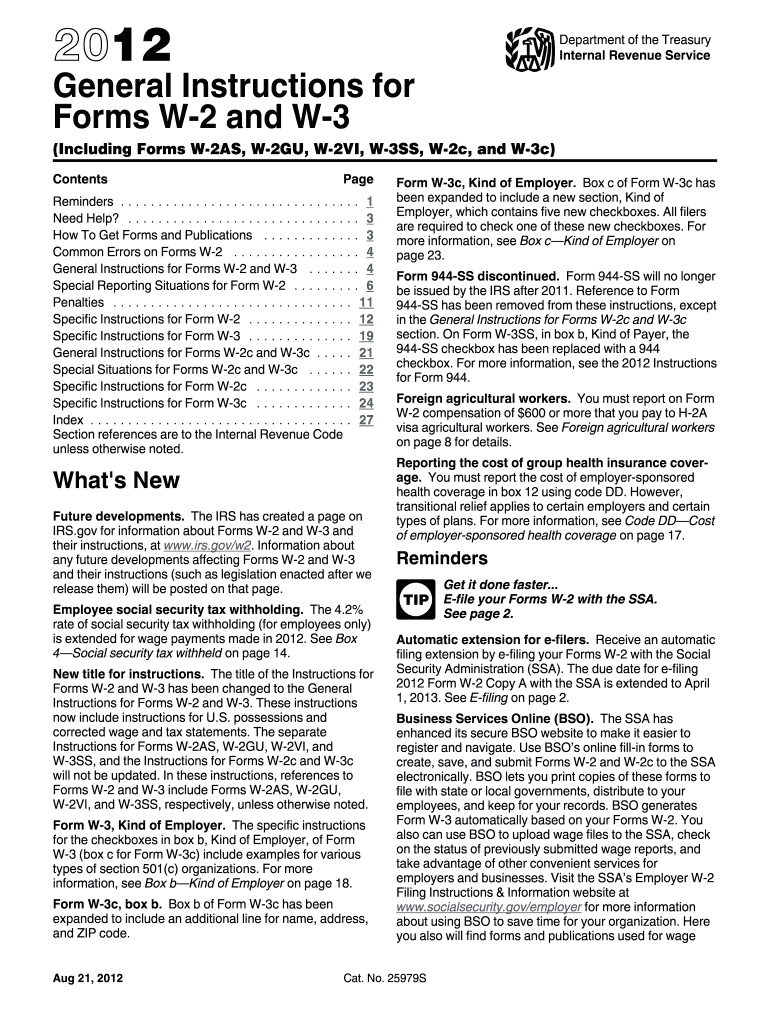
Useful tips on finalizing your ‘W 2 Wage And Tax Statement 2012 Form’ online
Are you fatigued by the trouble of managing paperwork? Look no further than airSlate SignNow, the leading eSignature solution for both individuals and organizations. Wave goodbye to the lengthy task of printing and scanning documents. With airSlate SignNow, you can effortlessly finalize and sign documents online. Leverage the powerful features incorporated into this intuitive and budget-friendly platform and transform your method of handling documents. Whether you need to approve documents or collect electronic signatures, airSlate SignNow manages it all effortlessly, with just a few clicks.
Follow these comprehensive steps:
- Sign in to your account or initiate a free trial with our service.
- Click +Create to upload a document from your device, cloud storage, or our template library.
- Access your ‘W 2 Wage And Tax Statement 2012 Form’ in the editor.
- Click Me (Fill Out Now) to finalize the document on your end.
- Include and designate fillable fields for others (if needed).
- Proceed with the Send Invite options to solicit eSignatures from others.
- Save, print your version, or convert it into a reusable template.
No need to worry if you have to collaborate with your teammates on your W 2 Wage And Tax Statement 2012 Form or send it for notarization—our solution provides you with all the tools necessary to complete such tasks. Sign up with airSlate SignNow today and enhance your document management to new levels!
FAQs
-
What is the W 2 Wage And Tax Statement Form?
The W 2 Wage And Tax Statement Form is an essential document used by employers to report annual wages and the amount of taxes withheld from an employee's paycheck. This form is crucial for employees during tax season as it provides the necessary information to file their income tax returns accurately.
-
How can airSlate SignNow help with the W 2 Wage And Tax Statement Form?
airSlate SignNow streamlines the process of creating, sending, and eSigning the W 2 Wage And Tax Statement Form. Our platform allows businesses to easily generate this form, ensuring compliance and reducing the administrative burden associated with paper documents.
-
Is there a cost associated with using airSlate SignNow for the W 2 Wage And Tax Statement Form?
Yes, airSlate SignNow offers various pricing plans that are cost-effective for businesses of all sizes. Depending on your needs, you can choose a plan that allows for unlimited access to features including eSigning and document management for the W 2 Wage And Tax Statement Form.
-
Can I integrate airSlate SignNow with other software to manage the W 2 Wage And Tax Statement Form?
Absolutely! airSlate SignNow seamlessly integrates with popular business applications such as Google Workspace, Salesforce, and more. This integration capability enhances your workflow, making it easier to manage the W 2 Wage And Tax Statement Form alongside your other business documents.
-
What are the benefits of using airSlate SignNow for the W 2 Wage And Tax Statement Form?
Using airSlate SignNow for the W 2 Wage And Tax Statement Form offers numerous benefits including faster processing times, enhanced security, and reduced paper waste. Our user-friendly interface makes it simple for employees to eSign documents, which accelerates approval and filing processes.
-
How secure is the electronic W 2 Wage And Tax Statement Form with airSlate SignNow?
Security is a top priority at airSlate SignNow. We employ advanced encryption and secure servers to protect all data associated with the W 2 Wage And Tax Statement Form, ensuring that your sensitive information remains confidential and secure.
-
Can I access the W 2 Wage And Tax Statement Form on mobile devices with airSlate SignNow?
Yes, airSlate SignNow is fully optimized for mobile devices, allowing users to access, fill out, and eSign the W 2 Wage And Tax Statement Form from anywhere. This flexibility ensures that you can manage important documents on the go.
Get more for w 2 wage and tax statement 2012 form
Find out other w 2 wage and tax statement 2012 form
- Close deals faster
- Improve productivity
- Delight customers
- Increase revenue
- Save time & money
- Reduce payment cycles
