Establishing secure connection…Loading editor…Preparing document…

WA Assumption Agreement

This template is fully customizable. Edit the text, fill out the fields, and send it for signature. Give it a try!
WA Assumption Agreement

What the WA Assumption Agreement Is and when it applies

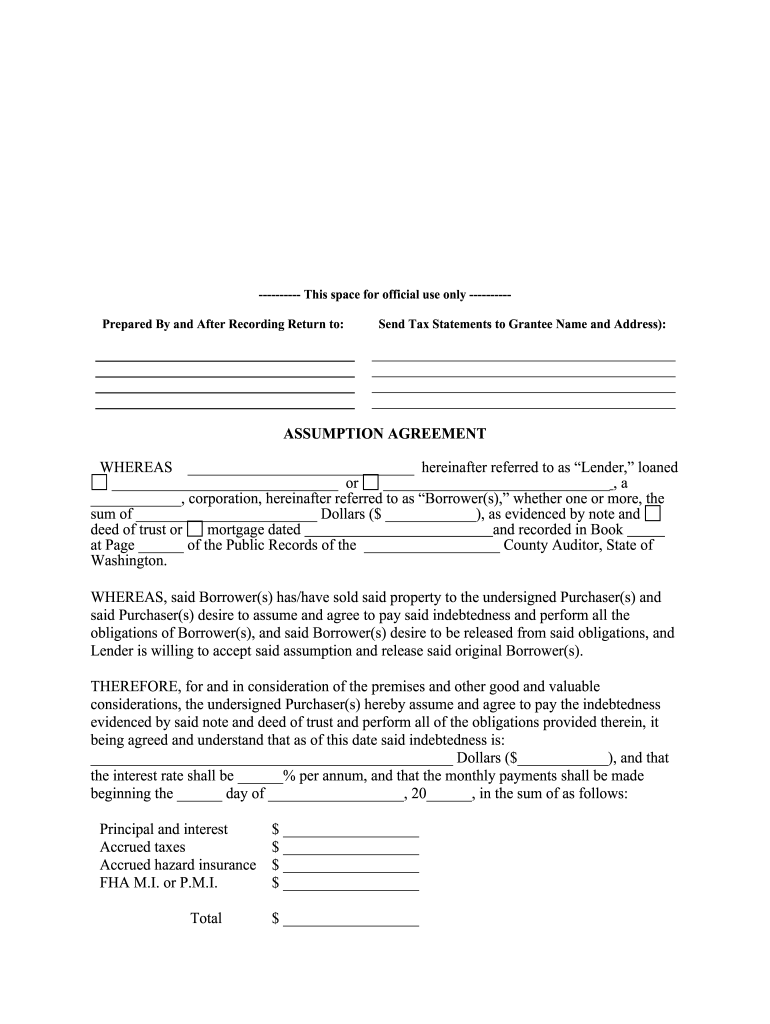
A WA Assumption Agreement documents when a new buyer (assumptor) agrees to take over an existing mortgage or loan obligation secured by Washington real property. It records the parties, property description, loan account details, effective date, and any consideration or release language. Lender consent is typically required and lenders may impose underwriting conditions. The agreement is often notarized and recorded with the county recorder to update public title and lien records. Electronic execution is possible under federal and state e-signature laws when statutory exceptions do not apply.

Why a clear WA Assumption Agreement matters

A properly prepared WA Assumption Agreement protects parties by documenting who is liable for loan payments, whether the original borrower remains on the note, and whether the lender releases prior liability; it also supports accurate public records and title insurance continuity.

Why a clear WA Assumption Agreement matters

Who commonly completes a WA Assumption Agreement

Typical participants include buyers taking on an existing mortgage, sellers coordinating title transfer, and lenders or servicers approving the assumption.

  • Homebuyers assuming existing mortgages in Washington, often to take advantage of lower interest rates or seller financing.
  • Sellers seeking liability relief or a cleaner title transfer when a buyer will assume the loan.
  • Lenders, loan servicers, title companies, and closing attorneys who approve, document, and record the change in borrower.

Each participant has specific responsibilities—buyers must qualify for lender approval, sellers should confirm any released liability, and title companies ensure recording and title continuity.

Primary roles that sign or review this agreement

Assumptor (Buyer)

The buyer who agrees to take on the mortgage payments and loan obligations. Must provide identification, financial documentation, and sign lender consent forms; their creditworthiness often determines approval and any additional underwriting conditions.

Lender / Servicer Rep

The institution that holds or services the loan. Reviews the assumptor's application, issues consent or denial, may require fee payment or documentation, and can demand a novation or release to remove original borrower liability.

Essential compliance and security features for digital execution

Encryption: TLS 1.2/1.3 in transit
Data at rest: AES-256 encryption
Audit trail: Signed timestamps and action logs
Regulatory compliance: ESIGN and UETA adherence
HIPAA readiness: BAA available if needed
Certifications: SOC 2 Type II, ISO 27001

Key risks if the agreement is incorrect or incomplete

Lender denial: Assumption may be void
Recording omission: Title issues and unresolved liens
Name mismatches: Deed or lien invalidation risk
No release for seller: Seller remains liable on the note
Tax reporting errors: Potential transfer tax exposure
Notary failures: Affects enforceability

Common preparation pitfalls to avoid

  • Submitting an assumption without lender consent, which can result in denial and downstream title complications.
  • Using inconsistent party names or addresses versus government ID, leading to recording rejection or title disputes.
  • Failing to notarize and record the agreement promptly, which can delay or undermine title updates.
  • Overlooking loan-specific conditions such as due-on-sale clauses or required underwriting documents.

Step-by-step: completing a WA Assumption Agreement

Follow these standard steps to prepare, sign, and record an assumption agreement safely and in compliance with lender and county requirements.

  • 01
    Collect loan details: Confirm loan number, servicer, interest rate, and outstanding balance.
  • 02
    Obtain lender approval: Submit assumptor application and supporting financial documents to the lender.
  • 03
    Prepare agreement: Draft terms, include consideration, effective date, and release language if applicable.
  • 04
    Sign, notarize, record: Execute with proper notarization and file with the county recorder.

How the execution and routing process typically works

Document routing for an assumption combines lender workflows, signatures from all parties, and county recording — each stage must complete before title status updates.

  • Submit to lender: Lender reviews assumption request and issues consent or conditions.
  • Execute documents: Assumptor, seller, and lender sign the agreement.
  • Notarize: Notary confirms identities and notarizes signatures as required.
  • Record: File with county recorder to update lien and title records.

Core components to include in a professional WA Assumption Agreement

A comprehensive form captures parties, property, loan specifics, effective date, consideration, lender consent, and remedies; each element reduces ambiguity and supports recording and title continuity.

Parties

Full legal names and capacities for seller (original borrower), assumptor (buyer), and lender or servicer contact information.
Property description

Complete legal description or parcel number as recorded in county records; street address alone is insufficient for recording.

Loan details

Include loan account number, original note date, current principal balance, interest rate, and servicer information.

Consideration

State the monetary amount or terms the assumptor provides in exchange for taking on the mortgage obligations.

Lender consent

A lender signature or documented consent clause establishing approval and any imposed conditions or fees.

Signatures & notarization

Signature blocks for all parties, dated and notarized as required by the county recorder to permit filing.

Digital workflow settings to streamline completion

Configure the digital workflow with clear authentication, required fields, and recording steps to reduce rework and ensure legal compliance.

Field Recommended setting
Authentication Email + SMS code for signer verification
Signature type Typed or drawn e-signature with timestamp
Notary step Add remote or in-person notarization stage
Recording task Create post-signing step to send PDF to county recorder

Platform considerations for eSigning and notarization

Choose a platform that supports secure eSignatures, audit trails, and integrations with storage and title systems.

  • File types: PDF and DOCX supported
  • Integrations: Salesforce, Google Workspace, NetSuite available
  • Authentication: SMS, email, and advanced options

Ensure the platform can produce a tamper-evident signed PDF, provide an audit trail, and support remote notarization workflows where allowed.

Typical timing and expectations during the assumption process

Timelines vary by lender and county; plan for underwriting, execution, notarization, and recording stages with built-in buffers.

Lender review window:

Often 7–30 business days depending on lender workload and completeness.

Execution:

Coordinate signing and notarization once lender conditions are met.

Recording timeframe:

County recording can take 1–10 business days depending on jurisdiction.

Title insurance update:

Title companies typically update policy endorsements after recording within 7–30 days.

Tax reporting:

Timely reporting of transfers may be required by local taxing authorities.

Milestones from application to recorded assumption

A sequential milestone view clarifies dependencies and who must act at each stage to avoid delays.

01

Application submitted

Assumptor provides financials and loan details to servicer.

02

Lender review

Underwriting and consent or conditional approval is issued.

03

Document execution

Parties sign, and notary completes acknowledgement.

04

Recording complete

County recorder files the agreement and updates title records.

How an Assumption Agreement compares to a Novation

Compare liability, lender involvement, and the effect on the original borrower to determine which document fits the transaction.

Criteria Assumption Agreement Novation Agreement
Liability transfer partial or full full release of original borrower
Lender consent usually required always required
Release of original borrower not automatic typical outcome
Title/recording recorded to note change recorded to note new borrower

eSignature vendor comparison for executing the WA Assumption Agreement

Cost and capability vary by vendor; this comparison highlights starting price, trial availability, bulk-send, audit trail, HIPAA compliance, and envelope caps. signNow is listed first per platform comparison rules.

signNow DocuSign Adobe Sign PandaDoc HelloSign
Starting Price $8/user/mo $15/user/mo $14/user/mo $19/user/mo $15/user/mo
Free Trial 7-day free trial Varies Varies Varies Varies
Bulk Send Yes (tiered) Yes Yes Yes Varies
Audit Trail Yes Yes Yes Yes Yes
Envelope Cap No cap 100 envelopes/user/year Varies Varies Varies

Practical tips to complete assumptions accurately

Adopt consistent verification and recording practices to reduce rework, avoid lender delays, and maintain clear title records.

Verify lender consent early
Obtain written lender approval before drafting final documents to avoid wasted legal and recording fees and to identify any underwriting conditions in advance.
Use exact legal names
Match names to government ID and existing loan documents; inconsistent naming is a common cause of recorder rejection and title exceptions.
Include full legal description
Use the property's recorded legal description or parcel number to ensure the county recorder indexes the assumption correctly against the correct parcel.
Preserve a signed audit trail
When using eSign, retain the platform's certificate of completion and tamper-evident PDF to support enforceability and title examiner review.

Real-world scenarios where an assumption agreement is used

Two representative examples show common circumstances and the practical outcomes of well-documented assumptions.

Scenario 1

A buyer agrees to assume a seller's FHA loan to keep a below-market rate.

  • Lender requires credit review and an assumption fee.
  • After lender consent, parties signed, had the document notarized, and recorded it to update title and maintain the insurer's endorsement.

Scenario 2

An investor purchases property subject to an existing private mortgage with lender approval.

  • The assump tion included a clearly stated consideration and effective date.
  • Prompt recording and a title endorsement ensured no lien surprises and allowed insurance to remain in effect.

Frequently asked questions about WA Assumption Agreements

Answers to common legal and practical questions when preparing or executing a WA Assumption Agreement.


Need help? Contact support

be ready to get more
Join over 28 million airSlate SignNow users