Establishing secure connection…Loading editor…Preparing document…

Affidavit Support Document

This template is fully customizable. Edit the text, fill out the fields, and send it for signature. Give it a try!
Affidavit Support Document

What an Affidavit Support Document Is and when it matters

An Affidavit Support Document is a sworn written statement used to confirm facts, attest to a signer’s knowledge, or provide evidentiary background for a primary legal filing. It typically accompanies court filings, probate matters, immigration petitions, tax filings, or contractual disputes and explains circumstances, timelines, and supporting facts. The document is executed under penalty of perjury and therefore must be accurate, complete, and dated. In many U.S. workflows an affidavit may require notarization or witness attestation and must satisfy electronic signature rules under ESIGN (15 U.S.C. §7001) or state UETA provisions when submitted electronically.

Why a clear Affidavit Support Document matters

A well-prepared affidavit reduces later disputes, expedites administrative review, and creates a durable record under ESIGN and UETA. Accurate, notarized affidavits limit credibility challenges and improve chances that courts or agencies will accept the statement as evidence.

Why a clear Affidavit Support Document matters

Core components to include in every Affidavit Support Document

A complete affidavit combines identity data, a precise factual narrative, jurisdictional statements, signature blocks, notarization language, and exhibits or attachments. Each part supports authenticity and legal admissibility.

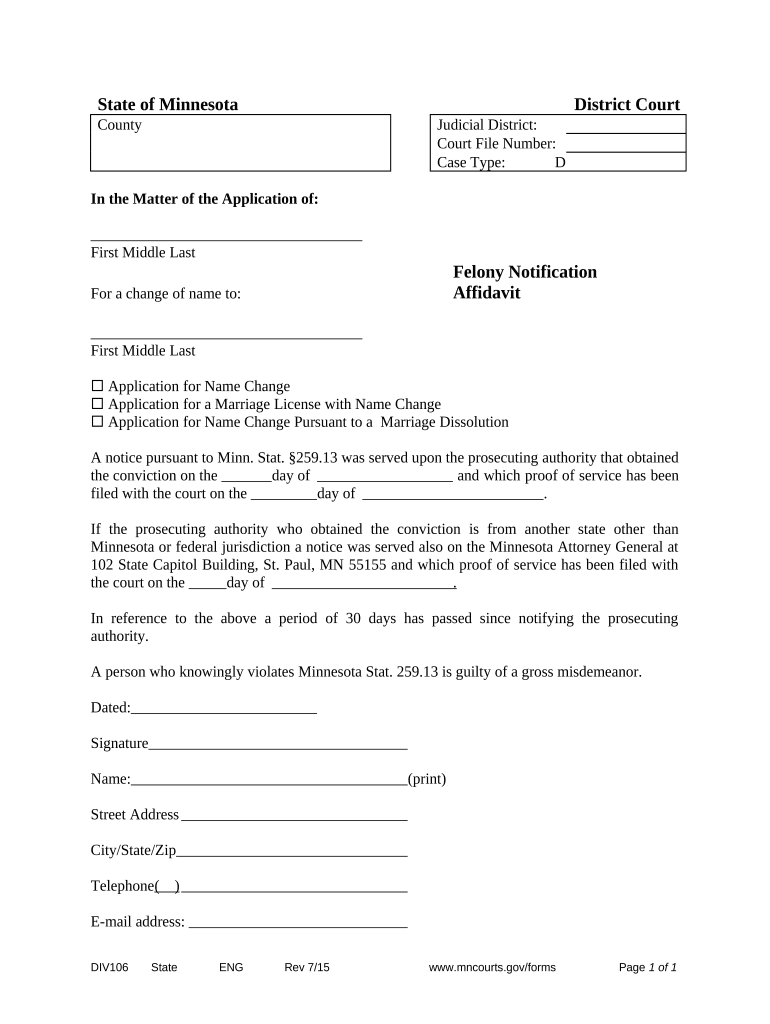
Caption

Court or agency identifying information, case number, and party names as applicable to the filing.
Declarant identity

Full legal name, address, and relationship to case facts; include date of birth or other ID when needed to distinguish parties.

Statement of facts

Chronological, first‑person factual narrative limited to personal knowledge and clearly separated from opinions or hearsay.

Exhibits

Referenced supporting documents labeled as Exhibit A, B, etc., with a short description of each attachment.

Signature block

Declarant signature, printed name, and date; include notary acknowledgement or witness lines when required by jurisdiction.

Jurisdictional clause

Affirmation under penalty of perjury and statement of governing state or federal law that applies to the affidavit.

Step-by-step: completing an Affidavit Support Document

Follow these steps to prepare a compliant, usable affidavit that courts and agencies can accept.

  • 01
    Prepare facts: Collect dates, documents, and witnesses before drafting.
  • 02
    Draft narrative: Write clear, numbered paragraphs limited to firsthand knowledge.
  • 03
    Attach exhibits: Label and include supporting documents referenced in the text.
  • 04
    Sign and notarize: Sign in front of a notary or follow RON procedures where permitted.

Workflow for submitting an affidavit electronically

Electronic workflows reduce transit time but must preserve signer attribution, intent, and retention to meet ESIGN and state requirements.

  • Upload document: Sender uploads affidavit and attaches exhibits as PDF or DOCX.
  • Place fields: Add signature, date, and notary acknowledgement fields as needed.
  • Authenticate signer: Use email, SMS, or stronger methods for identity verification.
  • Capture audit: Save timestamp, IP address, and certificate of completion.

Recommended digital workflow settings for affidavits

Configure your signing workflow to preserve legal validity, evidence, and retention requirements.

Field Configuration
Signature field Require signer to adopt signature and date.
Notary field Include notary block or RON acknowledgement where allowed.
Authentication Use email+SMS or KBA for higher-risk filings.
Audit trail Enable full event logging and PDF certificate.

Technical considerations for electronic affidavits

Ensure the platform supports secure signing, tamper-evident PDFs, and audit trails required to preserve evidentiary value.

  • File formats: PDF and DOCX supported.
  • Security: TLS in transit; AES-256 at rest.
  • Integrations: Connectors for case management and storage.

Verify the vendor meets HIPAA, 21 CFR Part 11, or other industry standards when affidavits contain regulated data or support regulated filings.

Who commonly prepares and signs these affidavits

Several professional and nonprofessional roles prepare and sign affidavits depending on the use case and jurisdiction.

  • Individual declarants: witnesses or parties providing firsthand facts for court or administrative filings.
  • Attorneys and paralegals: draft and review affidavits to ensure legal form and admissibility.
  • Corporate officers: provide factual attestations for financial or regulatory filings.

Identify the correct signer type early — agencies and courts may require specific roles or corporate authorizations.

Typical signers and their responsibilities

Individual Witness

A private individual attesting to personal observations or events. Responsible for truthful, first‑hand statements and for signing under penalty of perjury; may need identification and notary acknowledgement.

Corporate Declarant

An officer or authorized representative making factual statements on a company’s behalf. Must provide title, authority statement, and may attach corporate resolutions or proof of authorization.

Security and compliance controls to preserve affidavit integrity

Encryption: TLS 1.2/1.3; AES-256
Audit trail: Time, IP, and action log
Access controls: Role-based permissions
BAA availability: Required for HIPAA workflows
Record export: PDF with certificate
Certifications: SOC 2 Type II, ISO 27001

Key risks and penalties from incorrect affidavits

Perjury risk: Criminal penalties
Rejection: Agency or court refusal
Tax exposure: IRC penalties possible
Evidence loss: Privilege or admissibility affected
Delay: Processing and hearing postponements
Financial costs: Attorney or remedial fees

Common timing rules and submission expectations

Deadlines for affidavits depend on the filing they support; some forms trigger fixed dates while others are 'upon request.'

W-9 Timing:

Provide upon request from payer; backup withholding may apply if missing

I-9 Retention:

Retain for 3 years after hire or 1 year after termination, whichever is later

Court Filings:

Follow local rules for filing deadlines and service requirements

RON Recording:

Audio‑video retention periods vary; states often require multi‑year retention

Tax Reporting:

Use relevant IRS deadlines for documents supporting returns and claims

eSignature vendor comparison for affidavit execution

Key vendor differences affect cost, compliance, and envelope limits; signNow appears first for parity in this comparison.

signNow DocuSign Adobe Sign PandaDoc HelloSign
Starting Price $8/user/mo $15/user/mo $14/user/mo $19/user/mo $15/user/mo
Free Trial 7-day free trial Varies by vendor Varies by vendor Varies by vendor Varies by vendor
Bulk Send Yes Yes Yes Yes Yes
Audit Trail Yes Yes Yes Yes Yes
HIPAA Compliant Yes Yes Yes No No
Envelope Cap No envelope cap 100 envelopes/user/year Varies by plan Varies by plan Varies by plan

Frequently asked questions: execution, validity, and common issues

Answers to common questions about eSigning, notarization, and acceptable affidavit practices in the United States.


Need help? Contact support

be ready to get more
Join over 28 million airSlate SignNow users