Parties
Full legal names and contact information for payor, payee(s), and any claimant representatives to ensure enforceability and proper service.
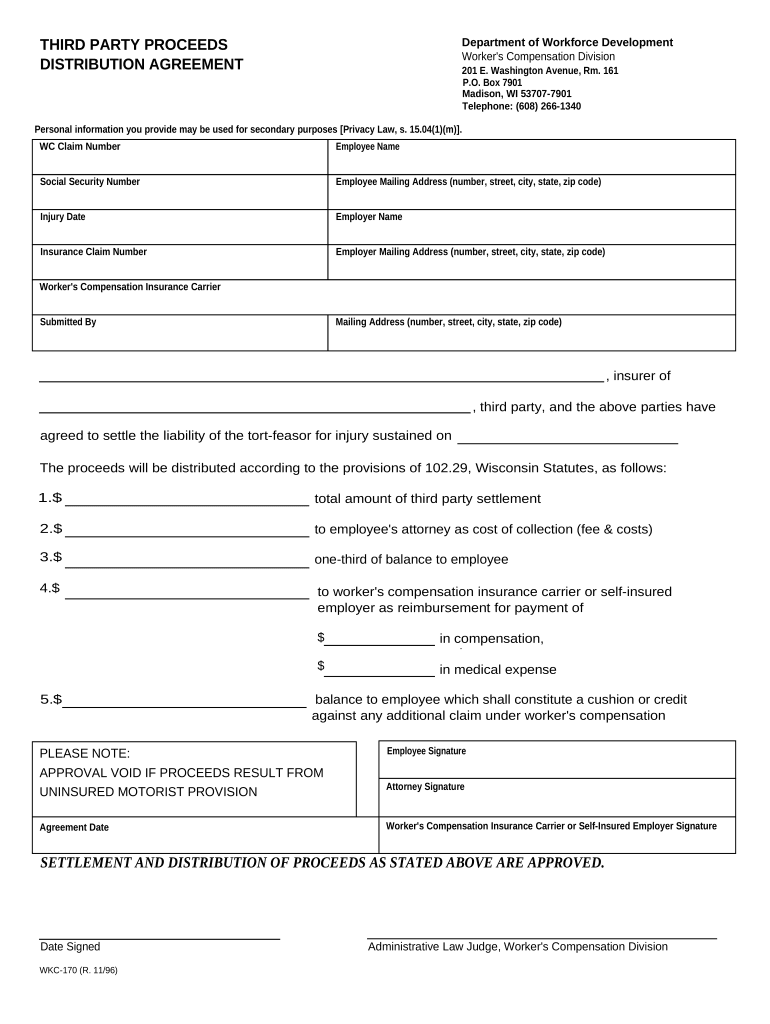
A written distribution agreement sets the payment order, protects payors from double liability, and documents claimant consent and release terms. It minimizes disputes by creating a recorded basis for payments and supports accurate tax reporting and record retention.

Parties involved in proceeds distribution vary by context but generally include payors, claimants, and counsel or administrators overseeing funds.
Choosing the correct signers and ensuring authority to bind each party is essential to avoid later challenges to the distribution.
An authorized claimant representative signs to accept distribution terms and confirm payee identities. They should verify tax IDs and disclose known liens or assignments to avoid misallocation and potential liability.
The payor (insurer, escrow agent, or settlement administrator) signs to acknowledge the distribution instructions and to document reliance on the agreement as protection against future claims by listed third parties.
Full legal names and contact information for payor, payee(s), and any claimant representatives to ensure enforceability and proper service.
Clear sequence for payments (e.g., first to lienholder, then to claimant), with dollar amounts or percentage allocations and fallback rules for insufficient funds.
Specify methods (wire, check, ACH), recipient bank details or remittance addresses, and timing for transfers to reduce processing delays.
Identify known liens, subrogation claims, or third-party assignments and require written proof or lien releases before disbursement where appropriate.
Statements confirming authority to accept funds, accuracy of tax IDs, and agreement that listed parties will release further claims related to the distributed proceeds.
Signature blocks for all parties, date lines, and any required notary acknowledgment or witness statements depending on state or institutional requirements.
| Field | Configuration |
|---|---|
| Name and TIN fields | Required, prefilling where available. |
| Attachment fields | Require lien releases or payoff statements. |
| Authentication | Use email or SMS code for signer verification. |
| Audit trail | Enable full timestamps and IP capture. |
Choose a platform that supports secure eSignatures, audit trails, and file attachments consistent with your compliance needs.
Ensure the chosen platform can retain completed forms and produce tamper-evident outputs and exportable audit trails for regulatory review.
30 days from receipt of proceeds is a common internal target.
Complete disbursement within 60 days of verification unless litigation holds apply.
Issue applicable 1099s by Jan 31 for the calendar year of payment (IRS rules).
Retention period begins on distribution date for audit purposes.
Schedule notarization or RON promptly to avoid administrative delays.
Funds accepted by payor and logged into the disbursement account.
Collect payee identities, TINs, and any claimant documentation.
Obtain lien releases or apply offsets before disbursing funds.
Execute transfer, confirm receipt, and store final records.
| Criteria | Distribution Agreement | Assignment Agreement |
|---|---|---|
| Purpose | allocate proceeds | transfer payment rights |
| Typical Parties | payor and multiple payees | assignor and assignee |
| Notarization Needed | sometimes | sometimes |
| Tax Reporting | payor reports payments | assignee may report receipts |
| signNow | DocuSign | Adobe Sign | PandaDoc | HelloSign | |
|---|---|---|---|---|---|
| Starting Price | $8/user/mo | $15/user/mo | $14/user/mo | $19/user/mo | $15/user/mo |
| Free Trial | 7-day free trial, no credit card | Varies by plan | Varies by plan | Varies by plan | Varies by plan |
| Bulk Send | Yes | Yes | Yes | Yes | No |
| Audit Trail | Yes | Yes | Yes | Yes | Yes |
| Envelope Cap | No envelope cap | 100 envelopes/user/year | Varies by plan | Varies by plan | Varies by plan |
A carrier receives settlement funds on behalf of injured parties and must split proceeds among claimant, medical provider, and lienholder
An escrow agent holds retainage pending subcontractor claims and final lien waivers