Establishing secure connection…Loading editor…Preparing document…

West Virginia Name Change Affidavit

This template is fully customizable. Edit the text, fill out the fields, and send it for signature. Give it a try!
West Virginia Name Change Affidavit

What the West Virginia Name Change Affidavit Is

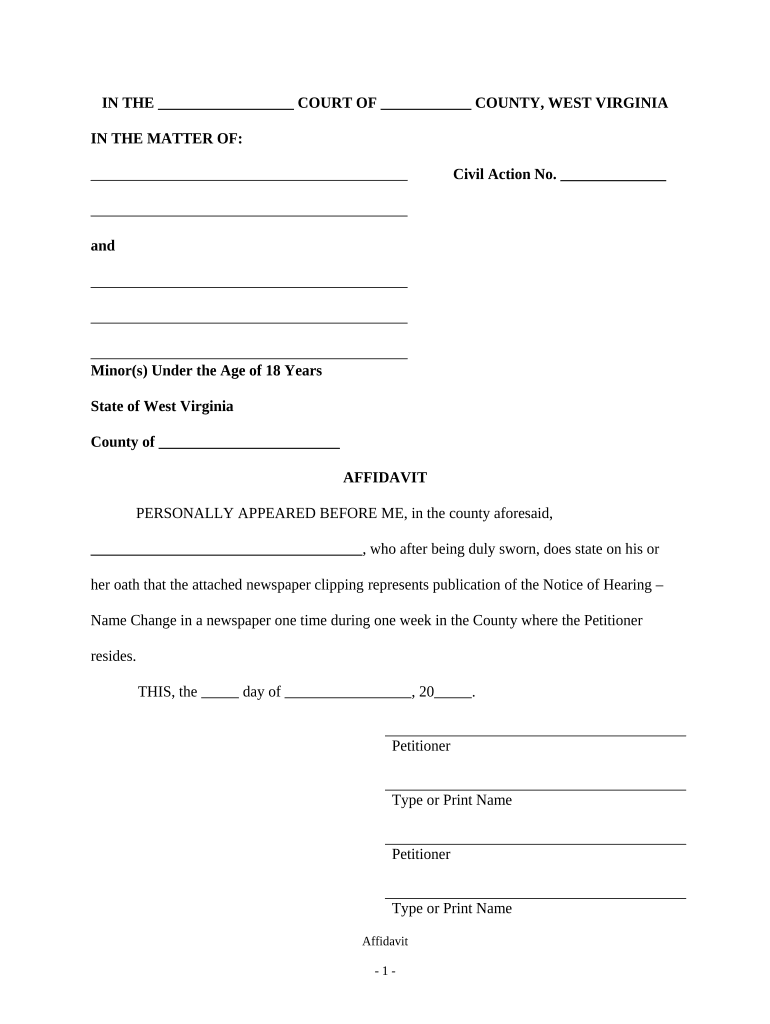
The West Virginia Name Change Affidavit is a sworn written statement used by a petitioner to request a legal change of name before a West Virginia circuit court. It documents the petitioner's current legal name, the proposed new name, reasons for the change, and facts needed by the court to grant an order. The affidavit is typically signed under oath, notarized, and filed with the county clerk alongside a formal petition and any required supporting documents; the clerk then schedules a hearing or issues procedural directions.

Why a Proper Affidavit Matters

A correctly completed affidavit provides the sworn facts a judge needs to issue a name change order; it streamlines identity updates with government agencies, banks, and records custodians, and reduces the chance of delays or rejections when updating vital records and identification.

Why a Proper Affidavit Matters

Who Typically Completes This Affidavit

Roles vary by case: attorneys may draft and represent, clerks accept filings and set hearings, and petitioners must provide accurate, verifiable identity and supporting evidence.

  • Individuals changing their personal name for personal, cultural, or gender-affirming reasons — files petition and affidavit with circuit court.
  • Parents or guardians seeking a legal name change for a minor — often must include both parents or show notice/service.
  • Attorneys and court clerks preparing or processing petitions — handle procedural filings, notices, and hearings.

Typical Signatories and Who Prepares the Form

County Clerk

The county circuit court clerk receives and docket files, provides local filing requirements, and issues hearing dates; clerks can confirm county-specific practice but cannot provide legal advice to petitioners.

Family Law Attorney

An attorney may prepare the petition and affidavit, advise on service or publication requirements, represent the petitioner at hearings, and ensure supporting evidence (IDs, birth certificates) complies with local rules.

Core Components of a Professional Affidavit

A professional West Virginia Name Change Affidavit contains a clear statement of facts, identification details, the requested new name, a sworn oath, notary acknowledgement, and attachments. Each section must be accurate, legible, and consistent with supporting documents to avoid delays at filing and hearings.

Sworn Statement

A concise, fact-based declaration describing current name, requested new name, and factual reasons for the change; signed under penalty of perjury to establish authenticity and judicial reliance.
Petitioner Details

Full legal name, date and place of birth, current address, and other identifiers such as Social Security number when required for verification and court record matching.

Minor Information

When the petitioner is changing a minor's name, include child's full name, date of birth, parents' names, custody information, and consent or notice details as required by the court.

Supporting Documents

Attach certified birth certificates, government-issued ID, marriage or divorce decrees, and any judgments or orders that affect the name change request.

Notary Block

A completed notary acknowledgement with notary signature, seal, and date to verify the petitioner's sworn oath and identity at signing.

Court Caption

Correct county circuit court heading and case number space so the clerk can docket the affidavit to the corresponding petition or filing.

Security and Privacy Details to Note

Encryption: AES-256 at rest
Transport Security: TLS 1.2/1.3 in transit
Regulatory Compliance: ESIGN and UETA compliance
Audit Trail: Timestamps and signer attribution
HIPAA BAA: Business associate agreement available
Access Controls: Role-based permissions and SSO options

Key Penalties and Risks of an Incorrect Affidavit

Rejection: May be rejected by clerk
Processing Delays: Hearing or issuance delayed
Perjury: False statements risk criminal sanctions
ID Mismatch: Record updates may fail
Privacy Exposure: Sensitive data improperly stored
Service Errors: Improper notice can void proceedings

Common Preparation Errors to Avoid

  • Incomplete petitioner details or inconsistent name spellings that create identity-matching failures and request rejection at the clerk's office.
  • Failing to notarize or using an out-of-jurisdiction notary which leads to a defective acknowledgement and potential requirement to re-sign before a proper notary.
  • Omitting supporting documents such as a certified birth certificate or divorce decree required by the court, causing delays or denial of the petition.
  • Ignoring local county rules for service or publication, which can result in having to restart the process or additional court costs.

Step-by-Step: Completing the Affidavit

Follow this sequence to prepare a clear, filing-ready affidavit and avoid routine rejections or processing delays.

  • 01
    Gather Documents: Collect ID, birth certificate, and supporting orders.
  • 02
    Complete Affidavit: Fill each field accurately; use MM/DD/YYYY for dates.
  • 03
    Notarize: Sign before a notary and obtain seal and date.
  • 04
    File with Court: Submit to county clerk, pay fees, and schedule hearing.

Where the Affidavit Is Filed and What Follows

After notarization the affidavit is filed with the county circuit court; follow local procedures for service, publication if required, and hearing scheduling.

  • File with Clerk: Submit affidavit and petition to county circuit court clerk.
  • Serve Interested Parties: Provide notice to required parties per court rules.
  • Attend Hearing: Appear with ID and supporting documents if scheduled.
  • Obtain Order: Receive signed court order; request certified copies.

Digital Workflow Settings for Online Completion

Configure your electronic workflow to capture authentication, notarization, and record retention that satisfy court and agency needs.

Field Configuration
Authentication Email + SMS code or ID verification
Notarization Remote Online Notary or in-person notary
Storage Encrypted PDF with audit trail
Notifications Automated email at each stage

Technical Options for eSubmission and Signing

Ensure any chosen solution supports court-accepted notarization methods and produces certified copies or reproducible records for subsequent agency updates.

  • File Formats: PDF and DOCX accepted; preserve originals
  • eSignature: ESIGN-compliant signatures and timestamps
  • Integrations: Connectors to cloud storage and case management

Typical Timelines and What to Expect

Timelines vary by county; expect initial filing and scheduling followed by a court hearing or administrative review. Plan for court processing and downstream record updates.

Filing Date:

File with clerk on or before planned hearing date.

Hearing Scheduling:

Court schedules hearing; typical wait 2–8 weeks depending on docket.

Publication (If Required):

Some counties require public notice; duration varies locally.

Effective Date:

Name change effective upon judge's signed order.

Record Update Timeline:

Allow 2–6 weeks for agencies to process certified copy changes.

Milestone Timeline from Filing to Final Order

A typical sequence of milestones helps petitioners track progress and plan record updates following a granted name change.

01

File Petition

Submit petition, affidavit, and fees to clerk for docketing.

02

Service/Notice

Provide required notice to interested parties per court rules.

03

Court Hearing

Appear with ID and supporting evidence when scheduled.

04

Final Order Issued

Judge signs order; obtain certified copies for agencies.

Supporting Documents and Output Formats

Prepare commonly requested supporting documents to attach and identify output formats you will need for subsequent updates to records and identification.

Certified Copies

Request multiple certified copies of the court order to update vital records, Social Security, DMV, and financial institutions.

Birth Certificate

Provide a certified birth certificate when available; the court will often require it for identity verification.

Government ID

Present a current government-issued photo ID at hearings and during notary acknowledgement.

Electronic Output

Keep a secure PDF with audit trail for e-submission and long-term recordkeeping.

Comparing eSignature Vendor Pricing and Core Capabilities

This table compares starting prices and key capability markers across common eSignature vendors; signNow is listed first to align with platform-specific compliance and pricing details.

signNow DocuSign Adobe Sign PandaDoc HelloSign
Starting Price $8/user/mo $15/user/mo $14/user/mo $19/user/mo $15/user/mo
Free Trial 7-day free trial Varies by plan Varies by plan Varies by plan Varies by plan
Bulk Send Yes Yes Yes Yes Yes
Audit Trail Yes Yes Yes Yes Yes
HIPAA Compliant Yes Yes Yes No No
Envelope Cap No cap 100 envelopes/user/year Varies by plan Varies by plan Varies by plan

Frequently Asked Questions About the West Virginia Name Change Affidavit

Answers to common questions about completion, notarization, e-signing, supporting documents, and typical court procedures.


Need help? Contact support

be ready to get more
Join over 28 million airSlate SignNow users