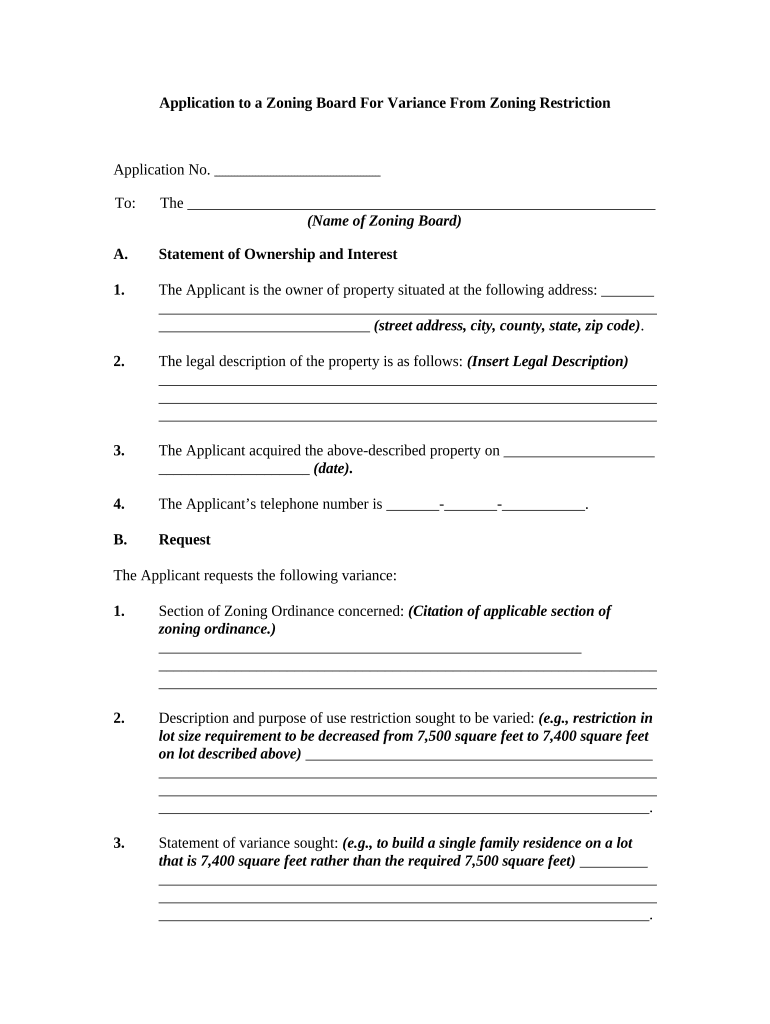
Application to Zoning Board for Variance
What an Application to Zoning Board for Variance Is
Why a Complete Application Matters
Using a clear Application to Zoning Board for Variance organizes evidence, explains hardship, and frames conditions for approval. A complete application reduces processing delays and supports persuasive testimony at hearings while meeting local filing and notice requirements.
Who Typically Prepares This Application
Typical users include property owners, developers, and municipal attorneys preparing a variance request for residential, commercial, or mixed-use projects.
- Small property owners seeking relief from setback or lot coverage rules.
- Developers proposing nonconforming uses or alternative site plans due to topography.
- Local governments or attorneys submitting on behalf of public projects or easements.
Step-by-Step: Completing and Submitting Your Application
-
01Prepare Documents: Gather site plans, surveys, and photos.
-
02Complete Form: Fill fields with exact legal and property data.
-
03Pay Fees: Include applicable filing and mailing fees.
-
04Attend Hearing: Present evidence and answer board questions.
Typical Submission and Review Flow
-
File Application: Submit to zoning office or online portal.
-
Public Notice: Municipality publishes hearing notice per local code.
-
Staff Report: Planning staff issues recommendation before hearing.
-
Board Decision: Board approves, conditions, or denies the variance.
How to Configure an Online Submission Workflow
| Field | Configuration |
|---|---|
| Signature Type | Electronic signature with audit trail |
| Attachment Limit | High-resolution PDF and image support |
| Authentication | Email link or SMS code |
| Notifications | Automated emails to applicant and staff |
| Storage Format | PDF/A archival copy retained with audit log |
Platform and File Requirements for eSubmission
Ensure your submission platform supports required file types, secure uploads, signer authentication, and configurable notifications for hearings.
- File Types: PDF, DOCX, image formats supported
- Security: TLS in transit, AES-256 at rest
- Integrations: Works with GIS and permitting systems
Common Deadlines and Notice Periods
Filing Window:
Deadline varies by municipality; confirm local schedule.
Public Notice Period:
Commonly 10 to 30 days before hearing per ordinance.
Staff Report:
Issued days to weeks before hearing with recommendations.
Hearing Date:
Scheduled at public meeting; may be rescheduled.
Decision Notice:
Boards typically issue written decisions within 30 days.
Milestone Timeline from Filing to Decision
Submit Application
File completed application and pay required fees.
Public Notice Posted
Municipality publishes notice and notifies neighbors.
Staff Review
Planner reviews materials and prepares a staff report.
Board Hearing
Public hearing occurs; board issues a decision or continuance.
Common Preparation Pitfalls to Avoid
- Incomplete property descriptions or mismatched owner names cause verification delays and may require resubmission, lengthening the review and public notice timeline.
- Failing to include accurate surveys, site plans, or dimensioned drawings leads staff to request supplemental information and can result in application denial or postponement.
- Ignoring local notice requirements, such as certified mail to adjoining owners or published advertisements, risks invalidating the hearing or requiring re-noticing.
- Relying on vague hardship claims without objective evidence like photographs, engineer reports, or comparative lot data reduces the chance of a favorable decision.
Consequences of an Incorrect or Incomplete Application
eSignature Vendor Comparison for Filing and Signing Variance Applications
| signNow | DocuSign | Adobe Sign | PandaDoc | HelloSign | |
|---|---|---|---|---|---|
| Starting Price | $8/user/mo | $15/user/mo | $14/user/mo | $19/user/mo | $15/user/mo |
| Free Trial | 7-day free trial | Varies by plan | Varies by plan | Free trial available | Free trial available |
| Bulk Send | Available (Business Premium) | Available | Available | Available | Limited or varies |
| Audit Trail | Yes, full audit trail included | Yes, full audit trail included | Yes, full audit trail included | Yes, full audit trail included | Yes, full audit trail included |
| HIPAA Compliant | Yes; BAA available | Yes | Yes | No | No |
| Envelope Cap | No cap | 100 envelopes/user/year | Varies by plan | Varies by plan | Varies by plan |
Real-World Examples of Variance Applications
Neighborhood Setback Relief
A homeowner with a narrow lot sought reduced front setback
- Applicant provided survey, photos, and cost estimate
- The board granted conditional approval with landscape screening and a five-year re-evaluation clause to protect neighborhood character.
Commercial Lot Coverage
A small retailer requested higher lot coverage due to irregular parcel shape
- Applicant submitted an engineer report and site plan showing no drainage impact
- The board approved a limited variance with conditions for stormwater mitigation and fencing.
Tips for Accurate and Efficient Completion
Frequently Asked Questions About the Application to Zoning Board for Variance
-
What supporting documents should I include?
Include a certified survey or site plan showing dimensions, property lines, existing structures, and proposed changes; photographs, engineering or architectural reports, a hardship narrative, and proof of owner notification. Well-organized attachments reduce requests for additional information and expedite review.
-
How long until the board decides?
Timing varies: municipal schedules, notice periods, and case complexity affect decision timing; hearings may be scheduled weeks to months after filing, and the board frequently issues a written decision within 30 days, though continuances and appeals extend timelines.
-
Can I e-sign and e-file this application?
Electronic signing and e-filing are generally legally valid under the ESIGN Act (15 U.S.C. ch. 96) and UETA in most states, but municipalities may require notarized signatures or original documents for certain filings; verify local ordinance and notary requirements, particularly for RON.
-
What errors commonly delay applications?
Delays often stem from incomplete or inconsistent owner and property data, missing surveys or photographs, failures to notify adjoining owners, incorrect fee payments, or vague hardship narratives. Addressing these items before filing reduces continuances and staff review time.
-
Do I need a lawyer to apply?
No, you do not strictly need a lawyer to file a variance application, but legal counsel is advisable for complex cases involving appeals, contested hearings, or detailed evidentiary submissions; attorney fees vary by complexity and market rates.
-
How do I update or withdraw an application?
To amend an application, file a written amendment with the zoning office and supply updated exhibits; withdrawals generally require written notice and may forfeit filing fees; consult municipal staff for required forms and deadlines.