Conditional fields
Fields that appear or hide based on signer selections reduce errors and tailor the agreement to specific asset classes, creditor types, or sale conditions without creating multiple template variants.



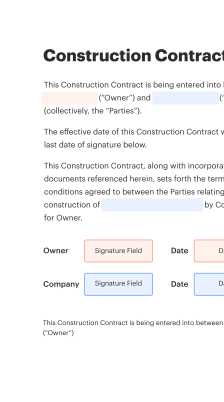
A template reduces drafting errors, ensures consistent legal provisions, and accelerates execution while preserving auditability for creditors and regulators.

A trustee uses the template to assemble consistent liquidation terms, document creditor notices, and collect signatures from multiple parties. They require clear audit trails and retention policies to support court reporting and regulatory reviews.
In-house lawyers adapt the template for sale schedules, negotiate release clauses with creditors, and ensure statutory compliance. They depend on versioning, role-based approvals, and secure storage to maintain evidentiary integrity.
Trustees, insolvency practitioners, in-house legal teams, and financial institutions frequently rely on standardized templates for speed and accuracy.
These stakeholders value templates that integrate with secure eSignature services and preserve detailed execution records for audits and court filings.
Fields that appear or hide based on signer selections reduce errors and tailor the agreement to specific asset classes, creditor types, or sale conditions without creating multiple template variants.
Merge fields pull trustee, creditor, and schedule data from connected systems to reduce manual entry and maintain consistent asset descriptions across all related documents.
Support for multi-stage routing ensures internal counsel and trustee approvals occur before external parties are asked to sign, preserving internal control and compliance checks.
Automatic timestamping and digital sealing of each signed document produce a tamper-evident final artifact suitable for court submission and regulatory review.
Automated notifications and scheduled reminders reduce signing delays and provide recipients clear next steps and deadlines to accelerate closing timelines.
Granular permissions limit who can modify, send, or archive templates, ensuring only authorized staff update critical legal language and metadata.
A curated set of preapproved legal clauses for releases, indemnities, payment waterfalls, and creditor priority that reduces drafting time and ensures consistent legal language across all liquidation documents.
Linked tables and attachments that allow asset lists, creditor claims, and allocation schedules to be updated without altering primary agreement language, maintaining a single source of truth for each transaction.
Configurable signer roles and execution order so trustees, buyers, and creditors receive the correct signing prompts while reviewers and approvers can be looped in before final execution.
Automatic capture of a tamper-evident audit trail, signed PDFs, and metadata to support court filings, regulator inquiries, and internal compliance reviews with concise, exportable records.
| Workflow setting name header row | Default configuration or value description |
|---|---|
| Signer reminder frequency configuration setting | 48 hours after initial envelope send |
| Signer authentication level policy setting | Email plus optional MFA |
| Approval routing and escalation threshold | Require internal approval before external send |
| Attachment locking and editable fields configuration | Lock templates, allow only designated fields |
| Audit log retention and export schedule | Exportable monthly, retain seven years |
The complete sign liquidation agreement template can be prepared and executed across desktop, tablet, and mobile devices using modern browsers and native apps.
Ensure signers use updated browsers or native applications and enable TLS connections; for high-assurance signings, plan for multi-factor authentication and document notarization workflows where required.
A bank standardized a liquidation agreement to dispose of a distressed loan pool with defined payment waterfalls and notice timelines
Resulting in faster distributions and clearer regulator reporting after closing.
A debtor in chapter 11 used the template to list assets, specify buyer closing conditions, and include mutual releases
Leading to a documented closing with full auditability and reduced chance of post-closing disputes.
| Comparison criteria and availability header | signNow (Recommended) | DocuSign | Adobe Acrobat Sign |
|---|---|---|---|
| Audit trail and transaction history | |||
| Cloud storage integrations and connectors | Google Drive | Google Drive | Google Drive |
| Bulk Send and template automation support | Bulk Send | Bulk Send | Bulk Send |
| HIPAA and regulated data support | Available | Available | Available |
Usually 21 to 30 days
Commonly 30 to 90 days
As specified in agreement
Monthly or on-demand
Seven years recommended
| Plan or Feature | signNow (Recommended) | DocuSign | Adobe Acrobat Sign | Dropbox Sign | OneSpan Sign |
|---|---|---|---|---|---|
| Starting monthly price (per user estimate) | $8 per user monthly, tiered discounts | $10 per user monthly, common | $14 per user monthly entry | $15 per user monthly entry | $30 per user monthly entry |
| Included basic eSignature features | Reusable templates, Bulk Send, audit trail included | Templates, routing, audit trail included | Templates, cloud integration, audit trail | Templates, cloud integration, audit trail | Advanced authentication, audit trail |
| Advanced authentication and compliance options | MFA, KBA add-ons available | Advanced auth add-ons | Enterprise PKI, MFA options | MFA via Dropbox Identity | Strong authentication, certifications |
| API access and developer support | Public REST API, SDKs available | Robust API and developer portal | APIs and extensive SDKs | API with developer docs | Enterprise API with support |
| Enterprise support and SLAs | Tiered enterprise support offered | Enterprise SLAs and support | Enterprise support and SLAs | Business support available | Dedicated enterprise support |
Create, execute, and manage workflows of any complexity, electronically from virtually anywhere. Scalable eSignature capabilities allow you to share documents with the right people in the correct order and define roles for each recipient. Execute document workflows faster and easier than ever before.
Optimize complex signing processes with airSlate SignNow’s powerful features to enhance your business. Control your automated eSignature workflows to ensure they're running at peak performance with instant notifications and reminders.
Bring teams together in a secure, shared environment. Manage documents, use form templates and notifications to create more efficient cross-organization collaboration. Free your employees from having to spend time on repetitive activities so that they can focus on valuable, business-critical tasks.
Run your projects with industry-leading integration. Collect Salesforce, Microsoft Teams, and SharePoint all in one business flow. Connect your software to a single system for endless possibilities and more productivity.
Feel safe understanding that your information remains secure by the most up-to-date in encryption security. airSlate SignNow is GDPR and eIDAS compliant and offers you transparence into your signing process with court-admissible audit trails. Set up user authorization and rights to manage who has access to what.