Complete Signature Strategic Alliance Agreement Template

Eliminate paper and optimize digital document managing for more performance and unlimited opportunities. Sign anything from a comfort of your home, quick and accomplished. Discover the best way of doing business with airSlate SignNow.

Award-winning eSignature solution

What the complete signature strategic alliance agreement template covers

A complete signature strategic alliance agreement template is a standardized legal document built to outline the roles, resources, exclusivity, governance, financial arrangements, intellectual property allocations, termination rights, dispute resolution, and signature requirements for two or more organizations entering a cooperative commercial relationship. The template bundles commonly negotiated clauses and signature blocks so teams can review, customize, and execute agreements more quickly while preserving consistency across deals. When combined with compliant eSignature tools, the template supports secure signing, audit trails, and repeatable workflows for partnership lifecycles across departments and jurisdictions.

Why use a standardized strategic alliance agreement template

A standardized template reduces negotiation time, clarifies expectations, and ensures essential protections are present, while enabling consistent review and easier eSignature integration across legal and business teams.

Why use a standardized strategic alliance agreement template

Common challenges when preparing alliance agreements

  • Misaligned scope and deliverables leading to later disputes and scope creep.
  • Unclear IP ownership and licensing terms causing downstream commercial limitations.
  • Inconsistent signature processes that delay execution and increase administrative burden.
  • Insufficient data protection clauses when handling regulated customer information.

Representative user profiles

Partnership Manager

A Partnership Manager uses the template to capture milestones, reporting requirements, and resourcing commitments, enabling clearer handoffs between business and legal teams and reducing time-to-execute for partner onboarding.

Corporate Counsel

Corporate Counsel customizes legal protections and risk allocation language, ensures regulatory clauses are present for specific industries, and validates the final document before secure electronic execution and retention.

Teams and roles that use the template most often

Legal, business development, partnerships, procurement, and compliance teams commonly use the template to streamline negotiations and approvals.

  • Legal counsel and contract managers for clause standardization and risk control.
  • Partnership and alliance managers for operational alignment and milestones.
  • Finance and procurement teams for payment terms and commercial governance.

The template helps cross-functional stakeholders maintain a single source of contractual terms while integrating secure signing and version control into their workflows.

Essential features to support alliance agreement workflows

These six capabilities help teams prepare, negotiate, sign, and manage strategic alliance agreements efficiently and securely.

Template library

Centralized repository for approved clauses and agreement templates with version control, access rules, and tagging for partner types and industries to ensure consistent use across teams.


Reusable clauses

Clause blocks that can be inserted or swapped during drafting to support common variations like exclusivity, revenue share, or data processing addenda without recreating text.

Conditional fields

Dynamic form fields that appear based on selected options, reducing manual editing and ensuring only relevant sections are presented for each partner scenario.

Advanced authentication

Support for SMS, email, knowledge-based checks, and digital certificates to match signing security to the agreement’s sensitivity and regulatory needs.

Audit trails

Comprehensive, tamper-evident logs showing document access, edits, signer events, IP addresses, and timestamps for evidentiary support.

Bulk and sequential send

Options for bulk sending to multiple partners or ordered signing sequences for multi-party alliances with automated reminders and expiration controls.

be ready to get more

Choose a better solution

Integration touchpoints for document-based workflows

Integrations streamline placing the template into common content and CRM systems for faster authoring and tracking of alliance agreements.

Google Docs

Edit the template collaboratively in Google Docs, then push the final document into an eSignature system to map signature fields and initiate the signing process without reuploading files; this preserves track changes and collaborator context.

CRM integration

Link the agreement template to CRM records so partner details and deal terms auto-populate fields, enabling one-click send for signature and automatic status updates in opportunity records.

Dropbox/Drive

Store and version templates in cloud storage, enabling controlled access, automatic backups, and easy retrieval of executed agreements for audits or renewals.

Document management

Connect to DMS platforms to index executed agreements, enforce retention policies, and surface agreement metadata for reporting and compliance reviews.
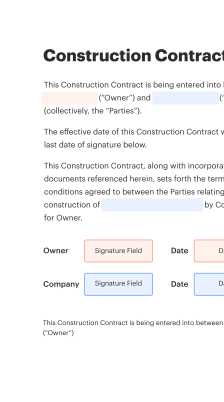
How online creation and signing typically proceeds

A concise workflow shows how users create, send, and finalize a complete signature strategic alliance agreement template using online tools.

  • Template selection: Choose the template and upload custom exhibits.
  • Field placement: Add signature, initials, and data fields.
  • Authentication: Select signer verification methods.
  • Execute and archive: Send for signature and store final copy securely.
Collect signatures
24x
faster
Reduce costs by
$30
per document
Save up to
40h
per employee / month

Step-by-step: preparing the template for signature

Follow these five focused steps to prepare, review, and execute the strategic alliance agreement using an eSignature-capable template.

  • 01
    Draft core terms: Populate scope, deliverables, and term length.
  • 02
    Insert compliance clauses: Add HIPAA, FERPA, or industry-specific language.
  • 03
    Review with stakeholders: Legal and business review edits and approvals.
  • 04
    Configure signature flow: Define signers, order, and authentication methods.

Audit trail and post-signature management steps

After execution, follow these steps to preserve evidentiary records, notify stakeholders, and activate contractual entitlements.

01

Capture final PDF:

Generate a flattened PDF with signatures embedded.
02

Store executed copy:

Archive in a secure DMS with access controls.
03

Record metadata:

Log parties, dates, and key financial terms.
04

Notify internal teams:

Alert operations, finance, and account teams.
05

Enable reporting:

Include agreement in partnership dashboards.
06

Monitor obligations:

Track milestones, renewals, and compliance tasks.
be ready to get more

Why choose airSlate SignNow

  • Free 7-day trial. Choose the plan you need and try it risk-free.
  • Honest pricing for full-featured plans. airSlate SignNow offers subscription plans with no overages or hidden fees at renewal.
  • Enterprise-grade security. airSlate SignNow helps you comply with global security standards.
illustrations signature

Sample workflow configuration for alliance agreement routing

A recommended set of workflow settings balances speed and control when routing alliance agreements for review and signature.

Configuration setting name Default configuration value
Automated reminder frequency for signers 48 hours after send, then weekly reminders until signature
Signature order and routing rules Sequential signer order with parallel internal approvals
Field validation and required data checks Mandatory fields, format checks, and conditional visibility rules
Expiration and reissue settings 90-day expiration with single reissue allowed
Retention and archival triggers Archive executed copy and retain per policy for seven years

Supported platforms and device considerations

The complete signature strategic alliance agreement template can be prepared and signed on desktop, tablet, and mobile devices using modern browsers or native apps.

  • Desktop browsers: Chrome, Edge, Safari compatibility
  • Mobile apps: iOS and Android native applications
  • Offline signing: Limited or unavailable on most platforms

Ensure signers use updated browsers or official mobile apps, confirm authentication methods supported on their device, and validate that final PDF rendering and audit logs meet internal compliance checks.

Security, authentication, and signing safeguards

Encryption in transit: TLS 1.2+ protected transfers
Encryption at rest: AES-256 encrypted storage
Multi-factor authentication: Optional MFA for signers
Access control: Role-based permission model
Document watermarking: Customizable visual watermarks
Audit logging: Immutable event records

Illustrative use cases and outcomes

Two short case examples show common scenarios where a complete signature strategic alliance agreement template reduces time and captures needed protections.

Co-marketing partnership

A technology vendor and a channel partner set shared campaign responsibilities into a template clause

  • Joint campaign planning and revenue share terms were specified
  • The agreement included data handling and lead ownership rules to protect customers

Resulting in faster campaign launches and clearly assigned attribution and billing processes.

Product integration alliance

Two software companies documented API usage limits, support responsibilities, and IP licensing in predefined sections

  • The template provided clear SLAs and escalation paths
  • Confidentiality and security clauses defined handling of customer data during integration

Leading to predictable timelines, fewer disputes, and measurable integration milestones.

Practical best practices for secure, accurate execution

Follow these proven practices to reduce errors, shorten execution time, and maintain compliance when using the template for alliance agreements.

Use pre-approved clause libraries with version control
Maintain a curated clause library and require legal sign-off on updates. Version control helps teams know which language is current and prevents reintroduction of deprecated or high-risk provisions during negotiations.
Match authentication level to agreement sensitivity
Select stronger signer authentication methods, such as multi-factor or digital certificates, for agreements with confidential data, regulatory obligations, or significant financial commitments to increase evidentiary weight.
Standardize metadata and naming conventions
Apply consistent file names, tags, and metadata fields to executed agreements for reliable search, reporting, and retention. Standardization reduces retrieval time and supports audit readiness.
Document retention aligned with legal obligations
Define retention periods based on contract type and regulatory requirements, automate archival for executed copies, and implement secure deletion procedures when retention periods expire.

FAQs and troubleshooting for templates and signatures

Common questions and resolutions for creating, sending, and managing the complete signature strategic alliance agreement template.

Feature availability across common eSignature providers

A concise feature parity comparison highlights common capabilities relevant to executing strategic alliance agreements securely and at scale.

Primary feature availability across signing providers signNow (Recommended) DocuSign Adobe Sign
Advanced audit trail and forensic reporting Included Included Included
Bulk Send and team templates support
HIPAA and FERPA compliance support Optional Optional Optional
API and developer platform capabilities for integrations REST API available REST API available REST API available
be ready to get more

Get legally-binding signatures now!

Key dates and retention milestones to track

Outline important timeline checkpoints for the agreement lifecycle, from negotiation through post-termination obligations and retention.

Negotiation start and expected completion dates:

Record initial negotiation and target signature dates

Effective date and performance milestones:

Set official effective date and key milestone deadlines

Renewal notice and automatic renewal windows:

Specify advance notice period for renewal or termination

Post-termination obligations and wind-down period:

Define data return, transition, and support timelines

Document retention and deletion schedule:

Map retention periods and secure disposal dates

Key legal risks and enforcement considerations

Breach of exclusivity: Damages exposure
IP misassignment: Loss of rights
Data breach fines: Regulatory penalties
Termination disputes: Injunction risk
Payment default: Credit losses
Noncompliance with law: Civil penalties

Representative pricing and plan characteristics

High-level plan characteristics describe typical commercial options across leading vendors; contact providers for current list pricing and enterprise terms.

Plan / Features Comparison signNow (Recommended) DocuSign Adobe Sign Dropbox Sign PandaDoc
Free trial availability and limits 30-day trial with basic features Limited free trial Trial with core features Free tier with limited sends Free trial with document limits
Per-user starting plan characteristics Tiered per-user monthly subscriptions, business plans available Per-user monthly starting tiers, more enterprise focus Subscription tiers with SME options Affordable small-team plans, Dropbox ecosystem Document-centric pricing with templates
API access and developer support API with SDKs and documentation available Robust API with broad ecosystem API with integrations across Adobe products API for Dropbox customers API focused on document workflows
Enterprise and compliance options Custom enterprise plans and compliance add-ons Enterprise governance and advanced security Enterprise-grade compliance and controls Enterprise offerings via Dropbox Enterprise plans with workflow automation
Bulk sending and automation features Bulk Send and workflow automation available Bulk Send and advanced features Bulk send and template management Bulk send limited to some plans Bulk send plus automation tools

Simplify complex workflows

Create, execute, and manage workflows of any complexity, electronically from virtually anywhere. Scalable eSignature capabilities allow you to share documents with the right people in the correct order and define roles for each recipient. Execute document workflows faster and easier than ever before.

Automate document management

Optimize complex signing processes with airSlate SignNow’s powerful features to enhance your business. Control your automated eSignature workflows to ensure they're running at peak performance with instant notifications and reminders.

Optimize in team collaboration

Bring teams together in a secure, shared environment. Manage documents, use form templates and notifications to create more efficient cross-organization collaboration. Free your employees from having to spend time on repetitive activities so that they can focus on valuable, business-critical tasks.

Integrate into your existing systems

Run your projects with industry-leading integration. Collect Salesforce, Microsoft Teams, and SharePoint all in one business flow. Connect your software to a single system for endless possibilities and more productivity.

Remain compliant with industry-leading data safety

Feel safe understanding that your information remains secure by the most recent in encryption security. airSlate SignNow is GDPR and eIDAS certified and offers you awareness into your signing procedure with court-admissible audit trails. Set up user access permissions and roles to control who has access to what.


walmart logo
exonMobil logo
apple logo
comcast logo
facebook logo
FedEx logo
be ready to get more

Get legally-binding signatures now!