Template Library
A managed template library allows teams to version and control proposal formats, ensuring consistency across sales reps and maintaining approved language for pricing and terms.


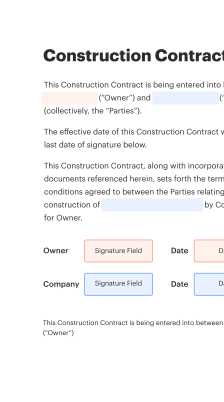
A consistent fill initial event catering proposal template standardizes client intake, reduces errors, and speeds approvals, helping teams present accurate pricing and services from the first contact.

A sales coordinator fills initial client data, selects standard menu packages, and confirms availability. They rely on the template to maintain consistent pricing and to attach terms that can be routed for manager approval and client signature in a single workflow.
An event manager uses the template to document timelines, staffing, and logistics requirements. They ensure venue constraints and dietary needs are captured accurately, preserving those details for operations and vendor coordination when the proposal converts to a work order.
The template supports both small catering teams and enterprise event departments by providing a repeatable format for intake, review, and contract handoff.
A managed template library allows teams to version and control proposal formats, ensuring consistency across sales reps and maintaining approved language for pricing and terms.
Field mapping supports automatic data population from CRM records into the proposal to reduce manual entry and align client contact details and historical preferences with the current offer.
Integrated eSignature capability enables clients to sign proposals electronically, producing an enforceable agreement and accelerating the booking confirmation process without physical paperwork.
Mobile access ensures proposals can be reviewed and signed on smartphones or tablets, allowing clients and managers to complete approvals while on site or on the move.
A complete audit trail documents every action on the document, including views, signatures, and edits, which supports compliance and dispute resolution.
Automatic storage and retention rules save executed proposals to designated cloud folders and apply retention policies to meet recordkeeping requirements.
Merge proposal fields into Google Docs templates for collaborative editing, then convert to a secured PDF for signature to maintain formatting and reduce rekeying between systems.
Connect templates to a CRM to prefill client records, store signed proposals on the contact timeline, and trigger follow-up tasks without manual copying of details.
Save executed proposals automatically to Dropbox or other cloud storage with folder rules and retention settings to centralize records management.
Create and reuse bespoke fields for dietary restrictions, venue constraints, and service-level options to ensure each proposal meets operational needs.
| Setting | Configuration |
|---|---|
| Default Reminder Frequency for Signers | 48 hours before due date |
| Default Approval Routing for Managers | Sequential two-step approval |
| Automatic Storage Folder Configuration | Save to Dropbox event folder |
| Required Signer Authentication Method Default Setting | Email access code by default |
| Document Retention and Deletion Policy Setting | Retain for seven years |
For best results, use an up-to-date browser version, enable cookies and JavaScript, and ensure mobile users have the native app or a supported browser to avoid display or signing issues.
The coordinator uses a template to capture event timing and dietary restrictions in one session
Resulting in a signed proposal and confirmed date within two business days, enabling kitchen and staffing schedules to be set.
A wedding manager fills guest count, venue rules, and custom menu choices into the template
Leading to an accurate, auditable proposal that converts to an event order with minimal follow-up.
| Compliance and Feature Matrix Header | signNow (Recommended) | DocuSign | Adobe Sign |
|---|---|---|---|
| ESIGN and UETA compliance | |||
| Audit trail and tamper evidence | Comprehensive | Comprehensive | Comprehensive |
| Bulk Send capability for proposals | Limited | ||
| API access and developer tools | Robust | Robust | Robust |
Draft completed within 48 hours of client inquiry
Manager sign-off required within 24 hours
Client given seven calendar days to respond
Deposit payable within five business days
Contract fully executed at least two weeks before event
| Comparison Metric Header | signNow (Featured) | DocuSign | Adobe Acrobat Sign | PandaDoc | HelloSign |
|---|---|---|---|---|---|
| Starting Price per User | $8 per user/month billed annually | $10 per user/month | $13 per user/month | $19 per user/month | $15 per user/month |
| Free Trial Availability | 30-day free trial available | 30-day trial sometimes offered | 14-day trial typical | 14-day free trial | 30-day trial available |
| Bulk Send Included | Included on select plans | Add-on or higher plan | Add-on required | Included on higher tiers | Included on select plans |
| API Access Included | Available on paid plans | Available on business plans | Available via enterprise plans | Available on paid plans | Available via paid plans |
| Monthly Minimum Cost | No minimum; per-user billing | No minimum; per-user billing | No minimum; per-user billing | Per-seat billing common | No minimum; per-user billing |
| Enterprise SLA Offered | SLA available for enterprise customers | SLA available for enterprise customers | SLA available for enterprise customers | SLA available on enterprise plans | SLA available on enterprise plans |
Create, execute, and manage workflows of any complexity, electronically from virtually anywhere. Scalable eSignature capabilities allow you to share documents with the right people in the correct order and define roles for each recipient. Execute document workflows faster and easier than ever before.
Optimize complex signing processes with airSlate SignNow’s powerful features to enhance your business. Control your automated eSignature workflows to ensure they're running at peak performance with instant notifications and reminders.
Bring teams together in a secure, shared environment. Manage documents, use form templates and notifications to create more efficient cross-organization collaboration. Free your employees from having to spend time on repetitive activities so that they can focus on valuable, business-critical tasks.
Run your projects with industry-leading integration. Collect Salesforce, Microsoft Teams, and SharePoint all in one business flow. Connect your software to a single system for endless possibilities and more efficiency.
Feel safe understanding that your data remains secure by the most up-to-date in encryption security. airSlate SignNow is GDPR and eIDAS compliant and offers you visibility into your signing experience with court-admissible audit trails. Configure user access permissions and rights to regulate who has access to what.