Order Mark Venture Capital Proposal Template

Eliminate paper and improve digital document management for higher performance and endless opportunities. Sign any papers from a comfort of your home, fast and professional. Enjoy a better way of running your business with airSlate SignNow.

Award-winning eSignature solution

What the order mark venture capital proposal template is and why it matters

An order mark venture capital proposal template is a standardized, reusable document designed to present investment opportunities, founder terms, and deal flow details to potential venture capital backers. It typically combines executive summaries, financial projections, capitalization tables, and signature-ready authorization sections so stakeholders can review, negotiate, and sign without recreating documents each time. Using a template reduces drafting errors, preserves consistent formatting, and accelerates decision cycles by integrating placeholders for variable data and signature fields compatible with eSignature platforms and document management systems.

Why a structured template improves venture proposal consistency

A repeatable order mark venture capital proposal template ensures each pitch has the same legal sections, financial assumptions, and signature-ready areas, improving clarity for investors and lowering administrative overhead during fundraising.

Why a structured template improves venture proposal consistency

Common challenges when using ad hoc venture proposals

  • Inconsistent terms across versions create negotiation confusion and extend due diligence timelines.
  • Manual entry errors in financial tables increase the risk of incorrect valuations or projections.
  • Lack of integrated signature fields slows closing and requires exporting to separate signing tools.
  • Poor version control leads to multiple competing drafts and weak auditability during investor reviews.

Representative user profiles for template workflows

Startup Founder

A founder uses the order mark venture capital proposal template to prepare multiple tailored investor decks quickly, inserting current metrics and financials, while keeping legal terms consistent across prospects and recording signed agreements for investor onboarding and cap table updates.

In-house Counsel

Legal teams adopt the template to standardize protective provisions, streamline redlining, and reduce back-and-forth with external counsel, ensuring each executed agreement adheres to company policy and can be audited for compliance.

Who typically uses an order mark venture capital proposal template

Founders, legal counsels, and corporate development teams commonly rely on standardized templates to streamline fundraising and ensure accuracy.

  • Founders preparing repeatable investor pitches and term summaries for multiple meetings.
  • In-house legal teams ensuring consistent clauses and reducing contract review cycles.
  • Accelerators and venture partners bundling templates for portfolio onboarding and follow-on funding.

Templates are also useful for investor relations teams maintaining historical records and simplifying signature workflows across rounds.

Core features that make templates effective for VC proposals

Templates succeed when they combine document controls, automation, security, analytics, and integration into a single reusable asset for fundraising and legal workflows.

Placeholders

Dynamic fields for names, dates, cap table entries, and financial variables, enabling rapid personalization without altering the canonical template structure.


Signer Roles

Designated signature and approval roles so founders, investors, and legal approvers receive only the fields they need to complete.

Bulk Send

Ability to send individualized copies of the same template to multiple recipients with unique data injected from spreadsheets or CRM lists.

Audit Trail

Detailed execution records including timestamps, authentication methods, and IP addresses to support compliance and due diligence.

Version Control

Template locking and version history that prevent unauthorized edits and preserve prior iterations for legal review.

Integration APIs

APIs to automate population, retrieval, and archival with CRM, storage, and finance systems for streamlined workflows.

be ready to get more

Choose a better solution

Integrations and connectivity that support templates

Connect templates with content, CRM, storage, and collaboration tools to automate population and distribution while keeping source documents authoritative.

Google Docs

Link templates to Google Docs for collaborative drafting, then export finalized versions into the template system to preserve formatting and populate signature fields automatically.

CRM Systems

Integrate with CRM platforms to pull investor contact details and company data directly into the proposal template, reducing manual entry and ensuring recipient accuracy during sends.

Dropbox

Use cloud-storage connectors to store master templates and executed agreements, enabling centralized backup, consistent versioning, and simplified retrieval for audits and investor reporting.

Spreadsheet Sources

Map spreadsheet columns to template placeholders for batch population of financial figures and investor lists during bulk sends and round closings.
How an online template integrates with signing workflows

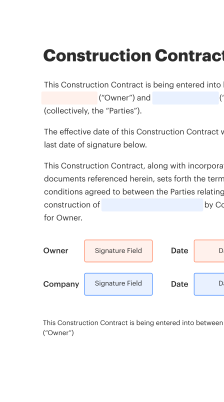
An online order mark venture capital proposal template links document sections to signing and automation features so the template can be reused without manual edits.

  • Template Creation: Upload master file and define fields.
  • Field Mapping: Map placeholders to data sources.
  • Signing Sequence: Set signer order and authentication.
  • Archive and Audit: Store executed copies with trails.
Collect signatures
24x
faster
Reduce costs by
$30
per document
Save up to
40h
per employee / month

Quick steps to prepare an order mark venture capital proposal template

Follow these primary steps to create a usable, signature-ready venture proposal template that captures terms, projections, and signing flow.

  • 01
    Draft Core Sections: Include executive summary, terms, and financials.
  • 02
    Insert Placeholders: Add variable fields for dates and metrics.
  • 03
    Add Signature Fields: Place signer roles and signature blocks.
  • 04
    Finalize Versioning: Lock template and save version history.

Completing the order mark venture capital proposal template — detailed steps

Follow these operational steps from drafting to execution to ensure each proposal is accurate and signature-ready.

01

Prepare Financials:

Confirm numbers and update projections.
02

Populate Placeholders:

Insert company and investor-specific data.
03

Assign Signers:

Define roles and sequence for signatures.
04

Set Authentication:

Choose verification methods for signers.
05

Send for Signature:

Distribute via chosen eSignature channel.
06

Archive Executed:

Store final executed PDF with audit.
be ready to get more

Why choose airSlate SignNow

  • Free 7-day trial. Choose the plan you need and try it risk-free.
  • Honest pricing for full-featured plans. airSlate SignNow offers subscription plans with no overages or hidden fees at renewal.
  • Enterprise-grade security. airSlate SignNow helps you comply with global security standards.
illustrations signature

Automation and workflow settings for template-driven signing

Recommended workflow settings and default configurations to automate population, reminders, and archival for template sends.

Setting Name Default Configuration
Reminder Frequency 48 hours
Signer Order Enforcement Sequential only
Auto-Archive Executed Yes, to secure cloud
Bulk Send Source CSV upload
Field Validation Rules Required numeric checks

Supported platforms and minimum requirements for template use

The order mark venture capital proposal template and signing workflows run across web, desktop, and modern mobile devices with current browsers and the official mobile app.

  • Web Browser: Chrome, Edge, Firefox
  • Mobile OS: iOS 14+ and Android 9+
  • Desktop App: Windows and macOS supported

For optimal performance, keep browsers and operating systems up to date, enable TLS network access, and ensure the signing application is the official client to preserve audit logging and authentication features across devices.

Security controls to consider for proposal templates

Access Controls: Role-based permissions
Data Encryption: AES-256 at rest
Transport Security: TLS 1.2+ in transit
Authentication: Two-factor options
Audit Logging: Comprehensive event trails
Document Redaction: Field-level masking

Use cases showing how templates speed fundraising and execution

Two illustrative scenarios show practical benefits: one focused on repeatable founder workflows and one on legal team efficiency during multiple rounds.

Founder Accelerator Batch

A startup founder prepares ten investor proposals using the order mark venture capital proposal template to ensure identical term sections and up-to-date metrics

  • Bulk personalization fields for company name and KPIs
  • Reduces prep time per investor and prevents inconsistent term language

Resulting in faster investor review cycles and more timely signature collection during demo days.

Legal Review for Series Rounds

An in-house legal team centralizes clause language in the template before distribution to external counsel

  • Template includes standard indemnities and preferred stock terms
  • Ensures consistent redlines and simplifies finalization across multiple counsels

Leading to shortened negotiation timelines and clearer audit trails for compliance and post-closing processes.

Best practices for secure, accurate venture proposal templates

Adopt consistent standards for template content, access, and execution to reduce risk, ensure investor clarity, and maintain compliance with applicable electronic signature laws.

Define a canonical template owner and approval workflow
Assign one responsible owner who controls modifications, maintains an approval log for changes, and documents the rationale for each update to maintain legal consistency and auditability across fundraising rounds.
Use role-based fields and signer sequencing
Specify signer roles, required fields, and the order of execution so investor signatures occur in a predictable sequence and documents remain enforceable and complete upon finalization.
Validate key financial fields before send
Implement pre-send checks for numbers, rounding, and cap table impacts to avoid downstream disputes and ensure that signed agreements reflect accurate company valuations and ownership stakes.
Keep an immutable audit trail for all executions
Ensure executed documents include timestamped records of signer identity, IP address, authentication method, and version history so each agreement can be verified during due diligence or compliance reviews.

Frequently asked questions about order mark venture capital proposal template

Answers to common questions about preparing, sending, and securing templates, plus troubleshooting for common execution problems.

Feature availability: signNow (Recommended) versus DocuSign and Adobe Sign

Key capability comparisons for template-driven signing and compliance to help evaluate platform suitability for venture proposal workflows.

Feature and Requirement Criteria List signNow (Recommended) DocuSign Adobe Sign
Multi-party Signing
Bulk Send
Advanced Authentication Options SMS/2FA SMS/2FA SMS/2FA
HIPAA Compliance Support Available Available Available
be ready to get more

Get legally-binding signatures now!

Document retention and important dates for proposal templates

Set retention schedules and review dates to align with legal requirements and internal recordkeeping policies for executed venture documents.

Retention Start Date Policy:

Retention begins at execution date.

Minimum Retention Period:

Maintain for seven years standard.

Periodic Review Cycle:

Review template annually for legal updates.

Archival Storage Location:

Store executed copies in secure cloud.

Destruction and Disposal Procedure:

Follow documented secure deletion steps.

Pricing and feature overview: signNow (Recommended) and competitors

A concise pricing and capabilities snapshot per vendor to compare typical starting costs and feature inclusions relevant to template-based venture proposals.

Pricing Comparison Per Seat Monthly signNow (Recommended) DocuSign Adobe Sign HelloSign PandaDoc
Starting Price $8 per user per month, annual billing $25 per user per month, standard plan $9.99 per user per month, business pricing $15 per user per month, professional $19 per user per month, business plan
Bulk Send Included Included in most plans with limits Available on business plans Available with enterprise options Available on higher tiers Included on select plans
API Access REST API with developer docs REST API with SDKs REST API via Adobe I/O REST API with SDKs REST API and integrations
Advanced Security AES-256, role controls, audit trail Enterprise-grade security features Enterprise compliance suite Standard security controls Business-level encryption
Enterprise Notes Custom enterprise plans and admin controls available Wide enterprise adoption and integrations Strong Adobe ecosystem integration Embedded signing focus Document and proposal management features

Simplify complex workflows

Create, execute, and manage workflows of any complexity, electronically from virtually anywhere. Scalable eSignature capabilities allow you to share documents with the right people in the correct order and define roles for each recipient. Execute document workflows faster and easier than ever before.

Automate document management

Optimize complex signing processes with airSlate SignNow’s powerful features to enhance your business. Control your automated eSignature workflows to ensure they're running at peak performance with instant notifications and reminders.

Optimize in team collaboration

Bring teams together in a secure, shared environment. Manage documents, use form templates and notifications to create more efficient cross-organization collaboration. Free your employees from having to spend time on repetitive activities so that they can focus on valuable, business-critical tasks.

Integrate into your existing systems

Run your projects with industry-leading integration. Collect Salesforce, Microsoft Teams, and SharePoint all in one business flow. Connect your software to a single system for endless possibilities and more productivity.

Remain compliant with market-leading data security

Feel confident knowing that your data remains secure by the most up-to-date in encryption security. airSlate SignNow is GDPR and eIDAS compliant and provides you visibility into your signing experience with court-admissible audit trails. Configure user access permissions and roles to manage who has access to what.


walmart logo
exonMobil logo
apple logo
comcast logo
facebook logo
FedEx logo
be ready to get more

Get legally-binding signatures now!