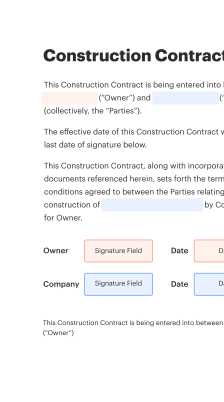
Realize Digital Signature Wedding Ceremony Event with SignNow

Eliminate paper and improve document processing for higher productivity and limitless possibilities. eSign anything from a comfort of your home, fast and professional. Experience a greater manner of doing business with airSlate SignNow.

Award-winning eSignature solution

Time-saving benefits of realize digital signature wedding ceremony event

Digitizing signature flows reduces manual processing, lowers the need for in-person appointments, and shortens turnaround time for license issuance and vendor contract completion.

Time-saving benefits of realize digital signature wedding ceremony event

Team roles and permissions for realize digital signature wedding ceremony event

Clerk / Administrator

Administrators configure templates, manage retention settings, and set organization-wide authentication policies. They oversee user provisioning, audit access, and ensure workflows match county or state procedures for marriage documentation.

Officiant / Signer

Officiants can initiate or sign ceremony packets, view signer status, and access signed archives as permitted. Their role typically restricts configuration changes but grants access to necessary documents and audit logs.

Core features that streamline realize digital signature wedding ceremony event

A focused set of document, signer, and security tools reduces ceremony friction while preserving compliance and a clear record for officials and participants.

Templates

Reusable ceremony templates let event organizers standardize license applications, officiant declarations, and vendor agreements to ensure consistent fields and signature placements across multiple events.

Signer roles

Role-based signing lets you assign the officiant, couple, and witnesses distinct permissions and signing order to reflect legal requirements and cultural ceremony structure.

Authentication

Configurable signer authentication supports email OTP, SMS codes, and knowledge-based checks to match varying state or county identity requirements for marriage documents.

Audit trail

Comprehensive timestamps and event logs capture signer actions and IP data so every ceremony transaction has a verifiable chain of custody for records and audits.

Field validation

Conditional and required field rules prevent missing information by enforcing correct answers, formats, and dependent fields before signatures are permitted.

Secure storage

Encrypted at-rest and in-transit storage with configurable retention policies helps meet jurisdictional record-keeping obligations and organizational document governance.

be ready to get more

Choose a better solution

Integrations that support realize digital signature wedding ceremony event

Connect the signing workflow to commonly used document platforms and CRMs to reduce rekeying, centralize records, and ensure copies are available to all stakeholders immediately after signing.

Google Docs

Integration allows converting collaborative drafts into finalized PDFs, attaching them to signing workflows, and returning a signed copy to a shared drive or folder for clerk review and archival.

CRM systems

Two-way integration maps contact and event data to signing sessions so license details and officiant records sync automatically with existing case or customer records.

Dropbox

Signed ceremony packages can be routed into a designated Dropbox folder with versioning and retention policies preserved for administrative access and backup.

Calendar apps

Integration with calendars schedules signing windows and sends reminders to signers aligned with the ceremony time and logistics.

Sending and signing methods for realize digital signature wedding ceremony event

Provide multiple signing pathways—email link, mobile app, or in-person device—to accommodate participants and ensure signatures are captured in line with legal or county requirements.

  • Email links: Standard web signing via secure link.
  • Mobile signing: Responsive interfaces for phones and tablets.
  • In-person: Kiosk or device-based signing supervised.
  • Embedded signing: Sign within partner webpages or apps.
Collect signatures
24x
faster
Reduce costs by
$30
per document
Save up to
40h
per employee / month

Step-by-step: completing the realize digital signature wedding ceremony event

Follow a clear signer flow: review identification, complete required fields, apply signature, then confirm final document integrity to maintain legal and procedural consistency during the ceremony.

  • 01
    Identity check: Verify signer identity before document access.
  • 02
    Fill fields: Enter names, dates, locations, and witness details.
  • 03
    Apply signature: Use the preferred signature method and confirm placement.
  • 04
    Finalize package: Lock and archive the signed ceremony documents.

Managing audit trails for realize digital signature wedding ceremony event

Maintain a consistent audit record capturing signer identity, timestamps, geolocation when available, and document integrity hashes to support legal defensibility and administrative review.

01

Timestamp:

Record exact action time
02

IP address:

Log origin address
03

Event type:

Sign, view, download
04

Document hash:

Integrity verification data
05

Signer details:

Name and authentication used
06

Export options:

PDF with embedded log
be ready to get more

Why choose airSlate SignNow

  • Free 7-day trial. Choose the plan you need and try it risk-free.
  • Honest pricing for full-featured plans. airSlate SignNow offers subscription plans with no overages or hidden fees at renewal.
  • Enterprise-grade security. airSlate SignNow helps you comply with global security standards.
illustrations signature

API configuration and technical setup for realize digital signature wedding ceremony event

Use API keys, webhook endpoints, and sample templates to automate document creation, status monitoring, and archival processes within your existing information systems.

Feature Configuration
API authentication Bearer token
Webhook events Sign, complete, cancel
Template management Predefined JSON payloads
Rate limits Per-account limits
Callback security HMAC verification

Device and browser considerations for realize digital signature wedding ceremony event

Ensure participants have access to supported browsers and basic connectivity so they can view, sign, and receive copies of wedding documentation without interruption.

  • Desktop: Chrome, Edge, Safari supported
  • Tablet: iOS and Android compatible
  • Mobile: Responsive signing interfaces

Test the full signing flow on representative devices ahead of the ceremony and confirm email delivery, PDF rendering, and audit-trail capture to prevent last-minute technical issues.

Compliance specifics for ESIGN, state UETA, and cross-border considerations

ESIGN coverage: U.S. federal validity
UETA adoption: State-level framework
Notary rules: Varies by state
Record retention: Follow local statutes
Cross-border: eIDAS differs in EU
Sector rules: HIPAA, FERPA considerations

Use cases: how realize digital signature wedding ceremony event is applied

Real-world scenarios illustrate how eSignatures simplify ceremony logistics and record-keeping for officials, vendors, and couples.

County license workflow

A county clerk digitized the application process and combined license forms into a single packet

  • configured signer roles for applicants, officiant, and clerk
  • reduced in-person visits and processing time

Resulting in faster issuance and clearer records for audits.

Remote ceremony package

An officiant coordinated remote signing for couple and witnesses using an online packet

  • required SMS OTP for identity assurance
  • provided a consolidated PDF with a full audit trail

Ensures legally defensible documentation for out-of-state participants.

Best practices for secure and accurate realize digital signature wedding ceremony event

Adopt standard operating procedures that cover identity verification, template control, auditing, and retention to reduce errors and support compliance for ceremony documents.

Standardize templates and fields
Create controlled templates for licenses, consent forms, and vendor agreements so every ceremony uses the same field names, validation rules, and signature placement to reduce errors and streamline reviews.
Choose appropriate authentication levels
Map authentication methods to risk: basic OTP for low-risk transactions and stronger identity verification or notarization requirements for documents that carry higher legal or administrative risk.
Keep a complete audit trail
Ensure each signed package includes timestamps, signer verification details, and document hashes so records are verifiable for clerks, auditors, and legal inquiries.
Define retention and access controls
Implement retention schedules and role-based access to signed records to meet statutory obligations and protect sensitive personal information of participants.

FAQs about realize digital signature wedding ceremony event

Common questions address legality, identity verification, and document management to help organizers and participants avoid common pitfalls when using electronic signing for ceremonies.

Comparison: realize digital signature wedding ceremony event versus paper signing

Evaluating electronic and paper processes highlights differences in speed, traceability, and storage while noting areas where paper or notarization remain necessary under local law.

Criteria signNow (Recommended) DocuSign Adobe Sign
Legally binding
Remote notarization support
Average completion time Hours Hours Hours
Paper handling required Rare Rare Rare
be ready to get more

Get legally-binding signatures now!

Cost comparison and ROI factors for realize digital signature wedding ceremony event solutions

Compare subscription tiers and included capabilities to estimate costs, factoring in reduced processing time, lower paper and storage expenses, and administrative labor savings.

Plans signNow (Recommended) DocuSign Adobe Sign HelloSign PandaDoc
Starting monthly price From $8 From $20 From $24 From $15 From $19
Free tier available Limited No No Yes Limited
Templates included Yes, unlimited Yes, limited Yes, limited Yes Yes
API access Available Available Available Available Available
Bulk sending Included Add-on Add-on Included Included

Simplify complex workflows

Create, execute, and manage workflows of any complexity, electronically from virtually anywhere. Scalable eSignature capabilities allow you to share documents with the right people in the correct order and define roles for each recipient. Execute document workflows faster and easier than ever before.

Automate document management

Optimize complex signing processes with airSlate SignNow’s powerful features to enhance your business. Control your automated eSignature workflows to ensure they're running at peak performance with instant notifications and reminders.

Optimize in team collaboration

Bring teams together in a secure, shared environment. Manage documents, use form templates and notifications to create more efficient cross-organization collaboration. Free your employees from having to spend time on repetitive activities so that they can focus on valuable, business-critical tasks.

Integrate into your existing systems

Run your projects with industry-leading integration. Collect Salesforce, Microsoft Teams, and SharePoint all in one business flow. Connect your software to a single system for endless possibilities and more productivity.

Remain compliant with best-in-class data protection

Feel safe with the knowledge that your data is protected by the most up-to-date in encryption security. airSlate SignNow is GDPR and eIDAS certified and gives you visibility into your signing process with court-admissible audit trails. Configure user authorization and roles to regulate who has access to what.


walmart logo
exonMobil logo
apple logo
comcast logo
facebook logo
FedEx logo
be ready to get more

Get legally-binding signatures now!