Add Comments to a PDF



See airSlate SignNow eSignatures in action
Create secure and intuitive eSignature workflows on any device, track the status of documents right in your account, build online fillable forms – all within a single solution.
airSlate SignNow regularly wins awards for ease of use and setup




How to Include Comments in a PDF
Are you having difficulty finding a trustworthy solution for all your document editing and signing requirements, such as the ability to Include Comments in a PDF? airSlate SignNow is crafted to ensure your document editing and approval process is as seamless as possible, regardless of the complexity. Our platform provides a flexible assortment of business-ready document editing, signing, and collaboration and organization tools that you’ll find easy to use, making them equally appropriate for novices and experienced users.
- Navigate to the airSlate SignNow homepage.
- Create a new account or log into your existing one.
- Select one of the options to upload your document.
- Open your document in the editor.
- Check the left and top toolbar and locate the option to Include Comments in a PDF.
- Utilize additional features to enhance or arrange your document.
- Save your updates and download the document.
No matter which tool you use or the steps you take, airSlate SignNow consistently ensures that your work is protected and effortless. Register for airSlate SignNow today and acquire a comprehensive solution that fits any workflow!
How it works
eSignatures and beyond — simplify document workflows with advanced airSlate SignNow features

-
Best ROI. Our customers achieve an average 7x ROI within the first six months.
-
Scales with your use cases. From SMBs to mid-market, airSlate SignNow delivers results for businesses of all sizes.
-
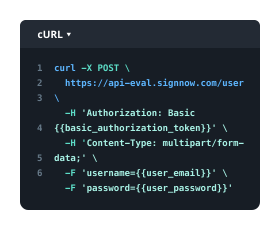
Intuitive UI and API. Sign and send documents from your apps in minutes.
Our user reviews speak for themselves












FAQs
-
How can I add comments to a PDF using airSlate SignNow?
To add comments to a PDF using airSlate SignNow, simply upload your PDF document to the platform. Once uploaded, you can use the commenting tools to highlight text, add notes, and make annotations directly on the PDF. This feature makes it easy to collaborate with others and ensure that all feedback is captured efficiently. -
Is there a cost associated with adding comments to a PDF in airSlate SignNow?
airSlate SignNow offers various pricing plans that include the ability to add comments to a PDF. Depending on the plan you choose, you can access a range of features, including commenting tools, document tracking, and eSigning capabilities. You can start with a free trial to explore how adding comments to a PDF can enhance your document management. -
What features does airSlate SignNow offer for PDF commenting?
airSlate SignNow provides a suite of features for adding comments to a PDF, including text highlighting, sticky notes, and drawing tools. These tools allow users to clearly express their thoughts and revisions directly on the document. Furthermore, you can easily share your commented PDFs with stakeholders for quick feedback. -
Can I add comments to a PDF on mobile devices using airSlate SignNow?
Yes, you can add comments to a PDF on mobile devices using the airSlate SignNow mobile app. The app is designed for ease of use, allowing you to annotate PDFs, highlight text, and leave comments from anywhere. This flexibility ensures that you can collaborate and provide feedback on the go.
-
How does adding comments to a PDF improve collaboration?
Adding comments to a PDF significantly improves collaboration by allowing team members to provide direct feedback within the document. This eliminates the need for lengthy email chains and ensures that all comments are centralized. With airSlate SignNow, everyone involved can see and address comments in real-time, streamlining the review process. -
Can I integrate airSlate SignNow with other tools to enhance my PDF commenting experience?
Absolutely! airSlate SignNow integrates seamlessly with various tools such as Google Drive, Dropbox, and Microsoft Office. This means you can easily import documents to add comments to a PDF and export them back to your preferred storage solution, enhancing your workflow and productivity. -
What are the benefits of using airSlate SignNow to add comments to a PDF?
Using airSlate SignNow to add comments to a PDF offers numerous benefits, including ease of use, enhanced collaboration features, and secure document sharing. The intuitive interface allows users to quickly annotate documents, making it easier to gather feedback and make necessary changes. Plus, all your comments are saved securely in the cloud. -
Is there customer support available if I have questions about adding comments to a PDF?
Yes, airSlate SignNow provides excellent customer support to assist users with any questions about adding comments to a PDF. You can access a comprehensive help center, live chat support, and email assistance. Our team is ready to help ensure you get the most out of your commenting experience.