Adjust Photo Document



See airSlate SignNow eSignatures in action
Create secure and intuitive eSignature workflows on any device, track the status of documents right in your account, build online fillable forms – all within a single solution.
airSlate SignNow regularly wins awards for ease of use and setup




The Optimal Method to Modify Image Documentation
Are you finding it challenging to locate a reliable service for all your document management requirements, such as the ability to Modify Image Documentation? airSlate SignNow is designed to enhance your document editing and approval process, ensuring it is as effortless as possible, regardless of the complexity. Our platform offers a comprehensive array of business-ready document editing, signing, collaboration, and organization tools that are user-friendly enough for both novices and experienced users.
- Access the airSlate SignNow homepage.
- Create or log into your current account.
- Choose one of the methods to upload your document.
- Open your document in the editor.
- Explore the left and top toolbar and find the option to Modify Image Documentation.
- Employ additional features to enhance or manage your documents.
- Save your modifications and download the document.
No matter which feature you utilize or action you perform, airSlate SignNow consistently ensures that your work is secure and seamless. Sign up for airSlate SignNow today and receive a comprehensive solution that integrates into any workflow!
How it works
eSignatures and beyond — simplify document workflows with advanced airSlate SignNow features


-
Best ROI. Our customers achieve an average 7x ROI within the first six months.
-
Scales with your use cases. From SMBs to mid-market, airSlate SignNow delivers results for businesses of all sizes.
-
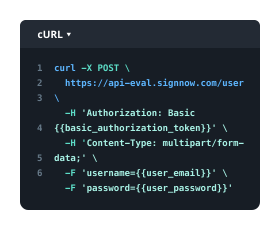
Intuitive UI and API. Sign and send documents from your apps in minutes.
Our user reviews speak for themselves












FAQs
-
What features does airSlate SignNow offer to help users adjust photo documents?
airSlate SignNow provides a variety of features that enable users to easily adjust photo documents. You can resize, rotate, and enhance images directly within the platform, ensuring your documents look professional. With our intuitive interface, even those without design experience can quickly adjust photo documents before sending them for eSignature. -
How can I adjust photo documents for better visibility in eSignatures?
To adjust photo documents for better visibility in eSignatures, airSlate SignNow allows you to enhance images by adjusting brightness and contrast. Additionally, you can crop unnecessary parts of the photo document to focus on the essential information. This ensures that signers can easily read and understand the document. -
Is there a cost associated with adjusting photo documents in airSlate SignNow?
Adjusting photo documents in airSlate SignNow is included in our subscription plans, which are designed to be cost-effective for businesses of all sizes. We offer various pricing tiers to cater to different needs, ensuring that users can efficiently adjust photo documents without incurring additional fees. Check our pricing page for more details on our affordable plans. -
Can I integrate airSlate SignNow with other applications to adjust photo documents?
Yes, airSlate SignNow integrates seamlessly with various applications, allowing you to adjust photo documents from your favorite tools. Whether you're using cloud storage services or project management tools, our integrations ensure a smooth workflow. This flexibility makes it easier to adjust photo documents directly from your existing software.
-
What types of documents can I adjust with airSlate SignNow?
With airSlate SignNow, you can adjust a wide variety of photo documents, including scanned images, PDFs, and digital photos. This versatility allows you to prepare any document for eSignature or sharing. No matter the format, our tools ensure you can easily adjust photo documents to meet your needs. -
How does airSlate SignNow ensure the security of my adjusted photo documents?
airSlate SignNow prioritizes the security of your adjusted photo documents with advanced encryption and secure cloud storage. We comply with industry standards to protect your sensitive information throughout the signing process. Rest assured, your adjusted photo documents are safe with us. -
Can I collaborate with my team on adjusting photo documents using airSlate SignNow?
Absolutely! airSlate SignNow allows team collaboration on adjusting photo documents, enabling multiple users to access and edit the same document. You can leave comments, suggest changes, and track revisions in real-time, making it easier to finalize your documents before sending them out for signatures. -
What support options are available if I encounter issues adjusting photo documents?
If you encounter any issues while adjusting photo documents, airSlate SignNow offers a robust support system. You can access our extensive knowledge base, tutorials, and FAQs, or contact our dedicated support team for assistance. We’re here to help you resolve any challenges you may face while using our platform.