Establishing secure connection…Loading editor…Preparing document…

Easement

This template is fully customizable. Edit the text, fill out the fields, and send it for signature. Give it a try!
Easement

What an Easement Is and How it Affects Property Rights

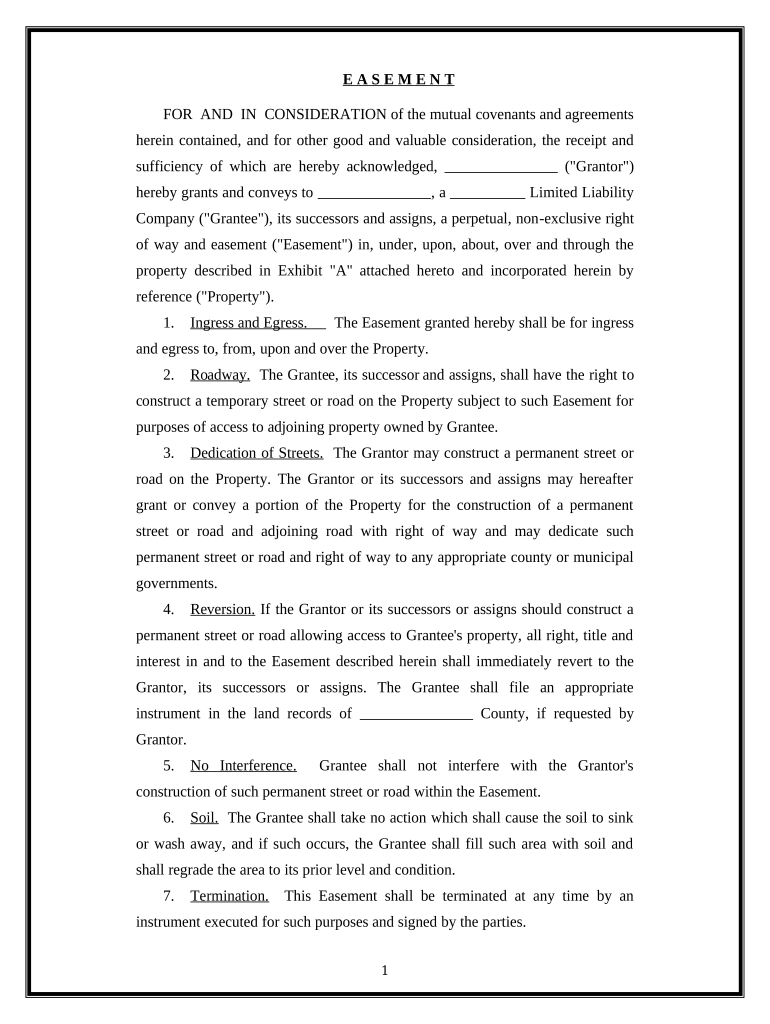
An easement is a legal right that allows one party limited use or access across another party's real property without transferring ownership. Common forms include easements appurtenant, which benefits adjoining land, and easements in gross, which benefit an individual or entity. Easements are typically created by deed, reservation, prescription, or recorded agreement and are often recorded in the county land records to provide public notice. The instrument sets scope, location, permitted uses, duration, and any maintenance or access obligations that run with the land or remain personal to the grantee.

Why a Clear Easement Document Matters

A properly drafted and recorded easement protects property rights, reduces title risk, and clarifies maintenance and access obligations. Clear terms prevent disputes, preserve resale value, and create enforceable expectations between grantor and grantee.

Why a Clear Easement Document Matters

Who Typically Prepares and Signs an Easement

Easements are prepared by landowners, attorneys, surveyors, title companies, utilities, and municipal authorities depending on the transaction and complexity.

  • Property owners and developers who need legal access or rights across adjoining parcels for driveways, utilities, or shared services.
  • Utility and infrastructure companies that require long-term installation, maintenance, or access for lines, pipes, or conduits.
  • Title companies and attorneys who prepare, review, record, and insure easements to clear title exceptions and support closings.

Essential Parts of a Professional Easement Agreement

A complete easement instrument describes who, where, what, and how long the easement lasts, plus any compensation and recording details.

Parties

Identifies grantor (property owner) and grantee (beneficiary) using full legal names and entity types to avoid ambiguity and confirm signatory authority.
Legal Description

Provides the property legal description or metes and bounds referenced to a recorded plat and parcel number so the easement area is unambiguous for title records.

Easement Area

Defines the location and dimensions of the easement (exhibit map or survey) and ties to recorded documents to prevent boundary disputes.

Purpose & Scope

Specifies permitted uses (access, utilities, drainage), restrictions, hours or seasonal limits, and operations the grantee may perform within the easement.

Duration

States whether the easement is perpetual, for a fixed term, or conditional, and explains termination events and notice procedures.

Compensation

Describes consideration or payment, cost-sharing for maintenance, and any indemnities or insurance requirements tied to easement use.

Required Information to Include on an Easement

Grantor Name: Full legal name
Grantee Name: Full legal name
Property Description: Recorded parcel
Easement Type: Access, utility, drainage
Recording County: County name
Execution Date: MM/DD/YYYY

Step-by-Step: Completing an Easement Document

Follow these practical steps to draft, sign, and record an enforceable easement.

  • 01
    Gather records: Collect deed, plat, and survey before drafting.
  • 02
    Draft terms: Define purpose, area, and duration in plain language.
  • 03
    Confirm authority: Verify signers and entity authorization or board resolutions.
  • 04
    Record instrument: File with county recorder after notarization and signatures.

Where to File or Send an Executed Easement

Recording and distribution steps depend on jurisdiction and the parties involved; follow this routing checklist.

  • County Recorder: Record the signed, notarized instrument to provide public notice.
  • Title Company: Deliver a recorded copy for title file and insurance updates.
  • Grantee File: Provide the grantee with an executed recorded copy for operational use.
  • Local Agencies: Send copies to municipal or utility departments when required.

Digital Signing, File Formats, and Integrations

Use PDF or Word formats for execution; ensure the platform meets your authentication and retention needs.

  • File formats: PDF, DOCX supported
  • Integrations: Salesforce, NetSuite, Google Workspace
  • Notarization support: In-person and RON options

Timing Considerations and Recording Best Practices

Recording promptly is key to protecting rights and avoiding title disputes; some steps are time-sensitive.

Record promptly:

Record immediately after execution to provide constructive notice.

Pre-construction notice:

File before construction or installation to avoid interference claims.

Termination notice:

Serve written notice according to instrument terms before termination.

Tax year reporting:

Consider timing for tax-year implications when compensation or conveyance occurs.

Prescriptive risks:

Delays in asserting or recording rights can increase prescriptive or adverse possession risks.

Risks and Consequences of an Incorrect Easement

Title clouding: Recording errors
Enforceability risk: Ambiguous scope
Boundary disputes: Unclear description
Costly litigation: Dispute remediation
Tax implications: Incorrect reporting
Loss of right: Failure to record

Practical Examples of Easement Use and Execution

These short examples show how organizations execute and manage easements in practice.

Tim Martin, Martin Properties

Tim Martin streamlined access easements for a residential subdivision using remote execution and recording.

  • He emphasized consistent exhibits and recorded plats to avoid disputes.
  • He reports that precise surveys and clear maintenance clauses prevented later driveway conflicts and simplified closings with lenders and title insurers.

Brian Fitzgibbons, Optica Ventures LLC

A small developer used recorded utility easements to permit underground lines serving multiple parcels.

  • The project relied on recorded exhibits and mutual maintenance terms.
  • Recording the easements with clear ingress language resolved potential access conflicts and supported successful lot sales to end buyers.

Selecting an eSignature Provider for Easements: Pricing and Capabilities

Compare core pricing and feature considerations for eSignature platforms used to execute and manage recorded easements; signNow is listed first for direct comparison.

signNow DocuSign Adobe Sign PandaDoc HelloSign
Starting Price $8/user/mo $15/user/mo $14/user/mo $19/user/mo $15/user/mo
Free Trial Yes, 7-day trial Yes, trial available Yes, trial available Yes, trial available Yes, trial available
Bulk Send Yes Yes Yes Yes No
Audit Trail Yes Yes Yes Yes Yes
HIPAA Compliant Yes Yes Yes No No

Practical Tips to Prepare an Accurate Easement

Apply these best practices to reduce risk and accelerate recording and title clearance.

Use a recorded survey exhibit
Attach a professional survey or recorded plat as an exhibit rather than relying on descriptive prose; precise bearings and distances tied to parcel references greatly reduce boundary disputes and support title insurance underwriting.
Be explicit about permitted uses
Define permitted activities, prohibited uses, hours of operation, and maintenance responsibilities to prevent later disagreement about scope and to provide clear enforcement standards for both grantor and grantee.
Confirm signatory authority
Verify that signers have authority to bind an entity or trust, obtain corporate resolutions or recorded powers of attorney as needed, and include printed names and titles adjacent to signatures for record clarity.
Record immediately after execution
Record the executed and notarized easement with the county recorder promptly to secure constructive notice, reduce adverse claim risk, and facilitate lender and title company review prior to closings.

Common Preparation Errors to Avoid

  • Vague legal description that does not align with recorded plat or survey, creating ambiguity in boundary location and enforcement.
  • Failing to notarize or properly witness the instrument, which can delay recording or invalidate a signature under local law.
  • Not confirming entity authority or missing corporate resolutions, which may render the instrument unenforceable against the entity.
  • Omitting maintenance or access details, leading to disputes over repairs, liability, and seasonal use limitations.

Frequently Asked Questions About Easements

Answers to common questions about easement creation, recording, modification, and revocation for U.S. transactions.


Need help? Contact support

be ready to get more
Join over 28 million airSlate SignNow users