Establishing secure connection…Loading editor…Preparing document…

Agreed Judgment

This template is fully customizable. Edit the text, fill out the fields, and send it for signature. Give it a try!
Agreed Judgment

What an Agreed Judgment Is and when it applies

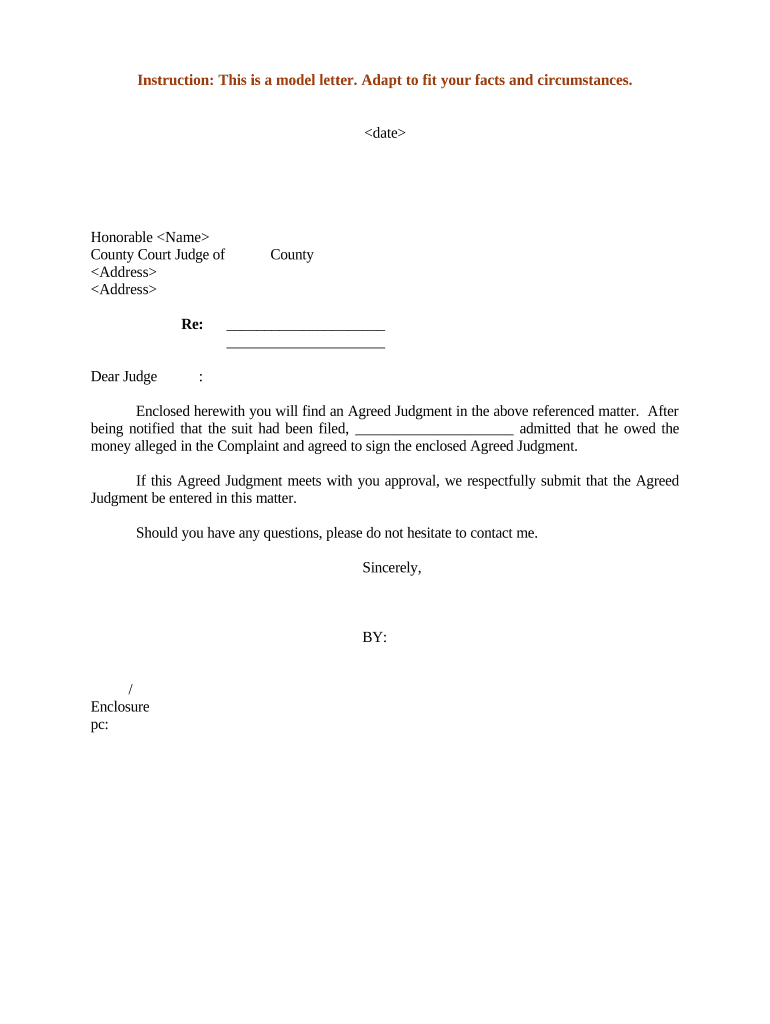
An Agreed Judgment is a court-entered order that records terms the parties negotiated and accepted, converting a private settlement into an enforceable judgment. It typically sets obligations such as payments, deadlines, injunctive terms, or dismissal language, and is entered by a judge or clerk after the court reviews the parties’ agreement. Because it becomes an official court record, execution and filing procedures must follow local court rules and any statutory requirements that govern judgments and written court orders.

Why parties use an Agreed Judgment

An Agreed Judgment clarifies enforcement rights and timelines, avoids protracted litigation over relief, and creates a court-backed remedy that can be enforced like any other judgment.

Why parties use an Agreed Judgment

Who commonly prepares and signs an Agreed Judgment

Roles vary by case and jurisdiction; always confirm who must sign and how the court requires submission before finalizing the document.

  • Plaintiffs and their counsel — prepare proposed judgment language and verify compliance with settlement terms.
  • Defendants and their counsel — confirm payment schedules, release language, and any confidentiality or injunctive clauses.
  • Court personnel — review the submitted document, enter the judgment, and docket the court record.

Who can sign on behalf of a party

Party Representative

An authorized individual such as a corporate officer or an authorized agent may sign for an entity; include evidence of authority (board resolution or power of attorney) when required by the court.

Court Official

A judge or clerk must enter and endorse the Agreed Judgment for it to become a court judgment; the court’s signature or docket entry typically creates the enforceable record.

Core components every professional Agreed Judgment should include

A clear, well-structured Agreed Judgment reduces ambiguity and the risk of enforcement disputes; include all essential elements so the court can enter the judgment without additional submissions.

Case Caption

District and party names, case number, and court name placed exactly as on the complaint to ensure correct docketing and linkage to the existing file.
Recitals

Short background statements identifying the settlement agreement, the parties’ intent to be bound, and any prior orders or stipulations that affect the judgment.

Judgment Terms

Precise obligations: payment amounts, schedule, performance milestones, release language, and default consequences stated in specific, enforceable terms.

Enforcement Mechanism

Specify remedies for breach (e.g., contempt, execution, garnishment) and whether post-judgment interest or attorney fees apply under statute or contract.

Signature Block

Designated lines for signatures, printed names, titles, dates, and, if required, notary acknowledgment or verification of authority for corporate signers.

Court Entry

A line for the judge or clerk to sign/enter the order and space for the clerk’s filing stamp or docket notation confirming entry on the public record.

Step-by-step: preparing and filing an Agreed Judgment

Follow these sequential steps to produce a court-ready Agreed Judgment and minimize processing issues.

  • 01
    Gather case information: Collect caption, case number, counsel names, and settlement terms.
  • 02
    Draft judgment language: Convert the settlement into precise, enforceable terms and include remedies.
  • 03
    Obtain signatures: All parties sign; include authority documentation for entity signers.
  • 04
    Submit to court: File per local eFiling or paper rules and request court entry/docketing.

Typical online workflow for an electronically executed Agreed Judgment

Electronic workflows can streamline preparation, signature collection, and submission when courts and parties permit e-signatures and e-filing.

  • Upload document: Sender uploads the agreed judgment draft to the e-sign platform.
  • Place signature fields: Add signature, date, and authority attachments for each signer.
  • Authenticate signers: Use email link, SMS code, or stronger authentication per court or party requirements.
  • Download final PDF: Signed PDF with audit trail is saved for filing with the court.

Configuring an online signing workflow for the Agreed Judgment

Set up fields and authentication tailored to court rules and the sensitivity of the case before sending the document for signatures.

Field Configuration
Case Number Locked text field to prevent edits after signing
Party Signatures Require full-name signature + date for each party
Authority Upload File upload field for resolutions or POAs
Court Entry Block Leave blank or mark 'For Court Use' (not to be signed by parties)

Technical and integration considerations for electronic execution

Match platform features to court rules (eFiling requirements, notarization options) and preserve an exportable, tamper-evident copy for the court record.

  • File formats: PDF and Word DOCX are commonly accepted for drafting and final PDFs
  • Audit trail: Include timestamp, IP, and signer attribution for evidentiary support
  • Integrations: Integrate with case management, cloud storage, or e-filing tools

Timing, deadlines, and processing expectations

Deadlines for entering, docketing, compliance, and appeal vary by court and by the terms of the judgment; confirm dates before finalizing the document.

Filing date:

Date you submit the proposed judgment to the clerk; court sets entry date upon acceptance.

Effective date:

Effective obligations begin on the date listed in the judgment (use MM/DD/YYYY).

Payment schedule:

Set clear due dates and late-payment consequences in the judgment.

Appeal window:

Appeal deadlines are court-specific; many civil rules use 30 days from entry.

Enforcement timing:

Post-entry enforcement procedures commence after the court’s entry and docketing of judgment.

Common mistakes to avoid when preparing an Agreed Judgment

  • Unclear payment language that fails to specify amounts, due dates, or accepted payment methods, causing enforcement disputes or motions to clarify.
  • Failing to confirm who must sign for an entity and omitting proof of authority, which can lead the clerk to reject the submission or delay entry.
  • Submitting a privately signed document to the clerk without leaving the court entry block blank for the judge or clerk to sign and stamp.
  • Assuming all courts accept electronically signed judgments; many require specific eFiling or in-court entry procedures—verify local rules first.

Consequences of errors or omissions

Enforcement delay: May block ability to execute on the judgment
Contempt risk: Noncompliance can expose a party to contempt proceedings
Rejection by clerk: Clerk may refuse to enter the judgment for technical defects
Increased costs: Additional filings or hearings increase legal fees
Appeal exposure: Ambiguities invite appellate challenges
Tax reporting: Certain payments may have tax reporting consequences

Typical vendor pricing and capability snapshot for executing Agreed Judgments

Pricing and features vary by plan and vendor; compare starting prices and core capabilities relevant to secure signing, audit trails, HIPAA compliance, and envelope limits.

signNow DocuSign Adobe Sign PandaDoc HelloSign
Starting Price $8/user/mo $15/user/mo $14/user/mo $19/user/mo $15/user/mo
Free Trial 7-day free trial Varies by vendor Varies by vendor Varies by vendor Varies by vendor
Bulk Send Yes (Business Premium) Yes (enterprise tiers) Yes (enterprise tiers) Yes (enterprise tiers) Varies by plan
Audit Trail Yes Yes Yes Yes Yes
HIPAA Compliant Yes (BAA available) Yes Yes No No
Envelope Cap No cap 100 envelopes/user/year Varies by plan Varies by plan Varies by plan

Practical examples of Agreed Judgments in use

These concise examples show how parties convert a settlement into a court-entered Agreed Judgment and the typical outcomes that follow.

Civil Settlement Entry

Two commercial parties reach a settlement over contract claims and agree on payment terms and release language.

  • Parties sign the agreement and submit a proposed Agreed Judgment to the court.
  • The court reviews the terms, enters the judgment, and the plaintiff receives an enforceable remedy with a clear post-judgment collection path.

Consumer Case Resolution

A consumer dispute resolves with a structured payment plan and confidentiality terms attached to the settlement.

  • The proposed Agreed Judgment lists precise payment dates and default remedies.
  • After entry, the judgment permits collection efforts under court authority if payments are missed and documents the parties’ release of claims.

Frequently asked questions about Agreed Judgments

Answers to common practical and legal questions to help you avoid processing delays and ensure enforceability.


Need help? Contact support

be ready to get more
Join over 28 million airSlate SignNow users