Establishing secure connection…Loading editor…Preparing document…

Future Lease Agreement

This template is fully customizable. Edit the text, fill out the fields, and send it for signature. Give it a try!
Future Lease Agreement

What a Future Lease Agreement Is and When It Applies

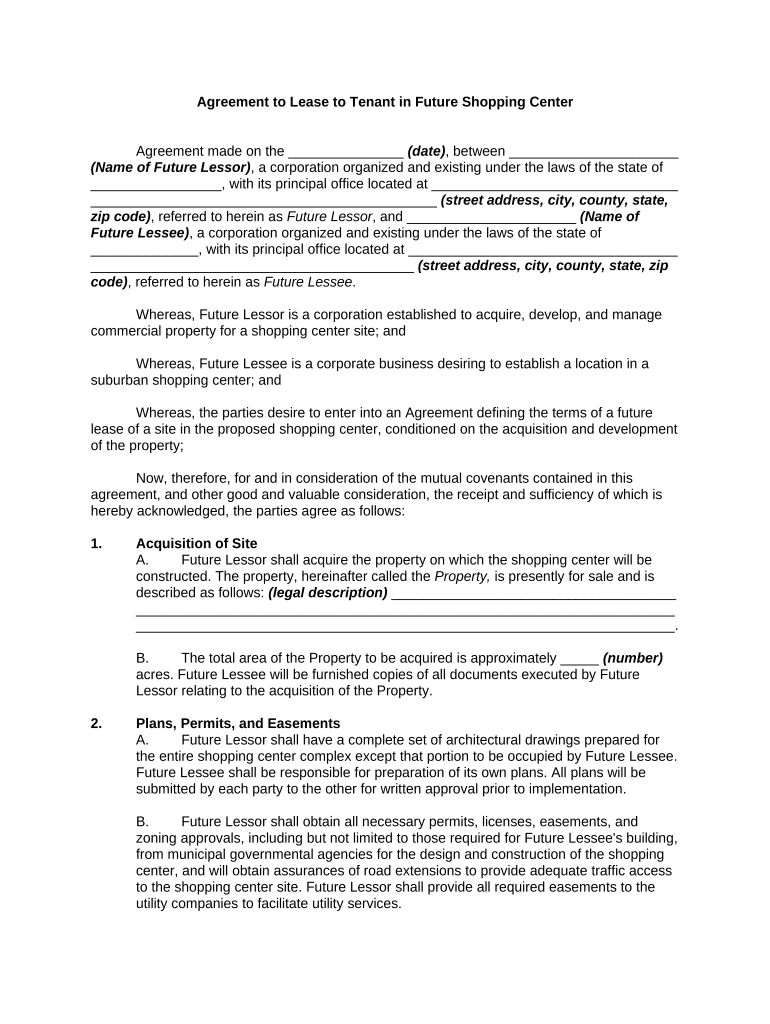
A Future Lease Agreement is a contract in which parties agree now on the material terms of a lease that will commence at a specified future date or upon a triggering event. It sets the property description, rent, term, permitted uses, conditions precedent, and responsibilities of landlord and tenant, while preserving rights to inspect, approve, or modify defined details prior to commencement. The document is commonly used for development leases, ground leases, assignments, or when occupancy will begin after construction or regulatory approvals are complete.

Why Use a Future Lease Agreement

A Future Lease Agreement locks material commercial or residential terms in advance, reduces negotiation risk later, and clarifies timing and conditions for possession. It helps align financing, construction, and permitting timelines with occupancy obligations while documenting remedies if performance milestones are missed.

Why Use a Future Lease Agreement

Who Typically Prepares and Signs a Future Lease Agreement

Common users include property owners, developers, commercial tenants, brokers, and in-house or outside counsel preparing enforceable lease commitments.

  • Property owners and landlords managing future occupancy risk and financing timing.
  • Commercial tenants securing space contingent on construction or approvals.
  • Real estate brokers or attorneys coordinating deal milestones and draft revisions.

Representative Roles Who Sign This Agreement

Property Manager

Chief leasing contact for the landlord or owner. Typically authorized to execute leases, oversee tenant improvements, and manage security deposit and rent accounting duties. May require board or owner ratification for long-term commitments.

Tenant Representative

Authorized signatory for the tenant entity or individual. Responsible for ensuring conditions precedent are met, coordinating insurance and guarantor documentation, and arranging occupancy logistics when the lease term begins.

Essential Fields to Include in the Future Lease Agreement

Parties: Full legal names
Premises: Address and legal description
Term: Commencement and expiration
Rent: Amount and payment schedule
Conditions: Triggers and contingencies
Signatures: Names, titles, dates

Core Components to Draft Clearly in a Future Lease Agreement

A professional Future Lease Agreement should include precise definitions, measurable milestone triggers, and allocation of risk to avoid ambiguity when the lease converts to an active term.

Parties

Identify landlord, tenant, and guarantors using exact legal entity names, including state of formation and authorized signatory details to avoid later identity disputes.
Premises Description

Describe the space by address, square footage, common area allocations, and any parking or storage rights so the leased area is unambiguous at commencement.

Term and Commencement

Specify the future commencement date or event, initial term length, renewal options, and how rent commencement relates to possession or substantial completion.

Rent and Payments

Detail base rent, escalations, operating expense allocations, security deposit amount, and due dates, including grace and late fee calculations.

Conditions Precedent

List required permits, approvals, construction milestones, financing, or third-party consents that must occur before obligations mature into an active lease.

Default and Remedies

Define notice periods, cure rights, termination rights for failure to meet milestones, and damages or specific performance remedies tied to missed triggers.

Step-by-Step: How to Complete a Future Lease Agreement

Follow these steps in order to prepare, review, and execute a Future Lease Agreement with minimal risk and clear milestone tracking.

  • 01
    Draft Core Terms: Define parties, premises, rent, term, and triggers in plain language.
  • 02
    Add Milestones: List measurable conditions precedent and timelines for each milestone.
  • 03
    Review Legal Provisions: Confirm indemnities, insurance, assignment, and default remedies.
  • 04
    Execute and Store: Have authorized signers sign and retain copies for enforcement.

Digital Workflow Overview for a Future Lease Agreement

A standard online workflow moves the document from preparation to signed storage with authentication, audit trail capture, and conditional fields for dynamic clauses.

  • Prepare Document: Upload draft and position signature, date, and initial fields.
  • Configure Authentication: Choose email, SMS code, or stronger identity checks where required.
  • Send to Signers: Route in signer order or send parallel signing links.
  • Complete and Archive: Capture audit trail, download signed PDF, and save securely.

Suggested Online Settings for Completing a Future Lease Agreement

Configure your digital signing workflow to include conditional clauses, signer authentication, reminders, and archival storage to retain an evidentiary record.

Field Configuration
Authentication Email or SMS code; optional KBA for high-risk deals
Conditional Fields Show or hide clauses based on selected options
Reminders Automated email reminders at configurable intervals
Storage Export signed PDF/A to cloud storage

Technical Considerations for eSigning and Storing the Agreement

Choose a platform that captures a complete audit trail, supports required authentication, and integrates with your document storage.

  • File Formats: PDF, DOCX supported
  • Integrations: Salesforce, NetSuite, Google Workspace
  • Security: TLS in transit, AES-256 at rest

eSignature Pricing Comparison Relevant to Future Lease Agreements

Compare base pricing and enterprise capabilities when selecting an eSignature vendor for high-volume or compliance-sensitive lease workflows; signNow is listed first per comparison guidance.

signNow DocuSign Adobe Sign PandaDoc HelloSign
Starting Price $8/user/mo $15/user/mo $14/user/mo $19/user/mo $15/user/mo
Free Trial 7-day free trial Varies by vendor Varies by vendor Varies by vendor Varies by vendor
Bulk Send Yes Yes Yes Yes Varies by plan
Audit Trail Yes Yes Yes Yes Yes
HIPAA Compliant Yes Yes Yes No No

Common Mistakes to Avoid When Preparing a Future Lease Agreement

  • Vague commencement triggers that fail to specify measurable conditions or timelines, leading to disputes over possession.
  • Using informal or abbreviated party names that do not match formation documents, which can impair enforcement.
  • Failing to allocate responsibility for tenant improvements, inspections, or permit costs before the lease begins.
  • Neglecting to require insurance, indemnity, or guarantor commitments that protect the landlord during the pre-commencement period.

Risks and Consequences of an Incomplete or Incorrect Agreement

Enforceability Risk: Ambiguous terms may render clauses unenforceable
Financial Exposure: Damages for breach or missed milestones
Eviction Delay: Unclear possession timing can delay remedies
Deposit Disputes: Security return conflicts increase litigation risk
Assignment Issues: Improper assignment may trigger defaults
Regulatory Noncompliance: Missing permits can halt occupancy

How Organizations Use Future Lease Agreements in Practice

The following condensed examples show how future leases solve timing and construction coordination challenges.

Optica Ventures LLC (Development Lease)

Optica negotiated material terms before construction begins to secure financing

  • Trigger tied to certificate of occupancy
  • The pre-agreed rent and tenant improvement allowances avoided re-negotiation when construction delays occurred and preserved lender confidence.

Martin Properties (Retail Ground Lease)

Martin Properties used a future lease to line up a long-term tenant during permitting

  • Rent commencement deferred to substantial completion
  • This allowed the owner to market the property and obtain approvals while giving the tenant defined remedies if milestones slipped.

Frequently Asked Questions About Future Lease Agreements

Answers to common questions about validity, eSignatures, notarization, and amendment processes for Future Lease Agreements.


Need help? Contact support

be ready to get more
Join over 28 million airSlate SignNow users