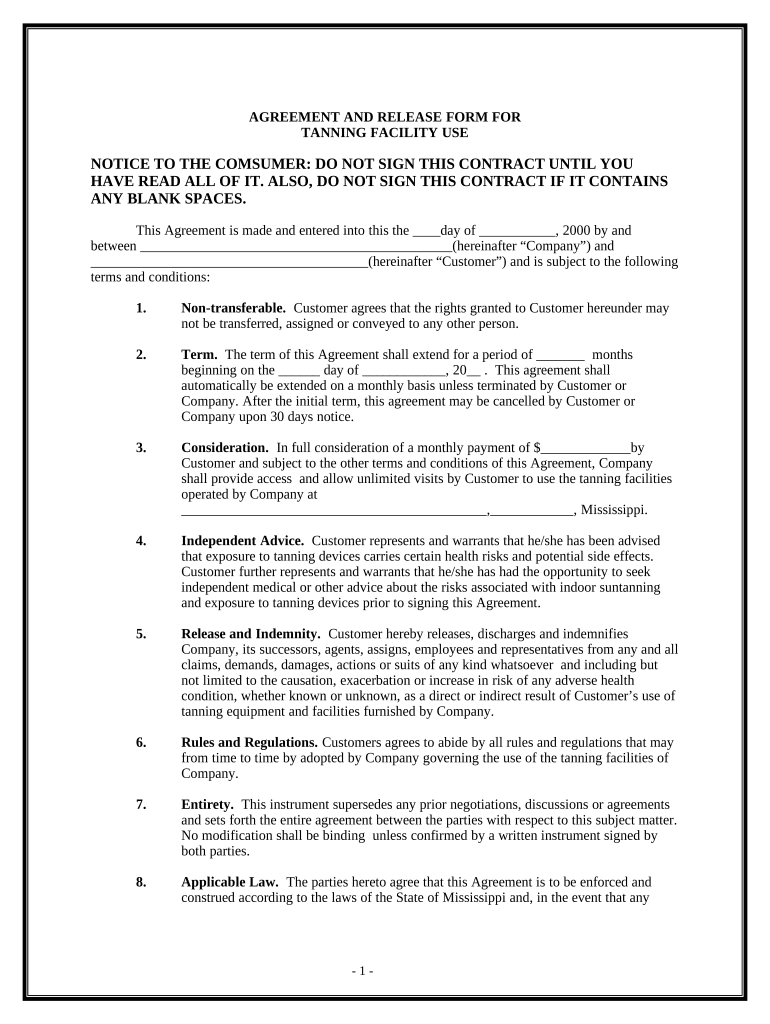
Agreement Release Form
What an Agreement Release Form Is and when it's used
Why a clear release matters
Use an Agreement Release Form to document final settlements, remove ambiguity about remaining obligations, and protect parties from future claims. When drafted with clear scope and signatures, it reduces litigation risk, evidences consideration, and preserves enforceability under applicable electronic signature laws.
Who typically prepares or requests a release
Typical users who complete or request an Agreement Release Form include the following roles and stakeholders.
- Real estate brokers and closing agents handling property liens and title release documentation.
- Creditors, lenders, or lienholders issuing releases after repayment or satisfaction of a debt or claim.
- Contracting parties and their attorneys finalizing settlements, indemnities, and mutual release provisions.
Who can sign and what their role means
Authorized Signer
A company officer or individual with delegated authority to bind the organization, such as a CFO, CEO, or managing member. They confirm the release terms, sign the document, and certify that the consideration has been received or obligations have been satisfied on behalf of the entity.
Claimant
The individual or entity releasing claims or accepting settlement terms. They must verify facts, indicate the precise scope of rights surrendered, and provide identification or supporting documents when required; attorneys often sign on behalf of clients when authorized by power of attorney or retainer agreement.
Key risks of an improper release
Common preparation mistakes to avoid
- Vague scope language leads to disputes when obligations aren't clearly identified; specify claims released, exceptions, and any survival clauses to avoid ambiguity.
- Using initials instead of full signatures or omitting dates can create evidentiary problems during enforcement or probate; use full signatures and dates.
- Failing to attach exhibits or payment receipts makes it hard to prove consideration; include supporting documents and reference them in the release text.
- Relying on weak signer authentication (only email click-through) for high-value releases increases contestability; prefer stronger ID verification or notarization where legally required.
Step-by-step: completing an Agreement Release Form
-
01Identify Parties: List full legal names and contact information
-
02Describe Release: State precisely claims, obligations, and exceptions
-
03Consideration: Document payment or other consideration terms
-
04Signatures: Have authorized signers sign, date, and notarize if required
Typical digital workflow for a release
-
Upload Document: Prepare final PDF and upload to signing platform
-
Assign Fields: Place signature, date, and initial fields correctly
-
Set Authentication: Choose email, SMS, or KBA per risk level
-
Complete & Archive: Collect signed copy and store immutable audit trail
Configuring an online signing workflow
| Field | Configuration |
|---|---|
| Signing Order | Sequential or parallel routing |
| Authentication | Email, SMS, KBA, or ID verification |
| Notary Integration | Enable RON or e-notary where required |
| Storage | Encrypted repository with access controls |
| Notifications | Automatic email confirmations and reminders |
Which document type fits your situation
| Criteria | Standard Release | Settlement Agreement |
|---|---|---|
| Purpose | single obligation release | comprehensive dispute resolution |
| Complexity | simple | negotiated contract terms |
| Consideration | often token | monetary or structured payments |
| Scope | specific claims only | broader releases and covenants |
| Enforceability | depends on formality | often drafted by counsel |
Pricing and capability snapshot for eSignature providers
| signNow | DocuSign | Adobe Sign | PandaDoc | HelloSign | |
|---|---|---|---|---|---|
| Starting Price | $8/user/mo | $15/user/mo | $14/user/mo | $19/user/mo | $15/user/mo |
| Free Trial | 7-day free trial | Varies by plan | Varies by plan | Varies by plan | Varies by plan |
| Bulk Send | Yes | Yes | Yes | Yes | No |
| Audit Trail | Yes | Yes | Yes | Yes | Yes |
| HIPAA Compliant | Yes | Yes | Yes | No | No |
| Envelope Cap | No cap | 100 envelopes/user/year | Varies | Varies | Varies |
Timing, tax reporting, and processing expectations
Timing to Sign:
Sign as part of closing or settlement; align with payment schedules.
Recording:
Record releases with county recorder when clearing title or lien interests.
Tax Reporting:
Provide documents to tax preparer; reporting may affect 1099/withholding obligations.
Dispute Window:
Allow time for review; statute of limitations varies by claim type.
Processing Time:
Expect 1–10 business days for review, notarization, or recording.
Key processing milestones from draft to archive
Drafting
Prepare release language, list claims, and attach exhibits.
Review & Negotiation
Parties and counsel review, propose changes, and agree on consideration.
Execution & Notarization
Authorized signers sign, date, and notarize per jurisdictional rules.
Recording & Distribution
File with recorder if needed, and distribute executed copies to parties.
Practical controls to reduce errors and disputes
How organizations use release forms in practice
Martin Properties
A regional property manager used a release form to clear tenant liens and finalize refunds at scale during lease terminations.
- Tim Martin: '100% compliance and built-in security'
- Using an e-signature workflow reduced in-person signings, shortened turnaround time, and produced an auditable record that supported title clearance; the company archived notarization certificates when required by state law.
Fertility Centers of Illinois
A healthcare provider standardized release forms for patient consent and third-party disclosures to comply with privacy rules.
- John Butler: 'the API has been great'
- Standardization reduced administrative burden, ensured BAA-covered workflows, and kept audit trails for HIPAA compliance; releases included explicit patient authorization language and retained records per HIPAA timelines.
Frequently asked questions about Agreement Release Forms
-
Are electronic signatures legally binding?
Yes. Under the ESIGN Act (15 U.S.C. ch. 96) and UETA where adopted, electronic signatures are legally equivalent to handwritten ones if intent, consent, attribution, and record retention are satisfied. Exceptions such as wills and certain court filings remain excluded.
-
When is notarization required?
Notarization is required when state law or the recording office mandates it for a particular instrument. Remote online notarization (RON) may be permitted under state rules with identity proofing and audio-video recording; verify local notary commission or recorder requirements.
-
Can I e-sign a release involving health information?
Yes if you use HIPAA-compliant workflows and a business associate agreement (BAA). Releases that share protected health information must include explicit authorization language and follow HIPAA recordkeeping and access rules (45 CFR §164.530(j)).
-
What if the wrong person signs?
If an unauthorized person signs, the release may be voidable. Verify signer authority in advance, obtain corporate resolutions or POAs when applicable, and consider stronger authentication or notarization to reduce the risk of challenge.
-
How can a release be revoked or canceled?
Revocation depends on contract terms and consideration. A fully executed release is generally binding; to revoke seek mutual rescission or show fraud, duress, or mistake. Consult counsel because remedies vary by contract and jurisdiction.
-
How long should executed releases be retained?
Retain per applicable standards: minimum 3 years for many tax-related items (IRC §6501(a)), 6 years for HIPAA records (45 CFR §164.530(j)), and commonly 7–10 years post-termination for certain agreements; confirm any state-specific longer periods.