Establishing secure connection…Loading editor…Preparing document…

Amount Claim Form

This template is fully customizable. Edit the text, fill out the fields, and send it for signature. Give it a try!
Amount Claim Form

What the Amount Claim Form Is and When It’s Used

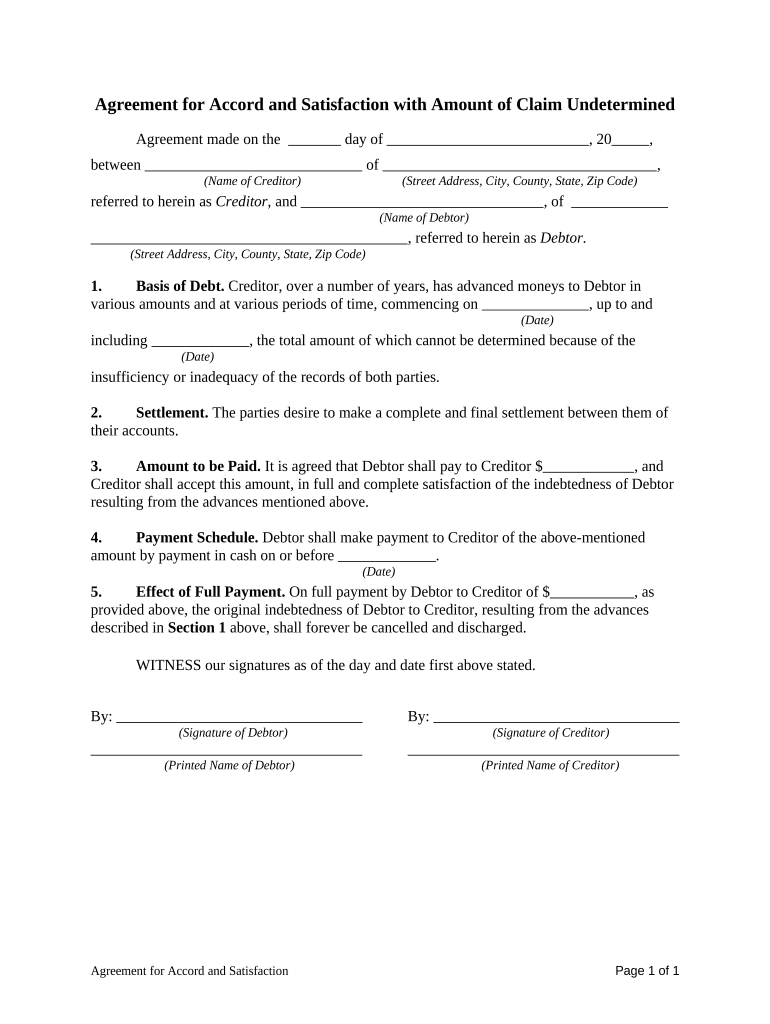
The Amount Claim Form is a standardized document used to assert a monetary claim against another party, record the amount owed, and provide supporting details necessary for processing, payment, or dispute resolution. Typical uses include vendor invoices in dispute, security deposit recovery, insurance subrogation notices, small claims filings, and internal reimbursement requests. The form collects claimant and respondent identification, claim basis, itemized amounts, dates, and attachments. Proper completion creates a clear, auditable record that supports legal and administrative actions and helps avoid processing delays or rejections.

Why a Clear Amount Claim Form Matters

A complete Amount Claim Form reduces ambiguity about the amount and basis of the claim, documents intent and attribution, and creates an auditable trail. Clear records speed internal review, simplify compliance checks, and support enforceability in negotiations or formal proceedings.

Why a Clear Amount Claim Form Matters

Who Typically Prepares and Receives an Amount Claim Form

Organizations and individuals who use the Amount Claim Form include accounts payable teams, claim administrators, vendors, tenants, and insured parties when asserting monetary claims.

  • Accounts payable and collections staff who need documented claims to process disputed invoices and trigger payment or dispute workflows.
  • Insurance claims departments submitting subrogation or recovery requests with itemized losses and supporting documentation attached.
  • Individuals filing small claims, security deposit disputes, or reimbursement requests that require a clear statement of the amount and basis.

Essential Sections to Include on a Professional Amount Claim Form

Core sections of a professional Amount Claim Form ensure completeness, evidentiary value, and processing efficiency across administrative and legal workflows.

Claim Summary

Provide a concise description of the claim, including the total amount claimed, currency, and a short explanation of the basis for the amount with references to invoices, contracts, or dates.
Parties

List claimant and respondent full legal names, business names if applicable, mailing addresses, contact emails and phone numbers, and any representative or counsel handling the claim.

Itemized Amounts

Provide an itemized breakdown showing each charge, date, quantity, unit price, and subtotal. Indicate taxes, fees, credits, or prior payments that modify the claimed total.

Supporting Evidence

Attach copies of invoices, contracts, delivery receipts, correspondence, or other documents that substantiate the amounts and the claimant's entitlement to recovery, including timestamps and reference numbers.

Claim Dates

Record the date the claim arose, billing periods covered, invoice dates, communications dates, and any contractual or statutory deadlines for payment or dispute resolution as specified in agreements.

Signatures

Provide signature blocks for claimant and authorized representative, printed name, title, date signed, and contact for verification, and include signer identification details. Note notarization or witness requirements if applicable.

Step-by-Step: Completing and Submitting an Amount Claim Form

Follow these steps to complete and submit the Amount Claim Form accurately and create a record suitable for review or legal action.

  • 01
    Prepare: Gather invoices, contracts, correspondence, and payment records.
  • 02
    Fill Fields: Enter claimant, respondent, itemization, amounts, and dates in MM/DD/YYYY format.
  • 03
    Attach Evidence: Upload or staple supporting documents and reference attachments in the form.
  • 04
    Sign & Send: Sign with authority, notarize if required, and submit to the recipient or filing office.

Configuring an Online Workflow for the Amount Claim Form

When configuring an online Amount Claim Form, map fields, permissions, notifications, and signature requirements to match business rules and legal needs.

Field mapping to backend system Map form fields to database columns.
Define signer roles and signing order Set sequential or parallel routing logic.
Authentication methods for signer verification Choose email, SMS, or KBA verification methods.
Notification and reminder schedule for parties Configure email reminders and status notifications.
Retention and export rules for completed forms Set retention period and automatic export formats.

Typical Routing and Resolution Flow

Typical routing paths for an Amount Claim Form outline internal review, approvals, external service, and final payment or dispute resolution.

  • Internal Review: Finance verifies charges and approves forwarding to collections.
  • Approval: Authorized officer signs and dates to certify the claim.
  • Serve Notice: Deliver claim to respondent by mail, email, or registered service.
  • Resolution: Respondent pays, negotiates, or disputes potentially triggering mediation or court proceedings.

Technical Requirements for Digital Submission

Digital submission of an Amount Claim Form requires compatible file formats, signer authentication, and secure delivery options.

  • File Types: PDF, DOCX, HTML supported
  • Signer Authentication: Email, SMS, KBA, or SSO
  • Integrations: Salesforce, NetSuite, Google Workspace

Security and Compliance Considerations

Encryption: TLS 1.2/1.3; AES-256 at rest
Audit Trail: Timestamped actions, IP addresses
HIPAA BAA: Business associate agreement available on request
Authentication: Email, SMS, KBA, SSO
Document Formats: PDF, DOCX, HTML supported
Retention: Configurable retention and export

Key Deadlines and Timeframes to Track

Key timelines for an Amount Claim Form include submission deadlines, internal review windows, and statutory periods that affect enforcement or tax reporting.

Submission upon discovery of liability:

Provide claim upon discovery of loss or unpaid invoice.

Internal review and approval timeframe:

Allow 5–15 business days for verification and approvals.

Respondent reply and notice period:

Commonly 30 days to acknowledge or dispute the claim.

Statute of limitations and tolling rules:

Varies by claim type and state — consult counsel.

Tax reporting and backup withholding obligations:

Missing payee TIN can require 24% backup withholding.

Common Preparation Pitfalls to Avoid

  • Submitting an amount claim without supporting invoices, receipts, or contract references often delays processing and prompts requests for additional evidence from the respondent.
  • Vague descriptions of charges or billing periods make it harder to match claims to records and increase dispute likelihood.
  • Claimant or payee names that do not match legal entity records can trigger tax withholding or return of funds.
  • Delays in filing or serving the Amount Claim Form may forfeit contractual remedies or extend collections timelines unnecessarily.

Consequences of Inaccurate or Incomplete Claims

Incorrect Amount: Can lead to denial or dispute
Missing TIN: Triggers 24% backup withholding
Late Filing: Penalties per IRC §6721
Intentional Disregard: Higher fines; no maximum cap
I-9 Violations: $281–$2,789 per violation
Unauthorized Disclosure: HIPAA or privacy breach risk

Representative eSignature Pricing and Feature Comparison

Comparison of representative eSignature plans and features relevant when executing Amount Claim Forms and managing associated workflows.

signNow DocuSign Adobe Sign PandaDoc HelloSign
Starting Price $8/user/mo $15/user/mo $14/user/mo $19/user/mo $15/user/mo
Free Trial 7-day free trial Varies by plan Varies by plan Varies by plan Varies by plan
Bulk Send Yes Yes Yes Yes No
Audit Trail Yes Yes Yes Yes Yes
HIPAA Compliant Yes Yes Yes No No
Envelope Cap No cap 100 envelopes/user/year Varies by plan Varies by plan Varies by plan

Frequently Asked Questions About the Amount Claim Form

Common questions about completing, submitting, and enforcing an Amount Claim Form are answered below to reduce errors and processing delays.


Need help? Contact support

be ready to get more
Join over 28 million airSlate SignNow users