Establishing secure connection…Loading editor…Preparing document…

Petition to Annul Consent Judgment

This template is fully customizable. Edit the text, fill out the fields, and send it for signature. Give it a try!
Petition to Annul Consent Judgment

What the Petition to Annul Consent Judgment Is

The Petition to Annul Consent Judgment is a court filing used to ask a judge to set aside or cancel a previously entered consent judgment between parties. It explains the legal and factual basis for annulment, identifies the judgment at issue, and requests specific relief such as vacatur or reopening of the matter. Petitioners typically attach supporting evidence, affidavits, and a proposed order. Grounds can include mistake, fraud, lack of jurisdiction, or mutual mistake. The petition initiates a formal process governed by state civil procedure and applicable federal rules when relevant.

Why Parties File a Petition to Annul Consent Judgment

Filing a Petition to Annul Consent Judgment restores parties' rights where a judgment resulted from fraud, mistake, or procedurally defective consent. It enables courts to vacate or modify the judgment, correct legal records, and reopen underlying disputes when statutory or equitable grounds exist.

Why Parties File a Petition to Annul Consent Judgment

Who Typically Prepares and Files This Petition

Typical filers include litigants, defense and plaintiff attorneys, and court-appointed representatives seeking to correct or vacate consent judgments.

  • Individual litigants who can demonstrate fraud, mistake, or lack of jurisdiction in the original proceeding.
  • Attorneys filing motions on behalf of clients to restore contractual or property rights affected by the judgment.
  • Third parties with legal interest, such as lienholders or successors, when their rights were impacted by the consent judgment.

Who Signs and Leads the Filing

Lead Petitioner — Attorney

As counsel, the attorney prepares the petition, assembles affidavits and exhibits, certifies service, and argues equitable grounds in court. Counsel must verify facts, comply with state civil procedure rules, and ensure timely notice to affected parties and the court.

Affected Party — Litigant

A party to the original case who petitions to annul must present specific factual or legal defects in the consent judgment, provide supporting evidence, and follow service and filing rules. Courts often require prompt action once the defect is discovered.

Security and Compliance Considerations for Filing Materials

Encryption: TLS 1.2/1.3 in transit, AES-256 at rest
Audit Trail: Detailed timestamps, IP addresses, action log
HIPAA: BAA available for protected health data
Authentication: Email, SMS codes, advanced signer options
Tamper Evidence: Tamper-evident PDFs and version history
Compliance: SOC 2 Type II and ISO 27001

Risks and Consequences of an Incorrect Petition

Denial Risk: Motion denied for insufficient grounds
Sanctions: Court may award fees against filer
Statute Limits: Missed deadlines can bar relief
Perjury Exposure: False affidavits risk criminal charges
Costs: Attorney and filing costs increase liability
Record Impact: Permanent public record alteration possible

Common Preparation Mistakes to Avoid

  • Failing to attach the original consent judgment or certified docket entries, which prevents the court from identifying the judgment to be annulled.
  • Relying on general assertions instead of detailed affidavits and documentary evidence showing fraud, mistake, or lack of jurisdiction.
  • Missing service or notice requirements to affected parties and lienholders, leading to procedural dismissal or delay in relief.
  • Using incorrect procedural posture or filing in the wrong court, which can require refiling and additional costs.

Step-by-Step: Preparing and Filing the Petition

Follow these steps to prepare and file a Petition to Annul Consent Judgment in court.

  • 01
    Identify Judgment: Attach judgment, docket number, and entry date.
  • 02
    State Grounds: Describe fraud, mistake, or jurisdictional defect with facts.
  • 03
    Attach Evidence: Include affidavits, exhibits, and certified records.
  • 04
    File & Serve: File with clerk, pay fees, and serve parties.

How the Annulment Petition Process Unfolds

This process outlines the route from petition drafting to the court's ruling on annulment and enforcement.

  • Draft Petition: State relief sought and legal basis succinctly.
  • Supporting Record: Attach certified docket, affidavits, and exhibits.
  • Filing: Submit to clerk with correct forms and fees.
  • Hearing: Court schedules hearing; both sides may present argument.

Key Elements Every Professional Petition Should Include

Essential components of a professional Petition to Annul Consent Judgment ensure completeness and persuasive presentation to the court and compliance with procedural rules.

Caption

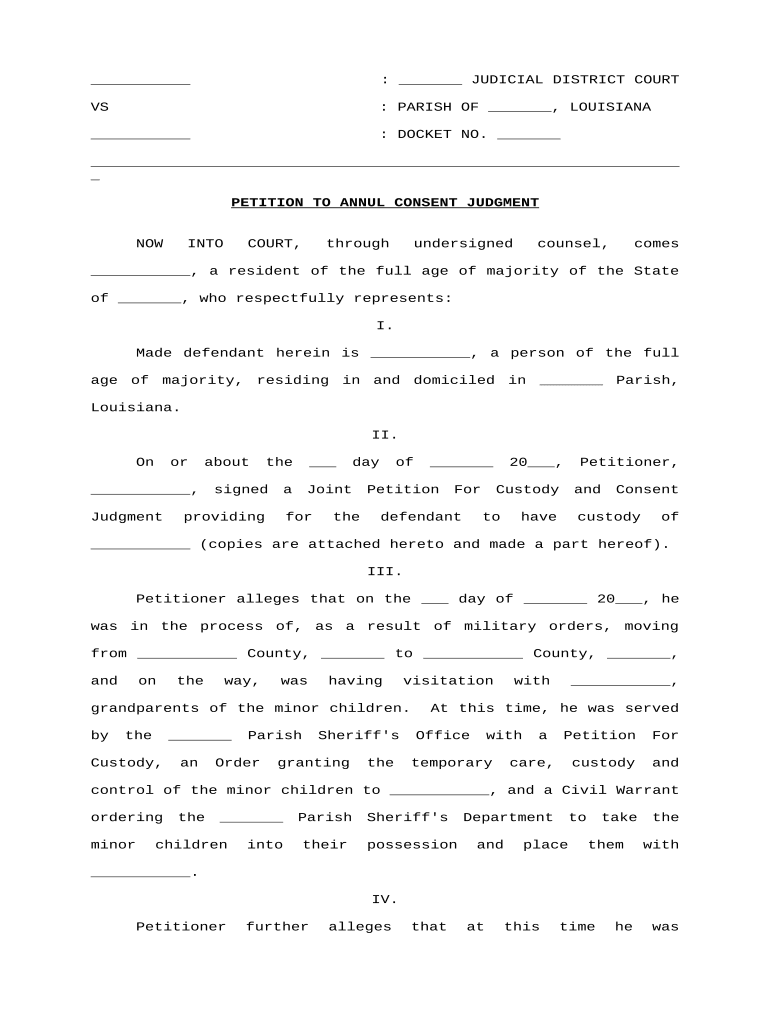
Use the exact case caption, court name, docket number, and judge. Accurate identification avoids misfiling and helps the clerk and judge locate the underlying record efficiently.
Statement of Facts

Provide a concise chronology of events leading to the consent judgment, including negotiations, representation, and facts supporting annulment grounds such as fraud, mistake, or lack of service.

Legal Argument

Cite applicable statutes and case law that support annulment, explain standards such as fraud or mistake, and demonstrate why relief is warranted under state procedural rules.

Relief Requested

Specify precise remedies sought — vacatur, set-aside, modification, or reopening — and attach a proposed order the court may enter if the petition is granted.

Service Proof

Include certificates of service, mailing receipts, or return-of-service affidavits to prove notice to all parties and interested third parties such as lienholders.

Timeliness

Explain when the cause was discovered, justify any delay, and show compliance with statute of limitations or state procedural deadlines to avoid dismissal.

Configuring an Online Workflow for Filing and Evidence

Configure an online workflow to collect signatures, evidence, and serve parties electronically where permitted consistent with ESIGN and state rules.

Field Configuration
Preferred signer authentication method options Email link with optional SMS code or KBA where required
Document fields and mapping for evidence Signature, date, attachments, conditional fields configured
Routing order, notifications, and deadline reminders Set signer order, automatic reminders, and escalation
Storage and retention settings for records Define retention period, export formats, and access controls
Notarization and RON options if required Enable RON session capture, AV recording, and journal entries

Platform and Integration Requirements

Ensure your eSignature platform supports legal requirements and integrations for filing a petition electronically where permitted by state law.

  • Document Formats: PDF, DOCX accepted with audit trail
  • Integrations: Works with NetSuite, Salesforce, Microsoft 365
  • Advanced Fields: Conditional logic, calculated fields, attachments

Key Timing and Filing Deadlines to Watch

Key filing and post-filing deadlines affect relief; state rules determine promptness and statute of limitations considerations.

Time to Discover and Act:

File promptly after discovering defect to avoid laches or waiver.

Statute of Limitations Impact:

State statutes or equitable doctrines can limit the time to seek annulment.

Service and Notice Deadlines:

Proof of service required; failure may result in dismissal.

Hearing Scheduling Window:

Court sets hearing dates; expect several weeks to months timeline.

Appeal and Refiling Limits:

Post-judgment relief may be subject to appeal timeframes and refiling rules.

Key Milestones from Filing to Final Order

Major milestones from filing to final disposition guide expectations and resource planning for the annulment process.

01

Prepare Petition

Draft petition, gather exhibits, affidavits, and proposed order.

02

File & Serve

File with clerk and serve all required parties promptly.

03

Attend Hearing

Present evidence and legal argument; be prepared for motions.

04

Entry of Order

Court issues order vacating, modifying, or denying relief.

eSignature Provider Comparison for Filing Documents

Cost and feature comparison of common eSignature providers relevant when preparing and submitting Petition to Annul Consent Judgment documents electronically.

signNow DocuSign Adobe Sign PandaDoc HelloSign
Starting Price $8/user/mo $15/user/mo $14/user/mo $19/user/mo $15/user/mo
Free Trial 7-day free trial Varies Varies Varies Varies
Bulk Send Yes Yes Yes Yes Yes
Audit Trail Yes Yes Yes Yes Yes
HIPAA Compliant Yes Yes Yes No No
Envelope Cap No cap 100 env/yr Varies Varies Varies

Real-World Examples of Annulment Petitions

Examples show how practitioners package petitions, evidence, and remote signatures to achieve timely court correction without unnecessary delay.

Optica Ventures — COO

Optica Ventures reduced time to gather signatures when reopening cases that required document corrections by moving filings and exhibits online.

  • Enabled remote evidence submission and signed affidavits.
  • Using a secure eSignature workflow, the legal team attached certified records, validated signer identities, and submitted exhibits electronically, avoiding travel and reducing processing time. The court accepted properly formatted petitions and scheduled an expedited hearing.

Martin Properties — Founder

A real estate operator needed to annul a consent judgment tied to a prior lease error and required rapid court correction without in-person signings.

  • Processed online signatures and evidence submissions.
  • They combined notarized affidavits, digital exhibits, and authenticated e-signatures to demonstrate mistake; counsel presented the package at hearing. The court vacated the consent judgment, and title records were corrected without delay.

Best Practices for Accuracy and Faster Resolution

Best practices reduce risk and improve acceptance rates when filing a Petition to Annul Consent Judgment.

Ensure all petition sections and exhibits are complete
Verify the caption, docket number, party names, and service certificates. Number exhibits sequentially, include exhibit index, and cross-reference facts in the petition to exhibits to avoid clerical rejection or delays.
State clear legal grounds and factual support
Frame each ground with supporting facts, cite statutes and precedents, and avoid conclusory language. Courts expect detailed factual narratives that tie directly to legal elements for fraud, mistake, or jurisdictional defects.
Provide robust service proof and notification records
Include signed return-of-service affidavits, certified mail receipts, or electronic service logs. For interested third parties and lienholders, append mailing lists and link digital evidence to the certificate of service to prevent challenges.
Confirm filing requirements with the court clerk in advance
Verify local filing fees, required forms, exhibit formatting rules, and whether electronic submission is accepted. Ask about available hearing dates and any clerk templates to avoid avoidable procedural rejections.

Frequently Asked Questions and Troubleshooting

Common questions address timing, required evidence, e-signature acceptability, notarization, and service obligations for annulment petitions.


Need help? Contact support

be ready to get more
Join over 28 million airSlate SignNow users