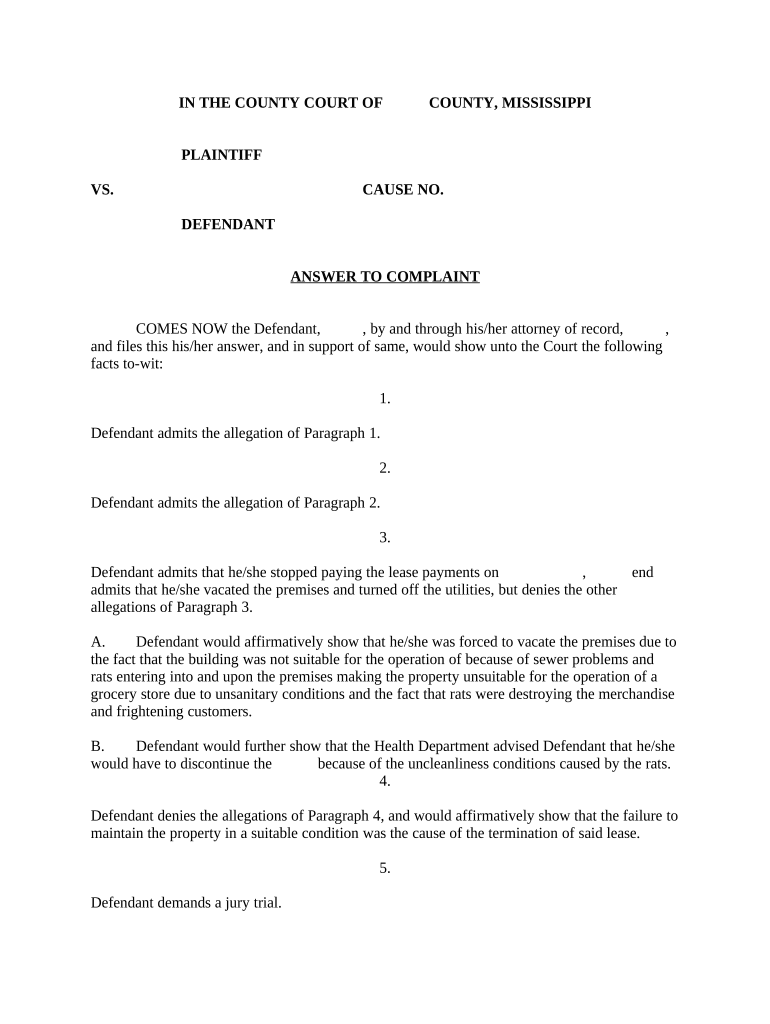
Mississippi Answer to Complaint
What the Mississippi Answer to Complaint Is
Why a Timely, Accurate Answer Matters
Filing a correct Answer protects your procedural rights, preserves defenses, and avoids default judgment; it also sets the scope for discovery and future motions.
Who Typically Prepares and Files an Answer
Choose the profile that matches your situation to follow the most relevant steps and considerations.
- Defense attorneys representing individuals or businesses in civil litigation, preparing tailored responses and affirmative defenses.
- Pro se defendants who represent themselves and must follow court rules for format, service, and deadlines.
- In-house counsel handling business litigation where Answers are coordinated with litigation strategy and corporate policies.
Typical Signatories and Their Roles
Defense Attorney
An attorney signs the Answer on behalf of a client after client review, certifies service, and often files electronically; attorneys advise on affirmative defenses and potential counterclaims.
Pro Se Defendant
An individual who signs their own Answer must ensure correct captioning, include a certificate of service, follow local court formatting rules, and possibly request guidance from the clerk for filing procedures.
A Stepwise Process for Preparing Your Answer
-
01Review the Complaint: Read every allegation and note deadlines
-
02Draft Responses: Admit, deny, or state lack of knowledge
-
03Add Defenses: Include all applicable affirmative defenses
-
04File and Serve: File with clerk and serve opposing counsel
How to Set Up an Online Answer Workflow
| Field | Configuration |
|---|---|
| Document Source | Upload PDF complaint or template |
| Template Mapping | Auto-fill caption and case number |
| Signer Authentication | Email or advanced verification |
| Delivery Method | E-file and email service |
Where to File and How Service Works
-
Prepare Answer: Finalize responses and attach exhibits
-
File with Clerk: E-file or submit at clerk's office
-
Serve Plaintiff: Serve per rules: e-service, mail, or personal
-
Record Proof: Include certificate of service or return
Digital Signing and eSubmission Considerations
Confirm court e-filing rules and retain complete audit records to demonstrate authenticity and service when required.
- File Types: PDF is widely accepted
- Authentication: Email or stronger verification
- Audit Trail: Timestamps, IP, action log
Typical Deadlines and Timing to Track
Federal Court Response:
21 days after service (Fed. R. Civ. P. 12)
Mississippi State Court:
Typically 30 days after service; verify local rules
Extension Requests:
Judge may extend for good cause
Counterclaims:
Respond within same original period
Default Risk:
Missed deadline risks entry of default
Common Preparation Mistakes to Avoid
- Failing to respond to each numbered allegation results in unintended admissions and weakens defense positions.
- Missing the filing deadline creates exposure to default judgment and limits ability to assert defenses or counterclaims.
- Using incorrect caption or case number can lead to clerks returning the filing or misdocketing the document.
- Omitting certificate of service or failing to serve opposing counsel correctly may invalidate the filing and prompt sanctions.
Consequences of Inaccurate or Late Answers
Practical Examples of Answer Use
Small Business Defense
A local contractor disputed breach allegations by denying most claims and asserting defenses for waiver and mitigation.
- The Answer attached invoices and a copy of the contract.
- Filing promptly preserved counterclaims and enabled discovery to obtain supporting communications and payment records.
Pro Se Response
An individual defendant filed a concise Answer admitting limited factual points while denying liability and requesting mediation.
- The filing included a certificate of service.
- The clear, timely Answer avoided default and allowed settlement discussions without immediate motion practice.
Comparing eSignature Options for Preparing and Signing an Answer
| signNow | DocuSign | Adobe Sign | PandaDoc | HelloSign | |
|---|---|---|---|---|---|
| Starting Price | $8/user/mo | $15/user/mo | $14/user/mo | $19/user/mo | $15/user/mo |
| Free Trial | 7-day free trial | No | No | Yes, limited | Yes, limited |
| Bulk Send | Yes | Yes | Yes | Yes | No |
| Audit Trail | Yes | Yes | Yes | Yes | Yes |
| HIPAA Compliant | Yes | Yes | Yes | No | No |
Practical Tips for Accurate and Efficient Answers
Frequently Asked Questions About the Mississippi Answer to Complaint
-
When must I file an Answer?
File within the response period that applies: typically 21 days in federal court (Fed. R. Civ. P. 12) and commonly 30 days in state courts. Always confirm the summons and local rules for the exact deadline.
-
Can the Answer be electronically signed?
Yes. Electronic signatures satisfy ESIGN and UETA when intent and attribution are clear and an audit trail is retained. For consumer-facing matters, ensure any required ESIGN consumer disclosures are provided.
-
What if I need more time to respond?
Request an extension from opposing counsel or file a motion for enlargement with the court showing good cause; the court may grant or deny the extension.
-
What happens if I miss the deadline?
Missing the deadline can lead to entry of default and potential default judgment; promptly move to set aside any default where appropriate under applicable rules.
-
Do I need to serve the plaintiff after filing?
Yes. File the Answer with the clerk and serve the plaintiff per court rules; include a certificate of service showing method and date of service.
-
Can I amend the Answer later?
Amendments are allowed under procedural rules, often by leave of court or as a matter of course within a limited time. File a motion to amend if required and attach the proposed amended pleading.