Establishing secure connection…Loading editor…Preparing document…

Amended Answer and Reconventional Demand

This template is fully customizable. Edit the text, fill out the fields, and send it for signature. Give it a try!
Amended Answer and Reconventional Demand

What an Amended Answer and Reconventional Demand Is

An Amended Answer and Reconventional Demand is a court pleading that updates a defendant's original answer while asserting a reconventional demand (a counterclaim) against the plaintiff. It restates defenses, adds any newly discovered facts or causes of action, and seeks affirmative relief. The document complies with procedural rules for amendments and counterclaims under applicable civil procedure (for example, FRCP 15 and Rule 13 analogues in state courts). It must be served and filed according to the court's local rules and include a certificate of service.

Why Filing an Amended Answer and Reconventional Demand Matters

Filing this pleading preserves defenses, asserts counterclaims promptly, and frames relief the defendant seeks. A properly drafted amended answer avoids waiver of arguments and helps the court address all related claims together.

Why Filing an Amended Answer and Reconventional Demand Matters

Who Prepares and Relies on This Pleading

Typical filers include defense counsel, self-represented defendants, and in-house legal teams responding to changed facts or additional claims.

  • Defense attorneys filing updated responses and counterclaims on behalf of clients.
  • Self-represented litigants who must preserve affirmative defenses and assert counterclaims.
  • In-house counsel coordinating litigation strategy and managing related claims across jurisdictions.

Use this pleading when new facts arise, when you need to add or amend claims, or when courts require consolidation of defenses and counterclaims.

Core Components of a Professional Amended Answer and Reconventional Demand

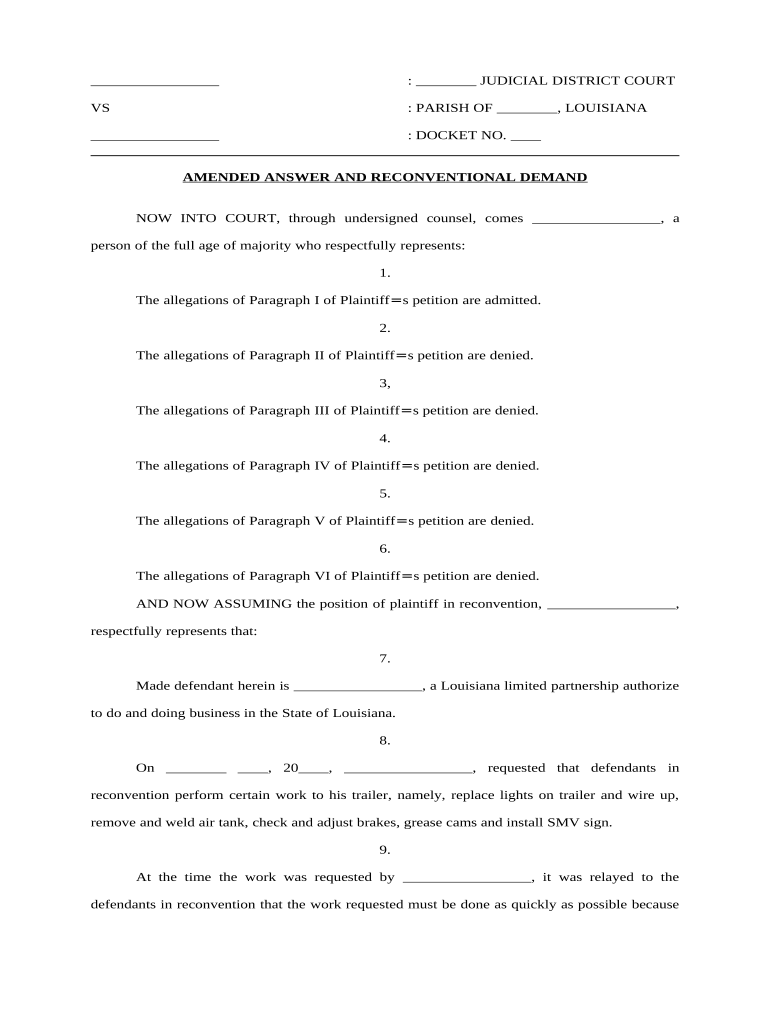
A complete document organizes procedural headings, factual allegations, defenses, the reconventional demand, demanded relief, and a certificate of service in a clear, court-ready format.

Caption

Court name, case number, party names, and title of the pleading; must match the original docket precisely.
Introductory Allegations

Short opening paragraphs that reference the original complaint and explain why the answer is being amended or why new counterclaims are asserted.

Affirmative Defenses

Numbered defenses with factual support; include any newly discovered defenses that would otherwise be waived if not timely asserted.

Reconventional Demand

Clear statement of counterclaims, elements of each cause of action, factual support, and the specific relief requested from the court.

Prayer for Relief

Precise remedies sought (damages, declaratory relief, injunctive relief, attorney fees), stated in measurable or specific terms where possible.

Certificate of Service

Declaration that all parties were served, including method and date of service as required by local rules.

Step-by-Step: Preparing and Filing the Amended Answer and Reconventional Demand

Follow a clear preparation and filing sequence to ensure timeliness and compliance with court procedures.

  • 01
    Draft the Amendment: Incorporate new facts and legal claims succinctly.
  • 02
    Review Local Rules: Confirm page limits, formatting, and filing windows.
  • 03
    Sign and Date: Ensure authorized signature and contact details are present.
  • 04
    File and Serve: Submit to the clerk and serve opposing parties per rule.

Preparing an Electronic Workflow for this Pleading

Configure an e-filing workflow that includes field validation, signature capture, and service tracking before submission.

Field Configuration
Case Caption Field Auto-validate against docket number
Date Field MM/DD/YYYY format and calendar picker
Signature Field Require typed name and authentication
Service Tracker Record method and timestamp of service

Where to File and How the Document Moves Through the Court

Understand the destination and downstream routing: clerk intake, case management, opposing counsel, and judge.

  • Clerk's Office: File via court e-filing portal or in person
  • Case Management: Clerk assigns entry and docket updates
  • Opposing Parties: Service delivery per local civil procedure rules
  • Judicial Review: Judge may permit, deny, or schedule briefing

Common Deadlines and Response Windows to Watch

Timing for amendments and counterclaims depends on federal or state rules; missing windows can waive defenses or claims.

Amendment as a Matter of Course:

Within 21 days after service (FRCP 15(a))

After Opposing Motion:

Amend within 21 days of court order or with permission

Counterclaim Timing:

Include compulsory counterclaims in the answer or they may be waived

Service Deadline:

Serve amended pleading per local service rules promptly

Response to Amendment:

Opposing party typically has standard answer period to respond to amended pleading

Key Milestones from Draft to Court Decision

Sequence the major stages so filings and service meet court expectations and preserve rights.

01

Draft and Internal Review

Prepare pleading and confirm factual support before filing.

02

File with Clerk

Submit via e-file or in person and obtain docket entry.

03

Serve Parties

Provide proof of service and method used.

04

Await Court Ruling

Judge may accept, require briefing, or set hearing.

Common Preparation Mistakes to Avoid

  • Using incorrect case caption or docket number that causes clerical misfiling and delays with the clerk.
  • Failing to assert compulsory counterclaims, which can result in waiver of those claims at trial.
  • Neglecting local formatting or signature requirements and triggering rejection by the clerk's intake staff.
  • Omitting a clear certificate of service or using an improper service method under local rules.

Risks and Consequences of Incorrect or Late Filings

Default Judgment: Risk of losing the case on unopposed claims.
Sanctions: Court may impose monetary or procedural sanctions.
Waiver of Claims: Failure to plead compulsory counterclaims can forfeit rights.
Jurisdictional Defects: Improper service can void court jurisdiction.
Delay Costs: Added litigation expense and scheduling complications.
Evidentiary Limits: Late claims may be excluded from evidence or precluded.

Essential Information to Include in the Pleading

Case Number: Match the court docket number exactly.
Court Name: Use the official court caption.
Party Identification: Full legal names and capacities.
Statement of Claims: Concise factual bases for each counterclaim.
Relief Requested: Specific remedies and dollar amounts.
Certificate of Service: Method and date of service recorded.

Who Has Authority to Sign and File This Document

Attorney of Record

An attorney admitted in the court may sign and file on behalf of a party. The signature should include the attorney's name, firm, mailing address, phone, email, and bar number where required; the attorney certifies compliance with professional rules and local court requirements.

Authorized Party Representative

A party may sign if self-represented or if the party has authorized a corporate officer or designated agent. The signer must have authority to bind the party and must indicate title or capacity beneath the signature block for evidentiary clarity.

Digital Signing and e-Filing: Platform and Format Notes

Choose a platform that produces court‑ready PDFs, preserves audit trails, and supports required authentication.

  • File Formats: PDF and PDF/A are widely accepted
  • Security: TLS 1.2/1.3 transit; AES-256 at rest
  • Integrations: Connects to e-filing portals and document storage

Validate court-specific e-filing format, ensure metadata is accurate, and preserve an immutable audit trail for service and signature verification.

Representative Examples of When to File an Amended Answer with Reconventional Demand

Practical scenarios show when an amendment plus counterclaim clarifies disputes and consolidates relief requests.

Breach of Contract Counterclaim

After discovery reveals unpaid invoices and material breaches, defendant amends to add breach and damages allegations.

  • The counterclaim asserts specific unpaid amounts and breach dates.
  • The pleading attaches invoices and correspondence as exhibits and requests compensatory damages, costs, and attorney fees consistent with the contract.

Property Damage Reconventional Demand

Defendant learns the plaintiff caused property damage during performance and adds a reconventional demand for repair costs.

  • The demand documents the damage and repair estimates.
  • It seeks damages, statutory interest, and a judicial determination of liability, consolidating overlapping claims for efficient resolution.

eSignature Provider Comparison for Preparing and Signing Court Pleadings

Select a provider that supports PDF output, audit trails, and secure authentication; the table compares starting price and key capabilities across vendors.

signNow DocuSign Adobe Sign PandaDoc HelloSign
Starting Price $8/user/mo $15/user/mo $14/user/mo $19/user/mo $15/user/mo
Bulk Send Yes Yes Yes Yes No
Audit Trail Yes Yes Yes Yes Yes
HIPAA Compliant Yes Yes Yes No No
Envelope Cap No cap 100 envelopes/user/year Varies Varies Varies

Frequently Asked Questions About Amending an Answer and Asserting a Reconventional Demand

Answers address timing, service, electronic signatures, objections, and preservation duties commonly raised by practitioners and self-represented litigants.


Need help? Contact support

be ready to get more
Join over 28 million airSlate SignNow users