Establishing secure connection…Loading editor…Preparing document…

California Aviation Easement

This template is fully customizable. Edit the text, fill out the fields, and send it for signature. Give it a try!
California Aviation Easement

What the California Aviation Easement Is and when it applies

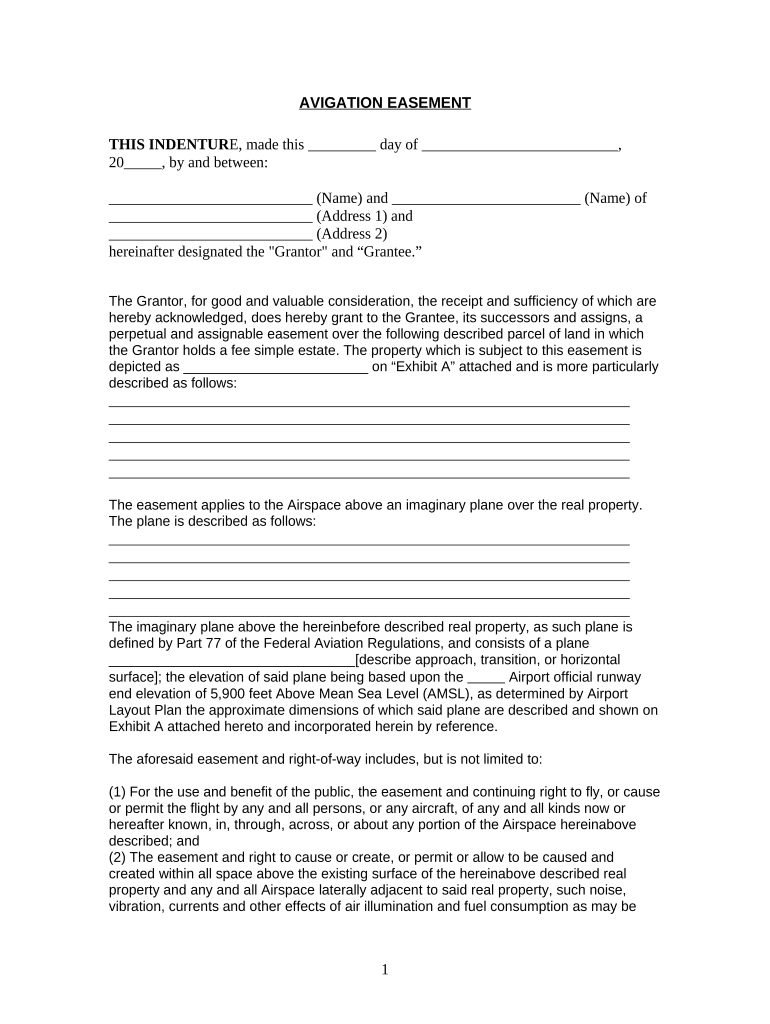
A California Aviation Easement is a written legal instrument that grants rights over land to permit aviation-related uses, such as airspace access, overflight, approach protections, or restrictions on structures near a runway. It typically describes the easement area, precise rights granted, duration, compensation, and any conditions or access rights. Aviation easements are recorded with the county recorder to put future owners on notice and are governed by state property and land-use laws as well as federal aviation safety standards where applicable.

Why a formal aviation easement matters for property and operations

A recorded aviation easement clarifies legal rights, reduces disputes, preserves airport approach protection, and notifies future owners and lenders. It provides a durable, enforceable framework to manage airspace impacts, construction limits, and compensation terms while supporting compliance with local land-use and FAA safety guidance.

Why a formal aviation easement matters for property and operations

Who commonly prepares or signs aviation easements

The document is used by airport authorities, property owners, aviation consultants, and attorneys to establish rights and limits affecting nearby land.

  • Airport authorities and municipalities that need to secure approach and overflight protections for public airports.
  • Private airpark operators and runway owners arranging rights over adjacent parcels.
  • Property owners, developers, and lenders handling title, permitting, or construction near an airport.

Each user group has distinct priorities — operations and safety for airports, clear title and compensation for landowners, and enforceability for legal counsel and lenders.

Typical signatories and their roles

Airport Owner

An airport authority or private runway owner grants or acquires easement rights to protect navigable airspace and preserve approach surfaces. Their interest focuses on enforceability, duration, indemnities, and ensuring the easement covers future development that could interfere with operations.

Airspace Counsel

A real estate or aviation attorney drafts and reviews easement language, confirms compatibility with local zoning and FAA guidance, advises on recording mechanics, and coordinates title and lender consents when necessary.

Essential facts to include on the easement form

Property ID: Assessor parcel number
Legal Description: Metes and bounds or recorded parcel reference
Grantor / Grantee: Full legal names
Easement Area: Coordinates or map exhibit
Duration: Term or perpetual
Compensation: Consideration amount

Step-by-step: Completing a California Aviation Easement

Follow these core steps to prepare, sign, and record an aviation easement to ensure the instrument is accurate and enforceable.

  • 01
    Draft the easement: Describe rights, area, term, compensation, and obligations.
  • 02
    Attach exhibits: Include legal description, map, and survey references.
  • 03
    Review title: Confirm ownership, encumbrances, and lender consents.
  • 04
    Sign and record: Execute with required acknowledgements and record with county.

How to set up an online easement signing workflow

Configure a digital workflow to collect signatures, supporting exhibits, and notarizations in a secure, auditable sequence.

Field Configuration
Signature Order Set role sequence: Grantor -> Grantee -> Lender
File Attachments Require legal description and survey as mandatory uploads
Authentication Use email + SMS or More secure KBA for identity proofing
Notary Step Include notary acknowledgement field prior to recording

Where the completed easement goes and who receives copies

After execution, the recorded easement is distributed to key stakeholders and retained for title and operational records.

  • County Recorder: Record the original easement to create constructive notice
  • Grantor Copy: Provide a recorded copy for the owner’s files
  • Grantee Copy: Deliver a recorded copy to the airport or authority
  • Lender / Title: Send copies to lender and title company for lien and policy updates

Digital signing and technical requirements for e-submission

Use a platform that supports legal e-signatures, attachments, audit trails, and optional notarization workflows.

  • Document formats: PDF and DOCX accepted
  • Integrations: Connect to cloud storage and title systems
  • Security: TLS and AES-256 encryption

Ensure the eSignature provider complies with ESIGN and UETA, offers an auditable certificate of completion, and supports notarization steps if remote notarization will be used.

Typical timing to prepare, execute, and record an aviation easement

Timelines vary by transaction complexity, title coordination, and recording office workload. Plan ahead to avoid construction or permitting delays.

Drafting and review:

1–3 weeks depending on complexity and counsel availability

Title and lender clearance:

1–4 weeks depending on responses and exceptions

Execution and notarization:

Same day to several days depending on signer scheduling

County recording:

Typically 1–10 business days; county backlog varies

Distribution:

Recorded copies issued within days after recording

Common preparation mistakes to avoid

  • Using a street address instead of an exact legal description or survey; leads to ambiguous boundaries and title exceptions.
  • Failing to obtain or document lender consent when the property has an existing mortgage; can create enforcement and foreclosure complications.
  • Overly broad or vague language about permitted uses or height restrictions; causes disputes about interpretation and enforcement.
  • Skipping a recorded exhibit map or survey attachment; without clear exhibits, enforcement against future owners becomes difficult.

Risks and legal consequences of an improper easement

Title defects: Recording errors may create title exceptions
Enforcement gaps: Vague terms can limit injunctive relief
Lender disputes: Unsecured easements may face challenge in foreclosure
Regulatory noncompliance: FAA or local code issues can arise
Costly corrections: Amendments and quiet title actions are expensive
Delay penalties: Project timelines impacted by rework

Comparison: eSignature providers for executing and notarizing easements

Select an eSignature solution that supports audit trails, notarization where required, and compliance with ESIGN and UETA; signNow is listed first for comparison.

signNow DocuSign Adobe Sign PandaDoc HelloSign
Starting Price $8/user/mo $15/user/mo $14/user/mo $19/user/mo $15/user/mo
Free Trial 7-day trial, no credit card Varies by plan Varies by plan Varies by plan Varies by plan
Bulk Send Yes (premium tiers) Yes Yes Yes No
Audit Trail Yes Yes Yes Yes Yes
HIPAA Compliant Yes Yes Yes No No

Core clauses and features of a professional aviation easement

A well-drafted aviation easement balances specificity with enforceability; include precise rights, limitations, and remedies.

Grant of Rights

State the exact aviation rights granted, such as overflight, obstruction limitation, or approach protection, with clear scope and conditions.
Legal Description

Attach a survey or recorded legal description to remove ambiguity about the easement boundaries and area.

Term and Termination

Specify whether the easement is perpetual, for a fixed term, or conditional, and define termination events and notice procedures.

Compensation

Document the consideration, payment terms, and any escrow or installment arrangements for clarity and enforceability.

Maintenance and Access

Allocate responsibilities for upkeep, inspections, and access for airport or grantee operations while limiting interference with owner rights.

Remedies and Enforcement

Include injunctive relief options, damages provisions, and procedures for dispute resolution and indemnities.

Real-world examples of aviation easement use

These short examples show common outcomes when easements are used to protect operations and clarify title obligations.

Optica Ventures — Airport approach protection

The company negotiated an easement to preserve approach surfaces for an airpark development.

  • The easement included survey exhibits.
  • The recorded instrument reduced later development disputes and protected runway safety while allowing negotiated compensation to the affected landowner.

Martin Properties — Private runway access

A developer executed a perpetual easement granting overflight and access restrictions for a private strip.

  • Lender consent obtained.
  • Recording the easement cleared title for financing, established enforceable construction limits, and prevented conflicting improvements near the runway.

Practical tips for accurate and efficient completion

Adopt these best practices to avoid delays and preserve enforceability when preparing a California Aviation Easement.

Use precise exhibits
Include survey-quality maps and coordinates as exhibits. Clear visual references reduce title exceptions, simplify recording clerk review, and prevent later boundary disputes.
Confirm signatory authority
Obtain corporate resolutions or trustee certificates for organizational signers. Verifying signatory authority prevents challenges to execution validity and protects downstream transactions.
Coordinate with title
Work with the title company early to clear exceptions and obtain required endorsements; this supports lender approvals and clean title insurance issuance.
Plan for notarization
Determine whether remote online notarization is allowed and acceptable for the recorder; include notarization steps in the signing workflow to avoid re-execution.

FAQs and troubleshooting for California Aviation Easements

Answers to frequent questions about enforceability, recording, notarization, and common problems encountered during preparation and execution.


Need help? Contact support

be ready to get more
Join over 28 million airSlate SignNow users