Trust Parties
Names and full legal details for grantor(s), trustee(s), and primary and contingent beneficiaries, with contact information and relationship descriptions.
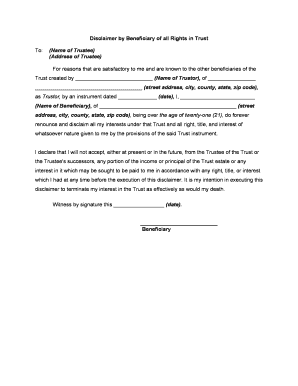
A professionally drafted Beneficiary Trust reduces probate delays, clarifies trustee powers, and lowers the risk of beneficiary disputes. It preserves intent, supports tax planning, and provides a legally enforceable roadmap for asset distribution that can be critical for complex estates and family arrangements.

Typical participants include the trust grantor, one or more trustees, named beneficiaries, and frequently legal or tax advisors.
Many organizations — banks, trust companies, and family offices — also sign or process related transfer documents when assets are retitled into the trust.
Names and full legal details for grantor(s), trustee(s), and primary and contingent beneficiaries, with contact information and relationship descriptions.
A clear schedule or description of assets placed in trust, including account numbers, real property descriptions, and instructions for future additions or removals.
Specific conditions and timing for distributions (age thresholds, milestones, discretionary distributions), including handling of incapacity or prior death.
Detailed powers for investment, sale, borrowing, delegation, tax elections, and administrative actions, plus successor appointment procedures.
Instructions addressing income tax allocations, gift or estate tax treatment, and any required reporting or tax elections.
Circumstances for trust termination, final distribution mechanics, and duties for winding up administration and record retention.
| Field | Configuration |
|---|---|
| Signer Order | Sequential signing: grantor, trustee, witnesses, notary |
| Authentication | Email + SMS code or KBA for high-assurance signers |
| Notary Options | Enable RON session or in-person notarization field |
| Certificate | Attach audit trail and signed PDF/A output |
Choose a platform that provides a tamper-evident audit trail, strong signer authentication, and secure storage for the executed trust.
Ensure the platform accommodates notarization workflows (in-person or RON), retains signed records in PDF/A where required, and offers role-based access controls for trustees and counsel.
Generate identical originals for signing by grantor and trustee.
Obtain witness signatures where state law or document requires them.
Complete notarization—either RON or in-person as permitted.
File deed transfers at county recorder for real property.
Retitle bank and brokerage accounts to the trust.
Deliver required notices to beneficiaries per trust terms.
Submit any trust tax returns or elections if applicable.
Store executed originals with attorney or secure custodian.
| signNow | DocuSign | Adobe Sign | PandaDoc | HelloSign | |
|---|---|---|---|---|---|
| Starting Price | $8/user/mo | $15/user/mo | $14/user/mo | $19/user/mo | $15/user/mo |
| Free Trial | 7-day free trial | Varies by plan | Varies by plan | Varies by plan | Varies by plan |
| Bulk Send | Yes | Yes | Yes | Yes | No |
| Audit Trail | Yes | Yes | Yes | Yes | Yes |
| HIPAA Compliant | Yes | Yes | Yes | No | No |
| Envelope Cap | No envelope cap | 100 envelopes/user/year | Varies | Varies | Varies |
Tim Martin used online signing to complete property and legal paperwork remotely, speeding execution and improving compliance.
Dan Rotelli emphasized compliance priorities when moving to digital signatures for corporate and legal forms.