Establishing secure connection…Loading editor…Preparing document…

Bill of Sale for Aircraft

This template is fully customizable. Edit the text, fill out the fields, and send it for signature. Give it a try!
Bill of Sale for Aircraft

What a Bill of Sale for Aircraft Is and when it's used

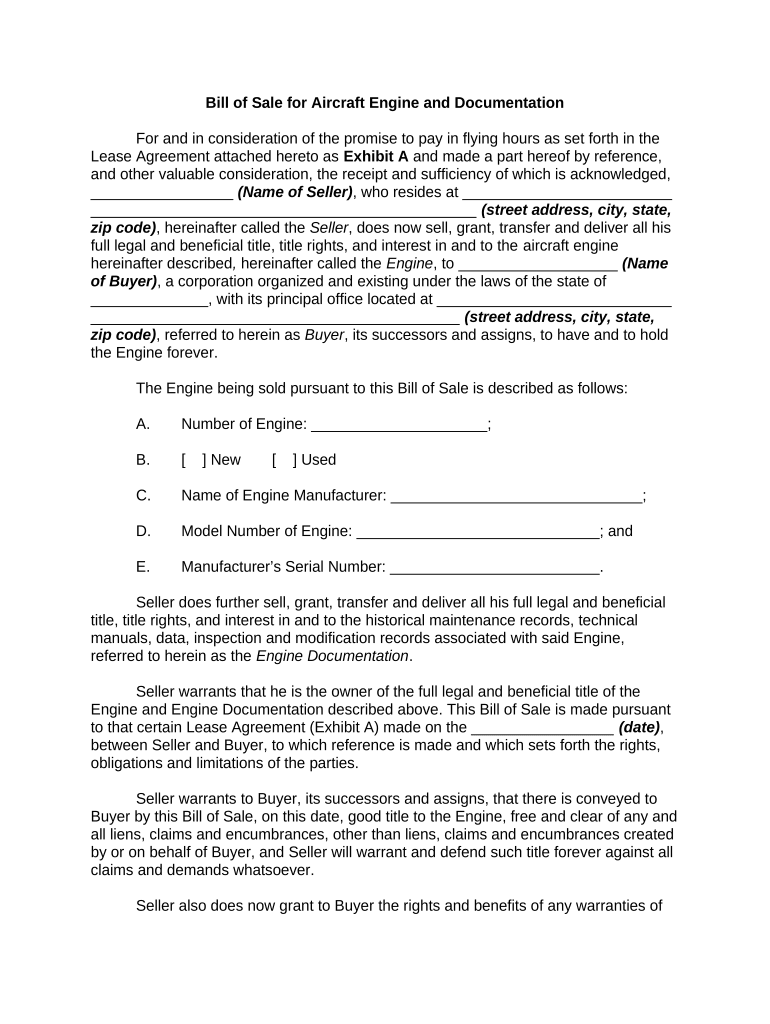
A Bill of Sale for Aircraft is a written record that documents the transfer of ownership in an aircraft from a seller to a buyer. It names the parties, describes the aircraft (make, model, serial number, registration/N-number), states the consideration paid, and notes any liens or encumbrances. The document supports FAA registration updates, state tax and titling processes, and serves as primary evidence of the transaction for insurers and financiers. Properly completed Bills of Sale reduce registration delays and help demonstrate chain-of-title in the event of a dispute.

Why a clear, complete Bill of Sale matters

A precise Bill of Sale protects buyer and seller by documenting transfer terms, identifying outstanding liens, and providing a record needed for FAA registration, insurance changes, and state tax reporting. It reduces ambiguity about payment, delivery, and effective date.

Why a clear, complete Bill of Sale matters

Who commonly prepares and relies on this document

Each party should retain originals and copies for FAA records, insurance, tax, and financing needs.

  • Aircraft buyers and owners — to establish legal title and update FAA registration.
  • Sellers and brokers — to document transfer terms and clear outstanding obligations.
  • Lenders and lessors — to record lien releases and enforce security interests.

Representative professionals and signers

Seller — Individual or Entity

A seller may be a private individual, corporate owner, or trust. The signer must have authority to transfer title; corporate transfers typically require evidence of board approval or a corporate resolution alongside the Bill of Sale.

Buyer / Authorized Representative

The buyer or an authorized agent signs to accept the aircraft and the stated consideration. If a third-party agent signs, include a power of attorney or written authorization to avoid FAA or insurer objections.

Essential elements to include in a professional Bill of Sale

A thorough Bill of Sale for Aircraft should be clear, unambiguous, and reference all items required for registration, tax, and title purposes.

Parties

Full legal names and mailing addresses for buyer(s) and seller(s); include company legal entity type and state of formation when applicable.
Aircraft Identification

Make, model, year, manufacturer serial number (MSN), and FAA registration number (N-number) or indication if pending.

Consideration

Exact purchase price in USD, whether paid in cash, financed, or exchanged for other consideration; note any escrow arrangements.

Lien & Encumbrance Statement

Declare known liens, mortgages, or security interests and whether the aircraft is delivered free and clear or subject to release conditions.

Warranties & As-Is Language

State whether the sale is 'as-is' or includes warranties, and specify any agreed inspections or corrective actions.

Effective Date & Signatures

List the effective date in MM/DD/YYYY format and provide signature blocks with printed names, titles, and dates for all required signatories.

Step-by-step completion process

Follow these steps in order to prepare, sign, and use the Bill of Sale for FAA and state purposes.

  • 01
    Prepare details: Gather buyer/seller IDs, aircraft documents, lien releases.
  • 02
    Complete form: Fill every required field with exact legal names and dates.
  • 03
    Execute signatures: Sign in presence of notary if required by jurisdiction or lender.
  • 04
    Submit and retain: Provide copies to FAA, insurer, lender, and retain originals.

Typical digital workflow configuration for online completion

Set up an e-signature workflow to collect signatures, notarization, and routing in the correct sequence.

Field Configuration
Signature Order Seller then buyer, then lender (if applicable)
Authentication Email + SMS code or advanced signer ID for high-value transfers
Notarization Enable remote online notarization (RON) or in-person, as required
Delivery Automatic copy to FAA liaison, insurer, and escrow

Where the completed Bill of Sale is sent and why

After execution, distribute copies to all stakeholders to update records, clear liens, and confirm insurance.

  • FAA Registry: Used to update ownership on FAA registration and issue new certificate.
  • Insurance Provider: Needed to change policy holder and coverage details promptly.
  • Lender / Lienholder: Provided to document collateral and release obligations if paid.
  • Buyer and Seller: Each retains original signed copy for title and tax records.

Digital signing and integration considerations

Verify the platform supports audit trails, optional RON notarization workflows, and long-term retention to preserve evidentiary value.

  • File formats: Use PDF or DOCX inputs; signed output should be PDF/A compatible.
  • Integrations: Connect to CRM, NetSuite, or cloud storage for filing and audit trails.
  • Security: Require TLS and AES-256 encryption for transit and storage.

Comparing common eSignature vendors for aircraft Bills of Sale

Price, bulk send, and compliance features affect how you collect signatures and notarizations for high-value aircraft transactions.

signNow DocuSign Adobe Sign PandaDoc HelloSign
Starting Price $8/user/mo $15/user/mo $14/user/mo $19/user/mo $15/user/mo
Free Trial 7-day trial Varies Varies Varies Varies
Bulk Send Yes Yes Yes Yes No
Audit Trail Yes Yes Yes Yes Yes
HIPAA Compliant Yes Yes Yes No No

Key security and compliance items to preserve evidentiary value

Encryption: AES-256 at rest; TLS 1.2/1.3 in transit
Audit Trail: Timestamps, IP, signer email, and action log
Authentication: Multi-factor or SMS code options for signer verification
Notary Support: Support for RON sessions and recorded audio-video
BAA Availability: Business Associate Agreement for HIPAA-covered workflows
Standards: ESIGN and UETA compliance for legal enforceability

Common legal and financial risks from incomplete documents

Registration Delay: Untimely FAA updates can complicate subsequent sales or operations
Tax Exposure: Incorrect or missing consideration may trigger sales/use tax audits
Lien Surprise: Undisclosed liens can result in repossession or buyer loss
Insurance Gaps: Failure to update insurer can void coverage on transfer date
Dispute Risk: Vague terms increase litigation and title defense costs
Notary Rejection: Missing or improper notarization can render the document unacceptable to agencies

Avoidable errors that slow transfers

  • Using informal or abbreviated names that don't match registration or formation records
  • Failing to list the manufacturer serial number (MSN) or N-number accurately
  • Omitting lienholder information or failing to obtain necessary releases
  • Missing notarization or proof of agent authority when required

Practical tips to streamline completion and acceptance

Follow consistent procedures to reduce errors, speed registration, and preserve legal proof of transfer.

Verify Names and IDs
Confirm legal names, corporate registrations, and government IDs before signing; mismatches cause delays.
Document Liens
Obtain written lien releases or payoff letters and attach them to the Bill of Sale.
Use Clear Dates
Enter effective and closing dates in MM/DD/YYYY format and align with FAA application dates.
Keep Originals
Retain notarized originals and store certified electronic copies with secure audit trails.

How Bills of Sale are used in real transactions

Two concise examples illustrate common scenarios and outcomes when Bills of Sale are properly handled.

Brokered Sale with Escrow

A broker arranged a cross-country sale and used an escrowed Bill of Sale to pause transfer until funds cleared.

  • Escrow held funds and released them after FAA registration updated.
  • The buyer successfully updated insurance and FAA records within five business days because the Bill of Sale and escrow instructions were complete and notarized.

Private Sale with Lien Release

A private seller provided a Bill of Sale plus lender payoff letter and recorded lien release.

  • Buyer verified payoff prior to closing.
  • Recording the release and delivering a notarized Bill of Sale allowed prompt issuance of a clean FAA registration and transfer of insurance to the new owner.

Key timing and processing expectations

Timely execution and submission affect registration, insurance, and tax obligations; plan lead times accordingly.

Closing Date:

Set and document the closing/effective date in MM/DD/YYYY format.

FAA Update:

File FAA ownership change documentation promptly after closing to reflect the new registrant.

Insurance Notification:

Notify insurer on or before the effective date to avoid coverage lapses.

Lien Releases:

Secure and attach lien releases before or at closing to ensure clear title.

Tax Filings:

Report as required by state tax authorities; timing varies by jurisdiction.

Sequential milestones from offer to registration

A typical timeline shows the main milestones and which party usually completes each step.

01

Offer Accepted

Seller and buyer agree to terms and set a closing date.

02

Escrow & Inspection

Inspections and escrow instructions are completed; issues resolved.

03

Execution

Bill of Sale signed, notarized if required, and funds wired.

04

Registration & Notice

Buyer files FAA registration and notifies insurer and lender.

Frequently asked questions about Bills of Sale for Aircraft

Answers to common questions about validity, notarization, FAA use, and resolving issues with incomplete documents.


Need help? Contact support

be ready to get more
Join over 28 million airSlate SignNow users