Establishing secure connection…Loading editor…Preparing document…

Bill of Sale

This template is fully customizable. Edit the text, fill out the fields, and send it for signature. Give it a try!
Bill of Sale

What a Bill of Sale Is and when it matters

A Bill of Sale is a written record documenting the transfer of ownership of tangible personal property or specified goods from a seller to a buyer. In the United States it establishes the item's description, the parties involved, the date of transfer, the consideration paid, and any warranties or conditions. Bills of sale are commonly used for vehicles, boats, equipment, and private sales of personal property; they support title transfer, tax reporting, and proof of purchase. While format varies by state and industry, a clear Bill of Sale reduces disputes and evidences the transaction for regulatory or tax purposes.

Why a clear Bill of Sale protects both parties

A properly completed Bill of Sale documents the transaction, limits post-sale liability, and supports registration or tax reporting. It creates an evidentiary trail that can be used for ownership transfer, insurance claims, and to resolve disputes.

Why a clear Bill of Sale protects both parties

Who commonly prepares or signs a Bill of Sale

Typical creators and signers include private sellers, dealers, small business owners, fleet managers, and legal or accounting representatives who need a record of transfer.

  • Private Seller — Individual selling a used vehicle or personal property; needs proof of sale for registration and to avoid future liability.
  • Dealer / Broker — Commercial seller documenting multiple transfers, often capturing VINs, odometer statements, and trade-in details.
  • Buyer / Registrant — Purchaser uses the Bill of Sale when registering title, applying for a certificate of title, or claiming tax basis.

Parties should confirm state-specific requirements for notarization, emissions or odometer disclosures, and any required attachments before finalizing the document.

Step-by-step: completing a Bill of Sale

Follow these steps to create a clear, enforceable Bill of Sale suitable for registration and recordkeeping.

  • 01
    Prepare details: Gather IDs, title, VIN/serial number, sale price, and any disclosures.
  • 02
    Draft the form: Enter parties, item description, date, consideration, and warranties.
  • 03
    Sign and date: All parties sign; add notarization if required by state.
  • 04
    Distribute copies: Give buyer, seller, and any registries or lenders certified copies.

Core elements to include in a professional Bill of Sale

A complete Bill of Sale contains identifying details, transaction terms, and authentication elements that make it suitable for registration and legal use.

Parties

Full legal names and addresses of buyer and seller, including phone and email for contact and verification.
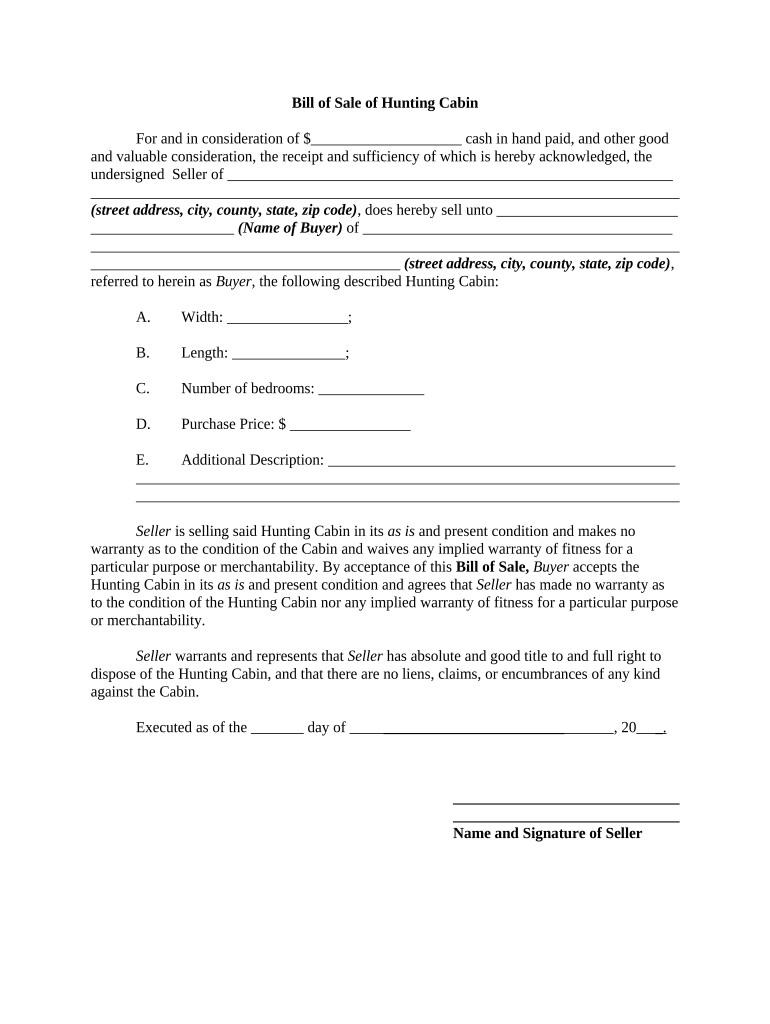
Property Details

Detailed description including make, model, year, VIN/serial number, odometer reading (vehicles), and any included accessories.

Consideration

Specific sale amount, currency, or statement if the transfer is a gift; include payment method when relevant.

Warranties and As-Is Clause

State any express warranties or an 'as-is' disclaimer to clarify post-sale liability and expectations.

Signatures

Signature lines for seller and buyer, dates, and space for a notary or witness if required by state rules.

Attachments

Include title assignment sections, lien release, odometer disclosure, and any supporting bills or receipts.

Required data points to capture

Seller Name: Full legal name
Buyer Name: Full legal name
Item Identification: VIN or serial number
Sale Amount: Numeric value
Transfer Date: MM/DD/YYYY
Signatures: Seller and buyer signature

How to configure an online Bill of Sale workflow

Set up fields, signer order, and verification to match your state filing and internal controls before sending the document for signature.

Field Configuration
Signature Type Allow handwritten or validated e-signatures
Signer Order Specify sequential or parallel signing
Authentication Email, SMS code, or ID verification as needed
Attachments Enable file uploads for title or lien release

Where to send the completed Bill of Sale

After execution, route copies to the parties and any agencies or entities that require the record; registration or filing steps often follow.

  • Buyer copy: Buyer retains original for title application and proof of purchase
  • Seller copy: Seller keeps copy for tax and liability records
  • DMV or equivalent: Submit with title application for vehicles or vessels
  • Lienholder or lender: Provide if loan was paid off or lien released

Digital signing and technical considerations

Choose signing options and authentication that meet the legal needs of the transaction and any agency requirements.

  • Formats supported: PDF, DOCX
  • Integrations: CRM and cloud storage connections
  • Security: TLS in transit; AES-256 at rest

Ensure chosen eSignature workflows meet ESIGN/UETA criteria for intent, consent, attribution, and record retention and consider notarization or RON where required.

Comparing eSignature providers for Bills of Sale

Basic pricing and feature differences influence per-document cost and compliance options; signNow appears first for parity in comparison tables.

signNow DocuSign Adobe Sign PandaDoc HelloSign
Starting Price $8/user/mo $15/user/mo $14/user/mo $19/user/mo $15/user/mo
Free Trial 7-day free trial Varies by vendor Varies by vendor Varies by vendor Varies by vendor
Bulk Send Yes Yes Yes Yes No
Audit Trail Yes Yes Yes Yes Yes
HIPAA Compliant Yes Yes Yes No No

Consequences of an incomplete or incorrect Bill of Sale

Registration Delay: Missing details delay DMV title transfer
Tax Exposure: Incorrect sale amount can affect sales or income tax reporting
Liability: Seller may retain liability without clear transfer language
Odometer Penalties: Incomplete odometer disclosure may violate federal law
Lien Issues: Unreleased liens can block title issuance
Fraud Risk: Poor records increase risk of ownership disputes

Common mistakes to avoid

  • Using nicknames or initials instead of full legal names, which causes registration mismatches
  • Failing to record VIN/serial numbers or odometer readings, leading to disputes or regulatory noncompliance
  • Not checking for outstanding liens before accepting payment or transferring possession
  • Skipping notarization or witnessing when state law or third parties require it

Real-world Bill of Sale scenarios

These concise examples show how Bills of Sale are used across common transactions.

Private Vehicle Sale

A seller documents buyer name and VIN to complete title transfer

  • Odometer disclosed at sale
  • The buyer used the Bill of Sale with the DMV to obtain title and update registration within 30 days.

Equipment Transfer Between Businesses

A small firm sells used equipment to another company

  • Sale price and serials recorded
  • The Bill of Sale accompanied the asset schedule for tax basis adjustments and accounts receivable reconciliation.

Time-sensitive steps and typical deadlines

Timing matters for registration, tax reporting, and lien releases; follow state agency deadlines and payer requests promptly.

Title / Registration:

Submit Bill of Sale with title application per state DMV timelines, often within 10–30 days

Tax Reporting:

Report sales as required by state or federal tax rules during the relevant filing period

Lien Release:

Obtain and attach lien release before or at transfer to avoid title encumbrances

Notary / Witness:

Complete notarization or witness steps prior to filing when required by jurisdiction

Record Retention:

Retain copies for at least three years for tax and audit purposes

Common questions and practical answers

Answers to frequent concerns when preparing, signing, or filing a Bill of Sale.


Need help? Contact support

be ready to get more
Join over 28 million airSlate SignNow users