Establishing secure connection… Loading editor… Preparing document…
Navigation

Fill and Sign the Business Pennsylvania Department of State Form
Fill and Sign the Business Pennsylvania Department of State Form

How it works

Open the document and fill out all its fields.
Apply your legally-binding eSignature.
Save and invite other recipients to sign it.

Rate template

4.6
47 votes
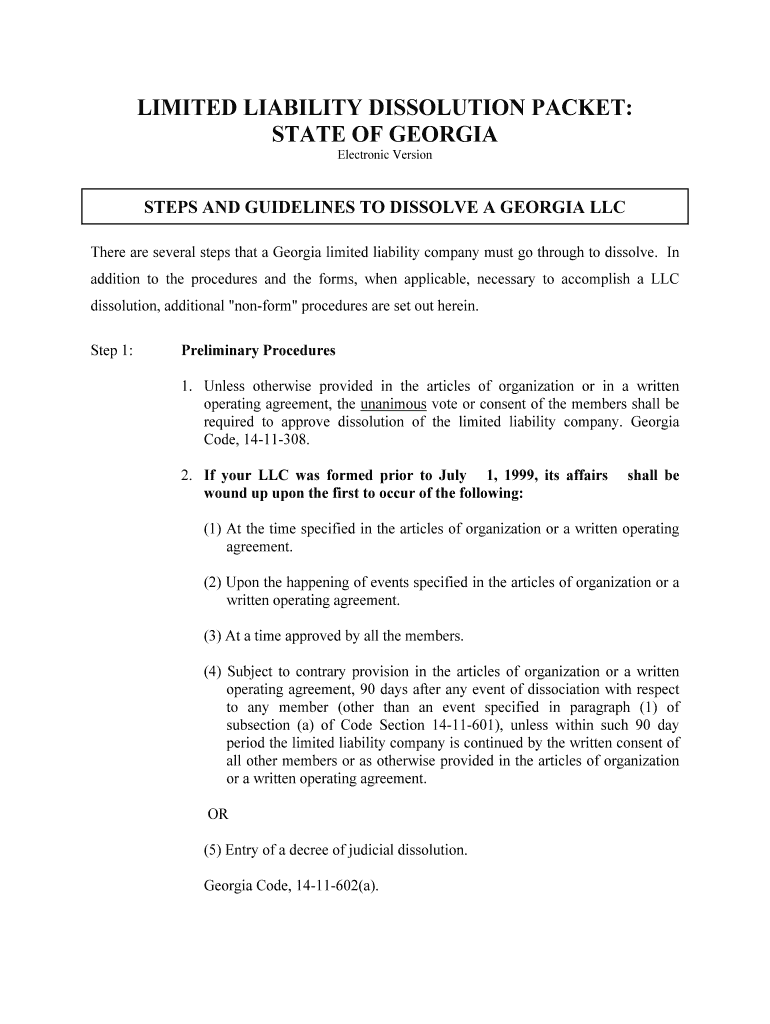
LIMITED LIABILITY DISSOLUTION PACKET: STATE OF GEORGIA Electronic Version STEPS AND GUIDELINES TO DISSOLVE A GEORGIA LLC There are several steps that a Georgia limited liability company must go through to dissolve. In addition to the procedures and the forms, when applicable, necessary to accomplish a LLC dissolution, additional "non-form" procedures are set out herein.Step 1: Preliminary Procedures1.Unless otherwise provided in the articles of organization or in a written operating agreement, the unanimous vote or consent of the members shall be required to approve dissolution of the limited liability company. Georgia Code, 14-11-308. 2.If your LLC was formed prior to July 1, 1999, its affairs shall be wound up upon the first to occur of the following: (1) At the time specified in the articles of organization or a written operating agreement. (2) Upon the happening of events specified in the articles of organization or a written operating agreement. (3) At a time approved by all the members. (4) Subject to contrary provision in the articles of organization or a written operating agreement, 90 days after any event of dissociation with respect to any member (other than an event specified in paragraph (1) of subsection (a) of Code Section 14-11-601), unless within such 90 day period the limited liability company is continued by the written consent of all other members or as otherwise provided in the articles of organization or a written operating agreement. OR (5) Entry of a decree of judicial dissolution.Georgia Code, 14-11-602(a). 3.If your LLC was formed on or after July 1, 1999, its affairs shall be wound up upon the first to occur of the following: (1) At the time specified in the articles of organization or a written operating agreement. (2) Upon the happening of events specified in the articles of organization or a written operating agreement. (3) At a time approved by all the members. (4) Subject to contrary provision in the articles of organization or a written operating agreement, 90 days after an event of dissociation with respect to the last remaining member, unless otherwise provided in the articles of organization or a written operating agreement. OR (5) Entry of a decree of judicial dissolution.Georgia Code, 14-11-602(b).4.Except as otherwise provided in the articles of organization or a written operating agreement, upon dissolution, the members or managers in whom management of the limited liability company was vested prior to dissolution may wind up a dissolved limited liability company's affairs, or, if there are no such members or managers at the time of or at any time after such dissolution, such persons as may be designated by the persons then entitled to receive a majority of all subsequent distributions, if any, from the limited liability company may wind up the limited liability company's affairs. Gerogia Code, 14-11-604(a). 5.Except so far as may be appropriate to wind up the limited liability company's affairs or to complete transactions begun but not then finished, dissolution terminates all authority of every person to act for the limited liability company; provided, however, that, prior to the filing of a statement of commencement of winding up, the limited liability company shall be bound to any person who lacks knowledge of the dissolution with respect to any transaction which would bind the limited liability company if dissolution had not taken place. Georgia Code, 14-11-604(b).Step 2: SEE FORM 1 - STATEMENT OF COMMENCEMENT OF WINDING UP (Georgia Code 14-11-606) When the members unanimously vote to dissolve the LLC, a STATEMENT OF COMMENCEMENT OF WINDING UP should be filed with the Secretary of State. 1.Provide the name of the LLC.2.Provide the date the members unanimously voted to dissolve the LLC and to begin the winding up activities.3.Provide the date and the signature of a person authorized to act on behalf of the LLC in the winding up activities. This person may be a member, a manager, or by an organizer if there are no members or managers remaining.4.The filing fee is $20.00Mail the original and one copy of the STATEMENT OF COMMENCEMENT OF WINDING UP, along with the $20.00 filing fee, to:Secretary of StateCorporations Division 315 West Tower, #2 Martin Luther King, Jr. DriveAtlanta, Georgia 30334-1530(404) 656-2817Step 2: Winding up Activities. Georgia Code, 14-11-605.1.In connection with its winding up, a limited liability company shall (1) discharge, make provision to discharge, or dispose of its liabilities, and (2) subject to any applicable provisions in the articles of organization or a written operating agreement, distribute its remaining assets to its members.2.To the extent a dissolved limited liability company does not discharge, make provision to discharge, or dispose of pursuant to Code Sections 14-11-607 and 14-11-608 a claim against it, such claim may be enforced: (1) Against the limited liability company, to the extent of its undistributed assets; or (2) Against each member receiving a distribution in winding up, to the extent of the assets so distributed to such member; provided that a member's total liability for all such claims shall not exceed the total amount of assets so distributed to him or her. 3.As respects any such claims, the limited liability company and its members shall have rights of contribution among themselves so as to produce, insofar as practicable, the effects that would have been produced had such claim been discharged by the limited liability company prior to any distribution to members.Step 3: Disposing of Known Claims Against the LLC (Method 1) Georgia Code, 14-11-607.SEE FORM 2 - NOTICE TO CLAIMANTS.1.Provide the name of the LLC.2.Describe the information that the LLC wants a claimant to include in its claim.3.Provide the mailing address where the claim may be sent.4. State the deadline by which the claim may be received. This date must be no less than six months from the date of mailing the notice.5. There is nothing to add to this section.6.There is nothing to add to this section.7.NOTE: A claim against the LLC is barred:If a claimant who was given written notice does not deliver the claim to the dissolved limited liability company by the deadline; orIf a claimant whose claim was rejected by the dissolved limited liability company does not commence a proceeding to enforce the claim within one year from the date of mailing of the rejection notice.7.For purposes of this Code section, the term "claim" does not include a contingent liability or a claim based on an event occurring after the filing of the statement of commencement of winding up.Step 4: Disposing of Known Claims Against the LLC (Method 2) Georgia Code, 14-11-608 and 14-11-609.SEE FORM 3 - REQUEST FOR CLAIMS1.Provide the name of the LLC.2.Describe the information that the LLC wants a claimant to include in its claim.3.Provide the mailing address where the claim may be sent. 4.There is nothing to add to this section.5.The REQUEST FOR CLAIMS shall be mailed or delivered to the publisher of a newspaper that is the official organ of the county where the registered office of the limited liability company is located, or that is a newspaper of general circulation published within such county whose most recently published annual statement of ownership and circulation reflects a minimum of 60 percent paid circulation, a request to publish the request for claims. The request for publication of the request for claims shall be accompanied by a check, draft, or money order in the amount of $40.00 in payment of the cost of publication. The notice shall be published once a week for two consecutive weeks commencing within ten days after receipt of the notice by the newspaper. NOTES If a dissolved limited liability company that has filed a statement of commencement of winding up publishes a request described in subsection (b) of this Code section, all claims not otherwise barred will be barred unless the claimant commences a proceeding to enforce the claim against the dissolved limited liability company within two years after the date of the publication of the request, except: (1) Claims that are contingent at the time of the filing of the statement of commencement of winding up; and (2) Claims that arise after the filing of the statement of commencement of winding up.Georgia Code, 14-11-608(c).If a dissolved limited liability company publishes a request as described above, a claim not otherwise barred of a claimant whose claim is contingent at the time of the filing of the statement of commencement of winding up or based on an event occurring after the filing of the statement of commencement of winding up is barred against the limited liability company, its members, and managers unless the claimant commences a proceeding to enforce the claim against the dissolved limited liability company within two years after the date of filing of a certificate of termination or five years after the date of the second publication of the request, whichever is later. Georgia Code, 14-11-608(d).Step 5: SEE FORM 4 - CERTIFICATE OF TERMINATION Georgia Code, 14-2-610.1.Provide the name of the LLC.2.There is nothing to be added to this section.3.There is nothing to be added to this section. 4.Provide the date and the signature of a person authorized to act on behalf of the LLC in the winding up activities. This person may be a member, a manager, or by an organizer if there are no members or managers remaining.5. The filing fee is $20.00Mail the original and one copy of the CERTIFICATE OF TERMINATION, along with the $20.00 filing fee, to:Secretary of StateCorporations Division 315 West Tower, #2 Martin Luther King, Jr. DriveAtlanta, Georgia 30334-1530(404) 656-2817 STATUTORY NOTE GEORGIA CODE, 14-11-611: 4-2-1408(b): Deeds or other instruments requiring execution after the filing of a certificate of termination by a dissolved limited liability company may be signed by any person who had authority to wind up the dissolved limited liability company under the provisions of subsection (a) of Code Section 14-11-604.Disclaimer: If you are not an attorney, you are advised to seek the advice of an attorney for all serious legal matters. The information and forms contained herein are not legal advice and are not to be construed as such. Although the information contained herein is believed to be correct, no warranty of fitness or any other warranty shall apply. All use is subject to the U.S. Legal Forms, Inc. Disclaimer and License located at http://www.uslegalforms. com/disclaimer.htm FORM 1 STATEMENT OF COMMENCEMENT OF WINDING UP (OF A GEORGIA LIMITED LIABILITY COMPANY) STATEMENT OF COMMENCEMENT OF WINDING UP (OF A GEORGIA LIMITED LIABILITY COMPANY) The within name Georgia limited liability company hereby files its STATEMENT OF COMMENCEMENT OF WINDING UP:1. The name of the limited liability company is: ____________________________________2.The members of the LLC voted unanimously to dissolve the LLC and to begin winding up activities on: ______________Date: ______________Signature: _____________________________________Printed Name: ______________________Capacity in Which Signed: ____________ FORM 2 NOTICE TO CLAIMANTS NOTICE TO CLAIMANTS Notice is given that, having voted to dissolve, the within name limited liability company has delivered a STATEMENT OF COMMENCEMENT OF WINDING UP to the Secretary of State for filing in accordance with the Georgia Business Corporation Code:1.The name of the limited liability company is: _________________________2.All claimants having claims against the limited liability company shall include the following information: ___________________________________________________________________________________________________________________________________________ ___________________________________________________________________________3.All claims should be mailed to the following address: ___________________________________________________________________________4.The deadline by which claims must be received is (must be at least six months from the date of this notice): ___________________________________________________________________________5.Your claim will be barred if not received by the above deadline.6.The limited liability company will give notice of acceptance or rejection of all claims that are received in timely fashion within six months after the deadline for receipt of claims.Signed: _______________________________ Date: _____________________Title: _________________________________ FORM 3 REQUEST FOR CLAIMS REQUEST FOR CLAIMS Notice is given that, having voted to dissolve, the within name limited liability company has delivered a STATEMENT OF COMMENCEMENT OF WINDING UP to the Secretary of State for filing in accordance with the Georgia Business Corporation Code:1.The name of the limited liability company is: _____________________________________2.All claimants having claims against the limited liability company shall include the following information: ___________________________________________________________________________________________________________________________________________ ___________________________________________________________________________3.All claims should be mailed to the following address: ___________________________________________________________________________Except for claims that are contingent at the time of the filing of the statement of commencement of winding up or that arise after the filing of the statement of commencement of winding up, a claim against the limited liability company not otherwise barred will be barred unless a proceeding to enforce the claim is commenced within two years after the publication of this request.Signed: _______________________________ Date: _____________________Title: _________________________________ FORM 4 CERTIFICATE OF TERMINATION CERTIFICATE OF TERMINATION This Certificate of Termination is filed on behalf of the limited liability company herein named.1.The name of the limited liability company is: _____________________________________2.All known debts, liabilities, and obligations of the limited liability company have been paid, discharged, or barred or that adequate provision has been made therefor. 3.There are no actions pending against the limited liability company in any court, or, in the alternative, adequate provision has been made for the satisfaction of any judgment, order, or decree that may be entered against it in any pending action.Signature: _____________________________ Date: ___________________________Printed Name: _________________________Capacity in Which Signed: _________________________

Effective advice for finishing your ‘Business Pennsylvania Department Of State’ online

Are you fatigued by the stress of handling paperwork? Look no further than airSlate SignNow, the premier electronic signature platform for individuals and businesses. Bid farewell to the tedious steps of printing and scanning documents. With airSlate SignNow, you can seamlessly finalize and sign documents online. Utilize the powerful features embedded in this intuitive and cost-effective platform and transform your method of document management. Whether you need to approve documents or gather electronic signatures, airSlate SignNow manages it all effortlessly, with just a few clicks.

Follow this comprehensive guide:

  1. Sign in to your account or create a free trial with our service.
  2. Click +Create to upload a file from your device, cloud storage, or our template collection.
  3. Open your ‘Business Pennsylvania Department Of State’ in the editor.
  4. Click Me (Fill Out Now) to finish the document on your end.
  5. Add and designate fillable fields for other participants (if required).
  6. Proceed with the Send Invite options to solicit eSignatures from others.
  7. Download, print your version, or transform it into a reusable template.

Don’t be concerned if you need to collaborate with others on your Business Pennsylvania Department Of State or send it for notarization—our solution is equipped with everything necessary to accomplish such tasks. Register with airSlate SignNow today and enhance your document management to new levels!

Here is a list of the most common customer questions. If you can’t find an answer to your question, please don’t hesitate to reach out to us.

Need help? Contact Support

The best way to complete and sign your business pennsylvania department of state form

Save time on document management with airSlate SignNow and get your business pennsylvania department of state form eSigned quickly from anywhere with our fully compliant eSignature tool.

How to Sign a PDF Online How to Sign a PDF Online

How to complete and sign paperwork online

In the past, dealing with paperwork required lots of time and effort. But with airSlate SignNow, document management is quick and easy. Our robust and user-friendly eSignature solution lets you effortlessly complete and eSign your business pennsylvania department of state form online from any internet-connected device.

Follow the step-by-step guidelines to eSign your business pennsylvania department of state form template online:

  • 1.Register for a free trial with airSlate SignNow or log in to your account with password credentials or SSO authorization option.
  • 2.Click Upload or Create and add a form for eSigning from your device, the cloud, or our form catalogue.
  • 3.Click on the file name to open it in the editor and use the left-side toolbar to fill out all the empty fields properly.
  • 4.Place the My Signature field where you need to approve your form. Provide your name, draw, or upload a picture of your handwritten signature.
  • 5.Click Save and Close to accomplish editing your completed document.

After your business pennsylvania department of state form template is ready, download it to your device, export it to the cloud, or invite other individuals to electronically sign it. With airSlate SignNow, the eSigning process only requires a couple of clicks. Use our powerful eSignature solution wherever you are to manage your paperwork effectively!


How to Sign a PDF Using Google Chrome How to Sign a PDF Using Google Chrome

How to fill out and sign documents in Google Chrome

Completing and signing paperwork is simple with the airSlate SignNow extension for Google Chrome. Adding it to your browser is a quick and beneficial way to manage your forms online. Sign your business pennsylvania department of state form template with a legally-binding eSignature in a couple of clicks without switching between applications and tabs.

Follow the step-by-step guide to eSign your business pennsylvania department of state form template in Google Chrome:

  • 1.Go to the Chrome Web Store, search for the airSlate SignNow extension for Chrome, and install it to your browser.
  • 2.Right-click on the link to a document you need to eSign and choose Open in airSlate SignNow.
  • 3.Log in to your account using your password or Google/Facebook sign-in option. If you don’t have one, you can start a free trial.
  • 4.Utilize the Edit & Sign menu on the left to complete your template, then drag and drop the My Signature field.
  • 5.Upload a photo of your handwritten signature, draw it, or simply type in your full name to eSign.
  • 6.Make sure all the details are correct and click Save and Close to finish modifying your form.

Now, you can save your business pennsylvania department of state form template to your device or cloud storage, send the copy to other people, or invite them to eSign your form via an email request or a protected Signing Link. The airSlate SignNow extension for Google Chrome improves your document workflows with minimum time and effort. Start using airSlate SignNow today!


How to Sign a PDF in Gmail How to Sign a PDF in Gmail How to Sign a PDF in Gmail

How to complete and sign forms in Gmail

When you receive an email with the business pennsylvania department of state form for signing, there’s no need to print and scan a file or download and re-upload it to a different tool. There’s a much better solution if you use Gmail. Try the airSlate SignNow add-on to promptly eSign any paperwork right from your inbox.

Follow the step-by-step guidelines to eSign your business pennsylvania department of state form in Gmail:

  • 1.Go to the Google Workplace Marketplace and locate a airSlate SignNow add-on for Gmail.
  • 2.Install the tool with a related button and grant the tool access to your Google account.
  • 3.Open an email with an attached file that needs approval and use the S key on the right panel to launch the add-on.
  • 4.Log in to your airSlate SignNow account. Choose Send to Sign to forward the file to other parties for approval or click Upload to open it in the editor.
  • 5.Drop the My Signature option where you need to eSign: type, draw, or import your signature.

This eSigning process saves efforts and only requires a couple of clicks. Take advantage of the airSlate SignNow add-on for Gmail to update your business pennsylvania department of state form with fillable fields, sign forms legally, and invite other people to eSign them al without leaving your mailbox. Boost your signature workflows now!


How to Sign a PDF on a Mobile Device How to Sign a PDF on a Mobile Device How to Sign a PDF on a Mobile Device

How to fill out and sign paperwork in a mobile browser

Need to rapidly complete and sign your business pennsylvania department of state form on a smartphone while working on the go? airSlate SignNow can help without the need to install extra software programs. Open our airSlate SignNow solution from any browser on your mobile device and add legally-binding eSignatures on the go, 24/7.

Follow the step-by-step guidelines to eSign your business pennsylvania department of state form in a browser:

  • 1.Open any browser on your device and follow the link www.signnow.com
  • 2.Sign up for an account with a free trial or log in with your password credentials or SSO option.
  • 3.Click Upload or Create and pick a file that needs to be completed from a cloud, your device, or our form library with ready-made templates.
  • 4.Open the form and complete the blank fields with tools from Edit & Sign menu on the left.
  • 5.Put the My Signature field to the form, then type in your name, draw, or add your signature.

In a few easy clicks, your business pennsylvania department of state form is completed from wherever you are. When you're done with editing, you can save the document on your device, build a reusable template for it, email it to other individuals, or invite them eSign it. Make your documents on the go quick and productive with airSlate SignNow!


How to Sign a PDF on iPhone How to Sign a PDF on iPhone

How to fill out and sign forms on iOS

In today’s corporate environment, tasks must be done rapidly even when you’re away from your computer. With the airSlate SignNow application, you can organize your paperwork and approve your business pennsylvania department of state form with a legally-binding eSignature right on your iPhone or iPad. Install it on your device to close deals and manage forms from anyplace 24/7.

Follow the step-by-step guide to eSign your business pennsylvania department of state form on iOS devices:

  • 1.Open the App Store, find the airSlate SignNow app by airSlate, and install it on your device.
  • 2.Open the application, tap Create to upload a form, and choose Myself.
  • 3.Choose Signature at the bottom toolbar and simply draw your autograph with a finger or stylus to eSign the sample.
  • 4.Tap Done -> Save after signing the sample.
  • 5.Tap Save or take advantage of the Make Template option to re-use this document in the future.

This process is so straightforward your business pennsylvania department of state form is completed and signed within a couple of taps. The airSlate SignNow app works in the cloud so all the forms on your mobile device are kept in your account and are available any time you need them. Use airSlate SignNow for iOS to enhance your document management and eSignature workflows!


How to Sign a PDF on Android How to Sign a PDF on Android

How to complete and sign forms on Android

With airSlate SignNow, it’s easy to sign your business pennsylvania department of state form on the go. Set up its mobile application for Android OS on your device and start improving eSignature workflows right on your smartphone or tablet.

Follow the step-by-step guidelines to eSign your business pennsylvania department of state form on Android:

  • 1.Open Google Play, find the airSlate SignNow app from airSlate, and install it on your device.
  • 2.Log in to your account or register it with a free trial, then upload a file with a ➕ key on the bottom of you screen.
  • 3.Tap on the uploaded document and choose Open in Editor from the dropdown menu.
  • 4.Tap on Tools tab -> Signature, then draw or type your name to eSign the template. Fill out empty fields with other tools on the bottom if required.
  • 5.Utilize the ✔ button, then tap on the Save option to end up with editing.

With an intuitive interface and full compliance with primary eSignature laws and regulations, the airSlate SignNow app is the perfect tool for signing your business pennsylvania department of state form. It even works without internet and updates all record changes when your internet connection is restored and the tool is synced. Fill out and eSign documents, send them for eSigning, and generate multi-usable templates anytime and from anyplace with airSlate SignNow.

Sign up and try Business pennsylvania department of state form
  • Close deals faster
  • Improve productivity
  • Delight customers
  • Increase revenue
  • Save time & money
  • Reduce payment cycles

