Establishing secure connection… Loading editor… Preparing document…
Navigation

Fill and Sign the Cobra Notice of Rights Form

Fill and Sign the Cobra Notice of Rights Form

How it works

Open the document and fill out all its fields.
Apply your legally-binding eSignature.
Save and invite other recipients to sign it.

Rate template

4.6
50 votes
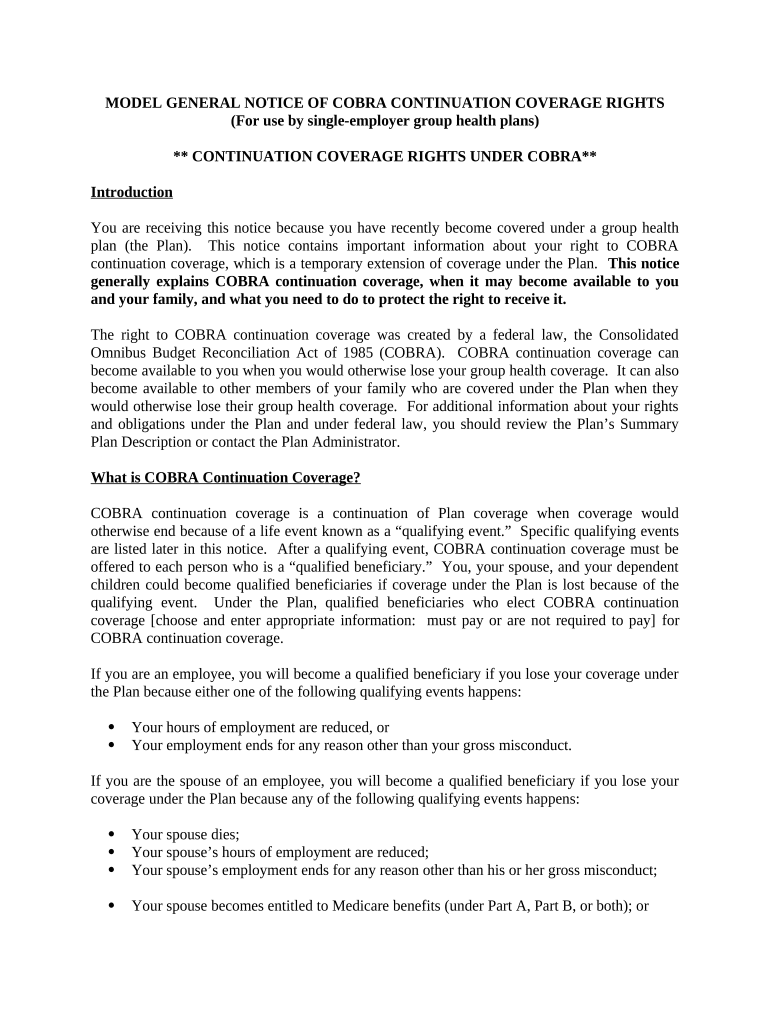
MODEL GENERAL NOTICE OF COBRA CONTINUATION COVERAGE RIGHTS (For use by single-employer group health plans) ** CONTINUATION COVERAGE RIGHTS UNDER COBRA** Introduction You are receiving this notice because you have recently become covered under a group health plan (the Plan). This notice contains important information about your right to COBRA continuation coverage, which is a temporary extension of coverage under the Plan. This notice generally explains COBRA continuation coverage, when it may become available to you and your family, and what you need to do to protect the right to receive it. The right to COBRA continuation coverage was created by a federal law, the Consolidated Omnibus Budget Reconciliation Act of 1985 (COBRA). COBRA continuation coverage can become available to you when you would otherwise lose your group health coverage. It can also become available to other members of your family who are covered under the Plan when they would otherwise lose their group health coverage. For additional information about your rights and obligations under the Plan and under federal law, you should review the Plan’s Summary Plan Description or contact the Plan Administrator. What is COBRA Continuation Coverage? COBRA continuation coverage is a continuation of Plan coverage when coverage would otherwise end because of a life event known as a “qualifying event.” Specific qualifying events are listed later in this notice. After a qualifying event, COBRA continuation coverage must be offered to each person who is a “qualified beneficiary.” You, your spouse, and your dependent children could become qualified beneficiaries if coverage under the Plan is lost because of the qualifying event. Under the Plan, qualified beneficiaries who elect COBRA continuation coverage [choose and enter appropriate information: must pay or are not required to pay] for COBRA continuation coverage. If you are an employee, you will become a qualified beneficiary if you lose your coverage under the Plan because either one of the following qualifying events happens:  Your hours of employment are reduced, or  Your employment ends for any reason other than your gross misconduct. If you are the spouse of an employee, you will become a qualified beneficiary if you lose your coverage under the Plan because any of the following qualifying events happens:  Your spouse dies;  Your spouse’s hours of employment are reduced;  Your spouse’s employment ends for any reason other than his or her gross misconduct;  Your spouse becomes entitled to Medicare benefits (under Part A, Part B, or both); or  You become divorced or legally separated from your spouse. Your dependent children will become qualified beneficiaries if they lose coverage under the Plan because any of the following qualifying events happens:  The parent-employee dies;  The parent-employee’s hours of employment are reduced;  The parent-employee’s employment ends for any reason other than his or her gross misconduct;  The parent-employee becomes entitled to Medicare benefits (Part A, Part B, or both);  The parents become divorced or legally separated; or  The child stops being eligible for coverage under the plan as a “dependent child.” When is COBRA Coverage Available? The Plan will offer COBRA continuation coverage to qualified beneficiaries only after the Plan Administrator has been notified that a qualifying event has occurred. When the qualifying event is the end of employment or reduction of hours of employment, death of the employee, [add if Plan provides retiree health coverage: commencement of a proceeding in bankruptcy with respect to the employer,] or the employee's becoming entitled to Medicare benefits (under Part A, Part B, or both), the employer must notify the Plan Administrator of the qualifying event. You Must Give Notice of Some Qualifying Events For the other qualifying events ( divorce or legal separation of the employee and spouse or a dependent child’s losing eligibility for coverage as a dependent child), you must notify the Plan Administrator within 60 days [or enter longer period permitted under the terms of the Plan] after the qualifying event occurs. You must provide this notice to: [Enter name of appropriate party] . [Add description of any additional Plan procedures for this notice, including a description of any required information or documentation.] How is COBRA Coverage Provided? Once the Plan Administrator receives notice that a qualifying event has occurred, COBRA continuation coverage will be offered to each of the qualified beneficiaries. Each qualified beneficiary will have an independent right to elect COBRA continuation coverage. Covered 2[ If the Plan provides retiree health coverage, add the following paragraph: ] Sometimes, filing a proceeding in bankruptcy under title 11 of the United States Code can be a qualifying event. If a proceeding in bankruptcy is filed with respect to [ enter name of employer sponsoring the plan ], and that bankruptcy results in the loss of coverage of any retired employee covered under the Plan, the retired employee will become a qualified beneficiary with respect to the bankruptcy. The retired employee’s spouse, surviving spouse, and dependent children will also become qualified beneficiaries if bankruptcy results in the loss of their coverage under the Plan. employees may elect COBRA continuation coverage on behalf of their spouses, and parents may elect COBRA continuation coverage on behalf of their children. COBRA continuation coverage is a temporary continuation of coverage. When the qualifying event is the death of the employee, the employee's becoming entitled to Medicare benefits (under Part A, Part B, or both), your divorce or legal separation, or a dependent child's losing eligibility as a dependent child, COBRA continuation coverage lasts for up to a total of 36 months. When the qualifying event is the end of employment or reduction of the employee's hours of employment, and the employee became entitled to Medicare benefits less than 18 months before the qualifying event, COBRA continuation coverage for qualified beneficiaries other than the employee lasts until 36 months after the date of Medicare entitlement. For example, if a covered employee becomes entitled to Medicare 8 months before the date on which his employment terminates, COBRA continuation coverage for his spouse and children can last up to 36 months after the date of Medicare entitlement, which is equal to 28 months after the date of the qualifying event (36 months minus 8 months). Otherwise, when the qualifying event is the end of employment or reduction of the employee’s hours of employment, COBRA continuation coverage generally lasts for only up to a total of 18 months. There are two ways in which this 18-month period of COBRA continuation coverage can be extended. Disability extension of 18-month period of continuation coverage If you or anyone in your family covered under the Plan is determined by the Social Security Administration to be disabled and you notify the Plan Administrator in a timely fashion, you and your entire family may be entitled to receive up to an additional 11 months of COBRA continuation coverage, for a total maximum of 29 months. The disability would have to have started at some time before the 60th day of COBRA continuation coverage and must last at least until the end of the 18-month period of continuation coverage. [Add description of any additional Plan procedures for this notice, including a description of any required information or documentation, the name of the appropriate party to whom notice must be sent, and the time period for giving notice.] Second qualifying event extension of 18-month period of continuation coverage If your family experiences another qualifying event while receiving 18 months of COBRA continuation coverage, the spouse and dependent children in your family can get up to 18 additional months of COBRA continuation coverage, for a maximum of 36 months, if notice of the second qualifying event is properly given to the Plan. This extension may be available to the spouse and any dependent children receiving continuation coverage if the employee or former employee dies, becomes entitled to Medicare benefits (under Part A, Part B, or both), or gets divorced or legally separated, or if the dependent child stops being eligible under the Plan as a dependent child, but only if the event would have caused the spouse or dependent child to lose coverage under the Plan had the first qualifying event not occurred. 3 If You Have Questions Questions concerning your Plan or your COBRA continuation coverage rights should be addressed to the contact or contacts identified below. For more information about your rights under ERISA, including COBRA, the Health Insurance Portability and Accountability Act (HIPAA), and other laws affecting group health plans, contact the nearest Regional or District Office of the U.S. Department of Labor’s Employee Benefits Security Administration (EBSA) in your area or visit the EBSA website at www.dol.gov/ebsa. (Addresses and phone numbers of Regional and District EBSA Offices are available through EBSA’s website.) Keep Your Plan Informed of Address Changes In order to protect your family’s rights, you should keep the Plan Administrator informed of any changes in the addresses of family members. You should also keep a copy, for your records, of any notices you send to the Plan Administrator. Plan Contact Information [Enter name of group health plan and name (or position), address and phone number of party or parties from whom information about the plan and COBRA continuation coverage can be obtained on request.] 4

Useful advice for finalizing your ‘Cobra Notice Of Rights’ online

Are you fed up with the inconvenience of managing paperwork? Look no further than airSlate SignNow, the premier electronic signature solution for individuals and organizations. Bid farewell to the tedious process of printing and scanning documents. With airSlate SignNow, you can easily complete and sign documents online. Take advantage of the extensive features offered by this user-friendly and cost-effective platform and transform your approach to document handling. Whether you need to sign forms or gather electronic signatures, airSlate SignNow manages it all effortlessly, with just a few clicks.

Follow this comprehensive guide:

  1. Sign in to your account or sign up for a free trial with our service.
  2. Click +Create to upload a document from your device, cloud, or our template library.
  3. Open your ‘Cobra Notice Of Rights’ in the editor.
  4. Click Me (Fill Out Now) to prepare the document on your end.
  5. Add and designate fillable fields for others (if needed).
  6. Proceed with the Send Invite settings to request eSignatures from others.
  7. Download, print your copy, or convert it into a reusable template.

Don't worry if you need to collaborate with your colleagues on your Cobra Notice Of Rights or send it for notarization—our solution provides you with everything you need to accomplish such tasks. Register with airSlate SignNow today and elevate your document management to a new standard!

Here is a list of the most common customer questions. If you can’t find an answer to your question, please don’t hesitate to reach out to us.

Need help? Contact Support

The best way to complete and sign your cobra notice of rights form

Save time on document management with airSlate SignNow and get your cobra notice of rights form eSigned quickly from anywhere with our fully compliant eSignature tool.

How to Sign a PDF Online How to Sign a PDF Online

How to fill out and sign documents online

In the past, working with paperwork took pretty much time and effort. But with airSlate SignNow, document management is easy and fast. Our robust and easy-to-use eSignature solution lets you effortlessly fill out and electronically sign your cobra notice of rights form online from any internet-connected device.

Follow the step-by-step guidelines to eSign your cobra notice of rights form template online:

  • 1.Sign up for a free trial with airSlate SignNow or log in to your account with password credentials or SSO authorization option.
  • 2.Click Upload or Create and import a file for eSigning from your device, the cloud, or our form library.
  • 3.Click on the document name to open it in the editor and use the left-side menu to fill out all the blank areas appropriately.
  • 4.Place the My Signature field where you need to eSign your sample. Provide your name, draw, or import an image of your handwritten signature.
  • 5.Click Save and Close to finish editing your completed document.

After your cobra notice of rights form template is ready, download it to your device, export it to the cloud, or invite other people to electronically sign it. With airSlate SignNow, the eSigning process only takes several clicks. Use our powerful eSignature solution wherever you are to deal with your paperwork effectively!

How to Sign a PDF Using Google Chrome How to Sign a PDF Using Google Chrome

How to complete and sign paperwork in Google Chrome

Completing and signing paperwork is easy with the airSlate SignNow extension for Google Chrome. Adding it to your browser is a fast and productive way to manage your forms online. Sign your cobra notice of rights form template with a legally-binding electronic signature in a couple of clicks without switching between programs and tabs.

Follow the step-by-step guidelines to eSign your cobra notice of rights form template in Google Chrome:

  • 1.Navigate to the Chrome Web Store, search for the airSlate SignNow extension for Chrome, and install it to your browser.
  • 2.Right-click on the link to a form you need to eSign and select Open in airSlate SignNow.
  • 3.Log in to your account with your password or Google/Facebook sign-in option. If you don’t have one, you can start a free trial.
  • 4.Utilize the Edit & Sign menu on the left to complete your template, then drag and drop the My Signature field.
  • 5.Upload a photo of your handwritten signature, draw it, or simply type in your full name to eSign.
  • 6.Make sure all data is correct and click Save and Close to finish editing your form.

Now, you can save your cobra notice of rights form template to your device or cloud storage, send the copy to other individuals, or invite them to eSign your document with an email request or a secure Signing Link. The airSlate SignNow extension for Google Chrome enhances your document workflows with minimum effort and time. Start using airSlate SignNow today!

How to Sign a PDF in Gmail How to Sign a PDF in Gmail How to Sign a PDF in Gmail

How to complete and sign forms in Gmail

Every time you receive an email with the cobra notice of rights form for approval, there’s no need to print and scan a document or save and re-upload it to a different tool. There’s a much better solution if you use Gmail. Try the airSlate SignNow add-on to promptly eSign any paperwork right from your inbox.

Follow the step-by-step guide to eSign your cobra notice of rights form in Gmail:

  • 1.Go to the Google Workplace Marketplace and locate a airSlate SignNow add-on for Gmail.
  • 2.Set up the tool with a related button and grant the tool access to your Google account.
  • 3.Open an email with an attachment that needs approval and utilize the S symbol on the right panel to launch the add-on.
  • 4.Log in to your airSlate SignNow account. Choose Send to Sign to forward the document to other people for approval or click Upload to open it in the editor.
  • 5.Drop the My Signature option where you need to eSign: type, draw, or upload your signature.

This eSigning process saves efforts and only takes a few clicks. Take advantage of the airSlate SignNow add-on for Gmail to update your cobra notice of rights form with fillable fields, sign paperwork legally, and invite other individuals to eSign them al without leaving your mailbox. Boost your signature workflows now!

How to Sign a PDF on a Mobile Device How to Sign a PDF on a Mobile Device How to Sign a PDF on a Mobile Device

How to complete and sign documents in a mobile browser

Need to quickly submit and sign your cobra notice of rights form on a mobile phone while doing your work on the go? airSlate SignNow can help without needing to set up extra software apps. Open our airSlate SignNow solution from any browser on your mobile device and add legally-binding eSignatures on the go, 24/7.

Follow the step-by-step guidelines to eSign your cobra notice of rights form in a browser:

  • 1.Open any browser on your device and go to the www.signnow.com
  • 2.Sign up for an account with a free trial or log in with your password credentials or SSO option.
  • 3.Click Upload or Create and add a file that needs to be completed from a cloud, your device, or our form collection with ready-made templates.
  • 4.Open the form and fill out the blank fields with tools from Edit & Sign menu on the left.
  • 5.Add the My Signature field to the sample, then type in your name, draw, or upload your signature.

In a few simple clicks, your cobra notice of rights form is completed from wherever you are. When you're finished editing, you can save the file on your device, build a reusable template for it, email it to other individuals, or invite them electronically sign it. Make your documents on the go quick and efficient with airSlate SignNow!

How to Sign a PDF on iPhone How to Sign a PDF on iPhone

How to fill out and sign documents on iOS

In today’s business world, tasks must be done quickly even when you’re away from your computer. Using the airSlate SignNow mobile app, you can organize your paperwork and sign your cobra notice of rights form with a legally-binding eSignature right on your iPhone or iPad. Set it up on your device to conclude agreements and manage documents from anywhere 24/7.

Follow the step-by-step guidelines to eSign your cobra notice of rights form on iOS devices:

  • 1.Go to the App Store, search for the airSlate SignNow app by airSlate, and set it up on your device.
  • 2.Launch the application, tap Create to add a template, and select Myself.
  • 3.Select Signature at the bottom toolbar and simply draw your autograph with a finger or stylus to eSign the sample.
  • 4.Tap Done -> Save right after signing the sample.
  • 5.Tap Save or utilize the Make Template option to re-use this document later on.

This method is so easy your cobra notice of rights form is completed and signed in a few taps. The airSlate SignNow app works in the cloud so all the forms on your mobile device are kept in your account and are available whenever you need them. Use airSlate SignNow for iOS to enhance your document management and eSignature workflows!

How to Sign a PDF on Android How to Sign a PDF on Android

How to complete and sign documents on Android

With airSlate SignNow, it’s simple to sign your cobra notice of rights form on the go. Install its mobile app for Android OS on your device and start boosting eSignature workflows right on your smartphone or tablet.

Follow the step-by-step guidelines to eSign your cobra notice of rights form on Android:

  • 1.Navigate to Google Play, search for the airSlate SignNow application from airSlate, and install it on your device.
  • 2.Log in to your account or create it with a free trial, then upload a file with a ➕ button on the bottom of you screen.
  • 3.Tap on the uploaded document and choose Open in Editor from the dropdown menu.
  • 4.Tap on Tools tab -> Signature, then draw or type your name to electronically sign the form. Complete blank fields with other tools on the bottom if necessary.
  • 5.Utilize the ✔ key, then tap on the Save option to end up with editing.

With an easy-to-use interface and full compliance with major eSignature laws and regulations, the airSlate SignNow application is the perfect tool for signing your cobra notice of rights form. It even works without internet and updates all document adjustments when your internet connection is restored and the tool is synced. Complete and eSign forms, send them for approval, and make re-usable templates whenever you need and from anywhere with airSlate SignNow.

Sign up and try Cobra notice of rights form
  • Close deals faster
  • Improve productivity
  • Delight customers
  • Increase revenue
  • Save time & money
  • Reduce payment cycles