Establishing secure connection…Loading editor…Preparing document…

Agreement for Future Sale of Commercial Building

This template is fully customizable. Edit the text, fill out the fields, and send it for signature. Give it a try!
Agreement for Future Sale of Commercial Building

What the Agreement for Future Sale of Commercial Building Is

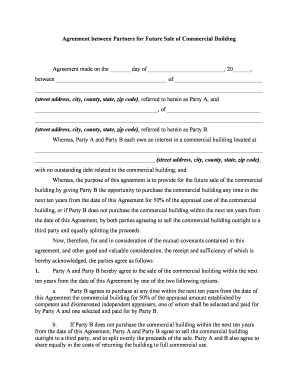
An Agreement for Future Sale of Commercial Building is a legally binding contract in which a current owner (seller) agrees to sell a specified commercial property to a buyer at a future date or upon the occurrence of defined conditions. The document defines the property, purchase price or pricing formula, earnest money or deposit, closing mechanics, contingencies (title, financing, zoning, environmental), allocation of closing costs, and remedies for breach. It can be executed in paper or electronically; when e-signed it must meet ESIGN (15 U.S.C. ch. 96) and applicable state UETA rules to be enforceable across jurisdictions.

Why this Agreement Matters for Commercial Transactions

This agreement locks in commercial sale terms, manages timing and risk, preserves financing options, and provides a clear roadmap for closing. It helps avoid price disputes and clarifies responsibilities for title, inspections, and regulatory compliance.

Why this Agreement Matters for Commercial Transactions

Who Typically Prepares and Signs This Agreement

Several parties interact with this agreement at different stages; each has defined roles and interests.

  • Property owners and sellers: use the form to commit to a future conveyance and define seller obligations during the interim period.
  • Commercial buyers and investors: secure purchase rights, attach financing contingencies, and set inspection and due-diligence timelines.
  • Lenders, escrow agents, and title companies: review terms to confirm mortgage, escrow funding, title clearance, and recording procedures.

The document should be reviewed by counsel for both parties and by title and escrow professionals before execution.

Core Elements to Include in a Professional Agreement

A complete agreement addresses the deal structure, conditions that trigger closing, risk allocation, and remedies. Draft each provision clearly to avoid ambiguity and to anticipate typical commercial contingencies.

Parties & Property

Identify buyer and seller as legal entities and provide full legal property description, including parcel ID, address, and legal metes and bounds where required.
Price & Payment

Specify fixed price or formula, allocation of deposits, escrow handling, payment schedule, and consequences for missed payments or insufficient funds.

Closing Conditions

List title, financing, zoning, environmental assessments, and municipal approvals required to satisfy closing; include timeframes and cure periods.

Due Diligence

Define inspection windows, access rights, deliverables, and responsibility for remediation costs discovered during surveys or environmental testing.

Representations

Seller and buyer representations about authority, liens, outstanding leases, insurance, and any known compliance issues affecting transferability.

Remedies & Defaults

Detail liquidated damages, specific performance, escrow disposition instructions, and attorney fee allocation for breach or enforcement.

Step-by-Step: Filling Out the Agreement

Follow a consistent sequence to reduce omissions and speed review by title and escrow.

  • 01
    Gather documents: Obtain deed, tax parcel, and entity paperwork first.
  • 02
    Complete fields: Fill parties, property, price, deposit, and dates.
  • 03
    Attach exhibits: Add legal description, escrow instructions, and surveys.
  • 04
    Sign and retain: Execute, notarize if required, and distribute to stakeholders.

Configuring an Online Signing Workflow

Set up signing order, authentication, and field logic to match your closing process before sending for signatures.

Field Configuration
Document format PDF or DOCX supported; upload the executed template.
Signer order Set buyer, seller, lender, escrow sequence as required.
Authentication Use email, SMS, or stronger methods for critical signers.
Conditional fields Show/hide sections for financing or zoning contingencies.

Technical Requirements for eSigning and Distribution

Choose a platform that supports required file formats, secure authentication, and an auditable trail for enforceability.

  • File formats: PDF and Word (DOCX) recommended.
  • Integrations: Connect to title, CRM, or cloud storage.
  • Authentication: Email, SMS, or KBA options available.

Ensure the platform can produce a tamper-evident final PDF, preserve an audit trail, and integrate with escrow or title systems for streamlined closing.

Where to File, Send, and Store the Agreement

After execution, route copies to key stakeholders and follow recording requirements for deed transfer at closing.

  • Escrow Officer: Send executed agreement and deposit instructions to escrow.
  • Lender: Provide loan documents and commitment conditions if financing required.
  • Title Company: Deliver agreement with exhibits for title clearance and policy issuance.
  • Recorder: Record deed post-closing per county recorder rules.

Typical Deadlines and Time-Sensitive Dates

Identify and calendar all contractual dates: execution, deposit, inspection periods, financing deadlines, and closing to avoid default triggers.

Agreement execution date:

Date parties sign; starts contingency clocks and cure periods.

Deposit due date:

When earnest money must be delivered to escrow holder.

Due diligence deadline:

Last day to complete inspections and terminate for cause.

Financing contingency date:

Date lender must deliver commitment or buyer may terminate.

Closing/recording date:

Date for deed transfer and county recording actions.

Key Milestones from Agreement to Recording

A milestone timeline clarifies sequential responsibilities from signing through recording to reduce delays and disputes.

01

Agreement Signed

Execution triggers deposit and starts due diligence period.

02

Due Diligence Complete

Inspections, surveys, and environmental reviews concluded or cured.

03

Financing Approved

Lender issues commitment and satisfies lender conditions.

04

Closing and Recording

Funds exchanged, deed recorded, and title insurance issued.

Security and Compliance Features to Preserve Enforceability

Encryption: TLS 1.2/1.3 in transit; AES-256 at rest
Audit Trail: Timestamped actions, IP, and event history preserved
HIPAA (BAA): Business associate agreement required for PHI workflows
21 CFR Part 11: Support for compliant controls and e-signature timestamps
Authentication: Email, SMS, KBA, or stronger multi-factor options
Data Certifications: SOC 2 Type II and ISO 27001 available

Common Pitfalls to Avoid When Preparing the Agreement

  • Using an imprecise legal description can derail title insurance and recording; always cross-check with county records and surveys.
  • Omitting exhibits such as leases or environmental reports creates ambiguity about what is included in the sale.
  • Failing to confirm the signer's authority for entities leads to later challenges and potential rescission.
  • Neglecting escrow and disbursement instructions risks misapplied funds or disputes at closing.

Key Risks and Potential Consequences

Deposit Forfeiture: Seller may retain earnest money
Breach Damages: Monetary awards or litigation costs
Specific Performance: Court-ordered conveyance in some jurisdictions
Title Insurance Gap: Unresolved liens can void coverage
Regulatory Fines: Noncompliance with zoning or environmental rules
Tax Consequences: Gain recognition and reporting obligations

Real-World Examples of Online Execution and Compliance

Organizations across sectors use electronic signing to execute complex commercial sale agreements while preserving an auditable record of consent and delivery.

Martin Properties — Tim Martin, Founder

Martin Properties adopted online execution for portfolio sales to cut turnaround times by removing in-person steps.

  • The platform preserved required signatures across mobile and desktop.
  • Tim Martin reported the team could execute documents remotely with full compliance and security, allowing closings to proceed despite scheduling conflicts and improving transaction reliability.

BIS — Dan Rotelli, CEO

BIS selected a compliant eSignature workflow for enterprise document control and audit requirements.

  • SOC 2 and ESIGN/UETA alignment were decisive.
  • Dan Rotelli said the platform's certifications and audit trails made it straightforward to maintain corporate compliance and defend signature validity during audits.

Typical Signatories and Their Authority

Seller – Property Owner

The seller is the legal titleholder or authorized representative; include corporate minutes, resolution, or power of attorney when an officer signs on behalf of an entity to confirm authority.

Buyer – Commercial Investor

The buyer may be an individual, partnership, or entity; ensure authorized signatory lines and funding source confirmations are documented to validate performance capability.

eSignature Vendor Comparison for Executing This Agreement

Compare baseline vendor features and starting prices when selecting a platform to execute and manage this agreement; signNow is listed first per vendor comparison practices.

signNow DocuSign Adobe Sign PandaDoc HelloSign
Starting Price $8/user/mo $15/user/mo $14/user/mo $19/user/mo $15/user/mo
Free Trial 7-day free trial Varies by vendor Varies by vendor Varies by vendor Varies by vendor
Bulk Send Yes (Business Premium) Varies by vendor Varies by vendor Varies by vendor No
Audit Trail Yes Yes Yes Yes Yes
HIPAA Compliant Yes Yes Yes No No

Frequently Asked Questions About This Agreement

Answers to common questions on enforceability, notarization, signature authority, amendments, and cancellations for future sale agreements.


Need help? Contact support

be ready to get more
Join over 28 million airSlate SignNow users