Establishing secure connection… Loading editor… Preparing document…
Navigation

Fill and Sign the Common Law Marriage Form

Fill and Sign the Common Law Marriage Form

How it works

Open the document and fill out all its fields.
Apply your legally-binding eSignature.
Save and invite other recipients to sign it.

Rate template

4.4
62 votes
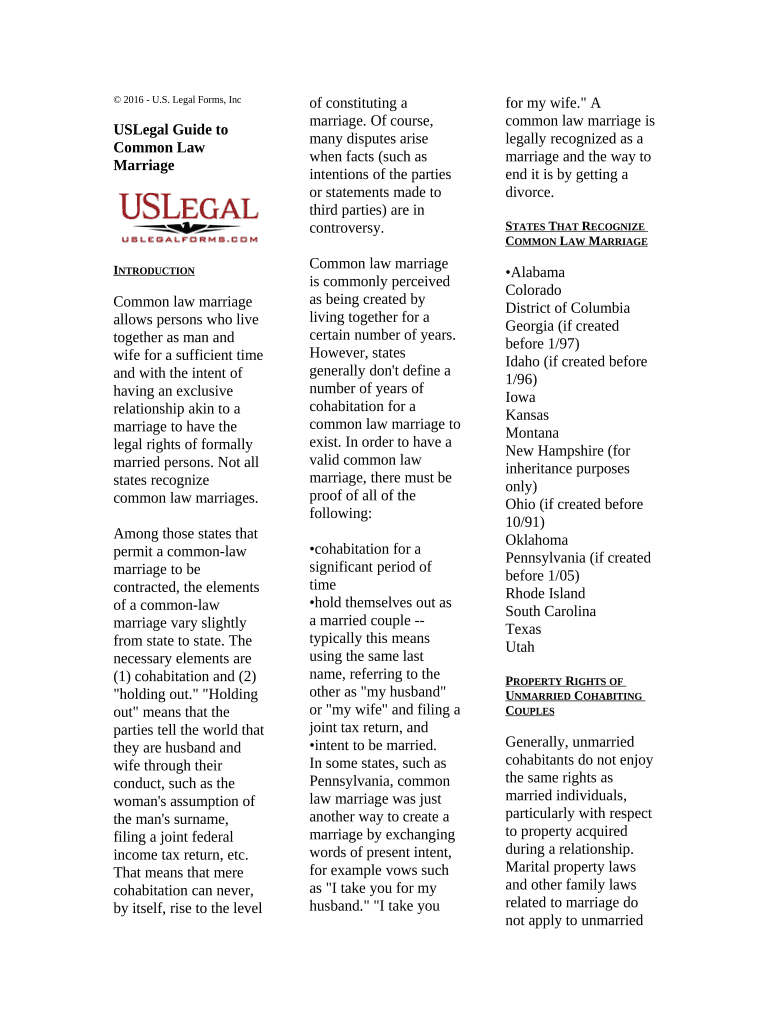
© 2016 - U.S. Legal Forms, Inc USLegal Guide to Common Law Marriage I NTRODUCTION Common law marriage allows persons who live together as man and wife for a sufficient time and with the intent of having an exclusive relationship akin to a marriage to have the legal rights of formally married persons. Not all states recognize common law marriages. Among those states that permit a common-law marriage to be contracted, the elements of a common-law marriage vary slightly from state to state. The necessary elements are (1) cohabitation and (2) "holding out." "Holding out" means that the parties tell the world that they are husband and wife through their conduct, such as the woman's assumption of the man's surname, filing a joint federal income tax return, etc. That means that mere cohabitation can never, by itself, rise to the level of constituting a marriage. Of course, many disputes arise when facts (such as intentions of the parties or statements made to third parties) are in controversy. Common law marriage is commonly perceived as being created by living together for a certain number of years. However, states generally don't define a number of years of cohabitation for a common law marriage to exist. In order to have a valid common law marriage, there must be proof of all of the following: •cohabitation for a significant period of time •hold themselves out as a married couple -- typically this means using the same last name, referring to the other as "my husband" or "my wife" and filing a joint tax return, and •intent to be married. In some states, such as Pennsylvania, common law marriage was just another way to create a marriage by exchanging words of present intent, for example vows such as "I take you for my husband." "I take you for my wife." A common law marriage is legally recognized as a marriage and the way to end it is by getting a divorce. S TATES T HAT R ECOGNIZE C OMMON L AW M ARRIAGE •Alabama Colorado District of Columbia Georgia (if created before 1/97) Idaho (if created before 1/96) Iowa Kansas Montana New Hampshire (for inheritance purposes only) Ohio (if created before 10/91) Oklahoma Pennsylvania (if created before 1/05) Rhode Island South Carolina Texas Utah P ROPERTY R IGHTS OF U NMARRIED C OHABITING C OUPLES Generally, unmarried cohabitants do not enjoy the same rights as married individuals, particularly with respect to property acquired during a relationship. Marital property laws and other family laws related to marriage do not apply to unmarried couples, even in long- term relationships. The characterization of property acquired by unmarried cohabitants is less clear than that of married couples whose ownership of property is governed by marital and community property laws. Some property acquired by unmarried couples may be owned jointly, but it may be difficult to divide such property when the relationship ends. Cohabitation is generally defined as two people living together as if a married couple. State laws vary in defining cohabitation. Some states have statutes which make cohabitation a criminal offense under adultery laws. Under one state's law, cohabitation means "regularly residing with an adult of the same or opposite sex, if the parties hold themselves out as a couple, and regardless of whether the relationship confers a financial benefit on the party receiving alimony. Proof of sexual relations is admissible but not required to prove cohabitation." Another state statute defines cohabitation as "the dwelling together continuously and habitually of a man and a woman who are in a private conjugal relationship not solemnized as a marriage according to law, or not necessarily meeting all the standards of a common-law marriage." Yet another state, Georgia, defines cohabitation as "dwelling together continuously and openly in a meretricious relationship with another person, regardless of the sex of the other person." Living together, or cohabitation, in a non- marital relationship does not automatically entitle either party to acquire any rights in the property of the other party acquired during the period of cohabitation. However, adults who voluntarily live together and engage in sexual relations may enter into a contract to establish the respective rights and duties of the parties with respect to their earnings and the property acquired from their earnings during the nonmarital relationship. While parties to a nonmarital cohabitation agreement cannot lawfully contract to pay for the performance of sexual services, they may agree to pool their earnings and hold all property acquired during the relationship separately, jointly or to be governed by community property laws. They may also agree to pool only part of their earnings and property, form a partnership or joint venture or joint enterprise, or hold property as joint tenants or tenants in common, or agree to any other arrangement. Other legal issues that may be affect cohabiting couples include estate planning and medical care. Generally, someone who cohabits with another is not considered an heir under the law or have the same rights to make medical care decisions in the same manner as a spouse. Therefore, unmarried cohabitants may consider estate planning and power of attorneys in addition to having a nonmarital agreement. In some cases of people who formerly cohabited, courts have found a trust created in property of one person who cohabits with another, whereby the property is deemed held for the benefit of their domestic partner. When there is no formal trust agreement, a resulting trust may still be found under certain circumstances in order to enforce agreements regarding the property and income of domestic partners. If there is evidence that the parties intended to create a trust, but the formalities of a trust are lacking, the court may declare a resulting trust exists. The court may also declare that a constructive trust exists, which is essentially a legal fiction designed to avoid injustice and prevent giving an unfair advantage to one of the parties. This may be based on the contributions made by one partner to the property of the other. Each case is decided on its own facts, taking all circumstances into consideration. A minority of states have anti-cohabitation laws on their books, although they are largely not enforced. State laws also exist allowing cohabitation as affirmative defense in certain criminal sexual offenses. Cohabitation alone may not qualify as common law marriage. Under the terms of an alimony order, payments may cease if the recipient cohabits with another. Some state statutes and case law allow modification or termination of alimony based upon a significant change of circumstances, such as cohabitation. State laws involving cohabitation vary by state, so local laws should be consulted for requirements and applicability in your area. Jared Laskin, a prominent “palimony” lawyer in California has written an online article about palimony since the 1976 decision of Marvin v. Marvin; see: http://www.palimony.co m/7.html. Reading that article will give some notion of the rights of a cohabitant whose domestic partnership is not working. It is recommended for cohabiting couples to create a cohabitation agreement, which can be enforced under contract law principles. Such agreements provide for the terms of dividing assets and debts upon termination of the relationship. A resulting trust is a trust created in property of one person who cohabits with another, whereby the property is deemed held for the benefit of their domestic partner. When there is no formal trust agreement, a resulting trust may still be found under certain circumstances in order to enforce agreements regarding the property and income of domestic partners. If there is evidence that the parties intended to create a trust, but the formalities of a trust are lacking, the court may find a resulting trust exists. The court may also declare that a constructive trust exists, which is essentially a legal fiction designed to avoid injustice and prevent giving an unfair advantage to one of the parties. This may be based on the contributions made by one partner to the property of the other. The court typically requires a finding of unjust enrichment before it wil impose a constructive trust. Each case is decided on its own facts, taking all circumstances into consideration. The doctrine of unjust enrichment is based upon the principle that one should not be permitted unjustly to enrich himself at the expense of another but should be required to make restitution of or for property received, retained or appropriated. The general rule is that a payment of money under a mistake of fact may be recovered provided that such payment will not prejudice the payee. It is considered unjust enrichment to permit a recipient to retain money paid because of a mistake, unless the circumstances are such that it would be inequitable to require its return. This applies even if the mistake is one on one side (unilateral) and a consequence of the payors negligence, or that the payee acted in good faith. "A person who has conferred a benefit on another by mistake is not precluded from maintaining an action for restitution by the fact that the mistake was due to his lack of care." (Restatement of Restitution § 59.) Equity, which is based on notions of fairness, often allows a person who pays money to another under the mistaken belief a valid contract exists to recover that money when the contract is subsequently canceled for fraud or mistake and the rights of innocent parties have not intervened. (Restatement of Restitution §§ 17, 28.) A constructive trust is one that arises by operation of law against one who, by fraud, wrongdoing, or any other unconscionable conduct, either has obtained or holds legal right to property which he ought not to, in good conscience, keep and enjoy. A constructive trust is an appropriate remedy against unjust enrichment. Unjust enrichment is present in nearly every case where a constructive trust is imposed. However, the court's creation of a constructive trust is not necessarily dependent on a finding that the person whose property is subjected to it has acted wrongly, but may rest as well upon a finding of unjust enrichment arising from other circumstances that "render it inequitable for the party holding the title to retain it." (Starleper v. Hamilton 106 Md.App. 632, 666 A.2d 867 (1995).) The basis for creating a constructive trust is to prevent unjust enrichment. (Restatement of Restitution § 160, comment c.) "Where a person wrongfully disposes of property of another knowing that the disposition is wrongful and acquires in exchange other property, the other is entitled to enforce a constructive trust of the property so acquired." If the property so acquired is or becomes more valuable than the property used in acquiring it, the profit thus made by the wrongdoer cannot be retained by him; the person whose property was used in making the profit is entitled to it." (Restatement Restitution § 202.) When property is given or devised to a defendant in breach of a donor's or testator's contract with a plaintiff, equity will impose a constructive trust upon that property being held by another even though (1) the transfer is not the result of breach of a fiduciary duty or an actual or constructive fraud practiced upon the plaintiff, and (2) the donee or devisee had no knowledge of the wrongdoing or breach of contract. (Jones v. Harrison , 250 Va. 64, 458 S.E.2d 766 (1995 ).) A person who has been unjustly enriched at the expense of another may be required to make restitution to the other. Despite not having a contractual agreement, a trial court may require an individual to make restitution for unjust enrichment if he has received a benefit which would be unconscionable to retain. A person may be deemed to be unjustly enriched if he (or she) has received a benefit, and keeping it would create injustice.

Useful suggestions for preparing your ‘Common Law Marriage’ online

Are you weary of the inconvenience of handling paperwork? Look no further than airSlate SignNow, the leading eSignature solution for individuals and organizations. Bid farewell to the lengthy procedure of printing and scanning documents. With airSlate SignNow, you can effortlessly complete and sign paperwork online. Take advantage of the extensive tools integrated into this intuitive and budget-friendly platform and transform your method of document management. Whether you need to authorize forms or collect eSignatures, airSlate SignNow manages it all effortlessly, with just a few clicks.

Adhere to this comprehensive guide:

  1. Access your account or register for a complimentary trial with our service.
  2. Click +Create to upload a document from your device, cloud, or our form library.
  3. Open your ‘Common Law Marriage’ in the editor.
  4. Click Me (Fill Out Now) to finalize the form on your end.
  5. Add and assign fillable fields for others (if necessary).
  6. Proceed with the Send Invite settings to solicit eSignatures from others.
  7. Save, print your version, or convert it into a reusable template.

No need to worry if you want to collaborate with others on your Common Law Marriage or send it for notarization—our solution provides everything you need to achieve such tasks. Create an account with airSlate SignNow today and elevate your document management to new levels!

Here is a list of the most common customer questions. If you can’t find an answer to your question, please don’t hesitate to reach out to us.

Need help? Contact Support

The best way to complete and sign your common law marriage form

Save time on document management with airSlate SignNow and get your common law marriage form eSigned quickly from anywhere with our fully compliant eSignature tool.

How to Sign a PDF Online How to Sign a PDF Online

How to fill out and sign documents online

Previously, dealing with paperwork required pretty much time and effort. But with airSlate SignNow, document management is fast and easy. Our powerful and easy-to-use eSignature solution lets you easily complete and eSign your common law marriage form online from any internet-connected device.

Follow the step-by-step guide to eSign your common law marriage form template online:

  • 1.Sign up for a free trial with airSlate SignNow or log in to your account with password credentials or SSO authentication.
  • 2.Click Upload or Create and add a form for eSigning from your device, the cloud, or our form library.
  • 3.Click on the document name to open it in the editor and use the left-side toolbar to complete all the blank areas appropriately.
  • 4.Drop the My Signature field where you need to approve your sample. Type your name, draw, or upload a picture of your regular signature.
  • 5.Click Save and Close to finish modifying your completed document.

As soon as your common law marriage form template is ready, download it to your device, save it to the cloud, or invite other individuals to eSign it. With airSlate SignNow, the eSigning process only takes a few clicks. Use our robust eSignature tool wherever you are to handle your paperwork effectively!

How to Sign a PDF Using Google Chrome How to Sign a PDF Using Google Chrome

How to complete and sign paperwork in Google Chrome

Completing and signing paperwork is simple with the airSlate SignNow extension for Google Chrome. Installing it to your browser is a fast and productive way to deal with your forms online. Sign your common law marriage form template with a legally-binding electronic signature in just a few clicks without switching between programs and tabs.

Follow the step-by-step guidelines to eSign your common law marriage form template in Google Chrome:

  • 1.Go to the Chrome Web Store, search for the airSlate SignNow extension for Chrome, and add it to your browser.
  • 2.Right-click on the link to a document you need to sign and select Open in airSlate SignNow.
  • 3.Log in to your account using your password or Google/Facebook sign-in buttons. If you don’t have one, sign up for a free trial.
  • 4.Utilize the Edit & Sign toolbar on the left to complete your template, then drag and drop the My Signature field.
  • 5.Insert a photo of your handwritten signature, draw it, or simply type in your full name to eSign.
  • 6.Verify all information is correct and click Save and Close to finish modifying your paperwork.

Now, you can save your common law marriage form template to your device or cloud storage, send the copy to other individuals, or invite them to eSign your document via an email request or a protected Signing Link. The airSlate SignNow extension for Google Chrome enhances your document processes with minimum time and effort. Start using airSlate SignNow today!

How to Sign a PDF in Gmail How to Sign a PDF in Gmail How to Sign a PDF in Gmail

How to complete and sign forms in Gmail

Every time you receive an email containing the common law marriage form for approval, there’s no need to print and scan a file or download and re-upload it to a different program. There’s a better solution if you use Gmail. Try the airSlate SignNow add-on to quickly eSign any documents right from your inbox.

Follow the step-by-step guidelines to eSign your common law marriage form in Gmail:

  • 1.Visit the Google Workplace Marketplace and find a airSlate SignNow add-on for Gmail.
  • 2.Set up the tool with a corresponding button and grant the tool access to your Google account.
  • 3.Open an email with an attachment that needs approval and utilize the S sign on the right panel to launch the add-on.
  • 4.Log in to your airSlate SignNow account. Opt for Send to Sign to forward the document to other people for approval or click Upload to open it in the editor.
  • 5.Place the My Signature option where you need to eSign: type, draw, or import your signature.

This eSigning process saves time and only requires a couple of clicks. Take advantage of the airSlate SignNow add-on for Gmail to adjust your common law marriage form with fillable fields, sign forms legally, and invite other parties to eSign them al without leaving your inbox. Boost your signature workflows now!

How to Sign a PDF on a Mobile Device How to Sign a PDF on a Mobile Device How to Sign a PDF on a Mobile Device

How to fill out and sign forms in a mobile browser

Need to rapidly fill out and sign your common law marriage form on a smartphone while doing your work on the go? airSlate SignNow can help without the need to install extra software apps. Open our airSlate SignNow tool from any browser on your mobile device and create legally-binding eSignatures on the go, 24/7.

Follow the step-by-step guide to eSign your common law marriage form in a browser:

  • 1.Open any browser on your device and go to the www.signnow.com
  • 2.Sign up for an account with a free trial or log in with your password credentials or SSO option.
  • 3.Click Upload or Create and add a file that needs to be completed from a cloud, your device, or our form library with ready-made templates.
  • 4.Open the form and fill out the empty fields with tools from Edit & Sign menu on the left.
  • 5.Put the My Signature area to the form, then type in your name, draw, or upload your signature.

In a few easy clicks, your common law marriage form is completed from wherever you are. Once you're finished editing, you can save the file on your device, build a reusable template for it, email it to other individuals, or ask them to eSign it. Make your paperwork on the go prompt and efficient with airSlate SignNow!

How to Sign a PDF on iPhone How to Sign a PDF on iPhone

How to complete and sign documents on iOS

In today’s business community, tasks must be done rapidly even when you’re away from your computer. Using the airSlate SignNow mobile app, you can organize your paperwork and approve your common law marriage form with a legally-binding eSignature right on your iPhone or iPad. Install it on your device to close deals and manage documents from anyplace 24/7.

Follow the step-by-step guidelines to eSign your common law marriage form on iOS devices:

  • 1.Go to the App Store, find the airSlate SignNow app by airSlate, and set it up on your device.
  • 2.Launch the application, tap Create to import a form, and choose Myself.
  • 3.Opt for Signature at the bottom toolbar and simply draw your signature with a finger or stylus to eSign the form.
  • 4.Tap Done -> Save right after signing the sample.
  • 5.Tap Save or use the Make Template option to re-use this document later on.

This process is so easy your common law marriage form is completed and signed in just a few taps. The airSlate SignNow app works in the cloud so all the forms on your mobile device remain in your account and are available whenever you need them. Use airSlate SignNow for iOS to improve your document management and eSignature workflows!

How to Sign a PDF on Android How to Sign a PDF on Android

How to fill out and sign forms on Android

With airSlate SignNow, it’s easy to sign your common law marriage form on the go. Install its mobile app for Android OS on your device and start enhancing eSignature workflows right on your smartphone or tablet.

Follow the step-by-step guidelines to eSign your common law marriage form on Android:

  • 1.Navigate to Google Play, search for the airSlate SignNow application from airSlate, and install it on your device.
  • 2.Log in to your account or create it with a free trial, then import a file with a ➕ button on the bottom of you screen.
  • 3.Tap on the imported file and choose Open in Editor from the dropdown menu.
  • 4.Tap on Tools tab -> Signature, then draw or type your name to electronically sign the template. Complete empty fields with other tools on the bottom if needed.
  • 5.Utilize the ✔ button, then tap on the Save option to finish editing.

With a user-friendly interface and total compliance with major eSignature requirements, the airSlate SignNow application is the perfect tool for signing your common law marriage form. It even operates offline and updates all document modifications once your internet connection is restored and the tool is synced. Fill out and eSign documents, send them for eSigning, and generate re-usable templates anytime and from anyplace with airSlate SignNow.

Sign up and try Common law marriage form
  • Close deals faster
  • Improve productivity
  • Delight customers
  • Increase revenue
  • Save time & money
  • Reduce payment cycles