Establishing secure connection…Loading editor…Preparing document…

Employer Complaint

This template is fully customizable. Edit the text, fill out the fields, and send it for signature. Give it a try!
Employer Complaint

What an Employer Complaint Is and when it’s used

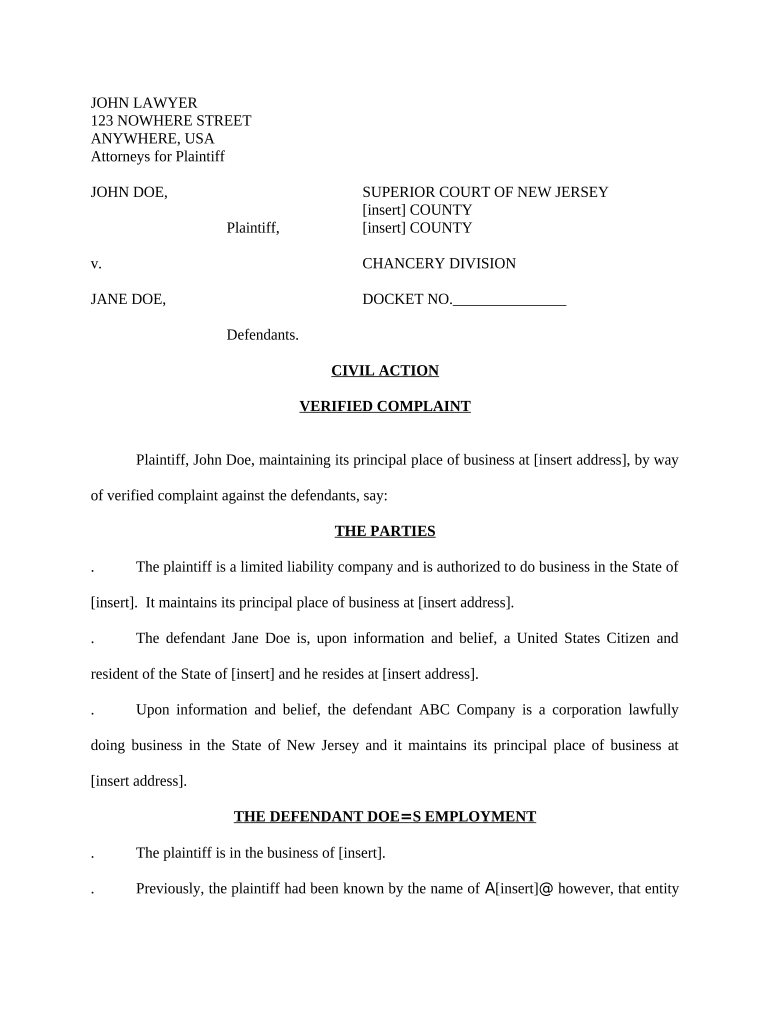
An Employer Complaint is a formal written statement submitted by an employee, former employee, representative, or third party to report alleged unlawful or contract-based conduct by an employer. It records the parties, the factual narrative, dates, affected policies or statutes, attachments (evidence), and the remedy or relief sought. Employer Complaints can be used internally (HR or corporate compliance), for administrative claims (EEOC, DOL, state labor agencies), or as the factual basis for civil litigation. Proper structure and supporting documents improve clarity and preserve legal options.

Why a clear Employer Complaint matters

A well-prepared Employer Complaint documents the facts, preserves evidence, establishes timelines, and clarifies requested remedies, making investigations or legal reviews faster and more reliable.

Why a clear Employer Complaint matters

Who prepares and receives an Employer Complaint

Typical filers and recipients vary by context — internal HR, regulatory agencies, counsel, or employee advocates.

  • Employees and former employees reporting discrimination, wage disputes, harassment, or policy violations.
  • Human resources, compliance officers, or in-house counsel reviewing and investigating allegations.
  • External agencies such as EEOC, DOL Wage and Hour Division, or state labor departments handling formal complaints.

Choose the recipient and format that matches your goal: internal resolution, administrative remedy, or litigation support.

Primary roles that sign or approve complaints

HR Manager

Responsible for receiving, logging, and initiating internal investigations. Reviews complaint completeness, preserves records, coordinates witness interviews, and escalates to legal counsel when statutory violations are alleged.

Employee Representative

May draft and submit the complaint on behalf of the employee, attach supporting documents, and coordinate filing with agencies; ensures consent and proper authorization are documented.

Security and compliance considerations when submitting electronically

Encryption in transit: TLS 1.2/1.3
Encryption at rest: AES-256
Audit logs: Signed audit trail
Regulatory standards: ESIGN, UETA
Healthcare data: HIPAA (BAA required)
System certifications: SOC 2 Type II, ISO 27001

Common preparation challenges to avoid

  • Incomplete timelines or missing dates that undermine event sequencing and investigative clarity.
  • Failing to attach documentary evidence (pay stubs, emails, messages) that corroborate written allegations.
  • Using vague language or generalized claims rather than specific incidents with dates and actors.
  • Not confirming the correct agency recipient or internal contact, causing procedural delays or misfiling.

Risks and potential consequences of an incorrect complaint

Loss of remedy: Missed filing deadlines
Retaliation risk: Unprotected disclosure details
Privacy exposure: Unauthorized PII release
Evidentiary harm: Missing attachments
Procedural denial: Wrong recipient filed
Legal sanction: False statements risk

Step-by-step: preparing an Employer Complaint

Follow a consistent step sequence to ensure completeness and preserve legal options during internal or administrative filings.

  • 01
    Collect facts: List dates, names, locations, and specific conduct.
  • 02
    Gather evidence: Attach emails, pay records, and witness statements.
  • 03
    Choose recipient: Decide HR, EEOC, DOL, or counsel filing.
  • 04
    File and track: Submit, obtain confirmation, and retain copies.

Where and how an Employer Complaint is routed

Understand the typical routing flow so your complaint reaches the appropriate investigator and is processed without avoidable delays.

  • Internal HR: Logged into case system and assigned investigator.
  • Agency filing: Filed with EEOC, DOL, or state labor department.
  • Legal counsel: Reviewed for litigation or settlement potential.
  • External enforcement: Agency investigates and issues determinations.

Digital submission: format and platform considerations

Choose a secure platform and file formats that preserve metadata and attachments when submitting electronically.

  • Accepted formats: PDF preferred; DOCX sometimes accepted
  • Authentication: Email link or multi-factor verification
  • Integrations: Connects with HRIS and case management

Retain signed and timestamped copies, export audit logs, and secure originals according to retention rules.

Setting up an electronic complaint workflow

Configure a repeatable workflow to collect fields, attachments, signatures, and to route copies to investigators and legal.

Field mapping Standardize field names across templates
Authentication method Email link | SMS code | MFA
Routing rules Auto-assign to HR or counsel
Retention policy Apply archival retention tags
Notification Automated receipts and status updates

Electronic signature vendor comparison for filing Employer Complaints

Basic pricing and capability differences can affect per-file cost, compliance options, and high-volume workflows; signNow is listed first for comparison consistency.

signNow DocuSign Adobe Sign PandaDoc HelloSign
Starting Price $8/user/mo $15/user/mo $14/user/mo $19/user/mo $15/user/mo
Free Trial 7-day free trial Varies by vendor Varies by vendor Varies by vendor Varies by vendor
Bulk Send Yes Yes Yes Yes Varies
Audit Trail Yes Yes Yes Yes Yes
HIPAA Compliant Yes Yes Yes No No

Essential components to include in a professional Employer Complaint

A complete complaint contains structured elements that assist investigators and legal reviewers in assessing claims quickly and objectively.

Parties

Full legal names, job titles, employer legal entity, and contact information for each party involved to avoid identity confusion.
Dates and locations

Specific MM/DD/YYYY incident dates and physical or virtual locations to establish timeline and jurisdictional relevance.

Detailed narrative

Chronological factual account of events, limited to observable conduct, quoted statements, and actions rather than conclusions.

Relief requested

Clear statement of requested remedies such as back pay, policy changes, corrective action, or disciplinary measures.

Supporting exhibits

Numbered attachments list: emails, pay stubs, schedules, witness contact info, and other corroborating documents.

Signature and date

Complainant signature with date, or authorized representative signature, and contact information for follow-up.

Practical examples of Employer Complaint use

Two anonymized scenarios illustrate internal and agency filings and the kinds of evidence that matter to investigators.

Internal HR complaint

A staff member documents repeated scheduling discrimination with dates and manager names

  • Includes time-stamped shift records and email threads
  • The HR complaint triggered a timely internal review, corrective scheduling, and a documented settlement that resolved the employee’s requested remedy and preserved records for two years.

Agency filing to EEOC

An employee files after unsuccessful internal resolution, citing discriminatory termination incidents

  • Attaches termination notice, performance reviews, and witness statements
  • The agency complaint established jurisdiction, opened an investigation, and requested additional documents documented via secure electronic submission to support the charge.

Practical tips for accurate and efficient complaint completion

Adopt best practices to reduce follow-up requests, accelerate resolution, and protect sensitive information.

Be specific and factual
Provide exact dates, quotes, and actions; avoid emotional language and summarize only relevant facts to strengthen credibility and reduce clarifying follow-up.
Attach labeled evidence
Number exhibits, reference them in the narrative, and submit originals or high-quality copies so reviewers can corroborate claims quickly.
Protect privacy
Redact unrelated PII, avoid unnecessary disclosure of third-party medical data, and use secure submission channels where possible.
Track and archive
Obtain filing confirmations, keep audit trails, and apply retention tags aligned with regulatory requirements and corporate policy.

Frequently asked questions about Employer Complaints

Answers to common procedural and content questions to help filers avoid delays and preserve rights.


Need help? Contact support

be ready to get more
Join over 28 million airSlate SignNow users